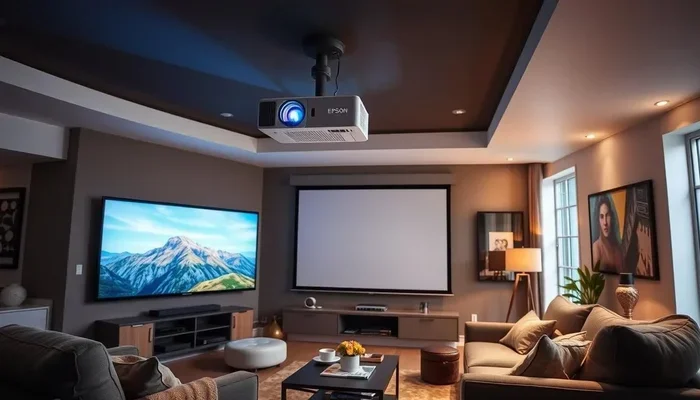
Can A Projector Replace A Smart Tv For Your Home Theater
Many homeowners are asking whether a projector can truly replace a smart TV for a better home theater experience. The answer depends on your room, budget, and viewing habits. This guide breaks down every factor so you can decide with confidence.
You have probably stared at your living room wall and thought, “Wouldn’t it be amazing to watch movies on a huge screen?” The idea of swapping your smart TV for a projector is tempting. It promises a cinematic feel right in your own home. But can a projector really replace a smart TV? The short answer is yes, but with some important trade-offs.
This article walks you through everything you need to know. We compare picture quality, brightness, cost, and everyday use. By the end, you will have a clear picture of which option fits your home theater best. Let us dive in.
Key Takeaways
- Projectors offer a cinematic feel: A large screen creates an immersive movie-night experience that a TV simply cannot match.
- Smart TVs are brighter and easier: They work well in any room with ambient light and require almost no setup.
- Cost varies widely: Entry-level projectors are affordable, but quality models with long lamp life can add up.
- Room matters a lot: A dark room is essential for getting the best picture from a projector.
- Gaming and streaming work on both: But each has strengths and weaknesses you should know about.
- Maintenance is different: Projectors need bulb replacements, while smart TVs are mostly plug-and-play.
- There is no single right answer: The best choice depends on your priorities, space, and budget.
📑 Table of Contents
- What Happens When You Swap Your Smart TV for a Projector
- Projector vs Smart TV: The Head-to-Head Comparison
- Brightness, Screen Size, and Your Room Setup
- The Cost Factor: Projector vs Smart TV
- Gaming, Streaming, and Everyday Use
- Common Mistakes People Make When Switching
- Expert Tips for a Smooth Transition
- Final Verdict: Should You Make the Switch?
What Happens When You Swap Your Smart TV for a Projector
Switching from a smart TV to a projector changes more than just screen size. It changes the way you watch content. The feel of your room shifts. Even your movie nights start to feel different. Here is what you can expect.
The Big Screen Effect
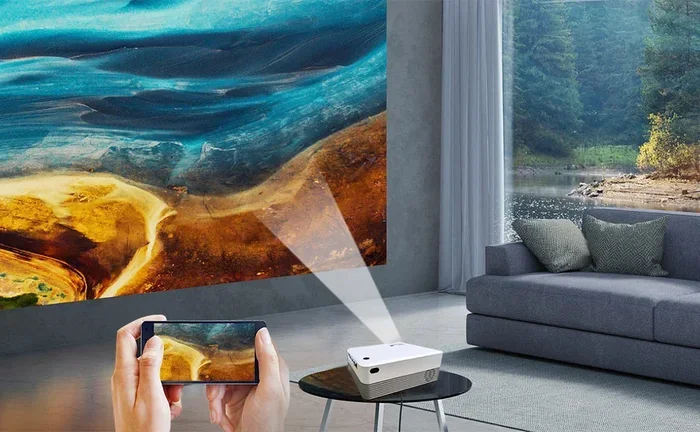
A projector can display images from 80 inches all the way up to 150 inches or more. A typical smart TV tops out around 75 to 85 inches. That massive screen makes you feel like you are inside the movie. Action scenes feel bigger. Landscapes look more dramatic. You get a true cinematic experience without leaving your couch.
But size is not the only thing that changes. The viewing angle also improves. When you sit close to a large TV, you can see individual pixels. With a projector, the image stays smooth even on a huge screen. This is especially true for 4K projectors, which deliver sharp detail across the entire image.
Ambient Light Becomes Your Biggest Enemy
Here is the catch. Projectors struggle in bright rooms. A smart TV shines light directly at your eyes, so it looks great even with sunlight streaming in. A projector relies on reflected light, which means bright rooms wash out the image. If your living room has big windows or lots of ambient light, a projector will not look its best.
This is why most people use projectors in dedicated home theater rooms or basements. If your viewing space is dark or semi-dark, a projector will shine. If it is bright all day, a smart TV will win every time.
Projector vs Smart TV: The Head-to-Head Comparison
Let us break down the key differences between a projector and a smart TV. This comparison table covers the most important factors.
| Feature | Projector | Smart TV |
|---|---|---|
| Screen Size | 80 to 150+ inches | 43 to 85 inches |
| Brightness | Lower in bright rooms | High, works anywhere |
| Picture Detail | 4K available | 4K standard on most models |
| Contrast Ratio | Can be very high | Good, but limited by panel type |
| Setup Effort | Mounting, focusing, screen | Plug in and turn on |
| Portability | Very portable | Fixed in one place |
| Lifespan | Bulb needs replacement | Long-lasting panel |
| Running Cost | Bulb or laser replacement | Low maintenance |
| Price Range | $200 to $3,000+ | $200 to $5,000+ |
| Gaming Input Lag | Varies, can be high | Very low on modern models |
| HDR Support | Limited on most models | Widely supported |
| Smart Features | Built-in or via streaming box | Built-in apps and platforms |
As you can see, both options have clear strengths. A projector wins on size and immersion. A smart TV wins on convenience and brightness. Your choice depends on which factors matter most to you.
Smart TV Features You Might Miss
Smart TVs come loaded with built-in apps like Netflix, Disney+, and YouTube. You can stream content instantly without any extra devices. Projectors often need a separate streaming stick or box to access the same apps. Some projectors do have built-in smart features, but they tend to be slower and less reliable than what you get on a TV.
Another thing to consider is cable TV. If you watch a lot of live sports or cable channels, a smart TV handles this easily. A projector can work with a cable box, but the setup is less seamless. You may need extra cables, an HDMI switch, or a separate sound system to get the full experience.
Brightness, Screen Size, and Your Room Setup
The room you plan to use matters more than you might think. Let us talk about how brightness and screen size interact with your space.
Understanding Projector Brightness
Projector brightness is measured in lumens. A brighter projector performs better in rooms with some light. For a completely dark room, 1,500 to 2,000 lumens is plenty. For a room with some ambient light, you want 3,000 lumens or more. Ultra-short-throw projectors are a great option if you want a big image without casting a long shadow across the room.
Smart TVs, on the other hand, are measured in nits. Most modern smart TVs produce 300 to 1,000 nits. High-end models push past 2,000 nits. This is why a TV looks crisp even in a sunny living room. The TV produces its own light, while the projector depends on reflected light from a screen or wall.
Choosing the Right Screen Size
One of the biggest advantages of a projector is the screen size. Want a 100-inch image? Most projectors can deliver that easily. A 100-inch TV costs a fortune and is extremely heavy. With a projector, you get a massive image at a fraction of the cost.
But bigger is not always better. If you sit too close to a very large screen, you may notice the pixel grid on lower-resolution projectors. This is why a 4K projector is a smart investment if you want a big screen without seeing pixels. It delivers sharp, detailed images even on a 120-inch screen.
Room Setup Tips for the Best Experience
Here are some quick tips to get the most out of your projector setup.
- Paint your walls dark: Dark walls absorb light and improve contrast.
- Use a white or gray screen: A proper screen makes a big difference in image quality.
- Control ambient light: blackout curtains or blinds work wonders.
- Position the projector correctly: Check the throw ratio to ensure the right image size for your distance.
- Keep the projector level: Keystone correction can fix slight tilts, but it reduces image quality.
The Cost Factor: Projector vs Smart TV
Cost is one of the first things people think about when choosing between a projector and a smart TV. Let us break down the real numbers.
Upfront Costs
Entry-level projectors can be found for as low as $200 to $300. These models offer decent image quality but may lack brightness and smart features. Mid-range projectors in the $500 to $1,000 range deliver a much better experience with 1080p or 4K resolution and higher lumens.
Smart TVs come in a similar price range. A 55-inch 4K smart TV can cost between $300 and $700. A 65-inch or 75-inch model runs from $600 to $1,500 or more. So on the surface, the prices seem comparable. But the total cost of ownership tells a different story.
Long-Term Costs and Maintenance
Projectors have ongoing costs that smart TVs do not. Traditional projectors use lamps that need replacement every 2,000 to 5,000 hours. A replacement lamp can cost $50 to $200. Laser projectors last much longer but cost more upfront. LED projectors offer a middle ground with lower running costs.
Smart TVs require very little maintenance. You do not replace bulbs or lamps. The panel can last 50,000 hours or more. Over a 5- to 7-year period, a smart TV is generally cheaper to own than a projector. But if you value the big-screen experience enough, many people feel the extra cost is worth it.
Hidden Costs to Consider
Do not forget about the extras. A projector often needs a screen, mounting bracket, and possibly a sound system. A streaming device may add another $30 to $100. A soundbar or home theater speaker setup can easily add $100 to $500 to your projector setup. Smart TVs usually have built-in speakers, though they are often basic. Many people still add a soundbar for better audio.
Gaming, Streaming, and Everyday Use
How do projectors and smart TVs handle the things you do every day? Let us look at the practical side.
Streaming Content
Both devices handle streaming well, but in different ways. A smart TV has apps built right in. You open Netflix, press play, and watch. A projector may need a Chromecast, Roku, or Fire Stick connected. Some projectors have built-in Android TV or similar platforms, which makes streaming easier. But the interface on a projector is often slower and less polished than what you get on a TV.
For HDR content, smart TVs have a clear advantage. Most modern TVs support HDR10, Dolby Vision, or both. This delivers brighter highlights and richer colors. Projectors with HDR support exist, but they do not get as bright. The effect is less dramatic on a projector, especially in rooms with any light.
Gaming Performance
If you are a gamer, this is an important section. Modern smart TVs offer very low input lag, often under 10 milliseconds. This means your controller actions translate instantly to the screen. Many TVs also support HDMI 2.1, which enables 4K at 120Hz for a buttery smooth gaming experience.
Projectors have improved a lot in recent years. Some gaming projectors now offer input lag as low as 16 to 20 milliseconds. That is playable for most games. But competitive gamers who need the fastest response times will still prefer a TV. If you mainly play story-driven or casual games, a projector can work just fine.
Everyday TV Watching
For casual TV watching, a smart TV is hard to beat. It turns on instantly. The picture looks great in any lighting condition. You can browse channels, check the weather, or browse the web without any extra steps. A projector takes more effort to set up and use every day. It is not as convenient for quick, everyday viewing.
Common Mistakes People Make When Switching
Before you make the switch from a smart TV to a projector, avoid these common mistakes.
Buying a Projector That Is Too Dim
Many first-time buyers choose a projector based on price alone. They end up with a model that produces only 1,500 lumens. In a room with any light, the image looks washed out and dull. Always check the lumen count before buying. For living rooms or family rooms, aim for at least 3,000 lumens.
Ignoring Room Layout
Not every room works for a projector. If your projector sits on a coffee table in front of the sofa, people will walk in front of the beam and cast shadows. Ceiling mounting solves this problem but requires installation. Think about your room layout before you buy.
Skipping the Screen
Some people project directly onto a white wall. While this works in a pinch, a proper projector screen makes a huge difference. It improves color accuracy, contrast, and overall image quality. A basic retractable screen costs $50 to $100 and is well worth the investment.
Forgetting About Sound
Most built-in projector speakers are weak and tinny. A projector cannot replace a good sound system. If you want an immersive experience, budget for a soundbar or a basic speaker setup. Without decent audio, even the best projector image will feel flat.
Expert Tips for a Smooth Transition
If you have decided to go with a projector, here are some tips to make the transition smooth and enjoyable.
- Start with a short-throw projector: These projectors work well in smaller rooms and reduce shadow issues.
- Invest in a good mount: A ceiling mount keeps the projector out of the way and provides a cleaner look.
- Use a universal remote: Control your projector, soundbar, and streaming device with one remote for simplicity.
- Set up a dedicated movie-night routine: Treat projector viewing as a special event. Dim the lights, grab some popcorn, and enjoy.
- Keep your smart TV for casual viewing: Many people use both. A projector for movie nights and a smart TV for everyday use is a winning combo.
Final Verdict: Should You Make the Switch?
So, can a projector replace a smart TV? The honest answer is that it depends on your lifestyle and priorities. If you want a big, immersive screen for movie nights and your viewing room can be darkened, a projector is a fantastic choice. It brings the cinema into your living room in a way no TV can match.
If you want convenience, brightness, and a device that works in any room at any time, a smart TV is the smarter pick. It is easy to use, low maintenance, and handles streaming and gaming with ease.
Many home theater enthusiasts end up using both. A smart TV for everyday use and a projector for special movie nights gives you the best of both worlds. Consider your room, your budget, and your viewing habits. Whichever you choose, you will enjoy great entertainment for years to come.
The bottom line is this: a projector can absolutely replace a smart TV if you set it up right and manage your expectations. Just know what you are trading off, and you will make a choice you will be happy with for a long time.
Frequently Asked Questions
Can a projector really match the picture quality of a modern smart TV?
In a dark room, a 4K projector can deliver stunning picture quality that rivals or even beats a smart TV. However, in bright rooms, a smart TV will always look better because it produces its own light. The projector’s image relies on reflection, which makes it more vulnerable to ambient light.
How long does a projector bulb last before it needs replacing?
Traditional projector bulbs last between 2,000 and 5,000 hours, depending on the model and usage. LED projectors can last up to 20,000 hours or more. Laser projectors offer the longest lifespan, often exceeding 20,000 hours. Replacement costs vary, so factor this into your budget when choosing a projector.
Is a projector cheaper than a smart TV in the long run?
Upfront, projectors and smart TVs can be similarly priced. But projectors have ongoing costs like bulb replacements and sometimes extra accessories like screens and sound systems. Smart TVs have very low maintenance costs. Over 5 to 7 years, a smart TV is generally less expensive to own overall.
Can I use a projector for gaming, or is a smart TV better?
Projectors can work for gaming, but smart TVs are better for competitive gaming. Modern TVs offer very low input lag and support for 4K at 120Hz. Some projectors now offer low input lag too, making them suitable for casual and story-driven games. If you play fast-paced competitive games, a smart TV is the better choice.
What size screen can a projector display compared to a smart TV?
A projector can easily display images from 80 inches up to 150 inches or more. Most smart TVs max out at 85 inches, and larger models are extremely expensive. This size advantage is one of the main reasons people choose a projector for their home theater setup.
Do I need a special screen for a projector, or can I just use a wall?
You can project onto a white wall, but a proper projector screen improves image quality significantly. A screen provides better color accuracy, contrast, and a smooth surface. A basic retractable screen costs between $50 and $100 and is a worthwhile addition for the best viewing experience.
=== CONCLUSION ===
The debate between a projector and a smart TV comes down to your personal needs. A projector delivers a big, cinematic experience that transforms your movie nights. A smart TV offers convenience, brightness, and easy everyday use. Both have their place in a modern home.
If you are willing to invest a little extra in setup and maintenance, a projector can replace a smart TV and elevate your home theater to the next level. Just remember to consider your room lighting, budget, and viewing habits before you decide. With the right choice, you will enjoy incredible entertainment for years to come.