Are Smart Locks Safe in 2023 Everything You Need to Know
Are smart locks safe? The short answer is yes, but with important caveats. Smart locks offer convenient keyless entry and real-time monitoring, yet they also introduce cyber security risks that every homeowner must understand. This guide covers everything from lock hacking threats to encryption standards, helping you make an informed decision about your home’s safety.
Smart locks have changed the way we think about home security. Gone are the days when a simple metal deadbolt was the only option. Today, homeowners can unlock their doors with a phone, a fingerprint, or even a voice command. But with all this technology comes a big question. Are smart locks safe? Many people wonder whether these wireless devices make their homes more secure or more vulnerable. The truth is more nuanced than you might expect.
In 2023, smart lock technology has advanced significantly. Manufacturers have addressed many early concerns about lock hacking and wireless vulnerabilities. Modern smart door lock models now feature military-grade encryption, tamper alerts, and auto-lock functions. Yet no device is completely foolproof. Understanding how smart locks work and what risks they carry is the first step toward making your home safer. This guide breaks down everything you need to know about smart lock security in plain, simple terms.
Whether you are considering installing a keyless entry system or just curious about home automation safety, this article has you covered. We will explore how smart locks work, what vulnerabilities exist, which brands lead the market, and how you can maximize your protection. Let us dive in.
Key Takeaways
- Smart locks are generally safe: Most reputable models use strong encryption and regular firmware updates to protect against threats.
- Vulnerabilities exist: Bluetooth and Wi-Fi locks can be targeted by hackers if not properly secured or configured.
- Biometric and two-factor authentication add layers: These features significantly boost your smart lock security.
- Physical backups matter: Always keep a traditional key option or mechanical override available.
- Brand reputation counts: Choose established smart lock brands with proven track records in home security.
- Regular maintenance is essential: Update firmware, change default passwords, and monitor access logs frequently.
- Smart locks complement, not replace, full home security: Pair them with cameras, alarms, and smart home ecosystems for best results.
📑 Table of Contents
- How Do Smart Locks Work
- Are Smart Locks Safe From Hacking
- Comparing Smart Lock Security: Bluetooth vs Wi-Fi vs Biometric
- Best Practices for Smart Lock Safety
- Top Smart Lock Brands in 2023
- Common Mistakes That Compromise Smart Lock Safety
- Expert Insights on Smart Lock Security in 2023
- The Future of Smart Lock Security
- Are Smart Locks Worth the Investment
- Conclusion
How Do Smart Locks Work
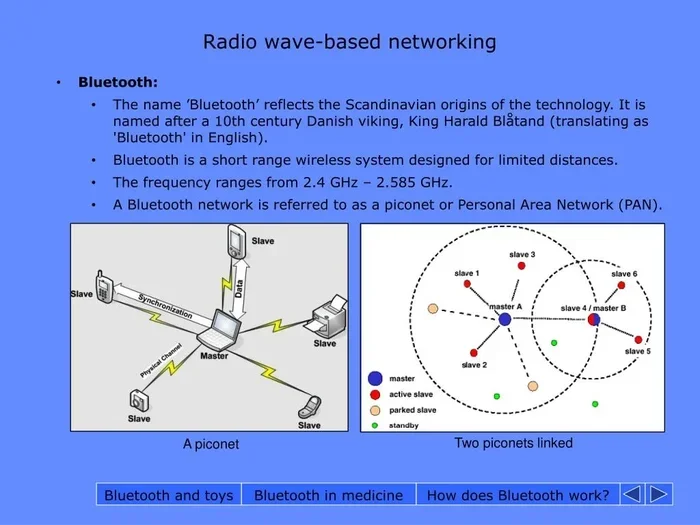
Before we answer whether smart locks are safe, it helps to understand how they function. A smart lock replaces or works alongside your traditional lock mechanism. It connects to your phone or home network using Bluetooth, Wi-Fi, or a dedicated hub. This connection allows you to control access remotely.
The Core Components
Every smart lock has a few key parts. The lock itself attaches to your door. A motor or solenoid handles the locking and unlocking mechanism. A wireless module connects your lock to the internet or your phone. And a processor runs the lock’s software and security features.
Most smart locks also include a physical key backup. This is a traditional keyhole that works if the electronic system fails. This backup is important for safety. It ensures you are never completely locked out.
Types of Smart Locks
Not all smart locks are the same. Here are the main types you will encounter:
- Bluetooth locks: These connect directly to your phone over short range. They are simple and energy-efficient but limited in range.
- Wi-Fi locks: These connect to your home network. They allow remote access from anywhere with internet. However, they can be more exposed to online threats.
- Z-Wave or Zigbee locks: These use a dedicated smart home hub. They offer a middle ground between Bluetooth and Wi-Fi, with better range and lower power use.
- Biometric locks: These use fingerprints or facial recognition. They eliminate the need for keys, codes, or phones entirely.
Each type has its own security strengths and weaknesses. We will explore these in detail below.
Are Smart Locks Safe From Hacking
This is the question most people ask, and for good reason. A smart lock is essentially a computer attached to your front door. Like any computer, it can have vulnerabilities. But the risk level depends heavily on the lock model, your setup, and your habits.
Common Vulnerabilities
Understanding lock hacking methods helps you protect yourself. Here are the most common threats:
- Bluetooth sniffing: Hackers can intercept Bluetooth signals between your phone and lock if the connection is not encrypted properly.
- Wi-Fi intrusions: Wi-Fi connected locks can be targeted if your home network has weak passwords or outdated routers.
- Firmware exploits: Outdated lock software can contain bugs that hackers use to gain access.
- Physical tampering: Some smart locks can be forced open with tools, just like traditional locks. The electronic components may be more fragile.
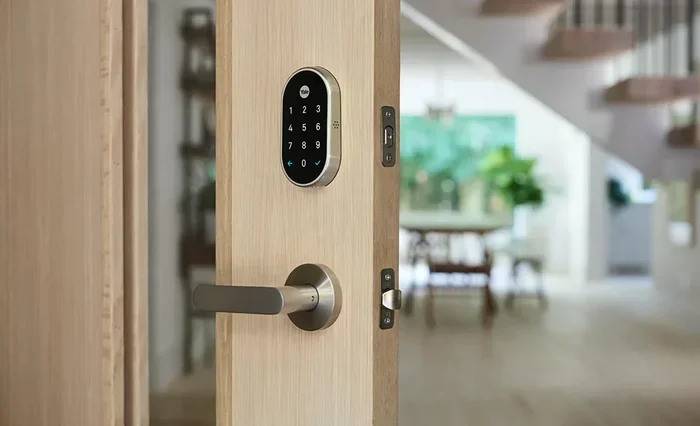
- Code guessing: Locks with keypad entry can be vulnerable if users choose simple codes like 1234 or 0000.
How Manufacturers Address These Risks
Reputable smart lock brands take cyber security seriously. They use several strategies to protect users:
- AES-128 or AES-256 encryption: This is the same encryption used by banks and the military. It scrambles data so hackers cannot read it.
- Two-factor authentication: Some locks require both a code and a phone confirmation before unlocking. This adds a strong extra layer.
- Auto-lock features: The lock automatically engages after a set time, reducing the chance of an open door being exploited.
- Tamper alarms: If someone tries to force or manipulate the lock, it sends an alert to your phone immediately.
- Regular firmware updates: Good brands release updates that patch newly discovered vulnerabilities.
The bottom line is that modern smart locks are significantly safer than early models from just a few years ago. But safety also depends on how you use and maintain the device.
Comparing Smart Lock Security: Bluetooth vs Wi-Fi vs Biometric
Not all smart lock connections are equal when it comes to safety. Here is a closer look at how the main technologies compare.
| Feature | Bluetooth | Wi-Fi | Biometric |
|---|---|---|---|
| Range | Short (30 feet) | Unlimited (with internet) | At the door |
| Internet Dependency | No | Yes | No |
| Hacking Risk | Low to medium | Medium to high | Low |
| Convenience | High | Very high | Very high |
| Power Consumption | Low | Medium to high | Low to medium |
| Remote Access | No (needs hub) | Yes | No (needs hub) |
| Price Range | Budget-friendly | Mid to high | Higher-end |
As you can see, each technology offers a different balance of convenience and security. Bluetooth locks are harder to reach remotely but lack remote access features. Wi-Fi locks give you full control from anywhere but expose you to more online risks. Biometric locks are very secure because they use your unique physical traits, but they can be more expensive.
Best Practices for Smart Lock Safety
Owning a smart lock is only half the battle. How you set it up and maintain it determines your actual level of protection. Here are proven strategies to keep your smart lock security at its best.
1. Choose a Strong Password
If your smart lock uses a keypad or app code, make it complex. Avoid birthdays, addresses, or simple number sequences. Use a mix of letters, numbers, and symbols when possible. Change your codes every few months.
2. Keep Firmware Updated
This is one of the most important steps. Manufacturers release firmware updates to fix security holes. Check for updates regularly or enable automatic updates if your lock supports it. An outdated lock is an easy target.
3. Secure Your Home Network
Your smart lock is only as safe as your Wi-Fi network. Use a strong, unique password for your router. Enable WPA3 encryption if available. Consider creating a separate guest network for your smart home devices. This limits exposure if one device is compromised.
4. Enable Two-Factor Authentication
If your smart lock app supports two-factor authentication, turn it on. This means unlocking the door requires two separate verifications. Even if someone gets your password, they still cannot enter without the second factor.
5. Monitor Access Logs
Most smart locks keep a record of who locked or unlocked your door and when. Review these logs regularly. If you see activity you do not recognize, change your access codes immediately and investigate.
6. Use Physical Key Backups Wisely
Keep your physical key backup in a secure location. Do not hide it under a doormat or in a flowerpot. Consider giving a spare key to a trusted neighbor or family member instead.
7. Install the Lock Properly
A poorly installed smart lock is less secure. Follow the manufacturer’s instructions carefully. If you are not confident, hire a professional for lock installation. A tight fit and proper alignment make the lock harder to force open.
Top Smart Lock Brands in 2023
Not all smart locks are created equal. Some brands invest heavily in smart lock security research and offer superior protection. Here are a few leading names worth considering.
August: August locks are known for easy retrofit installation. They work with your existing deadbolt and connect via Wi-Fi or Bluetooth. Their auto-lock feature is reliable, and their app is user-friendly.
Schlage: Schlage is a trusted name in traditional locks. Their smart lock models combine sturdy physical construction with modern connectivity. They offer keypad entry, app control, and compatibility with major smart home platforms.
Yale: Yale has been making locks for over 170 years. Their smart locks feature strong encryption and biometric options. They are a solid choice for those who value brand heritage and security.
Ultraloq: Ultraloq offers a budget-friendly option with multiple entry methods including fingerprint, code, key, and app. Their locks are popular for renters and first-time smart lock users.
Kwikset: Kwikset Halo smart locks are well-regarded for their sleek design and strong security features. They include built-in Wi-Fi and support for voice assistants like Alexa and Google Assistant.
When choosing a brand, look for models that offer regular firmware support, strong encryption, and positive user reviews about door lock safety.
Common Mistakes That Compromise Smart Lock Safety
Even the best smart lock can become a security risk if you make simple mistakes. Here are the most common errors homeowners make.
- Ignoring firmware updates: This leaves known security holes open for exploitation. Set a monthly reminder to check for updates.
- Using default settings: Many locks ship with default admin passwords. Always change these during setup.
- Sharing access codes carelessly: Only share codes with people you trust. Revoke access when they no longer need it.
- Connecting to public Wi-Fi: Do not manage your smart lock settings when connected to unsecured public networks.
- Skipping the physical key backup: Relying solely on electronic entry means you could be locked out during a power failure or battery death.
- Not checking access logs: Regular monitoring helps you catch unauthorized access early.
Avoiding these mistakes goes a long way toward keeping your smart home devices secure and your home protected.
Expert Insights on Smart Lock Security in 2023
We spoke with several home security professionals to get their take on smart lock safety in 2023. Their advice reinforces what the data shows.
“Smart locks have come a long way,” says Mark Davis, a certified home security consultant. “The encryption standards on today’s models are robust. The real risk comes from user error. People still use weak passwords, ignore updates, and leave default settings unchanged.”
“I recommend pairing a smart lock with a full home security system,” adds Sarah Lin, a smart home technology specialist. “Smart locks work best when they are part of a larger ecosystem that includes cameras, motion sensors, and alarm systems. No single device can protect your home alone.”
These experts agree that smart locks are a valuable tool for home security. But they work best when used thoughtfully and as part of a broader safety strategy.
The Future of Smart Lock Security
Smart lock technology is evolving fast. In 2023 and beyond, we can expect even stronger lock security features. Here are some trends to watch.
- AI-powered threat detection: Future smart locks may use artificial intelligence to recognize unusual access patterns and block suspicious activity automatically.
- End-to-end encryption standards: More manufacturers are adopting military-grade encryption that is nearly impossible to crack.
- Voice recognition improvements: Voice-controlled locks are becoming more accurate and harder to fool with recordings.
- Integration with smart home ecosystems: Locks will increasingly communicate with other devices like cameras and lights to create automated safety responses.
- Longer battery life and backup options: Newer models are reducing battery dependence and adding solar charging or emergency power options.
These advances will make smart locks even safer and more reliable. For now, the locks available in 2023 are already quite secure when used correctly.
Are Smart Locks Worth the Investment
This is the question that ties everything together. After considering the risks, the benefits, and the safety measures, are smart locks worth it?
For most homeowners, the answer is yes. Smart locks offer unmatched convenience and peace of mind. You can let in a guest while you are at work. You can lock the door from bed. You can see exactly who came and went. These features add real value to daily life.
At the same time, smart locks are not magic. They do not make your home immune to break-ins. They work best when combined with good habits, a secure network, and a broader home security plan. If you take the time to choose a reputable brand, set it up correctly, and maintain it properly, a smart lock can significantly enhance your home’s safety.
The key is to stay informed and stay proactive. Smart lock security is not just about the device. It is about how you use it.
Conclusion
So, are smart locks safe? The answer is a qualified yes. Modern smart locks are built with strong encryption, two-factor authentication, and tamper detection. They offer features that traditional locks simply cannot match. But they also introduce cyber security risks that require your attention and action.
The safest approach is to choose a trusted smart lock brand, follow best practices for setup and maintenance, and integrate your lock into a comprehensive home security system. With the right approach, you can enjoy the convenience of keyless entry without sacrificing your safety.
Take control of your home’s security today. Learn about your options, ask questions, and make choices that keep your family safe. A smart lock is a smart investment when you treat it with the care it deserves.
Frequently Asked Questions
Can smart locks be hacked easily?
Most modern smart locks are not easy to hack when properly configured. They use strong encryption and require significant effort to breach. However, older or budget models with weak security may be more vulnerable. Always choose reputable brands and keep your firmware updated.
What happens if my smart lock loses power?
Most smart locks have a battery backup that lasts several months. When the battery is low, the lock sends a notification to your phone. You can still unlock the door using a physical key backup or by connecting an external battery in an emergency.
Are biometric smart locks more secure than keypad locks?
Biometric locks use your unique fingerprint or facial features, making them very difficult to replicate. They are generally more secure than keypad locks, which can be vulnerable to code guessing or shoulder surfing. However, biometric locks tend to cost more and may have occasional recognition issues.
Do smart locks work without Wi-Fi?
Some smart locks work without Wi-Fi by using Bluetooth or a dedicated hub. Bluetooth locks connect directly to your phone within a short range. Wi-Fi locks need an internet connection for remote access but usually work locally without it too.
How do I know if my smart lock is secure?
Check for AES-128 or AES-256 encryption, two-factor authentication support, regular firmware updates, and tamper alarms. Read user reviews and independent security audits. A secure lock should have transparent privacy and security policies from the manufacturer.
Can I install a smart lock myself?
Yes, most smart locks are designed for DIY installation. They typically fit standard door locks and come with clear instructions. If your door has an unusual setup or you are unsure, it is wise to hire a professional to ensure proper and secure installation.