Can A Digital Scale Be Off By 10 Pounds Today Or Not
Yes, a digital scale can absolutely be off by 10 pounds, and it happens more often than you think. Whether it is a calibration issue, a damaged sensor, or a bad surface, several factors cause inaccurate weight readings. This guide breaks down every reason your digital scale might show the wrong number and gives you simple fixes to get accurate weight measurement back on track.
Key Takeaways
- Calibration drift is the #1 cause: Over time, your scale loses its factory calibration and starts giving wrong numbers.
- A wrong surface matters a lot: Placing your scale on a soft or uneven floor can throw off readings by several pounds.
- Overloading damages the load cell: Exceeding the max weight capacity can permanently harm your scale’s sensor.
- Battery levels affect accuracy: Low batteries can cause erratic or inconsistent weight fluctuations.
- Recalibration is easy and free: Most digital scales let you reset them at home with simple steps.
- Temperature and humidity play a role: Environmental changes can impact how your scale performs.
- Knowing when to replace matters: Sometimes the fix is buying a new scale instead of repairing the old one.
📑 Table of Contents
- Can A Digital Scale Be Off By 10 Pounds? The Short Answer Is Yes
- Why Does A Digital Scale Give Wrong Readings?
- How To Check If Your Scale Is Accurate
- How To Fix A Digital Scale That Is Off By 10 Pounds
- Common Mistakes That Cause Inaccurate Scale Readings
- When Should You Replace Your Digital Scale?
- Expert Tips For Keeping Your Scale Accurate
- Quick Tips To Fix A Scale That Is Off By 10 Pounds
- Understanding How Digital Scales Work
- Comparison: Common Causes of Scale Inaccuracy
- FAQ: Frequently Asked Questions About Digital Scale Accuracy
- Conclusion
Can A Digital Scale Be Off By 10 Pounds? The Short Answer Is Yes
If you have ever stepped on your digital scale and seen a number that made no sense, you are not alone. A digital scale can be off by 10 pounds, and this problem affects thousands of people every day. The good news is that it is usually fixable. The bad news is that many people throw away perfectly good scales because they think the device is broken.
Inaccurate weight readings do not always mean your scale is damaged. Sometimes it is a simple fix like moving the scale to a flat surface or replacing the batteries. Other times, the load cell inside the scale has worn out and needs replacement. Let us walk through every reason this happens and how you can solve it.
Whether you use a digital bathroom scale for health tracking or a kitchen scale for cooking, accuracy matters. A scale that is off by 10 pounds can mess up your fitness goals, your portion control, and your peace of mind. So let us dive into what causes this problem and how to fix it.
Why Does A Digital Scale Give Wrong Readings?
Several things can cause your scale to show a number that is way off. Understanding the root cause is the first step toward fixing it. Here are the most common reasons your digital scale might be giving you inaccurate weight readings.
1. Calibration Drift Over Time
Every digital scale comes factory-calibrated from the manufacturer. This means the sensor inside is set to read weight as accurately as possible. But over time, that calibration drifts. The scale sensor gets worn down, and the readings start to shift. This is called calibration drift, and it is the most common reason a scale goes off by several pounds.
Calibration drift happens naturally. It does not mean you did anything wrong. It just means your scale needs a reset. Most modern digital scales have a calibration mode you can access with a few button presses.
2. Uneven or Soft Surfaces
Where you place your scale matters a lot. If you put it on a thick carpet, a rubber mat, or an uneven floor, the readings will be off. The weighing platform needs a hard, flat surface to work correctly. Soft surfaces absorb some of the force, and the sensor cannot get an accurate reading.
Even a slight tilt can cause problems. If one corner of the scale is higher than the other, your weight measurement will be inaccurate. Always check that your scale sits flat and level before you step on it.
3. Low or Dying Batteries
This is one of the simplest causes and the easiest to fix. When the batteries in your digital scale get low, the power supply becomes unstable. This can cause the scale reading to jump around or show a completely wrong number.
If your scale shows inconsistent results from one weigh-in to the next, check the batteries first. Replace them with fresh, high-quality batteries. This alone can solve many weighing errors.
4. Overloading the Scale
Every scale has a maximum weight limit. If you exceed that limit, even once, you can damage the internal load cell. The load cell is the part that actually measures your weight. Once it is damaged, the scale may never read correctly again.
Some people accidentally overload a scale by stepping on it with heavy items in their pockets or by placing very heavy objects on it. Always stay within the rated capacity to protect your digital scale.
5. Temperature and Humidity Changes
Believe it or not, the environment around your scale affects its accuracy. Extreme temperatures and high humidity can interfere with the scale sensor and the internal electronics. If you keep your scale in a garage or outdoor area, temperature swings can cause weight fluctuations that look like errors.
For best results, keep your scale in a temperature-controlled area of your home. Avoid placing it near heaters, air vents, or windows that get direct sunlight.
How To Check If Your Scale Is Accurate
Before you try any fixes, you should confirm that your scale is actually off. You cannot fix a problem you have not verified. Here is how you can test your digital scale for accuracy.
The Known Weight Test
Grab an object with a known weight. A dumbbell, a bag of sugar, or a checked suitcase all work well. Place the object on your scale and compare the reading to the actual weight. If the numbers do not match by more than a pound or two, your scale is probably fine. If the difference is 5 pounds or more, you have a problem.
The Two-Step Test
Step on your scale, note the weight, step off, and step back on. Do this three or four times. If the readings vary by more than 2 pounds each time, your scale is not consistent. Consistency is just as important as accuracy when it comes to weight measurement.
The Corner Test
Place a heavy object on each corner of the weighing platform one at a time. If the readings differ significantly from corner to corner, your scale may have a damaged sensor or a misaligned platform. This test is especially useful for larger floor scales.
How To Fix A Digital Scale That Is Off By 10 Pounds
Now that you know why your scale might be giving wrong readings, let us talk about how to fix it. Most of these solutions are simple and take only a few minutes.
Step 1: Recalibrate Your Scale
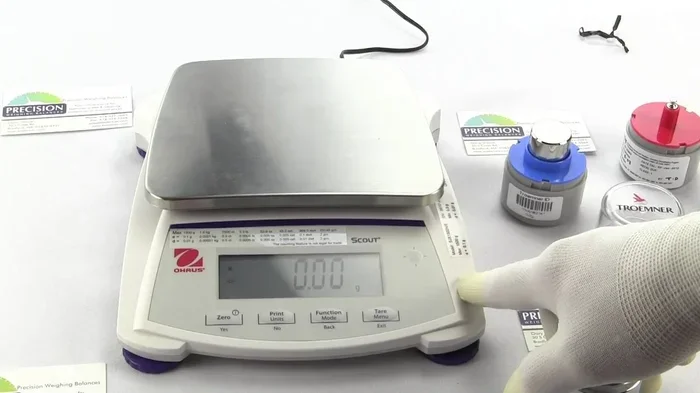
Scale recalibration is the most effective fix for a scale that is off by a significant amount. Here is how to do it:
- Find a hard, flat surface.
- Turn the scale on and wait for it to stabilize.
- Look for a calibration button or a combination of buttons to press (check your manual).
- Place a known weight on the center of the platform.
- Let the scale process the reading and save the new calibration.
Some scales auto-calibrate when you turn them on on a hard surface. Others require you to hold down a button for a few seconds. Always refer to your specific model’s instructions.
Step 2: Replace the Batteries
This sounds too simple, but it works more often than you would think. Remove the old batteries and put in fresh ones. Make sure the batteries are inserted correctly and are not expired. After replacing them, turn the scale off and back on, then run a quick test.
Step 3: Move the Scale to a Better Surface
Take your scale off the carpet and place it on a hard floor. Tile, hardwood, or concrete are ideal. Make sure the surface is level. If your floor slopes slightly, try moving the scale to a different room or use a thin plywood board underneath to create a level base.
Step 4: Reset the Scale to Factory Settings
If recalibration does not work, try a full factory reset scale procedure. This wipes all custom settings and returns the scale to its original state. The process varies by brand, but it usually involves holding down a specific button combination while the scale is powered on.
Step 5: Check for Physical Damage
Inspect the scale closely. Look for cracks in the weighing platform, damage to the display screen, or loose internal parts. If you see any physical damage, the scale may need professional repair or replacement. A damaged load cell cannot be fixed at home in most cases.
Common Mistakes That Cause Inaccurate Scale Readings
Many people unknowingly make habits that lead to weighing errors. Here are the most common mistakes and how to avoid them.
- Weighing yourself at different times of day: Your weight naturally fluctuates throughout the day. For the most consistent readings, weigh yourself at the same time each morning.
- Not standing still on the scale: Shifting your weight or holding onto something can throw off the reading. Stand still and distribute your weight evenly on the platform.
- Ignoring the scale’s maximum capacity: Every scale has a limit. Going over it, even once, can cause permanent damage to the sensor.
- Keeping the scale in a humid area: Moisture can seep into the electronics and cause corrosion over time. Keep your digital scale in a dry place.
- Skipping regular recalibration: Just like a car needs an oil change, your scale needs regular recalibration to stay accurate. Do it at least once every few months.
When Should You Replace Your Digital Scale?
Sometimes the best fix is to buy a new scale. Here are signs that your current scale has reached the end of its life:
- The display is cracked or hard to read.
- The scale gives different readings every time, even after recalibration and new batteries.
- You can hear rattling or clicking inside the unit.
- The scale has been dropped or subjected to impact damage.
- You have tried all the fixes and the inaccurate weight reading persists.
A good digital bathroom scale costs between $20 and $80 for a reliable model. If your scale is more than 5 years old and giving you trouble, it is probably worth replacing it. Look for scales with high-capacity load cells, auto-calibration features, and clear digital displays.
Expert Tips For Keeping Your Scale Accurate
Want your digital scale to last longer and stay accurate? Follow these simple tips from people who test and review scales for a living.
- Recalibrate monthly. Make it a habit to check your scale’s accuracy once a month using a known weight.
- Store it properly. When not in use, keep the scale in a dry, cool place away from direct sunlight.
- Clean the platform regularly. Dust and debris on the weighing platform can interfere with the sensor. Wipe it down with a damp cloth.
- Use the same spot every time. Consistency in placement helps the scale maintain its calibration longer.
- Avoid sudden impacts. Do not drop the scale or bang it against walls. The internal sensor is delicate.
These small habits add up over time and can extend the life of your digital scale by several years. A well-maintained scale gives you reliable weight measurement every single time.
Quick Tips To Fix A Scale That Is Off By 10 Pounds
- Check the surface first. Always place your scale on a hard, flat floor before weighing yourself.
- Replace the batteries. Fresh batteries solve many accuracy problems instantly.
- Run a calibration cycle. Use a known weight to recalibrate the sensor.
- Do the two-step test. Step on and off multiple times to check for consistency.
- Read the manual. Your specific model may have unique troubleshooting steps that can help.
Understanding How Digital Scales Work
To really understand why your scale can be off by 10 pounds, it helps to know a little about how it works. A digital scale uses a component called a load cell to measure weight. The load cell is a metal piece that slightly bends when weight is placed on it. As it bends, it sends an electrical signal to the scale’s processor, which converts that signal into a weight reading on the display.
The problem is that this system is not perfect. Over time, the load cell can lose its shape, the electronics can degrade, and environmental factors can interfere with the signal. This is why even high-quality digital scales need regular maintenance and occasional recalibration.
Understanding this basic mechanism also helps you troubleshoot. If your scale reads zero when nothing is on it but gives wildly wrong numbers when you step on, the load cell is likely the culprit. If the display flickers or shows random numbers, the issue is probably electrical, like low batteries or moisture damage.
Comparison: Common Causes of Scale Inaccuracy
Not sure what is causing your scale reading problem? Here is a quick breakdown of the most common issues and how to identify them.
- Calibration drift: Scale reads consistently high or low by a set amount. Fix with recalibration.
- Uneven surface: Readings vary each time you weigh yourself. Fix by moving to a hard, flat floor.
- Low batteries: Display is dim or numbers flicker. Fix by replacing batteries.
- Overloaded sensor: Scale reads zero or shows error codes after heavy use. Fix may require sensor replacement.
- Moisture damage: Scale works intermittently or shows random numbers. Fix by drying the unit or replacing it.
- Aging electronics: Scale is more than 5 years old and accuracy has gradually declined. Fix by replacing the scale.
Each of these weighing errors has a different cause and a different solution. Use the comparison above to narrow down what is happening with your digital scale.
FAQ: Frequently Asked Questions About Digital Scale Accuracy
Why does my digital scale show a different weight every time I step on it?
This is usually caused by an uneven surface, low batteries, or a scale that needs recalibration. Make sure your scale is on a hard, flat floor, replace the batteries, and run a calibration cycle. If the readings still vary by more than 2 pounds, your scale sensor may be damaged.
Can a digital scale be off by 10 pounds and still be considered normal?
No. A deviation of 10 pounds is not normal for a properly functioning scale. Most quality digital scales should be accurate within 1 to 2 pounds. If your scale is off by 10 pounds, it needs recalibration, new batteries, or possibly replacement.
How often should I recalibrate my digital scale?
You should recalibrate your scale at least once every 2 to 3 months. If you use it daily or if it is exposed to temperature changes or humidity, recalibrate monthly. Always recalibrate after moving the scale to a new location.
Does the surface I place my scale on really matter?
Yes, it matters a lot. A soft surface like carpet absorbs force and prevents the load cell from getting an accurate reading. Always place your digital scale on a hard, flat surface like tile, hardwood, or concrete for the most accurate weight measurement.
Can low batteries cause a digital scale to give wrong readings?
Absolutely. When battery power drops, the electrical signal from the load cell becomes unstable. This can cause erratic readings, flickering numbers, or a scale that is off by several pounds. Replacing the batteries is one of the easiest and most effective fixes for scale troubleshooting.
Is it worth repairing a digital scale that is off by 10 pounds?
It depends on the age and condition of the scale. If your scale is less than 3 years old and the only issue is calibration, recalibration and new batteries may fix it. But if the scale is older than 5 years, has physical damage, or the load cell is faulty, replacing it is usually the better option.
Conclusion
The answer to can a digital scale be off by 10 pounds is a clear yes. It happens more often than most people realize, and it can be caused by anything from calibration drift to a damaged load cell. The good news is that in most cases, you can fix the problem yourself at home with simple steps like recalibration, battery replacement, and moving the scale to a better surface.
Remember that accurate weight measurement is important for tracking your health, managing your fitness goals, and even everyday tasks like portion control. Taking care of your digital scale with regular maintenance goes a long way toward keeping it accurate for years to come.
If you have tried everything and your scale is still giving wrong weight readings, it may be time for a replacement. A new, reliable scale is a small investment that pays off in peace of mind and accurate data every time you step on it. Take action today, and make sure your digital scale is giving you the truth every single time.