How Do I Connect My Bluetooth Headset To My Ps4 Reddit
Connecting a Bluetooth headset to your PS4 is not as simple as pairing it directly — the console lacks native Bluetooth audio support. You will need a USB Bluetooth adapter or a compatible wireless headset that uses a USB dongle. This guide walks you through every method Reddit users recommend, including the best adapters, settings tweaks, and common pitfalls to avoid.
If you have been searching Reddit for answers on how do I connect my Bluetooth headset to my PS4, you are not alone. This is one of the most asked questions in gaming forums. The short answer is that it is not a straightforward process. The PS4 does not have built-in Bluetooth audio support, which catches many gamers off guard. But do not worry — there are several reliable workarounds that actually work well.
In this guide, we break down every method that real users share on Reddit and other forums. Whether you want to use a wireless gaming headset for immersive sound or just need a hands-free mic for voice chat, we have you covered. We will walk through USB adapters, compatible headsets, controller jacks, and settings tweaks. By the end, you will know exactly what works and what does not.
The good news is that once you set things up correctly, the experience is smooth. You get the freedom of wireless audio without being tethered to your console. Let us dive into the details so you can get back to gaming.
Key Takeaways
- PS4 does not support Bluetooth audio natively: You need a USB Bluetooth adapter or a compatible wireless headset with a USB dongle.
- A USB Bluetooth adapter is the most affordable solution: Look for one with low-latency support for gaming.
- Not all Bluetooth headsets work with PS4: Some headsets use codecs that the PS4 cannot process.
- You can also use the PS4 controller’s 3.5mm jack: This is the simplest wired alternative for chat audio.
- Reddit users recommend specific adapters: Brands like Avantree and 1Mii are popular choices in the community.
- Audio settings need adjustment: You must configure your PS4 output settings after connecting any Bluetooth device.
📑 Table of Contents
- Why Does the PS4 Not Support Bluetooth Audio Directly?
- Method 1: Use a USB Bluetooth Adapter
- Method 2: Use a Wireless Headset with a USB Dongle
- Method 3: Use the PS4 Controller’s 3.5mm Jack
- Method 4: Use HDMI for Video and Bluetooth for Audio
- Common Problems and How to Fix Them
- Quick Tips for the Best Experience
- Expert Insights from the Reddit Community
- Key Takeaways
- Conclusion
Why Does the PS4 Not Support Bluetooth Audio Directly?
Sony designed the PS4 with a specific approach to audio output. The console uses Bluetooth only for its official DualShock 4 controller and Sony-certified wireless headsets. Regular Bluetooth headsets that use standard profiles like A2DP are not recognized by the PS4. This is a deliberate design choice, not a bug.
Many gamers assume that because the PS4 has Wi-Fi and Bluetooth for the controller, it should also support Bluetooth headphones. That assumption is understandable. But Sony has kept the Bluetooth radio limited to certain devices for licensing and latency reasons. This means you need a workaround to use most wireless headsets with your PlayStation 4.
The workaround is simple in concept but requires the right hardware. A USB Bluetooth adapter acts as a bridge between your headset and the console. It tricks the PS4 into accepting a standard Bluetooth audio connection. Some headsets come with their own USB dongles that bypass this limitation entirely.
The Licensing and Latency Problem
Sony uses proprietary audio codecs for its licensed wireless devices. These codecs ensure low latency and high-quality sound. Standard Bluetooth codecs like SBC and AAC introduce more delay. For gaming, even a small delay between the on-screen action and the audio can be frustrating. This is why Sony restricted Bluetooth audio to approved devices in the first place.
That said, many modern Bluetooth adapters now support aptX Low Latency. This technology reduces the delay significantly. If you want to use a Bluetooth headset for gaming, look for an adapter that supports this codec. It makes a real difference in your experience.
Method 1: Use a USB Bluetooth Adapter
This is the most popular method among Reddit users. A USB Bluetooth adapter plugs into one of the PS4’s USB ports and adds Bluetooth audio capability. The adapter handles the Bluetooth connection while the PS4 treats it like a standard USB audio device.
Here is what you need to know before buying an adapter:
- Look for aptX Low Latency support: This reduces audio delay during gameplay.
- Check compatibility: Not every adapter works with the PS4. Some users report issues with certain brands.
- Choose a reputable brand: Avantree, 1Mii, and TP-Link are frequently recommended on Reddit.
- USB port availability: The PS4 has limited USB ports, so make sure you have one free.
- Driver support: Most adapters plug and play on PS4, but some may need no extra setup.
Once you have the adapter, plug it into the PS4 and put your headset in pairing mode. Go to Settings > Devices > Bluetooth Devices on your PS4. Your headset should appear in the list. Select it and the connection should establish within seconds.
Best USB Bluetooth Adapters According to Reddit
Reddit users have tested dozens of adapters over the years. Here are the ones that come up most often in threads about connecting Bluetooth headsets to PS4:
- Avantree DG40S: Supports aptX Low Latency and is widely recommended for console gaming.
- 1Mii B06 Plus: Affordable and reliable with good range and low latency.
- TP-Link UB500: A budget-friendly option that works well for basic audio needs.
Keep in mind that results vary depending on your specific headset model. What works perfectly for one person may not work the same way for another. It is worth checking Reddit threads for your specific headset before purchasing.
Method 2: Use a Wireless Headset with a USB Dongle
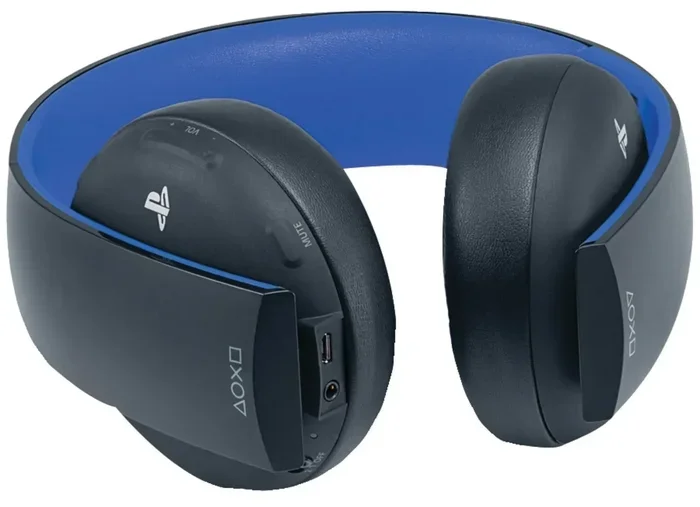
Some wireless headsets come with their own USB dongle. These dongles connect directly to the PS4 without needing a separate Bluetooth adapter. This is actually the easiest and most reliable method. The dongle communicates with the headset using a proprietary wireless signal, not standard Bluetooth.
Popular headsets that use this approach include models from SteelSeries, HyperX, and Astro Gaming. These headsets are designed specifically for console gaming and offer plug-and-play compatibility. You just plug the dongle into a USB port and you are ready to go.
The advantage of this method is stability. You do not have to deal with Bluetooth pairing issues or codec compatibility problems. The connection is consistent and the latency is minimal. If you are buying a new headset specifically for PS4, this is the route most Reddit users suggest.
One downside is cost. These headsets tend to be more expensive than standard Bluetooth options. But the reliability and performance justify the price for serious gamers. You also get better microphone quality in most cases.
Can I Use My Bluetooth Headset as a Mic with This Method?
Yes, in most cases. Headsets with USB dongles usually support both audio output and microphone input. The PS4 will recognize the headset as both a speaker and a microphone device. You can configure this in Settings > Devices > Audio Devices. If your headset has inline controls for mic mute or volume, those work too.
If you are using a standard Bluetooth headset and want to use the mic, the experience can be more complicated. Some Bluetooth headsets only support audio output and not input. Check your headset specs before assuming the microphone will work. For more details on using a Bluetooth headset as a mic, check out our guide on Can I Use My Bluetooth Headset As A Mic.
Method 3: Use the PS4 Controller’s 3.5mm Jack
If you do not want to deal with adapters or dongles, the simplest option is a wired connection through the DualShock 4 controller. The controller has a built-in 3.5mm headphone jack. You can plug any wired headset directly into the controller and use it for both game audio and chat.
This method works with virtually any headset that has a standard 3.5mm plug. You just need a cable long enough to reach from the controller to your headband or ear cups. Most gaming headsets come with a split cable that has a TRRS connector for the controller.
The trade-off is obvious — you are not wireless. But for many gamers, this is the most hassle-free option. There are no pairing steps, no adapters, and no latency concerns. You just plug in and play.
If you want to go wireless but do not want to buy a new headset, you can also consider making your wired headphones Bluetooth with a Bluetooth transmitter. This is a popular DIY solution that Reddit users swear by. It lets you use any wired headset wirelessly with your PS4.
Method 4: Use HDMI for Video and Bluetooth for Audio
Some advanced users set up their PS4 to output video through HDMI while routing audio through a Bluetooth connection. This requires a bit more setup but gives you the most flexibility. You get high-quality video through the HDMI cable and wireless audio through your Bluetooth headset.
This method typically involves using an HDMI audio extractor. The extractor splits the HDMI signal so that video goes to your TV and audio goes to a Bluetooth transmitter. The transmitter then pairs with your Bluetooth headset. It is a clean setup that keeps your gaming area clutter-free.
For a detailed breakdown of how HDMI and Bluetooth can work together, check out our article on Can I Use Hdmi For Video And Bluetooth For Audio. It covers the exact setup many Reddit users follow for this configuration.
Setting Up the Audio Output on PS4
No matter which method you use, you need to configure the PS4 audio settings correctly. Here is the step-by-step process:
- Go to Settings > Devices > Audio Devices on your PS4.
- Set Output Device to your headset or Bluetooth adapter.
- Set Input Device to your headset if you want to use the microphone.
- Adjust the Volume Control to your preferred level.
- Test the audio by playing a game or opening the chat interface.
Take your time with these settings. If the audio sounds distorted or the mic does not work, double-check that the correct devices are selected. Sometimes the PS4 defaults to the wrong output after a restart. You may need to re-select your headset as the output device each time you power on the console.
Common Problems and How to Fix Them
Even with the right setup, you may run into issues. Here are the most common problems Reddit users report and how to solve them:
- Headset not showing up in Bluetooth devices: Make sure your headset is in pairing mode. Also try unplugging and replugging the USB adapter. Restart the PS4 if needed.
- Audio is crackling or distorted: This is often caused by interference. Move the Bluetooth adapter closer to your headset. Avoid placing it near other wireless devices.
- Microphone does not work: Some Bluetooth headsets only support audio output. Check your headset specifications to confirm it supports input. You may need to configure the input device separately in PS4 settings.
- High latency or audio delay: Switch to an adapter that supports aptX Low Latency. Also make sure nothing else is connected to the same USB hub, as this can cause bandwidth issues.
- Connection drops randomly: This usually happens when the headset is too far from the adapter. Keep the adapter close to your gaming position for a stable connection.
If you are still having trouble, searching Reddit for your specific headset model and PS4 combination often yields real-world solutions. The gaming community is very active and helpful when it comes to troubleshooting audio issues.
Quick Tips for the Best Experience
- Keep your Bluetooth adapter in a USB port close to your gaming seat for the strongest signal.
- Update your PS4 system software regularly. Sony sometimes improves Bluetooth compatibility with updates.
- If you use a USB hub, plug the Bluetooth adapter directly into the PS4, not through the hub.
- Turn off other Bluetooth devices in the room to reduce interference.
- Invest in a headset with a built-in microphone if you plan to use voice chat frequently.
- For the lowest latency, choose a headset with a USB dongle over a standard Bluetooth headset.
Expert Insights from the Reddit Community
Reddit is full of experienced gamers who have tested every possible setup. Here are some insights that consistently come up in discussions about Bluetooth headsets on PS4:
Many users emphasize that the cheapest Bluetooth adapter is not always the best. A $10 adapter from a no-name brand may connect but deliver poor audio quality and high latency. Spending a little more on a reputable adapter pays off in the long run. The community also stresses that patience is key during setup. The first pairing attempt does not always work, and that is normal.
Another recurring theme is that the PS4 is not designed with Bluetooth audio in mind. Users recommend treating it as a bonus feature rather than expecting it to work as seamlessly as a PC or smartphone. With the right expectations and the right hardware, the experience is very good. Some users even say their Bluetooth setup on PS4 rivals their wired setup in terms of convenience.
One final tip from seasoned Reddit users: always check compatibility before buying. A quick search for your headset model plus PS4 will tell you if others have had success. This saves you time, money, and frustration.
Key Takeaways
- PS4 does not support Bluetooth audio natively: You need a USB Bluetooth adapter or a compatible wireless headset with a USB dongle.
- A USB Bluetooth adapter is the most affordable solution: Look for one with low-latency support for gaming.
- Not all Bluetooth headsets work with PS4: Some headsets use codecs that the PS4 cannot process.
- You can also use the PS4 controller’s 3.5mm jack: This is the simplest wired alternative for chat audio.
- Reddit users recommend specific adapters: Brands like Avantree and 1Mii are popular choices in the community.
- Audio settings need adjustment: You must configure your PS4 output settings after connecting any Bluetooth device.
Conclusion
Connecting a Bluetooth headset to your PS4 requires a bit more effort than you might expect. The PS4 does not support standard Bluetooth audio out of the box. But with the right USB adapter, a compatible wireless headset, or even just the controller’s 3.5mm jack, you can absolutely enjoy wireless audio while gaming. The methods shared by Reddit users work and they are accessible to anyone willing to try them.
Start with a USB Bluetooth adapter if you already own a Bluetooth headset. It is the most cost-effective path. If you are in the market for a new headset, go with one that includes a USB dongle for the smoothest experience. And remember to configure your PS4 audio settings carefully after setup.
The gaming community on Reddit continues to share new tips and solutions every day. If you run into issues, do not give up. A quick search in the right thread usually has your answer. Now you have everything you need to get your wireless headset working with your PS4. Happy gaming.
Frequently Asked Questions
Can I connect any Bluetooth headset to my PS4?
Not all Bluetooth headsets work with the PS4. The console does not support standard Bluetooth audio profiles natively. You need a USB Bluetooth adapter or a headset that comes with a compatible USB dongle. Always check Reddit or the manufacturer’s specs for PS4 compatibility before buying.
Why is there a delay when I use a Bluetooth headset on my PS4?
The delay happens because standard Bluetooth codecs introduce latency. The PS4’s limited Bluetooth support makes this worse. Using a USB Bluetooth adapter with aptX Low Latency support significantly reduces the delay. This is the most common fix recommended by Reddit users.
Do I need to buy a special adapter to use Bluetooth headphones with my PS4?
Yes, in most cases. The PS4 does not have built-in Bluetooth audio support. A USB Bluetooth adapter bridges the gap between your headset and the console. Some wireless gaming headsets include their own USB dongle, which eliminates the need for a separate adapter.
Can I use my Bluetooth headset microphone on PS4?
It depends on your headset. Some Bluetooth headsets only support audio output and not microphone input. Check your headset specifications to confirm it supports both input and output. For more guidance on using a Bluetooth headset as a mic, see our article on Can I Use My Bluetooth Headset As A Mic.
What is the best wireless headset for PS4 according to Reddit?
Reddit users frequently recommend headsets that come with USB dongles, such as models from SteelSeries, HyperX, and Astro. These offer the most reliable wireless connection on PS4. If you prefer a standard Bluetooth headset, pair it with a well-reviewed USB Bluetooth adapter for the best results.
Can I use Bluetooth headphones for gaming on PS4?
Yes, you can use Bluetooth headphones for gaming on PS4, but you will need a USB Bluetooth adapter or a headset with a USB dongle. The adapter adds Bluetooth audio support to your console. For tips on using Bluetooth headphones for gaming across platforms, check out our guide on Can I Use Bluetooth Headphones For Gaming.