Do Bluetooth Keyboards Lag Here Is What You Need To Know
Do Bluetooth keyboards lag? The short answer is yes, they can, but modern Bluetooth technology has made huge strides in reducing keyboard latency. Factors like Bluetooth version, device pairing, and wireless interference all play a role. This guide breaks down everything you need to know about Bluetooth keyboard performance and how to get the best results.
This is a comprehensive guide about Do Bluetooth Keyboards Lag.
Key Takeaways
- Bluetooth keyboards can lag: Latency depends on your Bluetooth version, device compatibility, and environmental factors.
- Newer Bluetooth versions are much faster: Bluetooth 5.0 and above offer significantly lower keyboard latency than older versions.
- Interference is a major culprit: Wi-Fi routers, USB devices, and other wireless peripherals can cause Bluetooth interference and input delay.
- Simple fixes work: Re-pairing devices, reducing distance, and updating firmware can dramatically improve wireless keyboard response time.
- Gaming needs wired or low-latency options: For competitive gaming, a wired keyboard or a keyboard with dedicated low latency mode is still the best choice.
[FEATURED_IMAGE_PLACEHOLDER]
Do Bluetooth Keyboards Lag? Understanding the Real Deal
Let us get one thing straight. If you have ever typed a message and watched the letters appear a half-second late, you know how frustrating Bluetooth keyboard lag can be. The question do Bluetooth keyboards lag comes up all the time, and the answer is not a simple yes or no. It depends on a lot of factors that we will break down in this guide.
Bluetooth keyboard latency is real, but it has improved dramatically over the years. Older Bluetooth versions suffered from noticeable delays. Today, with Bluetooth 5.0 and newer protocols, the gap between pressing a key and seeing the character on screen has shrunk to almost nothing for most users. But there are still situations where lag creeps in, and knowing why is the first step toward fixing it.
Whether you are typing emails, working on a document, or even trying to use wireless peripherals for gaming, understanding how Bluetooth connectivity works will help you get the most out of your wireless setup. This guide covers everything from the science behind keyboard response time to practical tips that eliminate delay.
How Bluetooth Keyboards Work
The Basics of Wireless Keyboard Technology
A Bluetooth keyboard sends data through radio waves instead of a physical cable. When you press a key, a small chip inside the keyboard converts that press into a digital signal. That signal then travels through the air to your computer, tablet, or phone. This process happens in milliseconds, but it is not instant like a wired connection.
The time it takes for that signal to travel is what people call keyboard latency. Think of it like throwing a ball across a room. A wired keyboard is like handing the ball directly to someone. A Bluetooth keyboard is like tossing it through the air. Most of the time, the toss is so fast you do not even notice. But certain conditions can slow things down.
Wireless peripherals like keyboards use a specific Bluetooth protocol to communicate. This protocol determines how fast data transfers happen. Newer protocols are faster and more efficient, which is why buying a keyboard with the latest Bluetooth version matters so much.
Bluetooth Versions and Their Impact on Speed
Not all Bluetooth connections are created equal. Here is a quick look at how different versions affect keyboard performance:
- Bluetooth 3.0 and below: Noticeable lag. These older versions have higher input delay and slower data transfer rates. If you are using a keyboard with this version, you will likely feel the delay.
- Bluetooth 4.0: A big improvement. Keyboard response time became much better, making these keyboards suitable for everyday tasks like writing and browsing.
- Bluetooth 4.2: Even faster with better security. Most modern keyboards use this version, and it handles typing and light gaming well.
- Bluetooth 5.0 and above: The gold standard. These versions offer the lowest wireless keyboard response time, faster data transfer, and better range. Lag is barely noticeable for most users.
If you are dealing with lag, check what Bluetooth version your keyboard supports. Upgrading to a newer version can make a world of difference.
Common Causes of Bluetooth Keyboard Lag
Wireless Interference from Other Devices
This is the number one reason Bluetooth keyboards lag. Bluetooth interference happens when other wireless devices operate on the same frequency. Your Wi-Fi router, USB 3.0 ports, wireless mice, and even microwaves can all cause problems.
Here are the most common sources of wireless interference:
- Wi-Fi routers: They operate on the 2.4 GHz band, which is the same band most Bluetooth devices use. If your router is close to your keyboard, expect some delay.
- USB 3.0 devices: These generate electromagnetic noise that can disrupt Bluetooth signals. Try moving USB devices farther from your keyboard.
- Other Bluetooth devices: If you have multiple Bluetooth peripherals connected at once, they compete for bandwidth. This can slow down your keyboard connection.
- Physical obstacles: Walls, metal surfaces, and even your body can weaken the Bluetooth signal between your keyboard and computer.
Think of it like a crowded room. If everyone is talking at once, it is hard to hear one person clearly. The same thing happens with wireless signals. Reducing the number of competing devices helps a lot.
Distance and Obstacles Between Devices
Bluetooth range is another big factor. Most keyboards work well within 30 feet of the connected device. But that range drops fast when there are walls or furniture in the way. If your keyboard is too far away or blocked by objects, you will experience input delay.
For the best wireless keyboard response time, keep your keyboard within a reasonable distance and try to maintain a clear line of sight to your device. This simple step alone can eliminate a surprising amount of lag.
Outdated Drivers and Firmware
Just like any other device, your Bluetooth keyboard needs updated software to perform at its best. Outdated drivers can cause all sorts of problems, including slow response times and dropped keystrokes.
Here is what you should check regularly:
- Keyboard firmware: Check the manufacturer’s website for updates. Many modern keyboards have companion apps that handle this automatically.
- Device drivers: Make sure your computer’s Bluetooth drivers are up to date. Old drivers can cause compatibility issues that lead to lag.
- Operating system updates: Sometimes, OS updates fix Bluetooth connectivity issues. Keep your system current.
Battery Level and Power Management
Low battery can surprisingly cause keyboard latency. When a keyboard’s battery drops below a certain level, it may reduce its transmission power to conserve energy. This weakens the Bluetooth connection and leads to delays.
Keep your keyboard charged. Most modern keyboards have battery indicators that warn you when power is low. If you notice lag creeping in, check the battery first. It is the easiest fix and often the one people overlook.
Bluetooth Keyboard Lag vs Wired Keyboards: A Comparison
To really understand Bluetooth keyboard performance, it helps to compare it directly with wired alternatives. Here is a side-by-side look:
| Feature | Bluetooth Keyboard | Wired Keyboard |
|---|---|---|
| Latency | Low to moderate (varies by version) | Near zero |
| Mobility | Excellent | Limited by cable length |
| Setup | Pairing required | Plug and play |
| Interference Risk | Higher | None |
| Battery Dependent | Yes | No |
| Multi-Device Support | Often yes | Usually no |
| Best For | Casual use, multitasking, portability | Gaming, precision work |
The table makes it clear. Wired keyboards win on raw speed. But Bluetooth keyboards offer convenience and flexibility that wired options simply cannot match. For most everyday tasks like writing emails, browsing the web, or working on documents, the lag on a modern Bluetooth keyboard is so small that it barely matters.
If you are a competitive gamer or need absolute precision, a wired setup is still the way to go. But for general use, the benefits of wireless technology far outweigh the minor latency differences.
How to Reduce Bluetooth Keyboard Lag
Step-by-Step Fixes for Faster Response
Dealing with a slow keyboard is annoying, but the good news is that most fixes are simple and free. Here are the steps that work best:
- Move closer to your device. Reduce the distance between your keyboard and the computer or tablet. This alone can cut lag significantly.
- Remove physical obstacles. Clear any objects between your keyboard and the receiving device. Walls and metal surfaces are the biggest signal blockers.
- Turn off nearby wireless devices. Temporarily disable Wi-Fi or other Bluetooth peripherals to see if interference is the cause.
- Update your keyboard firmware. Check the manufacturer’s website or app for the latest updates. These often include latency improvements.
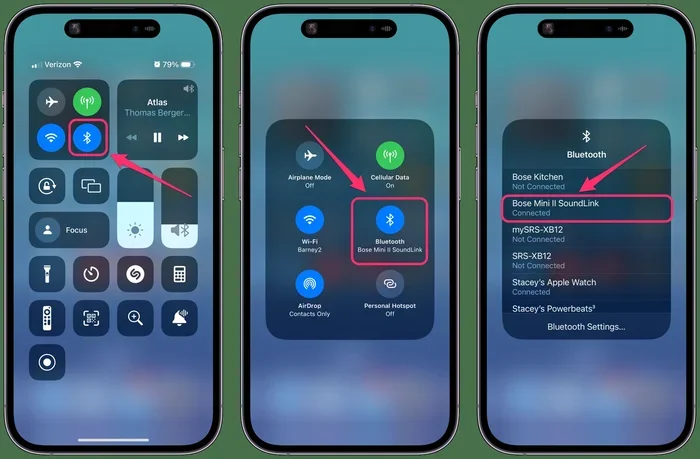
- Re-pair your devices. Sometimes, simply forgetting the device and pairing it again fixes connection issues. This refreshes the Bluetooth pairing process.
- Charge your keyboard. A fully charged keyboard transmits at full power. Low batteries cause reduced signal strength and lag.
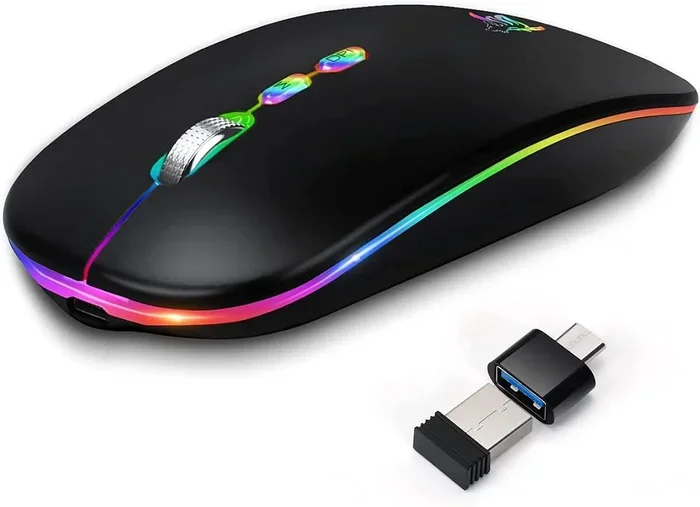
- Use a USB Bluetooth dongle. If your computer has weak built-in Bluetooth, a dedicated dongle can improve signal quality and reduce delay.
Quick Tips for Optimal Performance
Here are some extra tips that keep your Bluetooth keyboard running smoothly:
- Keep your keyboard away from your Wi-Fi router.
- Use your keyboard on the same table or desk as your computer.
- Restart your device periodically to clear Bluetooth cache issues.
- Choose a keyboard that supports Bluetooth 5.0 or higher for the best wireless keyboard response time.
- If you experience lag during video calls, close other Bluetooth-connected apps that might be competing for bandwidth.
When to Consider a Wired or Low-Latency Alternative
Sometimes, no amount of troubleshooting eliminates lag completely. If you need zero delay, consider switching to a wired keyboard or one that offers a low latency mode. Some keyboards let you switch between Bluetooth and a 2.4 GHz wireless dongle. The dongle connection typically has much lower latency than standard Bluetooth.
For tasks like competitive gaming or professional video editing where every millisecond counts, this difference matters. But for writing, browsing, and everyday computing, a quality Bluetooth keyboard handles the job beautifully.
Does Keyboard Lag Affect Typing Experience?
The impact of keyboard latency on your typing experience depends on what you are doing. For casual typing and email writing, most people do not notice lag below 20 milliseconds. At that level, the connection feels instant.
But when you start typing fast or doing lots of rapid key presses, even small delays become noticeable. You might feel like your keystrokes are “sinking in” late or that the keyboard feels sluggish. This is especially true for fast typists who rely on muscle memory.
For gaming, lag is even more critical. If you have ever tried to pair wireless devices with a gaming console, you know how frustrating input delay can be during fast-paced action. The same principle applies to Bluetooth keyboards in gaming scenarios.
The good news is that most modern wireless keyboards have latency low enough that it does not interfere with normal use. The technology has come a long way, and manufacturers continue to push for faster wireless input devices every year.
The Future of Bluetooth Keyboard Technology
Wireless technology is evolving fast. Bluetooth 5.3 and newer versions are already rolling out, bringing even lower latency and better energy efficiency. These improvements mean future Bluetooth keyboards will have virtually zero noticeable lag.
Manufacturers are also developing low latency wireless protocols that work alongside standard Bluetooth. These proprietary technologies prioritize speed over range, giving you the best of both worlds. Some high-end keyboards now feature dedicated low latency modes that you can switch to when speed matters most.
The trend is clear. Wireless peripherals are getting better every year. What felt like a compromise a few years ago is now a viable option for nearly all computing tasks. If you have been hesitant to switch to a Bluetooth keyboard because of lag concerns, now is a great time to make the move.
Key Takeaways
- Bluetooth keyboards do lag, but minimally: Modern Bluetooth versions have reduced latency to near-imperceptible levels for most users.
- Bluetooth version matters most: Upgrade to Bluetooth 5.0 or higher for the fastest wireless keyboard response time.
- Interference is the biggest enemy: Wi-Fi routers, USB devices, and physical obstacles all weaken Bluetooth signals and cause delay.
- Simple fixes work wonders: Moving closer, re-pairing, updating firmware, and charging your keyboard can eliminate most lag issues.
- Wired is still fastest: For competitive gaming or precision work, a wired keyboard or one with a 2.4 GHz dongle remains the best choice.
- The future looks bright: Newer Bluetooth versions and low-latency protocols are making wireless keyboards faster than ever before.
Final Thoughts
So, do Bluetooth keyboards lag? Yes, they can, but the lag is usually minimal and very manageable with the right setup. Bluetooth keyboard lag is not the dealbreaker it used to be. With Bluetooth 5.0 and newer, most users will find the response time more than adequate for work, study, and everyday use.
If you are still on the fence about switching to a wireless keyboard, give it a try. The convenience of going cable-free is hard to beat. Just keep the tips in this guide in mind, and you will have a smooth, responsive wireless typing experience in no time.
Remember, the key to great Bluetooth connectivity is understanding what affects it. Interference, distance, battery life, and software updates all play a role. Take control of these factors, and your Bluetooth keyboard will feel just as responsive as any wired option. Happy typing.
Do Bluetooth Keyboards Lag More Than Wired Keyboards?
Yes, Bluetooth keyboards generally have slightly higher latency than wired ones. However, modern Bluetooth versions like 5.0 and above have reduced this gap significantly. For everyday tasks, the difference is barely noticeable.
Can Wi-Fi Cause Bluetooth Keyboard Lag?
Absolutely. Wi-Fi routers and Bluetooth devices both operate on the 2.4 GHz frequency band. When they are close together, they can interfere with each other, causing keyboard latency. Moving your router away from your keyboard can help.
Is Bluetooth Keyboard Lag Bad for Gaming?
For casual gaming, most Bluetooth keyboards work fine. But for competitive or fast-paced games, the slight delay can be a disadvantage. In these cases, a wired keyboard or a wireless keyboard with a dedicated low-latency mode is a better choice.
How Can I Check My Keyboard’s Bluetooth Version?
Check the product specifications on the manufacturer’s website or the keyboard’s manual. Look for the Bluetooth version number. If it is 4.0 or below, you may experience more lag than with newer versions.
Does Keyboard Battery Level Affect Bluetooth Lag?
Yes, it does. A low battery causes the keyboard to reduce its transmission power, which weakens the Bluetooth connection and increases delay. Keeping your keyboard fully charged helps maintain optimal performance.
Can a Bluetooth Adapter Reduce Keyboard Lag?
Yes, using a quality USB Bluetooth adapter can improve signal strength and reduce lag, especially if your computer has an older or weak built-in Bluetooth chip. Look for adapters that support Bluetooth 5.0 or higher.
Frequently Asked Questions
What is Do Bluetooth Keyboards Lag?
Do Bluetooth Keyboards Lag is an important topic with many practical applications.