How Do I Check My Signal Strength App for Better Coverage
Checking your signal strength app is the easiest way to improve your WiFi and cellular coverage at home or on the go. A good signal strength app helps you identify dead zones, measure dBm levels, and optimize your router placement for faster speeds. This guide walks you through everything you need to know about using signal strength tools effectively.
We have all been there. You are in the middle of a Zoom call, and suddenly your screen freezes. Or you are trying to stream your favorite show, and the buffering wheel just keeps spinning. The culprit is almost always the same: weak signal strength. Knowing how to check your signal strength app can change everything. It gives you the power to see exactly what is happening with your connection and fix problems before they ruin your day.
A signal strength app is more than just a fancy tool. It is your window into the invisible world of wireless frequencies. Whether you are dealing with a slow WiFi connection at home or a dropped call in the office, understanding your signal strength helps you take control. In this guide, we will walk you through everything you need to know. From choosing the right app to interpreting the numbers, you will have a clear path to better coverage.
Let us be real for a second. Most people never think about their signal until something goes wrong. By then, the damage is done. But with a simple signal strength app on your phone, you can stay ahead of problems. You can find dead zones, measure your network signal, and make smart decisions about your setup. This article covers it all in plain, simple language. No tech degree required.
Key Takeaways
- Signal strength apps give you real-time data: They show exact dBm readings that generic signal bars cannot.
- Both free and paid apps work well: You do not need to spend money to get accurate readings.
- Router placement matters a lot: Small changes in location can dramatically improve your coverage.
- Signal strength affects everything: From streaming movies to video calls, weak signals cause frustration.
- Interference is common: Walls, appliances, and distance all weaken your signal over time.
📑 Table of Contents
What Is a Signal Strength App?
A signal strength app is a tool that measures the power of your wireless connection. It works for both WiFi and cellular networks. Instead of relying on the vague little bars on your phone screen, these apps give you precise numbers. Those numbers are usually measured in dBm, which stands for decibel-milliwatts. Do not let the name scare you. It is just a way to quantify how strong or weak your signal is.
Think of it like a thermometer for your connection. A thermometer tells you the exact temperature. A signal strength app tells you the exact power of your wireless signal. The higher the number (closer to zero), the stronger your signal. For example, a reading of -30 dBm is excellent. A reading of -80 dBm means you are in trouble. Most apps color-code this for you, so green means good and red means bad.
Why Signal Bars Are Not Enough
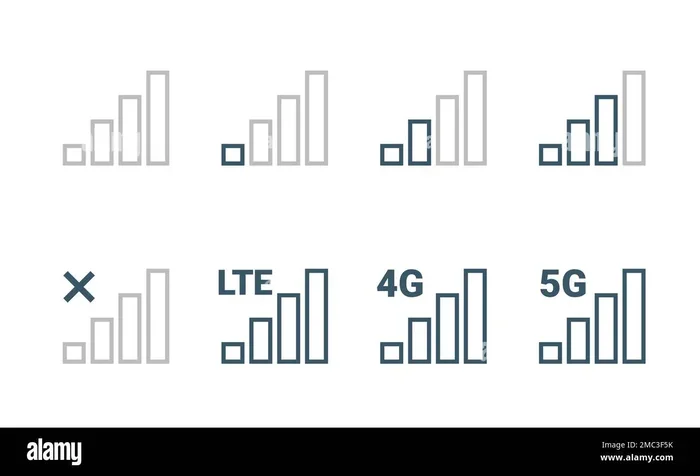
Here is a secret that phone makers do not advertise. The signal bars on your phone are very inaccurate. They give you a rough guess, not a precise measurement. One phone might show three bars while another shows one, even though both are in the exact same spot. This inconsistency makes it hard to know what is really going on with your wireless signal.
A dedicated signal strength app removes the guesswork. It uses your phone’s hardware to pull raw data from the network. This data is much more reliable than the pretty little bars. You get numbers you can actually act on. You can compare readings from different rooms, different times of day, and even different locations outside your home.
Top Signal Strength Apps You Should Try
Not all signal strength apps are created equal. Some are packed with features, while others keep things simple. Here are the best options to consider. Each one is free or has a free version that works great for most people.
NetSpot is one of the most popular WiFi signal apps out there. It works on both Windows and Mac computers. You open the app, walk around your home, and it maps your signal strength in real time. The heat map feature is incredibly useful. You can literally see which rooms have strong signals and which ones are dead zones.
Wi-Fi Analyzer is a great option for Android users. It shows you all the networks around you and their signal levels. You can also see which channels are crowded, which helps you optimize your router settings. It is a favorite among people who want to squeeze every bit of speed out of their connection.
OpenSignal is a solid choice for cellular signal testing. It measures your mobile network strength and shows you coverage maps for your area. This is especially helpful if you travel a lot or live in a rural area where signal can be unpredictable. The app also tracks historical data, so you can see how your network signal changes over time.
How to Check Your Signal Strength Step by Step
Using a signal strength app is straightforward. But to get the best results, you need to follow a few simple steps. Here is how to do it right.
- Download a reliable app. Pick one from the list above or search your app store for “signal strength.”
- Open the app and grant permissions. Most apps need access to your location and network data. This is normal and necessary.
- Walk around your space. Move room by room and note the dBm readings. Pay attention to big drops in signal.
- Record problem areas. Make a quick list of spots where the signal falls below -70 dBm. These are your trouble zones.
- Test at different times. Signal strength can change throughout the day. Test in the morning, afternoon, and evening for a full picture.
Understanding dBm Readings
The dBm number is the most important thing your app will show you. Here is a quick guide to help you understand what the numbers mean.
- -30 to -50 dBm: Excellent signal. You are right next to the router or tower.
- -50 to -60 dBm: Very good signal. Perfect for streaming and gaming.
- -60 to -70 dBm: Good signal. You will have a solid connection for most tasks.
- -70 to -80 dBm: Fair signal. You might notice slowdowns during heavy use.
- -80 dBm and below: Poor signal. Expect dropped calls and slow speeds.
Keep in mind that your internet connection quality depends on more than just signal strength. Bandwidth, latency, and interference all play a role. But signal strength is the foundation. If your dBm reading is poor, nothing else will save your experience.
Common Causes of Weak Signal Strength
Once you know how to read your signal strength, the next step is understanding why it is weak in the first place. Several common factors can sabotage your wireless signal without you even realizing it.
Distance from the Router
This one is obvious but often overlooked. The farther you are from your router, the weaker your signal becomes. WiFi signals spread out in all directions, and they lose power as they travel. If your router is in the basement and you are trying to connect in the attic, you are fighting a losing battle.
Try moving your router to a more central location in your home. Even a few feet can make a big difference. Avoid hiding it behind furniture or inside closets. Your router needs a clear path to reach your devices.
Physical Obstacles
Walls, floors, and large objects block WiFi signals. Concrete and brick are the worst culprits. Metal objects and water can also absorb or reflect wireless signals. If you have a fish tank near your router, that could be part of the problem.
Think of your WiFi signal like light from a flashlight. Walls are like curtains. The thicker the wall, the less light gets through. The same principle applies to your network signal. A WiFi booster or mesh system can help push signal through tough obstacles.
Electronic Interference
Everyday electronics can interfere with your WiFi signal. Microwaves, baby monitors, cordless phones, and even Bluetooth devices all operate on similar frequencies. When these devices are active, they can create noise that weakens your connection.
To reduce interference, keep your router away from other electronics. Give it at least a few feet of breathing room. If you suspect interference is the problem, try turning off nearby devices one by one and watching your signal strength app for changes.
How to Improve Your Signal Strength
Once you have identified weak spots, it is time to fix them. Here are practical steps you can take right now to improve your WiFi coverage and overall connection quality.
Optimize Router Placement
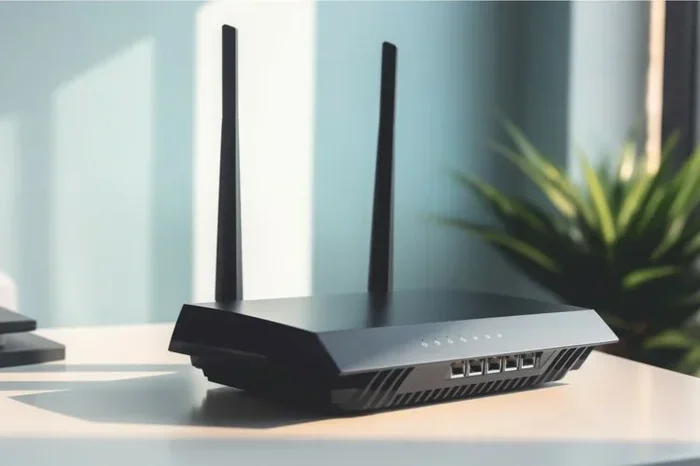
Where you put your router matters more than most people think. Place it in a central, elevated location. A shelf or table works better than the floor. Keep it away from corners and exterior walls, since those block signal from reaching the rest of your home.
If you have a multi-story home, try placing the router on the middle floor. This gives the signal the best chance to reach both upstairs and downstairs. Avoid placing it near windows, as much of the signal will escape outside where you do not need it.
Change Your WiFi Channel
Your router broadcasts on specific channels. If your neighbors are using the same channel, there can be congestion. This slows down everyone’s connection. Your signal strength app can help you identify which channels are crowded.
Log into your router settings and switch to a less congested channel. Most routers auto-select, but manual selection often yields better results. This is especially true in apartment buildings where dozens of networks overlap.
Consider a WiFi Extender or Mesh System
If your home is large or has tricky layouts, a single router may not be enough. A WiFi booster or mesh system can fill in the gaps. These devices pick up your existing signal and rebroadcast it in areas where the signal is weak.
Mesh systems are the newer and better option. They create a seamless network throughout your home. You do not have to switch between different network names as you move from room to room. They are easy to set up and manage, even for people who are not tech-savvy.
When to Call a Professional
Sometimes, no matter what you do, the signal just will not improve. This is especially true in older homes with thick walls or buildings with unusual layouts. If you have tried everything and your signal strength app still shows poor readings, it may be time to call in an expert.
A networking professional can do a thorough site survey. They use professional-grade tools to map every inch of your coverage area. They can also check your wiring, your internet plan, and your equipment to make sure everything is working as it should. Sometimes the problem is not your signal at all, but your internet plan speed or outdated equipment.
Before you call, make sure you have your readings ready. Show the professional what your signal strength app reports. This saves time and helps them diagnose the issue faster. You can also check if getting just WiFi at home is a viable option for your setup, which can sometimes simplify the whole situation.
Quick Tips for Better Signal Strength Every Day
- Restart your router regularly. A simple reboot can clear congestion and refresh your connection.
- Keep your router firmware updated. Manufacturers release updates that improve performance and fix bugs.
- Limit the number of connected devices. Too many devices on one network can slow things down for everyone.
- Use the 5GHz band when possible. It is faster and less crowded than the 2.4GHz band.
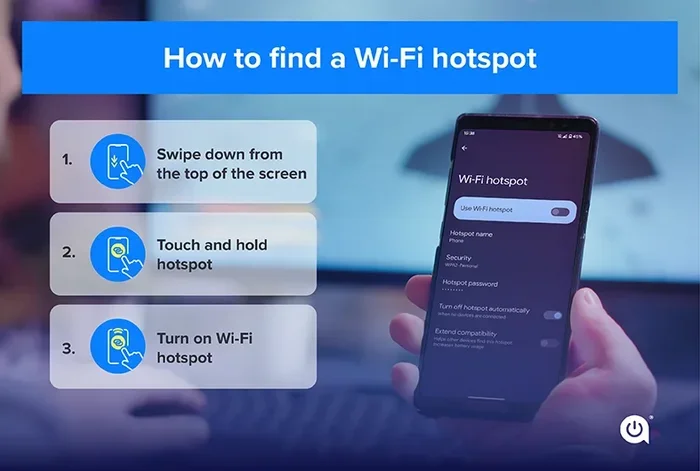
- Avoid using your phone as a hotspot for too long. This drains your battery and can weaken the signal for other devices.
- Check your signal strength app weekly. Regular monitoring helps you catch problems early before they become serious.
Following these tips consistently will keep your connection strong and reliable. You do not need to be a networking expert. Just a little awareness and a good signal strength app go a long way.
Final Thoughts
Checking your signal strength with a dedicated app is one of the simplest things you can do to improve your daily internet experience. It takes just a few minutes to download an app and walk around your space. The insights you gain are invaluable. You will finally understand why certain spots in your home or office have poor coverage, and you will know exactly what to do about it.
Remember, your signal strength app is a tool, and like any tool, it works best when you use it regularly. Make it a habit to check your readings from time to time. Adjust your router placement, change channels, or add a booster when needed. Small changes add up to big improvements over time.
Do not let weak signal hold you back anymore. Take control of your network signal today. Download a signal strength app, follow the steps in this guide, and enjoy a faster, more reliable connection in every corner of your home. Your future self will thank you every time you stream, browse, or video call without a single interruption.
Frequently Asked Questions
Can I use a signal strength app on both iPhone and Android?
Yes, most signal strength apps are available on both platforms. Apps like OpenSignal and NetSpot work on iOS and Android devices. Simply search your app store for “signal strength” and choose one that fits your needs. Always check reviews to make sure the app is reliable and up to date.
Do signal strength apps drain my phone battery?
Most apps use very little battery because they only run in the background while you are actively testing. However, leaving any app running constantly can drain your battery over time. Open your signal strength app when you need to take readings, then close it afterward to save power.
Is a signal strength app the same as a speed test app?
No, they measure different things. A speed test app measures your download and upload speeds. A signal strength app measures the power of your wireless connection in dBm. Both are useful, but they serve different purposes. Use a signal strength app to find weak spots and a speed test app to check actual performance.
Can a signal strength app help me choose the best WiFi channel?
Absolutely. Many signal strength apps show you which channels are crowded in your area. You can use this information to switch your router to a less congested channel. This simple change can significantly improve your WiFi coverage and reduce interference from neighboring networks.
How often should I check my signal strength?
Checking once a week is a good habit for most people. If you notice connection problems, check immediately. After making changes to your router or setup, test again to see if the readings improved. Regular monitoring helps you catch issues before they affect your daily use.
Will a signal strength app work if I have a mesh WiFi system?
Yes, signal strength apps work with any type of WiFi setup, including mesh systems. They help you verify that all nodes are broadcasting strong signals and that there are no dead zones between them. If you find weak spots, you can add more nodes or adjust the placement of existing ones for better coverage.