How Can I Make My Att Wifi Faster At Home Right Now
Want to make your AT&T wifi faster at home? You can boost your internet speed with simple steps like optimizing your router placement, updating firmware, and changing your wifi channel. This guide covers practical, actionable methods to get your AT&T connection running at its best. From basic troubleshooting to advanced network tweaks, you will find everything you need to speed up your wifi right now.
Slow wifi is one of the most frustrating problems you can deal with at home. You are trying to stream your favorite show, join a video call, or game online, and everything just buffers or lags. If you are an AT&T customer, you are not alone. Many people experience slow AT&T wifi at some point, and the good news is that you can fix it yourself without calling support.
In this guide, I will walk you through every practical step to make your AT&T wifi faster right now. You do not need to be a tech expert. These tips work for beginners and advanced users alike. Whether you live in a small apartment or a large house, there is something here for you. Let us dive in and get your internet speed where it should be.
Key Takeaways
- Restart your AT&T wifi gateway regularly: A simple reboot can resolve many speed issues and refresh your connection.
- Optimize router placement: Central location and elevation dramatically improve your wireless signal strength.
- Update your firmware: Keeping your AT&T equipment updated ensures peak performance and security.
- Reduce interference: Changing your wifi channel and moving away from competing devices can boost speed significantly.
- Consider a mesh network or faster router: Upgrading your hardware may be the best long-term solution for slow wifi.
- Check your AT&T internet plan: Your speed tier may not match your household needs, so verify your plan.
- Limit connected devices: Too many devices on one network can slow things down for everyone.
📑 Table of Contents
Why Is My AT&T Wifi Slow?
Before you fix the problem, it helps to understand what is causing it. Slow wifi usually comes down to a few common culprits. Once you identify the root cause, you can apply the right solution and see real improvement.
Network Congestion
When too many devices connect to your network at the same time, your bandwidth gets split between them. Each device competes for a share of your total internet speed. If you have a smart TV, phone, laptop, tablet, and several smart home devices all online, your connection can slow down fast.
AT&T internet plans come with different speed tiers. If your plan offers lower speeds, heavy usage across multiple devices can easily overwhelm it. Understanding your AT&T internet plan and how many devices are connected is the first step toward a faster connection.
Wifi Interference
Wireless signals can get disrupted by other electronics in your home. Microwaves, baby monitors, cordless phones, and even neighboring wifi networks can all cause wifi interference. This interference weakens your signal and slows down your connection.
The 2.4GHz band is especially prone to interference because it is used by many devices. The 5GHz band is less crowded but has a shorter range. Knowing which band your devices use can help you troubleshoot slow speeds effectively.
Outdated Equipment
Older routers and gateways simply cannot keep up with modern internet demands. If your AT&T wifi gateway is several years old, it may not support the latest wifi standards. Outdated firmware on your equipment can also cause performance issues and security vulnerabilities.
Simple Fixes To Make Your AT&T Wifi Faster Right Now
You do not need expensive tools or professional help to get started. Try these simple fixes first. Most of them take just a few minutes and can make a noticeable difference in your internet speed.
Restart Your AT&T Wifi Gateway
This is the simplest and most effective fix. Unplug your AT&T wifi gateway, wait 30 seconds, and plug it back in. This clears your connection cache and refreshes your internet connection. Many people skip this step, but it solves a surprising number of speed problems.
Make it a habit to restart your gateway at least once a week. You can set a reminder on your phone if that helps. A quick reboot can restore speeds you thought were lost forever.
Move Your Router To A Better Location
Where you place your router matters a lot for wireless signal strength. If your gateway is tucked behind a couch, inside a closet, or on the floor in a corner, your signal has to fight through walls and furniture.
Try these placement tips for better results:
- Place your router in a central location in your home
- Keep it elevated on a shelf or table
- Avoid placing it near thick walls or metal objects
- Keep it away from microwaves and other electronics
- Position antennas vertically for the best coverage
Even moving your router a few feet can improve your AT&T wifi speed significantly. Experiment with different spots and test your speed after each move.
Check For Data Throttling
AT&T may slow down your connection after you reach a certain data threshold. This is called data throttling, and it can make your wifi feel painfully slow. If you are on an unlimited plan, check your account to see if you have hit any data limits.
You can also check if your AT&T unlimited plan supports hotspot data to understand how your data is being managed. If throttling is the issue, you may need to adjust your usage or upgrade your plan.
Update Your Router Firmware
Firmware updates fix bugs, improve performance, and patch security holes. AT&T sometimes pushes updates automatically, but not always. Check your gateway settings to see if a firmware update is available.
To update your firmware:
- Log into your AT&T gateway admin panel
- Navigate to the settings or maintenance section
- Look for a firmware update option
- Download and install any available updates
- Restart your gateway after the update
Keeping your equipment updated is one of the easiest ways to maintain strong network performance over time.
Advanced Tips To Boost AT&T Wifi Speed
If the simple fixes did not give you the speed boost you need, it is time to try some advanced techniques. These steps require a little more effort but can deliver big improvements.
Change Your Wifi Channel
Your wifi router broadcasts on a specific channel. If your neighbors are using the same channel, your signals can overlap and cause slowdowns. Changing your wifi channel can reduce interference and improve your speed.
You can use a free wifi analyzer app on your phone to see which channels are least crowded in your area. Then log into your AT&T gateway settings and switch to a less congested channel. This small change can make a big difference, especially in apartment buildings or dense neighborhoods.
Switch Between 2.4GHz and 5GHz Bands
Most AT&T gateways broadcast on both the 2.4GHz and 5GHz bands. The 2.4GHz band covers a wider area but is slower and more prone to interference. The 5GHz band is faster but has a shorter range.
For the best results, connect devices that need high speed to the 5GHz band. Use the 2.4GHz band for devices that are farther away from the router. If your gateway combines both bands under one name, try separating them in your settings for better control.
Reduce Connected Devices
Every device connected to your network uses a portion of your bandwidth. Smart TVs, phones, tablets, computers, smart speakers, security cameras, and gaming consoles all add up fast.
Disconnect devices you are not actively using. Turn off wifi on devices that do not need a constant connection. You can also set up a guest network for visitors so your main network stays fast for your essential devices.
Use An Ethernet Connection When Possible
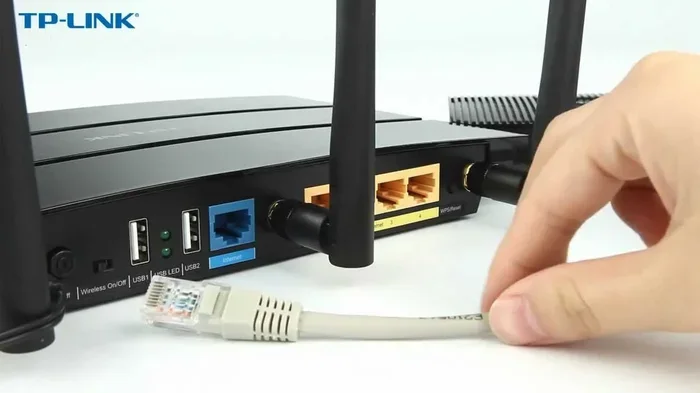
Wired connections are always faster and more stable than wireless ones. If you have a device that stays in one place, like a desktop computer or gaming console, connect it directly with an ethernet cable.
If your router is far from your device, consider extending your wifi with an ethernet cable to reach distant rooms. A wired backhaul connection can dramatically improve speeds for devices that need them most.
When To Upgrade Your AT&T Equipment
Sometimes no amount of tweaking will fix slow wifi. If your equipment is outdated or underpowered, upgrading may be the best solution. Here are signs that it is time to invest in new hardware.
Your Router Is More Than 4 Years Old
Technology moves fast, and wifi standards have improved a lot in recent years. If your AT&T gateway is several years old, it likely does not support the latest wifi protocols like Wi-Fi 6. Buying a faster router that supports modern standards can transform your internet experience.
You Have a Large Home With Dead Zones
One router often cannot cover a large home evenly. If you have rooms with weak or no signal, you need a solution that extends your coverage. Adding a mesh wifi system to your existing router is one of the best ways to eliminate dead zones and ensure strong signal throughout your home.
Mesh systems use multiple nodes placed around your home to create a seamless, whole-home network. They are easy to set up and manage through a phone app.
Your Internet Plan Is Outdated
Check the speed tier of your AT&T internet plan. If you are on an older plan with low speeds, upgrading your plan might be all you need. Contact AT&T support or chat with AT&T support to explore faster plan options available in your area.
Quick Tips To Maintain Fast AT&T Wifi
Once you have your wifi running at top speed, you want to keep it that way. These quick habits will help you maintain strong performance over time:
- Restart your gateway once a week
- Keep your router firmware updated
- Place your router in an open, central area
- Limit the number of connected devices
- Monitor your network for unknown devices
- Run a speed test monthly to track performance
- Change your wifi password regularly for security
These small habits take almost no time but pay off big in the long run. Think of them as routine maintenance for your home network.
Common Mistakes That Slow Down AT&T Wifi
Avoid these common mistakes that can hold back your wifi speed:
- Ignoring router placement: Hiding your router in a cabinet or basement kills your signal strength.
- Never restarting your gateway: Over time, your router accumulates data that slows it down.
- Using outdated equipment: Old routers cannot handle modern internet speeds.
- Overloading your network: Too many streaming, gaming, and downloading devices will compete for bandwidth.
- Skipping firmware updates: Updates include performance improvements that you miss out on.
If you have been making any of these mistakes, fixing them alone can noticeably improve your AT&T wifi speed.
Expert Insights On Optimizing AT&T Wireless Performance
Network professionals recommend a few additional strategies for getting the most out of your AT&T connection. First, always run an internet speed test before and after making changes. This helps you measure what is actually working and what is not.
Second, consider the age and capability of all your devices. An old phone or laptop with outdated wifi hardware may not be able to connect at the speeds your router is capable of delivering. Sometimes the bottleneck is not your network but your device.
Third, if you live in a multi-story home, place your router on the middle floor. Wifi signals travel best horizontally and struggle to pass through floors and ceilings. Positioning your gateway strategically can eliminate many of the dead spots that plague larger homes.
Finally, do not be afraid to reach out for help. You can chat with AT&T support to troubleshoot persistent issues. They can run remote diagnostics on your connection and identify problems you might not be able to see on your own.
Conclusion
Making your AT&T wifi faster at home is absolutely achievable with the right approach. Start with the simple fixes like restarting your gateway, repositioning your router, and reducing connected devices. Move on to advanced techniques like changing your wifi channel and switching to the 5GHz band. If nothing else works, consider upgrading your equipment or your internet plan.
Remember that maintaining fast wifi is an ongoing process. Regular maintenance and smart usage habits will keep your connection running smoothly. You do not have to live with slow internet. Use the tips in this guide to take control of your AT&T wifi speed today and enjoy a faster, more reliable connection at home.
Frequently Asked Questions
Why is my AT&T wifi so slow all of a sudden?
Sudden slow wifi is often caused by network congestion, outdated firmware, or too many connected devices. Try restarting your gateway first, as this resolves many temporary speed issues. If the problem persists, check for firmware updates and reduce the number of devices on your network.
Can I use my own router with AT&T internet?
Yes, you can use your own router with AT&T internet, but you may need to put AT&T’s gateway into bridge mode first. Check with AT&T support to confirm your setup is compatible. Using a faster third-party router can sometimes improve your overall wifi performance significantly.
How do I test my AT&T wifi speed?
You can test your wifi speed using free online tools like Speedtest.net or Fast.com. Connect your device to your AT&T network and run the test for the most accurate results. Run the test in different rooms to check for dead zones or weak signal areas in your home.
Does AT&T throttle wifi speed after a certain data usage?
Some AT&T plans may slow down speeds after you reach a certain data threshold. This is called data throttling and is common on many internet service provider plans. Check your AT&T account details or contact support to understand your plan’s data policies and whether upgrading your plan could help.
What is the best router for AT&T wifi?
The best router depends on your home size and usage needs. For most households, a Wi-Fi 6 router provides excellent speed and coverage. If you have a large home, consider a mesh wifi system for whole-home coverage. You can also explore options to buy a faster router that suits your specific needs.
How can I improve AT&T wifi signal in my basement?
Basements often have weak wifi signals because of distance and concrete walls. Moving your router closer to the basement entrance can help. You can also use a mesh wifi node or a wifi extender in the basement to boost signal strength. Another effective option is running an ethernet cable to the basement for a wired connection.