How Do I Add Bluetooth To My Old Stereo Receiver Now
Adding Bluetooth to an old stereo receiver is easier than you think. You can use a Bluetooth adapter, FM transmitter, or AUX input to get wireless audio flowing to your classic system. This guide walks you through every method so you can enjoy modern streaming on your old stereo today.
You love your old stereo receiver. It has great build quality and warm sound. But it was built before Bluetooth became standard. So how do you stream music from your phone or tablet? The good news is you do not need to buy a whole new system. You can add Bluetooth to your old stereo receiver with a few simple tools.
This guide covers every method that works today. Whether you have a basic receiver or a more advanced model, there is a solution for you. We will walk through Bluetooth adapters, FM transmitters, and AUX connections step by step. You will know exactly what to buy and how to set it up by the end of this article.
Many people think their old stereo is stuck in the past. That is simply not true. With the right Bluetooth adapter, your vintage receiver can stream music wirelessly just like a modern system. Let us dive in and explore your options.
Key Takeaways
- Bluetooth adapters are the easiest way: A simple plug-in adapter can make any old stereo receiver wireless in minutes.
- FM transmitters work without extra cables: They send Bluetooth signals to your stereo through an open FM frequency.
- AUX inputs are common on older receivers: Check the back panel for a 3.5mm or RCA input before buying anything.
- Sound quality varies by method: Bluetooth adapters offer the best audio fidelity compared to FM transmitters.
- Pairing is quick once set up: Most devices connect in under 30 seconds after the initial setup.
- Multiple options fit every budget: You can find solutions from under $15 to over $100 depending on your needs.
📑 Table of Contents
Why Add Bluetooth to an Old Stereo Receiver?
Bluetooth has become the standard way we listen to music. Your phone, tablet, and laptop all use it. But your old stereo receiver was built in a different era. Adding wireless connectivity bridges that gap perfectly.
Here are the main reasons people want to make their old stereo Bluetooth compatible:
- Wireless convenience: No more fumbling with cables every time you want to play music.
- Modern device compatibility: Connect your smartphone, tablet, or laptop directly.
- Better sound quality: Many receivers have great speakers that sound better than portable Bluetooth speakers.
- Cost savings: You keep your existing system instead of buying a new one.
- Multi-room potential: Some Bluetooth setups let you stream to different rooms easily.
The beauty of this upgrade is how simple it is. Most solutions take less than five minutes to set up. You do not need any technical skills or special tools. Just plug in a device, pair your phone, and start streaming.
If you have ever wondered whether upgrade my car stereo to Bluetooth is similar, the answer is yes. The same basic principles apply. You are adding a wireless bridge between your source device and your audio system.
Method 1: Use a Bluetooth Adapter (The Best Option)
A Bluetooth adapter is the most popular way to add wireless capability to an old stereo receiver. It is a small device that plugs into your receiver and creates a Bluetooth connection. Your phone pairs directly to the adapter, and audio streams through your stereo speakers.
How Bluetooth Adapters Work
A Bluetooth adapter receives wireless audio signals from your phone or tablet. It then converts those signals into audio your stereo can understand. The adapter connects to your receiver through an AUX input, RCA ports, or even a USB connection.
Most Bluetooth adapters support the latest Bluetooth versions. This means you get stable connections and good range. You can typically leave your phone in another room and still hear music clearly.
Top Bluetooth Adapter Options
Not all adapters are the same. Here are some popular choices that work well with older receivers:
- 3.5mm Bluetooth adapter: Plugs into a standard AUX input. Simple and affordable. Great for most home setups.
- RCA Bluetooth adapter: Connects to the red and white audio inputs on your receiver. Ideal for older models without AUX ports.
- USB Bluetooth adapter: Works if your receiver has a USB input. Some receivers support USB audio directly.
Step-by-Step Setup Guide
Setting up a Bluetooth adapter is straightforward. Follow these steps for a smooth setup:
- Check your receiver’s inputs: Look at the back panel. Find an available AUX, RCA, or USB port.
- Plug in the adapter: Connect the Bluetooth adapter to the appropriate input on your receiver.
- Turn on the adapter: Most adapters power on automatically when plugged in.
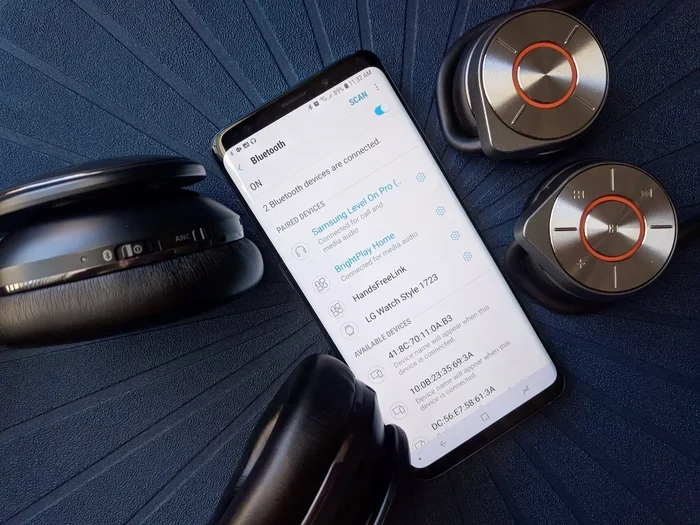
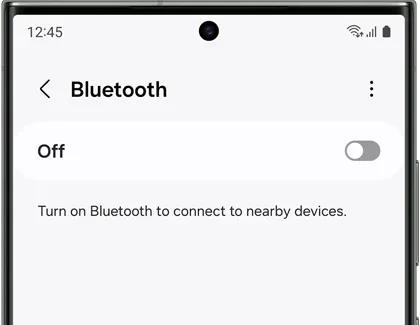
- Put your phone in pairing mode: Go to Bluetooth settings on your phone and search for new devices.
- Select the adapter: Tap on the adapter name when it appears in the list.
- Start playing music: Once paired, any audio from your phone plays through your stereo.
The entire process takes about two minutes. You will be amazed at how easy it is. Your old receiver suddenly feels like a modern audio system.
Quick Tips for Best Sound Quality
To get the best audio from your Bluetooth adapter, keep these tips in mind:
- Keep your phone within 30 feet of the adapter for the strongest signal.
- Use a high-quality adapter that supports aptX or AAC codecs for better sound.
- Avoid placing the adapter near Wi-Fi routers or microwaves, which can cause interference.
- Turn off other Bluetooth devices nearby to reduce connection conflicts.
Method 2: Use an FM Transmitter
An FM transmitter is another popular option for adding Bluetooth to an old stereo. It works differently from an adapter. Instead of a direct cable connection, it broadcasts the Bluetooth signal as an FM radio frequency. Your receiver picks it up like a radio station.
How FM Transmitters Work
The FM transmitter plugs into your phone or connects via Bluetooth. It then broadcasts the audio on a specific FM frequency. You tune your stereo receiver to that same frequency. The music plays through your speakers wirelessly.
This method works well when your receiver does not have an AUX input. It is also useful if you want a completely cable-free setup between your phone and the stereo.
Pros and Cons of FM Transmitters
Like any solution, FM transmitters have advantages and drawbacks:
- Pros: No cables needed between phone and stereo. Works with any receiver that has an FM tuner. Very affordable.
- Cons: Sound quality is lower than a direct adapter. You may hear some static or interference. FM frequencies can overlap with local radio stations.
Setting Up an FM Transmitter
Setting up an FM transmitter takes just a few minutes:
- Plug the transmitter into your phone: Some models use a headphone jack, while others connect wirelessly via Bluetooth.
- Choose an empty FM frequency: Pick a frequency that is not used by any local radio stations.
- Tune your stereo to that frequency: Use the tuner dial or digital display on your receiver.
- Start playing music on your phone: The audio will broadcast to your stereo through the FM signal.
FM transmitters are great for a quick and easy setup. They are especially useful if you want to make my old stereo Bluetooth without buying extra cables or adapters. However, the sound quality will not match a direct Bluetooth adapter.
Method 3: Check for an AUX Input
Many older stereo receivers actually have an AUX input already. This is a simple 3.5mm jack, similar to what you find on headphones. If your receiver has one, you can use a Bluetooth receiver cable or a small Bluetooth AUX adapter.
How to Find the AUX Input
Look at the back panel of your stereo receiver. The AUX input is usually labeled. It may be marked as “AUX,” “Line In,” or “Audio In.” It is often a round 3.5mm jack or a set of RCA inputs.
If you find an AUX input, you are in luck. You can use a simple Bluetooth AUX cable. One end plugs into the AUX port, and the other end has a built-in Bluetooth receiver. This is one of the cleanest and most affordable solutions.
Using a Bluetooth AUX Cable
A Bluetooth AUX cable is a clever little device. It looks like a regular audio cable but has Bluetooth built into one end. Here is how to use it:
- Plug the cable into your receiver: Insert the AUX end into the AUX input on your stereo.
- Charge the cable: Most Bluetooth AUX cables have a small USB charging port.
- Pair your phone: Turn on the Bluetooth function and search for the cable.
- Play your music: Audio streams wirelessly from your phone to your stereo through the cable.
This method is simple because it requires no extra power outlet or adapter. The cable handles everything. It is also portable, so you can use it with different audio systems.
Method 4: Use an RCA Bluetooth Adapter
If your old stereo receiver has RCA inputs but no AUX jack, an RCA Bluetooth adapter is your best bet. These adapters connect to the red and white audio inputs on the back of your receiver.
What Are RCA Inputs?
RCA inputs are the classic red and white (or red and black) audio connectors. They have been around for decades. Many older stereo receivers have multiple RCA input pairs labeled CD, Tape, Aux, or Movie.
An RCA Bluetooth adapter plugs directly into one of these input pairs. It receives Bluetooth signals from your phone and converts them to analog audio through the RCA connection.
Setting Up an RCA Bluetooth Adapter
Follow these steps to get an RCA Bluetooth adapter working:
- Find an unused RCA input pair: Look for inputs like “CD,” “Tape,” or “Aux” on the back of your receiver.
- Plug the adapter in: Connect the red and white RCA plugs to the matching color-coded inputs.
- Power on the adapter: Some RCA adapters use batteries, while others need a USB power connection.
- Pair your phone: Go to Bluetooth settings and connect to the adapter.
- Select the input on your receiver: Use the source or input button to switch to the RCA input you used.
RCA Bluetooth adapters are widely available and affordable. They offer solid sound quality because they use a direct wired connection from the adapter to the receiver. This means less signal loss compared to FM transmitters.
For those who also use HDMI for video, you might wonder about use HDMI for video and Bluetooth for audio. This is a common setup in home theater systems. You can send video through HDMI and audio through a Bluetooth adapter simultaneously.
Comparison of Methods
Not sure which method is right for you? Here is a comparison of the main options:
- Bluetooth Adapter: Best overall sound quality. Requires an AUX or RCA input. Easy setup. Most popular choice.
- FM Transmitter: No cables needed between phone and stereo. Lower sound quality. Works with any FM-capable receiver.
- Bluetooth AUX Cable: Simple and portable. No extra power needed. Good for occasional use.
- RCA Bluetooth Adapter: Great for receivers with only RCA inputs. Stable connection. Good sound quality.
The best choice depends on your receiver’s inputs and your budget. Most people find that a Bluetooth adapter or RCA adapter offers the best balance of sound quality and ease of use.
Common Mistakes to Avoid
When adding Bluetooth to an old stereo, people sometimes make avoidable mistakes. Here is what to watch out for:
- Buying the wrong adapter type: Check your receiver’s inputs before purchasing. Do not buy a 3.5mm adapter if you only have RCA inputs.
- Ignoring firmware updates: Some Bluetooth adapters have firmware that can be updated for better performance.
- Placing the adapter too far away: Keep the adapter close to your phone for the most reliable connection.
- Using a low-quality adapter: Cheap adapters can cause audio lag, static, or dropped connections. Spend a little more for better quality.
- Forgetting to turn the volume down: Always start with low volume when pairing to avoid sudden loud sounds.
Expert Insights
Adding Bluetooth to an old stereo receiver is one of the most rewarding audio upgrades you can do. It brings modern convenience to classic hardware. The key is choosing the right method for your specific receiver model.
If your receiver has an AUX input, a simple Bluetooth adapter is the way to go. If it only has RCA inputs, an RCA Bluetooth adapter will serve you well. For the simplest setup without any cables at all, an FM transmitter works in a pinch.
Remember that the goal is to enhance your listening experience. Your old stereo likely has quality speakers that deserve better audio sources. Bluetooth streaming lets you access all your favorite music apps, podcasts, and online radio stations through your trusted stereo system.
One thing to keep in mind is that Bluetooth technology has improved a lot over the years. Newer adapters support high-quality codecs that deliver near-lossless audio. This means the sound you get from a modern Bluetooth adapter is surprisingly close to a wired connection.
If you are also thinking about other upgrades, consider exploring how to use a smart speaker in my car or how to connect my phone to TV with HDMI cable. These are similar modern upgrades that bring new life to older systems.
Final Thoughts
Adding Bluetooth to your old stereo receiver is simple, affordable, and incredibly worthwhile. You do not need to replace your favorite audio system just because it was built before the wireless era. A small adapter or transmitter can transform your listening experience in minutes.
Start by checking what inputs your receiver has available. Then pick the method that fits your setup best. Whether you choose a Bluetooth adapter, FM transmitter, or RCA adapter, you will be streaming music wirelessly in no time.
The best part is that once you set it up, you will wonder how you ever lived without it. Your old stereo sounds great, and now it works with all your modern devices seamlessly. Give your stereo a new life with Bluetooth today.
For more tips on upgrading your audio setup, check out our guide on making your old stereo Bluetooth and learn about upgrading your car stereo to Bluetooth for even more ideas.
Frequently Asked Questions
Can I add Bluetooth to any old stereo receiver?
Yes, almost any old stereo receiver can be upgraded with Bluetooth. You just need to check what inputs are available on the back panel. Whether it has an AUX jack, RCA inputs, or even just an FM tuner, there is a Bluetooth solution that will work for you.
Does adding Bluetooth reduce sound quality?
It depends on the method you use. A Bluetooth adapter or RCA adapter maintains very good sound quality. FM transmitters may introduce some static or slight quality loss. Using an adapter that supports aptX or AAC codecs will give you the best possible audio fidelity.
How much does a Bluetooth adapter cost?
Bluetooth adapters range from about $10 to $60. Basic models with a 3.5mm jack cost around $15. Higher-end adapters with better codecs and range cost $40 or more. You do not need to spend a lot to get great results.
Can I use Bluetooth with a receiver that has no inputs at all?
If your receiver has no AUX or RCA inputs, an FM transmitter is your best option. It broadcasts the Bluetooth signal as a radio frequency that your receiver can pick up. This works without needing any specific input on the receiver itself.
How do I pair my phone to a Bluetooth adapter for the first time?
First, plug the adapter into your receiver and turn it on. Then go to Bluetooth settings on your phone and search for available devices. Tap on the adapter name when it appears. You may need to enter a pairing code like 0000 or 1234 if prompted.
Can I connect multiple devices to a Bluetooth adapter?
Most Bluetooth adapters support one active connection at a time. However, many adapters remember previously paired devices. You can easily switch between your phone and tablet by disconnecting one and connecting the other. The process takes just a few seconds.
=== CONCLUSION ===
Adding Bluetooth to your old stereo receiver is one of the simplest and most satisfying upgrades you can make. It brings wireless streaming to your classic audio system without replacing a single component. Whether you choose a Bluetooth adapter, FM transmitter, or RCA adapter, the setup is quick and the results are impressive.
You now have all the information you need to get started. Check your receiver’s inputs, pick the right method, and enjoy wireless music in minutes. Your old stereo deserves a new lease on life, and Bluetooth gives it exactly that.