How Can I Track My Wifi Camera And Never Miss A Moment
Tracking your wifi camera is simpler than you might think. With the right apps, tools, and setup, you can monitor your home from anywhere and never miss a important moment. This guide walks you through how to track your wifi camera step by step, from basic setup to advanced monitoring tips.
Have you ever wanted to keep an eye on your home while you are away? How can I track my wifi camera is a question many homeowners ask every day. The good news is that tracking your wifi camera is easier than most people think. You do not need expensive equipment or a computer science degree. With the right tools and a few simple steps, you can monitor your home from almost anywhere in the world.
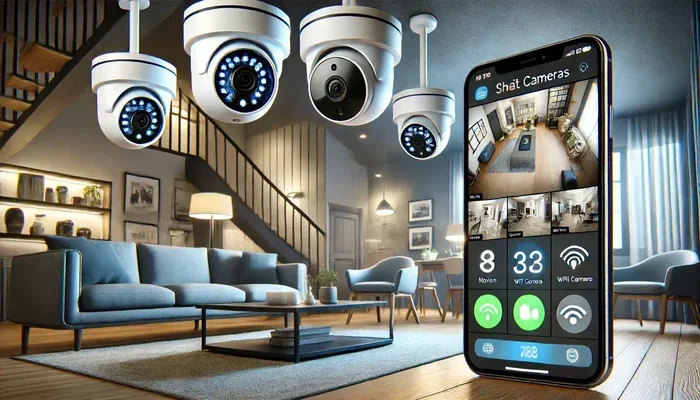
Wifi cameras have become one of the most popular home security tools. They let you see what is happening in real time, right on your phone. Whether you want to check on your pets, watch your kids, or keep an eye on your property, a wifi camera makes it all possible. But knowing how to set up and use camera tracking properly is the key to getting the most out of your device. This guide covers everything you need to know.
In this article, we will walk you through the full process. You will learn about the different types of wifi cameras, the best apps for tracking, how to set up your system, and common mistakes to avoid. By the end, you will feel confident about monitoring your home and never missing a moment that matters.
Key Takeaways
- Wifi cameras let you track your home from anywhere: You can view live feeds on your phone, tablet, or computer with just a few taps.
- The right app makes all the difference: Most wifi cameras come with free apps that offer real-time tracking and alerts.
- A strong wifi signal is essential: Without good coverage, your camera tracking will lag or drop out entirely.
- Setting up tracking takes minutes: You do not need to be a tech expert to get your camera up and running.
- Privacy matters: Always secure your wifi camera with strong passwords and two-factor authentication.
- Mesh wifi systems boost coverage: If your camera is far from your router, a mesh system can help maintain a steady connection.
- You can track multiple cameras at once: Many apps let you view and manage several cameras from one dashboard.
📑 Table of Contents
- Understanding How Wifi Camera Tracking Works
- Setting Up Your Wifi Camera for Tracking
- Best Apps and Tools to Track Your Wifi Camera
- Common Challenges When Tracking a Wifi Camera
- Tips to Never Miss a Moment with Your Wifi Camera
- When to Consider a Dedicated Camera Tracking System
- Final Thoughts on Tracking Your Wifi Camera
Understanding How Wifi Camera Tracking Works
What Is a Wifi Camera?
A wifi camera is a security camera that connects to your home wireless network. Instead of using cables to send video to a monitor, it sends footage over the internet. This means you can view your camera feed from your phone, laptop, or tablet. The camera streams video in real time, so you see what is happening right now, not something from hours ago.
Most wifi cameras store footage in the cloud. This means the video is saved online, not just on a physical device. Some cameras also offer local storage through a memory card. The choice between cloud and local storage depends on your needs and budget.
How Does Camera Tracking Actually Work?
When you track a wifi camera, you are accessing its live video feed through an app or web portal. The camera sends data over your wifi network to a server, and that server sends the feed to your device. The whole process happens in seconds. You open the app on your phone, and you see what the camera sees.
Many modern cameras also offer motion tracking. This means the camera can follow movement automatically. If someone walks across your yard, the camera pans and tilts to keep them in frame. This feature is called auto-tracking, and it is a game changer for home security.
If you are wondering whether you need wifi for a security camera at all, you can check out our guide on Can I Get Security Camera Without Wi Fi. It covers alternatives for situations where wifi is not available.
Setting Up Your Wifi Camera for Tracking
Step 1: Choose the Right Location
The first step in tracking your camera is placing it in the right spot. You want your camera to have a clear view of the area you care about most. Whether that is your front door, backyard, or driveway, the placement matters a lot. A camera hidden behind a tree might look sneaky, but it will not give you a good view if the branches block the lens.
Also think about your wifi signal strength. If your camera is too far from your router, the video feed will be slow or drop out. You may need to move your router closer or use a signal booster. If you already have a mesh wifi system, this is much easier to handle.
Step 2: Connect the Camera to Your Network
Most wifi cameras connect to your network through a simple app. You download the manufacturer’s app, scan a QR code on the camera, and follow the on-screen steps. The process usually takes less than five minutes. Make sure you are using a strong, unique password for your wifi network. This keeps your camera feed safe from strangers.
If you are setting up your own network specifically for your camera, you might want to learn more about having your own personal wifi router. Our guide on Can I Have My Own Personal Wifi Router explains how to set up a dedicated network for your security devices.
Step 3: Test the Feed and Adjust
Once your camera is connected, open the app and check the live feed. Walk around the area the camera covers. Make sure the image is clear and the angle captures everything you need. Adjust the camera position if something is blocked or out of frame. This small step makes a big difference in how well you can track events later.
Best Apps and Tools to Track Your Wifi Camera
Manufacturer Apps
Almost every wifi camera brand offers its own free app. These apps are designed to work seamlessly with their cameras. Brands like Ring, Arlo, Wyze, and Blink all have apps that let you view live feeds, receive motion alerts, and review recorded clips. The biggest advantage of using the manufacturer app is that everything is already set up for you. You just log in and start tracking.
These apps also let you talk through the camera using two-way audio. So if you see someone at your door, you can speak to them through the camera. This feature is surprisingly useful and many people do not even know their camera has it.
Third-Party Tracking Apps
If you have multiple cameras from different brands, a third-party app might be a better choice. Apps like Alfred, iSpy, and Blue Iris let you manage several cameras from one place. They work with most wifi cameras and give you a unified dashboard. Instead of switching between five different apps, you can see all your feeds on one screen.
Some of these apps also offer advanced features like motion detection zones and scheduled recording. You can set your camera to only record during certain hours or only when motion is detected in a specific area. This saves storage space and makes it easier to find important clips later.
Using Your Phone as a Tracking Device
Your phone is one of the best tools for tracking your wifi camera. Since most camera apps are designed for mobile devices, you get a live feed right in your pocket. You can check on your home while you are at work, on vacation, or running errands. The convenience is hard to beat.
If you are interested in using your phone as a wifi source or hotspot for your camera, check out our article on Can I Get Wi Fi From My Phone. It explains how you can share your mobile data when a traditional wifi connection is not available.
Common Challenges When Tracking a Wifi Camera
Weak Wifi Signal
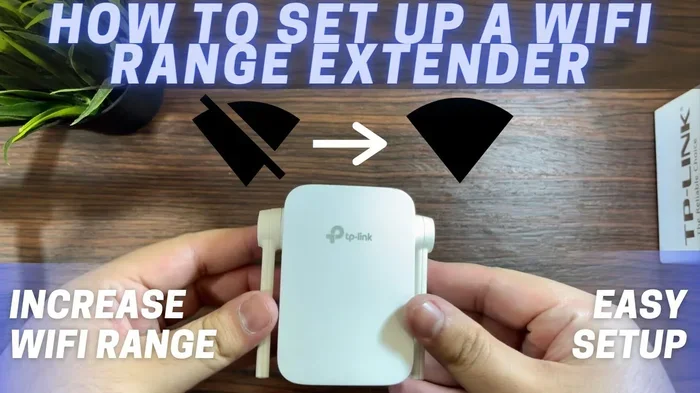
The most common problem with wifi camera tracking is a weak signal. If your camera is too far from your router, the video will lag, freeze, or disconnect. This is frustrating when you are trying to monitor your home in real time. The fix is usually simple: move your router closer to the camera or add a wifi extender.
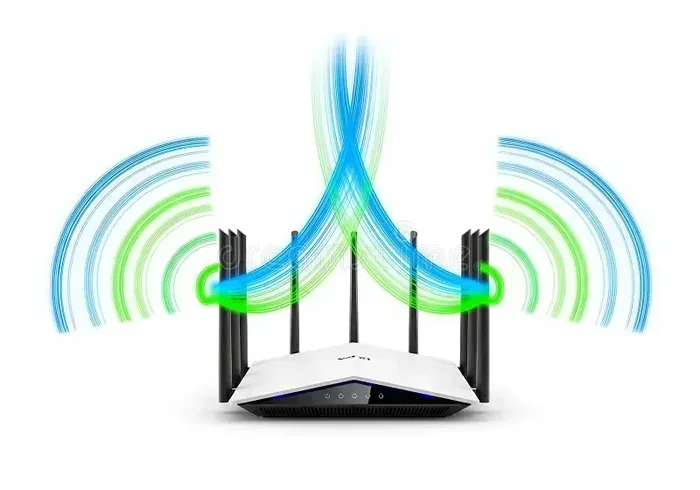
Another option is to upgrade to a mesh wifi system. Mesh systems use multiple nodes to spread your wifi signal throughout your home. This means every corner gets strong coverage, and your camera stays connected no matter where you place it. Setting up mesh wifi with your existing router is straightforward and well worth the effort.
Cloud Storage Limits
Most wifi cameras offer free cloud storage for a limited time. After that, you may need to pay a monthly subscription. If you record a lot of footage, these costs can add up. Some people prefer to use a memory card for local storage instead. This avoids monthly fees, but you need to remember to save and backup your clips regularly.
Privacy and Security Concerns
Because wifi cameras connect to the internet, they can be vulnerable to hacking. If someone gains access to your camera, they could watch your home live. This is a serious concern, and it is why you should always take security seriously. Use a strong password, enable two-factor authentication, and keep your camera firmware updated.
You should also be aware of local laws regarding camera placement. In most areas, you can film your own property, but you cannot point a camera into your neighbor’s home or yard. Respecting privacy keeps you on the right side of the law and your neighbors happy.
Tips to Never Miss a Moment with Your Wifi Camera
Enable Motion Alerts
One of the best features of modern wifi cameras is motion detection. When something moves in front of the camera, it sends an alert straight to your phone. You do not need to keep the app open all day. The camera does the watching for you. Just make sure you check your alerts regularly so nothing slips through.
You can fine-tune motion detection zones to avoid false alarms. For example, if a tree sways in the wind and triggers your camera, you can exclude that area from the detection zone. This keeps your alerts relevant and useful.
Set Up Recording Schedules
Not every moment needs to be recorded 24 hours a day. Setting a recording schedule helps you save storage space and battery life. You can program your camera to record only when you are away from home, or only during nighttime hours. This way, you capture the important moments without filling up your storage with hours of empty footage.
Use Multiple Cameras for Full Coverage
A single camera gives you a view of one area. But if you want to track your entire property, you need more than one camera. Place one at the front door, one in the backyard, and one near your garage. With a multi-camera app, you can switch between feeds or view them all at once. This gives you complete coverage and peace of mind.
Keep Your Firmware Updated
Camera manufacturers regularly release firmware updates that fix bugs and improve performance. These updates also patch security vulnerabilities that hackers could exploit. Make it a habit to check for updates once a month. Most apps have an automatic update feature, but it is still a good idea to verify that your camera is running the latest version.
When to Consider a Dedicated Camera Tracking System
For most homeowners, a standard wifi camera is more than enough. But there are situations where a dedicated tracking system makes sense. If you have a large property with multiple buildings, a single camera will not cover everything. A dedicated system with PTZ (pan-tilt-zoom) cameras lets you control the camera remotely and track movement across a wide area.
These systems are more expensive, but they offer professional-grade tracking and recording. Some even come with AI-powered detection that can distinguish between a person, an animal, and a vehicle. This level of smart tracking helps you focus on what actually matters and ignore false alarms.
If you are considering upgrading your home network to support advanced camera systems, make sure your router can handle the demand. A reliable router with strong wifi coverage is the backbone of any good tracking setup. You might also consider adding a second router to extend coverage to areas of your home that are far from the main unit.
Final Thoughts on Tracking Your Wifi Camera
Tracking your wifi camera does not have to be complicated. With the right placement, a solid wifi connection, and a good tracking app, you can monitor your home with confidence. The key is to start simple, test your setup, and build from there. You do not need to buy every fancy feature right away. Even a basic wifi camera gives you the power to see what is happening at home, no matter where you are.
Remember to keep your camera secure with strong passwords and regular updates. Take advantage of motion alerts and recording schedules to make the most of your system. And if you ever feel like your current setup is not enough, you can always expand with additional cameras or upgrade to a dedicated tracking system.
The bottom line is this: how can I track my wifi camera is a question with a very achievable answer. You have the tools, the knowledge, and the ability to do it right now. So set up your camera, download the app, and start monitoring your home with confidence. You will never miss a moment that matters again.
Frequently Asked Questions
Can I track my wifi camera from another country?
Yes, you can track your wifi camera from anywhere in the world as long as you have an internet connection. Most camera apps let you access the live feed remotely through the cloud. Just make sure your camera is connected to a stable wifi network at home, and you can check in from your phone no matter where you are.
Do I need a subscription to track my wifi camera?
Not always. Many wifi cameras offer free basic tracking through their manufacturer apps. However, if you want cloud storage for recorded clips or advanced features like AI detection, you may need a paid subscription. Local storage on a memory card is a great free alternative if you prefer not to pay monthly fees.
How far can I be from my wifi camera and still track it?
You can be as far as you have an internet connection. The camera does not need to be close to you physically. It just needs a strong wifi signal at its location. If your wifi signal reaches your backyard, you can track your camera from across the world using your phone or computer.
Can I track multiple wifi cameras at the same time?
Yes, most modern camera apps and third-party tracking tools let you manage multiple cameras from one dashboard. You can switch between feeds, view them side by side, and receive alerts from all cameras at once. This is especially useful if you want full coverage of your property.
Is it legal to track with a wifi camera on my property?
In most places, it is legal to install and track cameras on your own property. However, you should not point cameras into areas where people have a reasonable expectation of privacy, like your neighbor’s bathroom or bedroom. Always check your local laws and regulations before setting up any surveillance system.
What should I do if my wifi camera keeps disconnecting?
A camera that keeps disconnecting usually has a weak wifi signal. Try moving your router closer to the camera or adding a wifi extender. You can also check for firmware updates, as these often fix connection issues. If the problem persists, restarting both your router and camera can help reset the connection.