How Can I Get Free Wifi Hotspot At Home Without Paying
Getting a free WiFi hotspot at home is possible with the right approach. You can share your phone’s mobile data, use a WiFi stick, or leverage existing internet plans to create a no-cost wireless connection. This guide walks you through every practical method so you can stay connected without spending a dime on extra internet service.
Staying connected should not cost you a fortune. Whether you cut your budget, lost your internet service, or just want to avoid another monthly bill, getting a free WiFi hotspot at home is easier than you think. Many people already have the tools they need sitting in a drawer or pocket.
In this guide, we will walk you through every real method to set up a free WiFi hotspot at home without paying extra. From using your phone as a hotspot to finding open networks and sharing data between devices, we cover it all. You will learn what works, what does not, and how to pick the best option for your situation.
Key Takeaways
- Phone hotspot sharing: Turn your smartphone into a free WiFi hotspot using your existing mobile data plan.
- WiFi sticks and adapters: A USB WiFi stick can help you connect to open networks or extend your current connection.
- Mesh and router tricks: You can add mesh WiFi to an existing router to boost coverage without buying a new plan.
- Community and public options: Some providers and public spaces offer free WiFi access you can use at home.
- Data sharing between devices: You can share mobile data with another phone or device to get online for free.
📑 Table of Contents
- What Is a Free WiFi Hotspot at Home?
- Method 1: Use Your Phone as a Free Hotspot
- Method 2: Share Mobile Data Between Devices
- Method 3: Get a WiFi Stick or USB Adapter
- Method 4: Use an Existing Router or Add Mesh WiFi
- Method 5: Find Free WiFi Options in Your Area
- Method 6: Check for Government and ISP Assistance Programs
- Comparing Free WiFi Methods
- Common Mistakes to Avoid
- Expert Tips for a Better Free WiFi Experience
- Conclusion
What Is a Free WiFi Hotspot at Home?
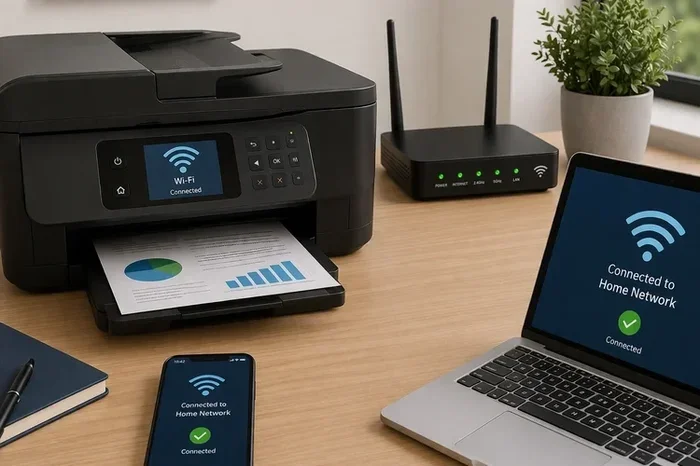
A WiFi hotspot is a place where wireless internet is available. When we talk about a free WiFi hotspot at home, we mean creating or accessing internet without paying for a new service. This can come from your phone, an existing router, or even a neighbor’s open network.
Many people confuse a hotspot with a regular WiFi connection. A hotspot is simply a device or feature that shares an internet connection wirelessly. Your phone can become a hotspot. A WiFi stick can connect you to a signal. And a router can broadcast a connection you already pay for in a different way.
Why People Look for Free WiFi Options
There are many reasons someone might need a free WiFi hotspot at home. Maybe you are between jobs and cannot afford a new internet bill. Perhaps you just moved and have not set up service yet. Some people live in areas where broadband is too expensive or simply not available.
Others want a backup connection. Even if you have a main internet plan, having a free backup can save you during outages. Students, remote workers, and families on tight budgets all benefit from knowing how to get online without extra cost.
Method 1: Use Your Phone as a Free Hotspot
The easiest and most common way to get a free WiFi hotspot at home is by using your phone. Both Android and iPhone let you share your mobile data through a feature called tethering or mobile hotspot. If you already have a data plan, this costs nothing extra to set up.
How to Turn Your Phone into a Hotspot
On most phones, you can find the hotspot feature in the settings. For Android, go to Settings, then Network, then Hotspot and Tethering. On iPhone, open Settings, tap Personal Hotspot, and turn it on. You will see a password you can share with other devices.
Here is a simple step-by-step process:
- Open your phone settings
- Find the Hotspot or Tethering option
- Turn it on and set a password
- Connect your other device to the new WiFi network
- Start using the internet
Things to Watch Out For
Using your phone as a hotspot uses your mobile data quickly. If you have a small data plan, you might run out fast. Streaming videos or downloading large files will burn through data fast. Keep an eye on your usage to avoid extra charges.
Also, your phone battery drains quickly when acting as a hotspot. Plug your phone into a charger while sharing data. Some people prefer to keep their phone on a power bank so it stays running all day.
If you want to learn more about using your phone for internet, check out our guide on Can I Get Wi-Fi From My Phone for detailed tips.
Method 2: Share Mobile Data Between Devices
Another great way to get a free WiFi hotspot at home is by sharing data between devices. You do not always need a dedicated hotspot device. You can share your mobile data with another phone, tablet, or even a laptop.
Bluetooth and WiFi Direct Sharing
Both Android and iPhone support Bluetooth tethering. This uses less battery than a full WiFi hotspot. You can also use WiFi Direct to share data between two devices without creating a full network. These methods work well for light browsing and messaging.
Bluetooth tethering is slower than a WiFi hotspot, but it uses much less power. If you only need to check emails or send messages, this is a great option. WiFi Direct works well for sharing files and smaller data tasks between two nearby devices.
Can You Share Data With Another Phone?
Yes! You can share your mobile data with another phone through Bluetooth or by using the hotspot feature on one device and connecting the other to it. Some carriers also allow you to share data across multiple lines on the same account.
To learn more about sharing data between phones, visit our article on Can I Share My Mobile Data With Another Phone. It covers all the details you need to know.
Method 3: Get a WiFi Stick or USB Adapter
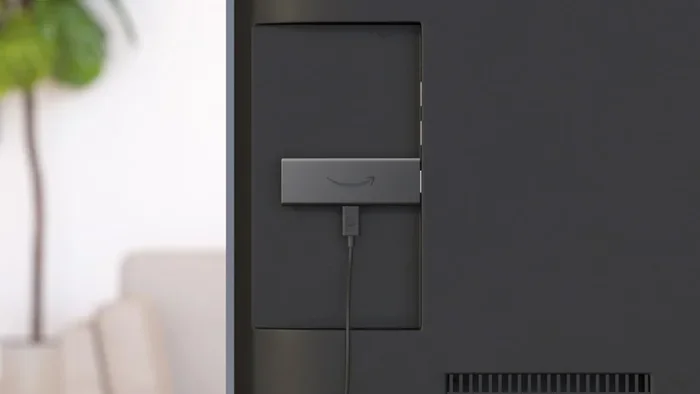
A WiFi stick is a small USB device that plugs into your computer and connects to wireless networks. Some WiFi sticks can pick up signals from nearby open networks, giving you free internet access at home without a paid plan.
Types of WiFi Sticks Available
There are two main types of WiFi sticks you should know about:
- USB WiFi adapters: These connect to your PC or laptop and let you access available wireless networks nearby.
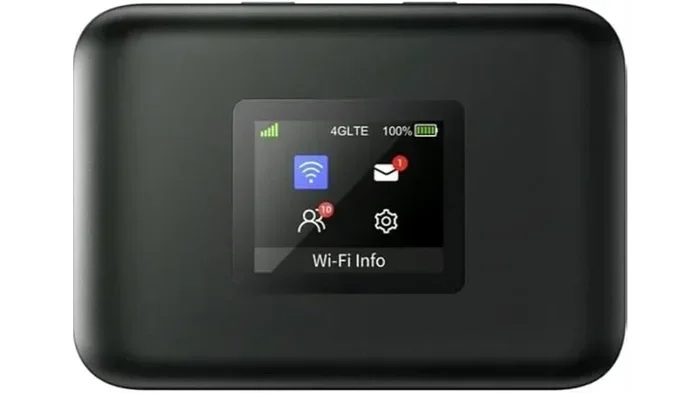
- Mobile WiFi sticks: These use SIM cards and mobile data networks, similar to a phone hotspot but dedicated to one device.
USB WiFi adapters are great for finding open networks in your area. Mobile WiFi sticks work like a portable hotspot and need their own data plan. The first type is completely free if you find an open network. The second type costs money for data but may be cheaper than a full home internet plan.
Can You Use a WiFi Stick Without a Paid Internet Plan?
Yes, if you can find an open WiFi network nearby. Many apartment buildings, businesses, and public spaces broadcast free WiFi signals. A good USB adapter can pick these up from your home. You will need to be within range of the signal, but this is a real option for many people.
If you want to know more about WiFi sticks and adapters, read our guide on Can I Get a WiFi Stick for My PC.
Method 4: Use an Existing Router or Add Mesh WiFi
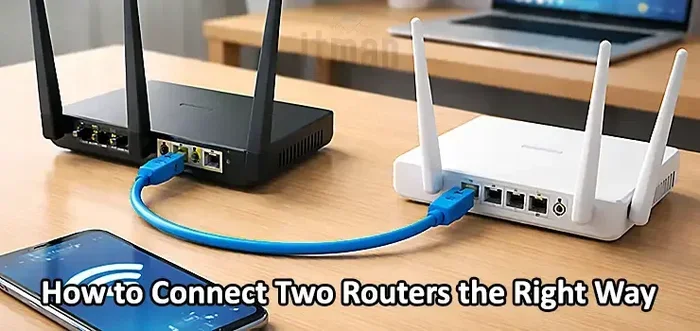
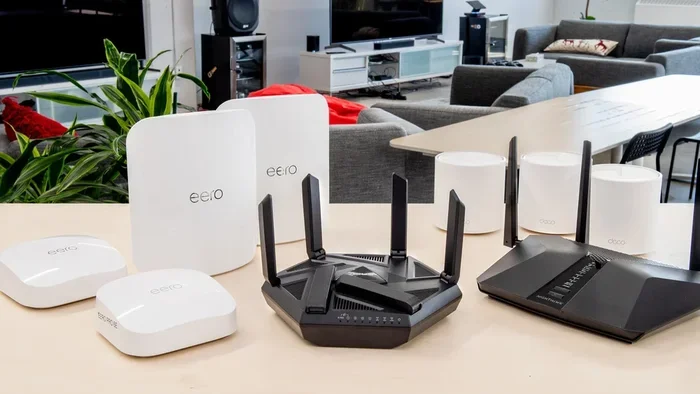
If you already have a router but need better coverage, you can add mesh WiFi to an existing router without paying for a new internet plan. Mesh systems extend your current connection to every room in your home. This does not give you free internet from scratch, but it maximizes what you already have.
How Mesh WiFi Systems Work
A mesh WiFi system uses multiple small devices placed around your home. Each device talks to the others and spreads the signal evenly. You set up one main unit connected to your existing router, and the satellite units fill in dead zones.
Mesh systems are great for large homes or houses with thick walls. They eliminate the need for range extenders and provide a strong, stable connection throughout your space. Some mesh systems even let you add a hotspot feature for guests.
Can You Connect Mesh to an Existing Router?
Yes, many mesh systems work alongside your current router. You can set up your router in bridge mode and let the mesh system handle the WiFi broadcasting. This setup gives you the best of both worlds without replacing your existing equipment.
For a step-by-step guide, check out our article on Can I Add Mesh WiFi to Existing Router.
Method 5: Find Free WiFi Options in Your Area
Not everyone knows this, but there are many free WiFi options available in most neighborhoods. Libraries, community centers, and some businesses offer free wireless internet. You can also find open networks broadcast by neighbors or local businesses.
Where to Look for Free WiFi
Here are some places where you can often find free WiFi:
- Public libraries
- Community centers and churches
- Coffee shops and fast food restaurants
- Municipal buildings and parks
- Some apartment complexes
Many of these locations offer free WiFi you can use from your car or nearby benches. Some libraries even let you connect from the parking lot. This is a great option for light internet use like checking email, browsing the web, or doing schoolwork.
Using a WiFi Scanner App
Download a free WiFi scanner app on your phone or laptop. These apps show you all available networks in your area, including open ones. You can see which networks are strong and which are weak before you walk over to connect.
Some popular free WiFi scanner apps include WiFi Analyzer, NetSpot, and WiFi Finder. These tools help you find the best signal without guessing. They are especially useful when you are trying to get a free WiFi hotspot at home from nearby sources.
Method 6: Check for Government and ISP Assistance Programs
Several programs exist to help people get free or low-cost internet at home. The FCC’s Affordable Connectivity Program (ACP) provides discounts on internet service for qualifying households. Some internet service providers also offer free plans or emergency connectivity options.
Affordable Connectivity Program
The ACP provides up to $30 per month toward internet service. Some households can get up to $75 per month if they live on tribal lands. You can also get a one-time discount of up to $100 for a laptop or tablet. To qualify, you must meet certain income requirements or participate in specific assistance programs.
To learn if you qualify, visit the ACP website or check with your provider. Many major ISPs participate in this program, so you may already be eligible without knowing it.
Free Internet from Your Provider
Some providers offer free internet plans or trial periods. Xfinity, for example, has free WiFi hotspots in many communities. AT&T offers certain plans with hotspot data included. You can add a hotspot to your AT&T unlimited plan if your plan supports it.
Also, check if you can buy your own WiFi box instead of renting one from your provider. This saves money every month and gives you more control over your setup.
Comparing Free WiFi Methods
Not every method works for everyone. Here is a quick comparison of the methods we covered to help you decide which one fits your needs best.
| Method | Cost | Speed | Ease of Setup | Best For |
|---|---|---|---|---|
| Phone Hotspot | Free (uses existing data) | Moderate to Fast | Very Easy | Quick access and light use |
| Share Data Between Devices | Free | Moderate | Easy | Backup connection |
| WiFi Stick / USB Adapter | Free if open network available | Varies | Easy | PC/laptop users |
| Mesh WiFi Addition | One-time hardware cost | Fast | Moderate | Better coverage at home |
| Public / Open Networks | Free | Varies | Easy | Light browsing and emails |
| Government / ISP Programs | Free or discounted | Good | Moderate | Long-term solution |
As you can see, each method has its strengths. The best approach is often to combine two or more methods. For example, use your phone hotspot for quick access and a public WiFi network for heavier browsing. This way, you stay connected without ever paying for a separate internet plan.
Common Mistakes to Avoid
When setting up a free WiFi hotspot, many people make avoidable mistakes. Here are the most common ones:
- Ignoring data limits: Using your phone hotspot without tracking data usage can lead to overage charges. Always monitor how much data you consume.
- Leaving your hotspot open: Never leave your hotspot password-free for long. Strangers can use your data and slow down your connection.
- Using weak signals: Connecting to a very weak open network wastes time and frustrates you. Use a WiFi scanner to find strong signals first.
- Forgetting about security: Free networks can expose you to risks. Use a VPN when connecting to public or open networks to protect your data.
- Not checking your phone settings: Some phones limit hotspot usage by default. Check that your hotspot is enabled and your data plan allows tethering.
Avoiding these mistakes saves you time, money, and frustration. A little planning goes a long way when setting up your free WiFi hotspot at home.
Expert Tips for a Better Free WiFi Experience
Want to get the most out of your free WiFi setup? Here are some expert tips that make a real difference:
- Use a power bank: Keep your phone charged while using it as a hotspot. A 10,000mAh power bank can run a hotspot for hours.
- Position your device wisely: Place your phone or hotspot device near a window for better signal reception.
- Limit connected devices: Only connect the devices you need. More connected devices slow down the connection for everyone.
- Update your firmware: Keep your router or mesh device updated for the best performance and security.
- Use WiFi calling when available: If your carrier supports WiFi calling, you can make calls over your free hotspot without using your phone minutes.
These small changes add up to a much better experience. You will get faster speeds, longer battery life, and a more reliable connection.
Conclusion
Getting a free WiFi hotspot at home without paying extra is completely doable. You have many options, from using your phone as a hotspot to finding open networks and sharing data between devices. Each method has its own benefits, and the best one depends on your situation.
Start with the simplest method that works for you. If you already have a phone with a data plan, turn on your hotspot and test it. If you need better coverage, consider adding a mesh system to your existing router. And if you want a long-term solution, look into government assistance programs and ISP offers.
The key is to take action today. You do not need to wait or spend money to get online. With the right approach, your free WiFi hotspot at home is just a few minutes away. Stay connected, stay productive, and enjoy the internet without the extra bill.
Frequently Asked Questions
Can I Get Free WiFi at Home Without Any Internet Plan?
Yes, you can use your phone’s mobile data as a hotspot, connect to open public networks, or share data between devices. These methods do not require a paid home internet plan. However, you will need some form of data access, either through your phone or a free public network.
Is It Legal to Use Someone Else’s Open WiFi?
Using an open WiFi network that is publicly broadcast is generally legal. However, accessing a password-protected network without permission is not. Stick to networks you know are open or intended for public use, such as those at libraries or businesses.
Will Using My Phone as a Hotspot Drain the Battery?
Yes, using your phone as a hotspot drains the battery faster than normal use. To avoid this, keep your phone plugged into a charger while sharing data. Using a power bank is also a great option for staying powered throughout the day.
How Much Data Do I Need for a Free Hotspot?
It depends on what you plan to do. Browsing the web and checking email use very little data. Streaming videos or downloading large files use a lot more. For light use, even a small data plan can last several days. Monitor your usage to avoid running out.
Can I Use a WiFi Stick Without Paying for Internet?
A WiFi stick can connect you to open networks for free if one is available nearby. You do not need to pay for a plan if you only connect to open networks. However, mobile WiFi sticks that use SIM cards will need a data plan to work.
What Is the Best Free WiFi Method for Rural Areas?
In rural areas, using your phone hotspot or sharing mobile data between devices is often the best option. Public networks may be scarce in rural locations. Government programs like the Affordable Connectivity Program may also offer discounted or free service where available.