How Can I Get Free WiFi Internet Access Anywhere Fast
Getting free WiFi anywhere is easier than you think. This guide shows you how to find free WiFi internet access in public spots, at home, and even on the road. You will learn practical methods, handy tools, and smart tips to stay connected without spending a dime.
Staying connected is no longer a luxury. It is a daily need. Whether you are working remotely, traveling, or just out running errands, having free WiFi internet access at your fingertips makes life so much easier. But finding a reliable wireless internet connection without paying can feel tricky sometimes.
The good news is that there are many ways to get online for free. From public spaces to clever use of your own devices, you have more options than you might think. This guide walks you through every method in simple, practical terms. You will learn where to look, what tools to use, and how to stay safe while doing it.
Let us dive into the world of free WiFi and get you connected anywhere, fast.
Key Takeaways
- Free WiFi is widely available: Libraries, cafes, malls, and public spaces often offer free internet access.
- Your phone can be a WiFi tool: Use features like hotspot sharing and WiFi discovery to find and share connections.
- WiFi without a password exists: Many networks are open and ready to use with no security key needed.
- Hardware helps: WiFi adapters, extenders, and sticks can boost your ability to connect to free networks.
- Stay safe while using free WiFi: Always use a VPN and avoid sensitive transactions on open networks.
📑 Table of Contents
- Why Free WiFi Matters So Much Today
- Where to Find Free WiFi Internet Access Anywhere
- How to Get Free WiFi at Home
- Using Your Phone as a WiFi Tool
- Tools and Apps That Help You Find Free WiFi
- Staying Safe on Free WiFi Networks
- Common Mistakes People Make With Free WiFi
- Expert Tips for Getting Free WiFi Anywhere
- Quick Tips Summary
- Conclusion
Why Free WiFi Matters So Much Today
We live in a connected world. Almost everything we do requires an internet connection. From checking emails to streaming movies, shopping online, or attending virtual meetings, WiFi access is essential. When you do not have it, things grind to a halt.
Not everyone can afford a paid data plan or a home broadband connection every month. Free WiFi internet fills that gap. It helps students finish homework, job seekers apply for work, and families stay in touch with loved ones. Understanding how to find and use free WiFi is a real life skill.
Moreover, public WiFi networks have expanded dramatically over the last few years. Coffee shops, libraries, airports, and even entire city blocks now offer wireless internet for free. Knowing where to look gives you a huge advantage.
The Growing Need for Internet on the Go
More people work from phones, tablets, and laptops than ever before. A mobile hotspot can help, but data limits add up fast. Free WiFi removes that worry. You can browse, stream, and download without watching your data usage.
Travelers especially benefit from WiFi access on the go. Instead of paying for expensive roaming plans, you can connect to free WiFi at hotels, airports, and cafes. It saves money and keeps you productive wherever you are.
Where to Find Free WiFi Internet Access Anywhere
The first step to getting free WiFi anywhere is knowing where to look. Free WiFi is more common than most people realize. Here are the best places to check.
Public Libraries
Libraries are goldmines for free WiFi internet access. Almost every public library offers wireless internet to visitors. You can sit down, connect, and use their computers or your own device. Best of all, it is completely free and usually very fast.
Many libraries also offer extended hours, making them a great spot for WiFi access when you need a quiet place to work.
Coffee Shops and Cafes
Most coffee shops provide free WiFi to attract customers. Chains like Starbucks, Dunkin, and local cafes almost always have open WiFi networks. Grab a drink, sit down, and connect. Just be respectful and buy something if you plan to stay a while.
Shopping Malls and Retail Stores
Large malls and retail chains often offer free WiFi for shoppers. Stores like McDonald’s, Subway, and Target have WiFi networks available. Next time you are out, check your phone for available WiFi networks in these places.
Airports and Train Stations
Travel hubs are loaded with free WiFi. Most major airports offer WiFi internet access throughout terminals. Train stations follow the same pattern. These spots are perfect for catching up on work while you wait.
Citywide WiFi Programs
Many cities now offer free WiFi in parks, downtown areas, and public squares. These municipal WiFi networks are designed to keep residents and visitors connected. Check your city’s website to see if this service is available near you.
How to Get Free WiFi at Home
Not everyone needs to leave the house to find free WiFi. There are ways to get wireless internet at home without paying for a full service plan.
Can I Get Just WiFi at Home?
Yes, you can! Some providers offer WiFi only plans that skip the expensive cable or fiber bundle. If you already have a WiFi router at home, you may be able to find an open WiFi network nearby that you can connect to. You can also ask neighbors if they share their WiFi password.
Another option is to check if your area has a community WiFi network. Some neighborhoods set up shared WiFi networks for residents. This is a great way to get online without a traditional internet bill.
You might also explore programs that offer free WiFi to low income households. Many ISPs have affordable plans that include WiFi access for qualifying families.
Using a WiFi Stick or Adapter
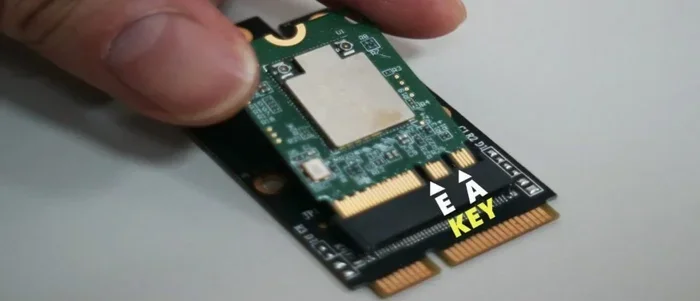
If your PC does not have built-in WiFi capability, you can add one. A WiFi stick or USB adapter plugs right into your computer and picks up wireless internet signals. This is a simple and affordable way to connect to any available WiFi network at home or nearby.
Some users ask, “Can I get a WiFi stick for my PC that does not have WiFi in the motherboard?” The answer is yes. These devices are plug and play. They work with almost any computer and give you access to nearby WiFi networks instantly.
Using Your Phone as a WiFi Tool
Your smartphone is one of the most powerful tools for finding and sharing free WiFi. Most phones today come with built-in features that make this easy.
Can I Get Wi Fi From My Phone?
Absolutely. Your phone can do more than just make calls. You can use it to detect nearby WiFi networks, share your own connection, and even extend WiFi coverage to other devices. Many phones have a “WiFi scanner” feature that shows all available networks in your area.
If you have a data plan, you can turn your phone into a mobile hotspot. This lets other devices connect to the internet through your phone’s data. It is not exactly “free WiFi,” but it does give you WiFi internet access wherever you go.
Sharing Your Connection With Others
Got WiFi access at a cafe or hotel? You can share it with a friend by setting up a hotspot on your phone. This works great when you are traveling with family or friends and only one person has a connection.
Some people ask, “Can I get a hotspot instead of WiFi?” A hotspot is not a replacement for a permanent WiFi network, but it works well for temporary access. It is flexible and convenient.
Can I Connect to WiFi Without a Password?
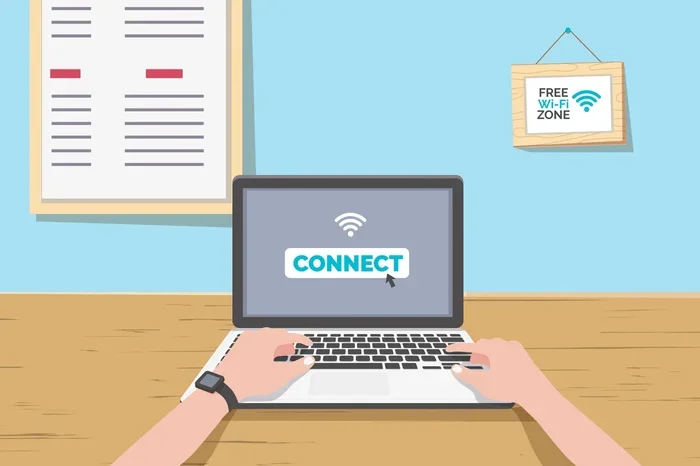
Many WiFi networks are open and do not require a password. These are called “open networks” or “free networks.” You can connect to them instantly without entering any credentials. Just look for the network name on your device and tap to connect.
However, always be cautious. Open WiFi networks are convenient, but they can be less secure. Avoid entering personal information or passwords when connected to an open network.
Tools and Apps That Help You Find Free WiFi
Technology makes finding free WiFi easier than ever. Several apps and tools can scan your area for available WiFi networks and show you which ones are free.
WiFi Scanner Apps
Apps like WiFi Map, Wifinity, and OpenSignal help you locate free WiFi nearby. They show you a map of available WiFi networks, including those in cafes, libraries, and public spaces. These apps also display user reviews and connection speeds.
WiFi Extenders and Repeaters
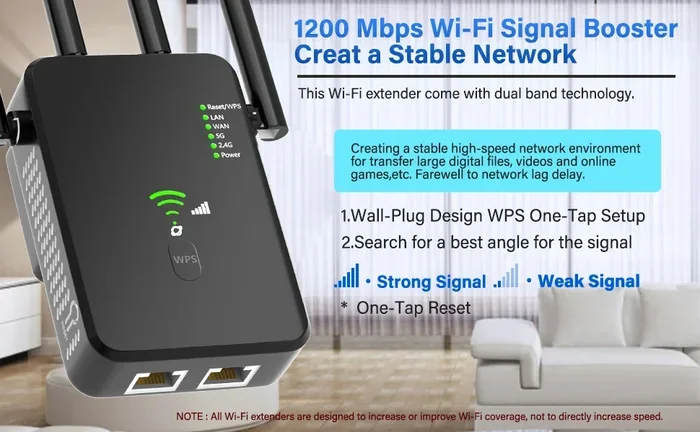
A WiFi extender boosts your WiFi signal so you can reach networks from farther away. If you are near a WiFi network but the signal is weak, an extender can help you connect. These devices are affordable and easy to set up.
QR Code WiFi Sharing
Some businesses display a QR code that lets you connect to their WiFi network instantly. You simply scan the code with your phone camera, and you are connected. No need to type in long passwords or search for the network name.
You can even create your own QR code for your WiFi network at home. This makes it easy for guests to connect without asking for the password.
Staying Safe on Free WiFi Networks
Free WiFi internet access is wonderful, but it comes with risks. Open networks are convenient, and they can also leave your data exposed. Here is how to stay safe.
Use a VPN
A VPN (Virtual Private Network) encrypts your internet traffic. This means no one on the same WiFi network can see what you are doing. A VPN is one of the best tools for staying safe on free WiFi.
Avoid Sensitive Transactions
Try not to do online banking or enter credit card details on open WiFi networks. Wait until you are on a secure, trusted connection. This simple habit protects your personal information.
Turn Off Auto Connect
Many devices automatically connect to open WiFi networks without asking you. This can be a security risk. Turn off auto connect in your settings so you choose which networks to join.
Check the Network Name
Hackers sometimes create fake WiFi networks with names similar to real ones. Always double check the network name before connecting. If you are at a cafe, ask the staff for the exact WiFi network name.
Common Mistakes People Make With Free WiFi
Avoid these common errors when using free WiFi internet access:
- Assuming all free WiFi is safe: Not every open network is secure. Always use caution.
- Ignoring data limits on hotspots: If you use your phone as a hotspot, monitor your data usage carefully.
- Not checking connection speed: Some free networks are very slow. Use a speed test app to check before you start working.
- Forgetting to forget networks: After using a public WiFi network, tell your device to forget it. This prevents auto reconnecting to potentially unsafe networks.
- Sharing your own WiFi password carelessly: Only share your home WiFi password with trusted people.
Expert Tips for Getting Free WiFi Anywhere
Here are some insider tips that make finding free WiFi even easier:
- Visit during off peak hours: WiFi at cafes and libraries is faster when fewer people are connected. Go early in the morning or late in the evening.
- Carry a portable WiFi extender: A small device can boost weak signals and help you connect to networks that are just out of range.
- Download offline maps and content: Even with WiFi access, it helps to have some content saved offline in case the connection drops.
- Ask staff directly: Many places offer free WiFi but do not advertise it. Just ask the staff if they have a network you can use.
- Use multiple apps: No single app finds every WiFi network. Use two or three scanner apps to get the fullest picture of what is available.
These small habits add up over time. They make your search for free WiFi faster and more reliable every single day.
Quick Tips Summary
- Always carry a charged phone with WiFi scanning enabled.
- Download a trusted WiFi finder app before you leave home.
- Use a VPN whenever you connect to a public WiFi network.
- Forget public networks after you are done using them.
- Check for citywide WiFi programs in your area.
- Keep a portable WiFi extender in your bag for emergencies.
Conclusion
Getting free WiFi internet access anywhere fast is absolutely possible. You have many options, from public spaces and libraries to using your own phone as a tool. The key is knowing where to look and how to stay safe while doing it.
With the tips and methods in this guide, you can stay connected without spending a dime. Free WiFi is all around you. You just need to know how to find it and use it wisely. Start exploring today and never worry about being offline again.
Remember, WiFi access is a resource, not a privilege. Use it well, share it when you can, and always protect your data. Happy connecting!
Frequently Asked Questions
Can I get WiFi without a password?
Yes, many WiFi networks are open and do not require a password. These networks are common in cafes, libraries, and public spaces. Just look for the network name on your device and connect directly.
Can I get WiFi from my phone?
Your phone can detect nearby WiFi networks and even share its own connection as a hotspot. You can also use your phone to scan for free WiFi in your area using built-in features or apps.
Can I get a hotspot instead of WiFi?
A hotspot gives you WiFi internet access using your phone’s data plan. It is not a permanent replacement for home WiFi, but it works great for temporary access on the go.
How can I extend my WiFi range?
You can use a WiFi extender or an Ethernet cable to boost your WiFi signal and reach farther. You can also connect mesh systems to your existing router for broader WiFi coverage throughout your home.
Is free WiFi safe to use?
Most free WiFi is safe for basic browsing, but you should always use a VPN and avoid entering sensitive information. Open networks can be risky, so take basic precautions before connecting.
Can I connect to WiFi without a WiFi adapter?
If your device does not have a built-in WiFi adapter, you can use a USB WiFi stick to connect to wireless networks. These adapters are affordable and work with most computers easily.