How Big Is 100 Projector Screen in Total Dimensions
A 100 projector screen delivers an immersive viewing experience with a diagonal measurement of 100 inches. The standard 16:9 format gives you approximately 87 inches wide and 49 inches tall, making it perfect for medium to large rooms. Whether you are setting up a home theater or a backyard cinema, understanding the 100 projector screen size helps you plan the perfect setup.
Have you ever wondered exactly how big a 100 projector screen really is? It is one of the most popular sizes for home theaters and outdoor movie nights. But the numbers can be confusing if you do not know what to look for. A 100 projector screen gives you a massive viewing area that fills your field of vision. It turns any living room or backyard into a true cinematic experience.
The total dimensions of a 100 projector screen depend on the aspect ratio you choose. A standard 16:9 screen gives you about 87 inches wide and 49 inches tall. But if you prefer a wider cinematic look with a 2.35:1 ratio, the width stretches even further while the height shrinks. Understanding these projector screen dimensions helps you pick the right screen for your space. You will also need to think about viewing distance, screen gain, and the type of screen material that fits your needs best.
In this guide, we break down everything you need to know about a 100 projector screen. We cover the exact width, height, and diagonal measurements. We also share practical tips for choosing the best screen type and setting it up in your room. By the end, you will feel confident about your purchase and setup. Let us dive in.
Key Takeaways
- 100 Projector Screen Width: A standard 16:9 screen measures about 87 inches wide, giving you a cinematic feel.
- 100 Projector Screen Height: The height comes to roughly 49 inches, which works great for most seating arrangements.
- Aspect Ratio Matters: Choosing between 16:9 and 2.35:1 changes the dimensions significantly and affects your viewing experience.
- Viewing Distance Is Key: Sitting too close or too far can ruin the experience, so placement matters a lot.
- Multiple Screen Types Exist: Fixed frame, retractable, and portable options all work well at 100 inches.
- Room Size Matters: You need adequate wall space and projector throw distance for a 100-inch display.
📑 Table of Contents
- What Are the Total Dimensions of a 100 Projector Screen?
- How Big Is a 100 Projector Screen Compared to Other Sizes?
- What Room Size Do You Need for a 100 Projector Screen?
- Types of 100 Projector Screens Available
- How to Set Up Your 100 Projector Screen for the Best Experience
- What to Look for When Buying a 100 Projector Screen
- Final Thoughts on the 100 Projector Screen Size
What Are the Total Dimensions of a 100 Projector Screen?
The term “100 projector screen” refers to the diagonal measurement. That means the distance from one corner of the screen to the opposite corner equals 100 inches, or about 8.3 feet. But the diagonal number alone does not tell the whole story. The width and height change depending on the aspect ratio you select. Let us look at the most common formats.
16:9 Aspect Ratio Dimensions
The 16:9 aspect ratio is the most popular choice for home theaters and general use. It matches the shape of most modern TVs and streaming content. For a 100 projector screen in 16:9, here are the exact dimensions:
- Diagonal: 100 inches (8.3 feet)
- Width: 87.2 inches (7.3 feet)
- Height: 49.1 inches (4.1 feet)
- Area: Approximately 4,285 square inches
This size works well in most rooms. You get a wide, immersive image without needing an enormous wall. A 16:9 100 projector screen is ideal for watching movies, sports, and playing video games. The proportions feel natural and comfortable for everyday viewing.
2.35:1 Cinematic Aspect Ratio Dimensions
If you love watching widescreen movies, the 2.35:1 (or 2.4:1) aspect ratio might be your preference. This format matches the wide screens used in cinemas. A 100 projector screen in this format looks different from the standard 16:9:
- Diagonal: 100 inches
- Width: 93.5 inches (7.8 feet)
- Height: 40.2 inches (3.4 feet)
You get a wider image but a shorter height. This is perfect for movie lovers who want that true cinema feel. However, it may not be ideal for TV shows or gaming, which are typically formatted in 16:9. You need to decide what you watch most often before choosing this ratio.
4:3 Aspect Ratio Dimensions
The 4:3 format is older and squarer. It was common with traditional TVs and some older projectors. A 100 projector screen in 4:3 looks like this:
- Diagonal: 100 inches
- Width: 80 inches (6.7 feet)
- Height: 60 inches (5 feet)
This format gives you a taller image compared to 16:9. It works well for presentations, educational content, and certain classic films. However, most modern content is not shot in 4:3 anymore, so this format is less common for home entertainment.
How Big Is a 100 Projector Screen Compared to Other Sizes?
To really understand the size of a 100 projector screen, it helps to compare it with other popular screen sizes. Here is a quick comparison table showing the width and height for different diagonal measurements in the 16:9 format:
| Diagonal Size | Width (inches) | Height (inches) | Screen Area (sq ft) |
|---|---|---|---|
| 80 inches | 69.7 | 39.2 | 38.1 |
| 100 inches | 87.2 | 49.1 | 54.1 |
| 120 inches | 104.6 | 58.9 | 71.6 |
| 150 inches | 130.8 | 73.6 | 107.3 |
As you can see, a 100 projector screen sits right in the sweet spot. It is significantly larger than an 80-inch screen but does not require the massive wall space that a 150-inch screen demands. The jump from 80 to 100 inches gives you about 42 percent more screen area. That is a huge difference in how immersive your viewing experience feels.
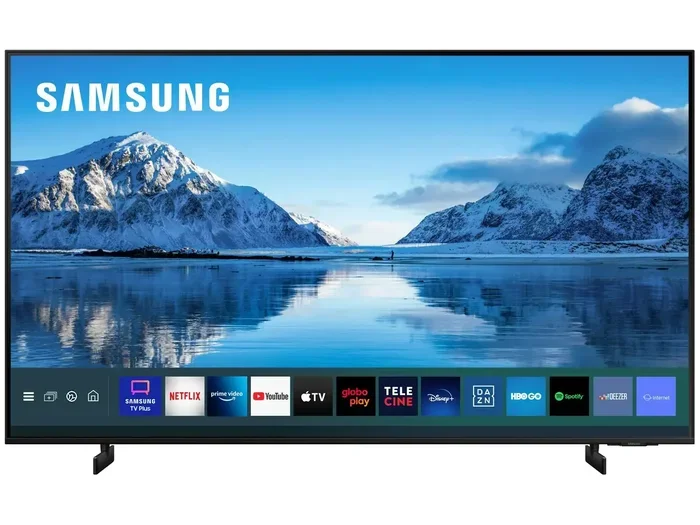
Many people also ask how a 100 projector screen compares to a standard TV. A 100-inch screen is roughly the same size as a 120-inch TV measured diagonally. No standard TV comes in that size, which is exactly why projectors are so popular for big-screen experiences. If you have ever considered using a projector as a TV, a 100-inch screen is the perfect starting point.
What Room Size Do You Need for a 100 Projector Screen?
Choosing the right room for your 100 projector screen is just as important as picking the screen itself. You need enough wall space, proper throw distance, and a comfortable seating arrangement. Let us break down what you need to consider.
Wall Space Requirements
A 100 projector screen in 16:9 format is about 87 inches wide. That is over 7 feet of wall space. You also need some breathing room on each side for the frame or mounting brackets. Ideally, you want at least 9 feet of clear wall width. If you are using a retractable screen, make sure the ceiling height can accommodate the screen width when rolled out.
Throw Distance for Your Projector
The throw distance is how far your projector needs to sit from the screen to produce a sharp 100-inch image. This distance varies based on your projector model and lens type. Short-throw projectors can produce a 100-inch image from just a few feet away. Long-throw projectors may need 10 feet or more of distance. Check your projector specifications before mounting anything.
If you are short on space, a shelf-mounted projector setup can work surprisingly well. Just make sure the shelf is stable and positioned at the correct angle. You can also explore options like making your projector wireless to reduce cable clutter and give yourself more flexibility in placement.
Seating Distance for Optimal Viewing
The recommended seating distance for a 100 projector screen depends on your resolution and personal preference. Here are some general guidelines:
- 1080p Resolution: Sit 8 to 12 feet away
- 4K Resolution: Sit 6 to 10 feet away
- For Maximum Immersion: Sit 5 to 8 feet away
Sitting too close can make you aware of individual pixels, especially with 1080p content. Sitting too far can make the image feel small and less impactful. Find a balance that feels comfortable for your family and guests. A good rule of thumb is to sit at a distance equal to 1.5 to 2 times the screen width.
Types of 100 Projector Screens Available
Not all projector screens are created equal. Different types offer different benefits depending on your room, budget, and preferences. Let us explore the most popular options for a 100 projector screen setup.
Fixed Frame Screens
Fixed frame screens are mounted permanently to the wall or ceiling. They provide a flat, taut surface that delivers the best image quality. These screens do not wrinkle or sag over time. A fixed frame 100 projector screen looks professional and polished. They are ideal for dedicated home theater rooms where the screen stays in place year-round.
Retractable Screens
Retractable screens roll up into a ceiling or wall-mounted casing when not in use. They are perfect for rooms that serve multiple purposes. You can lower the screen for movie night and roll it back up when you need the wall for other things. A retractable 100 projector screen offers great flexibility and keeps your room looking clean and organized.
Portable and Inflatable Screens
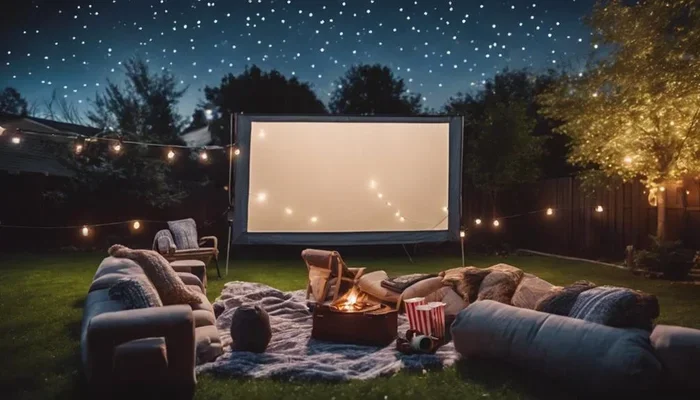
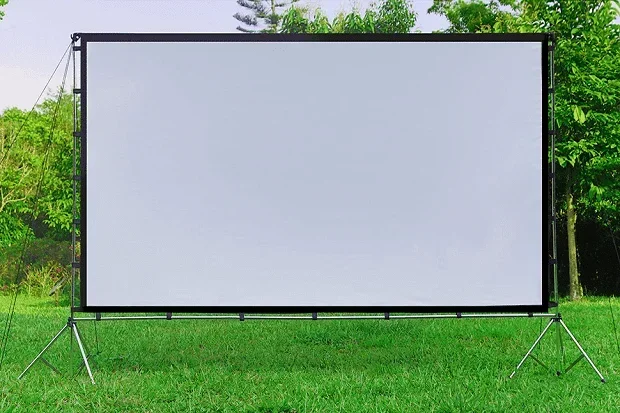
Portable screens are lightweight and easy to set up anywhere. They are great for outdoor movie nights, camping trips, or temporary setups. Inflatable screens are a fun option for backyard gatherings. While they may not deliver the same image quality as fixed or retractable screens, they are convenient and affordable. A portable 100 projector screen is a great entry point if you are new to outdoor movie setups.
Ambient Light Rejecting (ALR) Screens
ALR screens are designed to reject ambient light and boost contrast. They work best in rooms with some natural or artificial light. If your 100 projector screen setup is in a living room with windows, an ALR screen can make a noticeable difference in image quality. These screens typically cost more but deliver superior results in challenging lighting conditions.
How to Set Up Your 100 Projector Screen for the Best Experience
Setting up a 100 projector screen properly makes all the difference in your viewing experience. A poorly set up screen can look washed out, blurry, or distorted. Follow these practical tips to get the most out of your setup.
Step-by-Step Setup Guide
- Measure Your Wall Space: Make sure you have at least 9 feet of horizontal space and 6 feet of vertical clearance for a 16:9 100-inch screen.
- Choose Your Screen Type: Decide between fixed frame, retractable, or portable based on your room and usage needs.
- Mount the Screen: Use a sturdy mounting bracket or frame. Ensure the screen is level and centered on the wall.
- Position the Projector: Place the projector at the correct throw distance. Use a projector mount or shelf for stability.
- Adjust the Image: Use the projector settings to focus, keystone correct, and resize the image to fill the screen evenly.
- Control the Lighting: Dim the lights or use blackout curtains to improve contrast and color accuracy.
Quick Tips for Better Image Quality
- Clean the screen surface before every use to avoid dust spots.
- Use a high-quality HDMI cable to connect your source device.
- Match your projector resolution to the screen size for crisp details.
- Consider ambient lighting when choosing your screen material.
- Test different seating positions to find the sweet spot.
Common Mistakes People Make with a 100 Projector Screen
Even experienced projector users make mistakes. Here are some common pitfalls to avoid:
- Ignoring Throw Distance: Placing the projector too close or too far results in a blurry or incomplete image.
- Choosing the Wrong Aspect Ratio: Mismatching the screen ratio with your content causes black bars on the sides or top.
- Skipping Screen Gain Consideration: A low-gain screen in a bright room will look washed out and dull.
- Not Measuring the Wall: Buying a screen without checking your wall space leads to a poor fit.
- Overlooking Seating Comfort: Even the best 100 projector screen feels small if everyone is sitting too far away.
Avoiding these mistakes saves you time, money, and frustration. Take the time to plan your setup before you buy anything. A little preparation goes a long way toward a great viewing experience.
What to Look for When Buying a 100 Projector Screen
Not every 100-inch screen is created equal. There are several factors to consider before making your purchase. Here is what matters most.
Screen Material and Gain
The material of your screen affects brightness, color accuracy, and viewing angles. Screen gain measures how much light the screen reflects back to the viewers. A higher gain screen looks brighter but may have narrower viewing angles. A lower gain screen offers wider viewing angles but may appear dimmer. For most home setups, a gain between 1.0 and 1.3 works well for a 100 projector screen.
Aspect Ratio Compatibility
Make sure the screen aspect ratio matches your projector and content. Most modern projectors output in 16:9, so a 16:9 screen is the safest choice. If you watch a lot of movies in 2.35:1, consider a wider screen format. Some screens offer adjustable aspect ratios, giving you the best of both worlds.
Mounting and Installation
Think about how you will install the screen before you buy it. Fixed frame screens require wall mounting and may need professional installation. Retractable screens are easier to set up yourself. Portable screens need no installation at all. Choose a format that matches your comfort level and budget.
Budget Considerations
A 100 projector screen can range from under 100 dollars for a basic portable model to over 1000 dollars for a premium fixed frame screen. Your budget should reflect how often you plan to use the screen and the quality of image you expect. For most home users, a mid-range retractable or fixed screen in the 200 to 500 dollar range offers excellent value.
Final Thoughts on the 100 Projector Screen Size
A 100 projector screen is one of the best investments you can make for your home entertainment setup. It delivers a big, immersive image that rivals commercial theaters. The total dimensions of about 87 inches wide and 49 inches tall in 16:9 format make it suitable for most rooms. Whether you choose a fixed frame, retractable, or portable option, the 100-inch size offers a fantastic balance between screen size and practicality.
Remember to measure your room carefully, consider your viewing distance, and pick the right aspect ratio for your content. Take time to set up the projector at the correct throw distance and adjust the image for the best results. With the right 100 projector screen and a little planning, you can transform any room into an incredible home theater.
If you are exploring projector options, you might also enjoy learning about using a fire stick with your projector for streaming content directly on the big screen. The right accessories and setup make all the difference in bringing your home theater to life.
Start planning your 100 projector screen setup today. You will not regret it. The experience of watching your favorite movies and shows on a 100-inch display is truly unforgettable.
Frequently Asked Questions
How wide is a 100 projector screen in the 16:9 format?
A 100 projector screen in 16:9 format measures approximately 87.2 inches wide, which is about 7.3 feet. This width provides an immersive viewing experience for most home theater setups and comfortably fills your field of vision from a typical seating distance.
What is the ideal viewing distance for a 100 projector screen?
The ideal viewing distance for a 100 projector screen is between 6 and 12 feet, depending on your projector resolution. For 1080p content, aim for 8 to 12 feet. For 4K content, you can sit closer at 6 to 10 feet and still enjoy a sharp, detailed image.
Can I use a 100 projector screen outdoors?
Yes, you can absolutely use a 100 projector screen outdoors. Portable and inflatable screens work great for backyard movie nights. Just make sure you choose a screen material that handles ambient light well, and set up the projector in a shaded area for the best image quality.
Do I need a special projector for a 100 projector screen?
Most modern projectors can produce a 100-inch image. You need to check your projector’s throw ratio to ensure it can reach the correct distance from the screen. Short-throw projectors are great for smaller rooms, while standard-throw projectors need more space behind them.
What is the best aspect ratio for a 100 projector screen?
The 16:9 aspect ratio is the most versatile choice for a 100 projector screen. It works well for movies, TV shows, sports, and gaming. If you primarily watch cinematic widescreen films, a 2.35:1 ratio might be a better fit, though it will display black bars for standard 16:9 content.
How much wall space do I need for a 100 projector screen?
You need at least 9 feet of horizontal wall space and about 5.5 feet of vertical clearance for a 16:9 100 projector screen. This gives you enough room for the screen itself plus mounting brackets and some breathing space on each side. Always measure your wall before purchasing a screen.