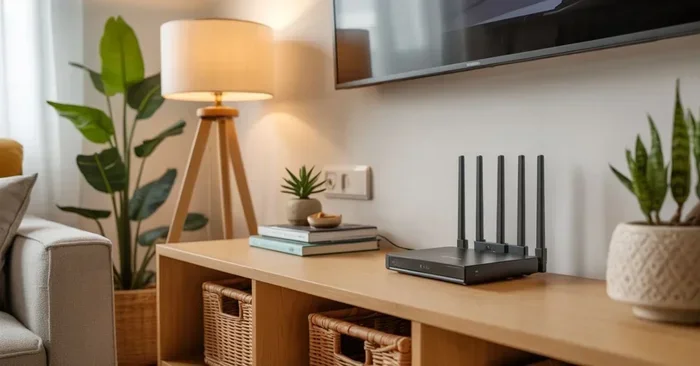
How Can I Hide My Wi Fi Router Without Ruining My Decor
Hiding your Wi-Fi router is easier than you think, and it does not have to hurt your internet speed. You can tuck it inside a cabinet, use a decorative router cover, or even mount it on the wall. This guide shares practical, decor-friendly ways to hide your Wi-Fi router while keeping your wireless signal strong and your home looking great.
Let us be honest. Routers are not the prettiest things in your home. They blink, they have antennas sticking out, and they just do not match your couch or your wall art. But here is the real question: how can I hide my Wi-Fi router without making my internet worse? That is exactly what we are going to solve today.
Whether you live in a small apartment or a big house, your wireless router does not have to be the centerpiece of your room. There are tons of clever ways to tuck it away, disguise it, or blend it into your home decor. And the best part? You do not need to be a tech expert to pull it off. In this guide, we will walk you through every option, from simple DIY tricks to full-on router cabinets.
Hiding your router the right way can actually improve your internet experience. When a router sits out in the open, it can collect dust, get bumped accidentally, and sometimes even catch the eye of every guest who walks in. A well-hidden router stays safe, looks better, and can still deliver strong Wi-Fi signal throughout your home. So let us dive into the best methods.
Key Takeaways
- Router hiding is possible: You can hide your router without sacrificing internet speed or signal strength.
- Multiple options exist: From cabinets to mesh systems, there is a solution for every home and budget.
- Ventilation matters: Always ensure your hidden router has airflow to prevent overheating.
- Placement affects performance: Central, elevated spots give the best wireless coverage even when hidden.
- Mesh systems help: Can I Add Mesh Wifi To Existing Router setups offer smaller nodes that are much easier to hide.
- DIY solutions work: Simple crafts and household items can disguise your router in minutes.
📑 Table of Contents
- Why You Should Hide Your Wi-Fi Router
- Best Ways to Hide Your Wi-Fi Router
- Where to Place Your Hidden Router for Best Signal
- Quick Tips for Hiding Your Router Without Killing Your Signal
- Common Mistakes People Make When Hiding Their Router
- Expert Insights on Router Hiding
- Frequently Asked Questions
- Conclusion
Why You Should Hide Your Wi-Fi Router
Before we get into the how, let us talk about the why. Some people think a router should just sit out in the open. And technically, it works fine that way. But there are real reasons to consider hiding it.
First, aesthetics. Your router is probably not matching your interior design. It might be an ugly black box with blinking lights that take away from the look of your living room or bedroom. Hiding your router instantly cleans up the look of your space.
Second, protection. Routers are delicate pieces of network equipment. They can get knocked over by pets, kids, or even just someone bumping into the table. When your router is safely tucked away, it is less likely to get damaged.
Third, dust and heat. Routers generate heat, and they need airflow to stay cool. But when they sit on the floor, they suck up dust like a vacuum. This dust buildup can slow down your broadband connection over time. A good hiding solution keeps dust off and airflow flowing.
The Fear of Slow Internet
Here is the big concern people have when they think about hiding their router. “If I put it in a closet or inside a cabinet, will my internet get slow?” That is a fair question, and we want to address it head-on. The short answer is: it depends on what you use to hide it.
Solid wood cabinets and sealed boxes can block your wireless signal. But open shelves, breathable fabric covers, and mesh systems do not cause this problem. We will show you exactly which hiding methods keep your speed fast and which ones to avoid.
Best Ways to Hide Your Wi-Fi Router
Now let us get to the fun part. Here are the most effective and popular ways to hide your Wi-Fi router without ruining your internet speed or your home decor.
1. Use a Router Cabinet or Shelf
A router cabinet is one of the best investments you can make for your home network and your interior design. These are specially designed shelves or cabinets that hold your router while keeping it hidden from view.
Many router cabinets have open backs or ventilation holes. This means your router still gets the airflow it needs. You can find them in all shapes and sizes. Some look like regular bookshelves. Others are small and discreet. You can even build one yourself if you are handy with a drill.
When choosing a cabinet, look for one with a perforated back or side panels. This lets the Wi-Fi signal pass through freely. Avoid solid enclosed boxes unless you plan to drill holes for ventilation.
2. Tuck It Behind Furniture
Not everyone wants to buy a special cabinet. The good news is you can simply tuck your router behind a piece of furniture. A bookshelf, a console table, or even a large plant can do the trick.
The key here is to make sure nothing blocks the antennas or the signal path. If your router has external antennas, keep them upright and pointed upward. Do not push it flat against a wall where the signal has to pass through thick furniture.
This is a great low-cost option. You do not need to buy anything extra. Just rearrange your furniture a little and find a spot where your router is out of sight but still getting good airflow.
3. Wall-Mount Your Router
Wall mounting is a fantastic way to free up desk or shelf space while keeping your router hidden in plain sight. Many modern routers are designed to be wall-mounted. They come with holes on the back that fit standard wall mounts.
When you mount your router on the wall, place it high up. Signals travel downward better than upward. A wall-mounted router on an upper shelf or near the ceiling can give you better wireless coverage than one sitting on the floor.
Just make sure the wall you choose is not made of thick concrete or brick. These materials can block your internet signal. A drywall or plaster wall is much better for wall mounting.
4. Use a Decorative Router Cover
If you want a quick and easy solution, a decorative router cover is the way to go. These are fabric or wooden covers that slip over your router and disguise it as a book, a box, or even a piece of wall art.
You can find ready-made covers online or at home goods stores. They come in all kinds of designs to match your home decor. Some look like tiny bookshelves. Others look like baskets or decorative bins.
Just be careful with fabric covers. They can trap heat and block airflow. If you use a fabric cover, make sure it has open sides or cut out small vents. You do not want your router overheating.
5. Build a DIY Router Hideaway
Got a weekend free? Building a DIY router hideaway can be a fun project. You can use a wooden crate, a decorative box, or even repurpose an old picture frame to create a stylish router cover.
Here is a simple idea. Take a small wooden crate, line the inside with fabric, and place your router inside. Cut a hole in the back for the power cord and ethernet cables. The crate looks like a rustic decoration, but it is really hiding your wireless router in plain sight.
DIY projects let you customize the size, shape, and style to fit your space perfectly. Plus, they are usually cheaper than buying a pre-made cabinet.
6. Switch to a Mesh Wi-Fi System
This one is a game changer. If you have been struggling with router placement and signal coverage, switching to a mesh Wi-Fi system might be your best option. Mesh systems use small nodes instead of one big router. These nodes are tiny and blend right into your home.
Each mesh node is about the size of a small candle or a mug. You can place one in your living room, one in your bedroom, and one in your kitchen. They work together to blanket your home in strong Wi-Fi signal.
Because the nodes are so small, they are incredibly easy to hide. You can set one on a bookshelf, inside a cabinet, or even on a windowsill. Nobody will even know it is a router. If you already have a router and want to add mesh capability, check out Can I Add Mesh Wifi To Existing Router to learn more.
Mesh systems also solve a common problem with hidden routers. When you hide a single router, the signal has to travel further and pass through walls. Mesh nodes eliminate this problem by placing the signal closer to every room in your home.
Where to Place Your Hidden Router for Best Signal
Hiding your router is only half the battle. Where you place it matters just as much for your internet speed and signal strength. Here are some placement tips to keep in mind.
Central Location Is King
Your router should be in the center of your home if possible. This gives every room equal access to the wireless network. When you hide your router, try to keep it as central as you can.
For example, if you have a hallway, a small cabinet in the hallway might be the perfect spot. Hallways are usually open and let signals pass through easily.
Keep It Elevated
Always place your router up high when hiding it. Signals spread downward and outward. A router on the floor or hidden inside a low cabinet has to work harder to reach upper floors.
Try placing your hidden router on a high shelf or mounting it on the wall at about chest or head height. This simple change can make a big difference in your Wi-Fi coverage.
Avoid Thick Walls and Metal Objects
Thick walls, especially those with concrete or brick, block Wi-Fi signals. Metal objects like filing cabinets, refrigerators, and mirrors also interfere with your wireless connection.
When choosing a hiding spot, avoid placing your router behind a metal door or inside a sealed metal cabinet. These will seriously weaken your signal and slow down your broadband connection.
Keep Away from Water Sources
Water absorbs wireless signals. This means you should not hide your router near fish tanks, large plants with lots of water, or bathrooms with lots of moisture. Keep it away from water for the best performance.
| Hiding Method | Signal Impact | Ease of Setup | Cost |
|---|---|---|---|
| Router Cabinet | Low impact if ventilated | Easy | Medium |
| Behind Furniture | Minimal if not blocked | Very Easy | Free |
| Wall Mounted | Low impact, better reach | Easy | Low |
| Decorative Cover | Low if vented | Very Easy | Low |
| DIY Hideaway | Low if vented | Moderate | Low |
| Mesh System | No impact, better coverage | Easy | Higher |
Quick Tips for Hiding Your Router Without Killing Your Signal
Here are some quick tips to keep in mind when you are hiding your Wi-Fi router:
- Always leave space around the router. Do not cram it into a tight spot. Airflow keeps it cool and prevents overheating.
- Use a router with external antennas. These broadcast signal in all directions and work better when hidden than flat routers with internal antennas.
- Test your signal after hiding it. Walk around your home and check for dead zones. If a room has weak signal, try moving the hidden router slightly.
- Keep cables tidy. Use cable management clips or sleeves to hide cords. Messy cables can ruin the look you are trying to achieve.
- Consider a router with a sleek design. If you are not ready to hide your router, at least buy one that looks good. Can I Buy A Faster Router guides can help you find a model that performs well and looks great.
Common Mistakes People Make When Hiding Their Router
Hiding your router sounds simple, but there are some mistakes that can cause big problems. Here are the ones to avoid.
Sealing It in a Completely Closed Box
This is the number one mistake. A sealed wooden box or a closed cabinet with no ventilation will trap heat inside your router. Over time, the heat will cause your router to slow down or even stop working. Always make sure your hiding solution has airflow.
Hiding It Too Far from the Center
It is tempting to shove your router in the farthest corner of the house. But this will leave some rooms with weak or no signal. Keep your hidden router as close to the center of your home as possible.
Forgetting About the Power Cord
Your router still needs to be plugged in. When you hide it, make sure the power cord is accessible. You should be able to unplug it for resets or updates without moving the entire hiding setup.
Using Signal-Blocking Materials
Some materials block wireless signals more than others. Metal, thick concrete, and water all weaken your signal. Before you decide on a hiding spot, think about what is between your router and the devices that need the connection.
Expert Insights on Router Hiding
We asked a few networking pros about their favorite ways to hide a router without losing speed. Here is what they had to say.
“The best approach is a ventilated open shelf in a central location,” says one home network specialist. “Your router does not need to be invisible. It just needs to be out of the way and blend in with the room.”
“Mesh systems are the future of hidden networking,” adds another expert. “The nodes are so small that they barely look like tech equipment. You can place them anywhere and forget they are there.”
Another tip from the pros: if you buy your own router instead of renting from your internet provider, you get more control over placement and design. You can learn more about this in our article Can I Buy My Own Wifi Box.
When you are ready to set up or rearrange your hidden router, remember that Can I Buy A Router And Install Myself is a great resource for getting everything up and running on your own.
Frequently Asked Questions
Can I hide my router in a closet?
Yes, you can hide your router in a closet, but you need to make sure the closet has airflow. A solid, sealed closet will block your Wi-Fi signal and reduce your internet speed. If you use a closet, leave the door open or drill ventilation holes in the door. Also, make sure the closet is not too far from the center of your home, or some rooms may get weak signal.
Will a router cover slow down my internet?
A router cover can slow down your internet if it blocks the signal or traps heat. Fabric covers with open sides are fine. Solid, sealed covers are not. The best covers have ventilation holes or open backs so the wireless signal can pass through without obstruction. Always check that your router is not overheating after covering it.
What is the best way to hide a router in a small apartment?
In a small apartment, a wall-mounted router or a mesh system works best. Wall mounting frees up floor space and keeps the router out of sight. A mesh system uses tiny nodes that you can place on shelves or desks without them being noticeable. Both options keep your home decor clean and your internet connection strong.
Can hiding my router affect my internet speed?
Yes, hiding your router can affect your speed if the hiding method blocks the signal. Thick walls, sealed cabinets, and metal enclosures will reduce your Wi-Fi speed. But open shelves, ventilated cabinets, and wall mounts have very little impact. The key is to balance hiding your router with keeping the signal path clear.
How do I hide router cables?
You can hide router cables using cable management sleeves, adhesive cable clips, or raceways that run along your baseboards. You can also run cables behind furniture or along the wall and paint the cable raceway to match your wall color. Tidy cables make your hidden router setup look much cleaner and more professional.
Is it better to buy a new router or hide my current one?
It depends on your situation. If your current router is old and slow, buying a new one, especially a mesh Wi-Fi system, can solve both your speed and hiding problems. But if your router is still fast, hiding it with a cabinet or cover is a much cheaper option. You can also check Can I Have My Own Personal Wifi Router for tips on choosing the right router for your home.
Conclusion
Hiding your Wi-Fi router does not have to be hard, and it does not have to hurt your internet speed. With the right approach, you can keep your wireless router completely out of sight while still enjoying fast, reliable Wi-Fi in every room. Whether you choose a ventilated cabinet, a wall mount, a decorative cover, or a full mesh system, the key is to balance aesthetics with performance.
Remember to keep your hidden router in a central, elevated spot with plenty of airflow. Avoid sealed boxes and signal-blocking materials. And if you are ready for a major upgrade, a mesh Wi-Fi system gives you the best of both worlds: tiny, hideable nodes and strong coverage everywhere.
Your home should look as good as your internet is fast. With these tips, you can have both. Start with one of the methods above, test your signal, and adjust as needed. You will have a clean, beautiful space and a strong wireless connection in no time.