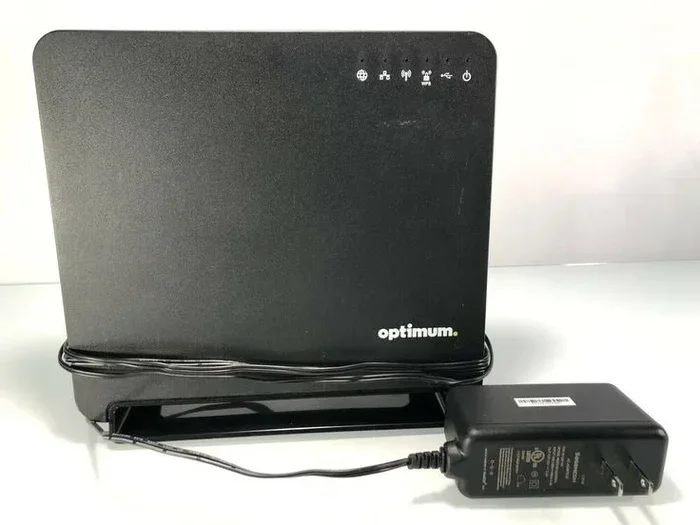
Does Optimum Have a Wireless Router for Home Internet
Yes, Optimum does offer wireless routers for home internet customers. Whether you rent an Optimum gateway or bring your own wireless router, you can set up a strong home network with reliable broadband speeds. This guide breaks down everything you need to know about Optimum router options, setup steps, and how to get the best Wi-Fi coverage in your home.
So, does Optimum have a wireless router? The short answer is yes. If you are a home internet customer, Optimum gives you access to wireless networking equipment. But the full story is a bit more interesting than that simple answer.
When you sign up for Optimum internet, you get options. You can use the equipment they provide, or you can bring your own gear. Either way, you will be setting up a wireless home network that keeps your phones, tablets, laptops, and smart TVs connected. This guide walks you through every option, every step, and every question you might have about Optimum routers.
Let us start at the top. What exactly does Optimum give you when you sign up for home internet? And more importantly, how do you make sure your Wi-Fi coverage is strong in every room of your house?
Key Takeaways
- Optimum provides wireless routers: Optimum offers gateway devices that combine a modem and wireless router in one unit for home internet customers.
- Rental vs. purchase options exist: You can rent an Optimum router or buy your own compatible wireless router to save on monthly fees.
- Setup is straightforward: Most Optimum router setup processes are simple and can be done at home with basic steps.
- Mesh systems boost coverage: You can add a mesh network system to extend Wi-Fi coverage throughout larger homes.
- Bring Your Own Router works: Optimum supports third-party routers, but you may need to put their gateway in bridge mode first.
- Speed depends on your plan: Your broadband connection speed and wireless speeds vary based on your chosen Optimum internet plan.
📑 Table of Contents
- What Is Optimum and How Does It Provide Internet?
- Does Optimum Provide a Wireless Router?
- How to Set Up Your Optimum Wireless Router
- Can You Upgrade or Replace the Optimum Router?
- Comparing Optimum Gateway vs. Third-Party Routers
- How to Get the Best Wi-Fi Performance with Optimum
- Does Optimum Offer Mesh Wi-Fi Systems?
- Common Optimum Router Problems and How to Fix Them
- The Future of Optimum Wireless Home Internet
- Final Thoughts
What Is Optimum and How Does It Provide Internet?
Optimum, now part of the Altice USA family, is a major internet service provider in the United States. They serve millions of homes across several states. Their service runs mainly through fiber optic internet and cable networks. This means they deliver fast broadband connection right to your doorstep.
When you become an Optimum customer, you get access to the internet through a device called a gateway. This gateway is a modem router combo. It does two jobs at once. It connects to the internet through the cable or fiber line. Then it creates a wireless signal inside your home. That signal is what lets your devices go online without any cables.
How Optimum Internet Plans Work
Optimum offers several internet plans at different speed tiers. Some plans give you speeds great for basic browsing and email. Others give you the power to stream 4K video, game online, and video call at the same time. Your plan determines how fast your wireless speeds will be.
Here is the thing many people do not realize. The speed you pay for from Optimum is only as good as your wireless router can deliver. If your router is old or weak, you will not get the full speed of your plan. That is why understanding your equipment matters so much.
Does Optimum Provide a Wireless Router?
Yes, Optimum does provide wireless routers. In fact, they call them gateways. When you sign up for Optimum home internet, you typically receive a gateway device. This device acts as both your modem and your wireless router. You plug it in, turn it on, and you have internet.
The Optimum Gateway Device
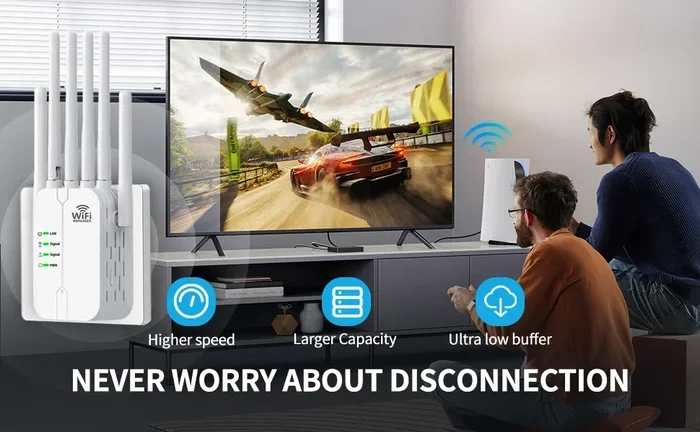
The gateway that Optimum sends you is a modem router combo. It connects to the internet through the cable or fiber line in your home. Then it broadcasts a Wi-Fi signal so all your devices can connect wirelessly. Most Optimum gateways use the latest Wi-Fi standards, which means you get solid wireless speeds right out of the box.
The gateway also has built-in features like parental controls and guest network access. These features let you manage who uses your network and how. You can set up a separate network for visitors without sharing your main password.
Can You Use Your Own Router with Optimum?
Absolutely. Optimum lets you buy your own router and use it with their service. This is a great option if you want better Wi-Fi coverage or more advanced features. Many people prefer buying a faster router because it gives them more control over their network.
If you want to use your own router, you will need to put the Optimum gateway into bridge mode first. Bridge mode turns off the router part of the gateway. Then your own wireless router takes over. This setup gives you the best of both worlds. You get the reliable connection from Optimum and the performance of a router you choose yourself.
You can learn more about buying and installing your own router in our detailed guide. It covers everything from picking the right model to setting it up step by step.
How to Set Up Your Optimum Wireless Router
Setting up your Optimum router is easier than most people think. You do not need to be a tech expert. With a few simple steps, you can have your home network up and running in no time.
Step-by-Step Router Setup
- Connect the gateway to your wall outlet. Plug the cable or fiber line into the correct port on the Optimum gateway. Make sure the connection is snug and secure.
- Plug in the power adapter. Connect the gateway to a power outlet and wait for the lights to stabilize. This usually takes about two minutes.
- Connect a device to the network. Use a laptop, phone, or tablet to find the default Wi-Fi network name printed on the gateway. The password is also on the device label.
- Open a browser and go to the setup page. Follow the on-screen prompts to customize your network name and password.
- Test your connection. Run an internet speed test to make sure you are getting the speeds you pay for.
Tips for a Smooth Setup
- Place your gateway in a central location in your home.
- Keep it away from walls and metal objects that can block the signal.
- Do not hide it in a closet or cabinet. Airflow helps the device stay cool and perform well.
- If you have a large home, consider adding a mesh network system to extend wireless coverage.
If you are having trouble getting started, mesh systems can be a great addition to your Optimum setup. They help eliminate dead zones and give you strong Wi-Fi signal in every room.
Can You Upgrade or Replace the Optimum Router?
Yes, you can upgrade or replace your Optimum router. Many customers find that the gateway provided by Optimum works fine for basic needs. But if you have a smart home with many devices, or if you need faster wireless speeds for gaming or streaming, an upgrade makes sense.
When to Upgrade Your Router
You should consider upgrading your wireless router if you notice any of these signs:
- Your internet feels slow even though you pay for fast speeds.
- You have dead zones in your home where the Wi-Fi signal is weak or missing.
- You have more than five or six smart devices connected at once.
- Your current router only supports older Wi-Fi standards like Wi-Fi 4 or 5.
- You want features like parental controls, advanced security, or better range.
How to Put Optimum Gateway in Bridge Mode
Bridge mode is the key to using your own router with Optimum. When you enable bridge mode, the Optimum gateway stops acting as a router. It only acts as a modem. Then you plug your own wireless router into it and take full control of your home network.
To enable bridge mode, you usually log into the gateway admin page. The default address is often 10.0.0.1 or 192.168.1.1. From there, you find the bridge mode setting and turn it on. You will then need to reboot the gateway. After it restarts, your own router takes over the wireless connection.
If you are shopping for a new router, check out our guide on buying a faster router. It helps you choose the right model for your needs and budget.
Comparing Optimum Gateway vs. Third-Party Routers
Not sure whether to use the Optimum gateway or buy your own gear? Let us compare the two options side by side. This helps you decide what works best for your home.
| Feature | Optimum Gateway | Third-Party Router |
|---|---|---|
| Cost | Rental fee monthly | One-time purchase price |
| Setup | Plug and play | Requires manual setup |
| Speed | Good for most users | Can be much faster |
| Features | Basic controls | Advanced features and customization |
| Range | Standard coverage | Better range with mesh options |
| Support | Optimum customer support | Manufacturer support only |
| Long-term Cost | Adds up over months | Pays for itself over time |
As you can see, both options have their place. If you want simplicity, the Optimum gateway works well. If you want power and control, a third-party wireless router is the way to go.
Some customers wonder if they can swap their ISP router for another brand. The same principle applies to Optimum. You can change your router as long as it is compatible with their service.
How to Get the Best Wi-Fi Performance with Optimum
Getting a strong wireless signal is not just about the router you use. It is also about how you set things up and where you place your equipment. A few smart choices can make a huge difference in your daily internet experience.
Placement Matters
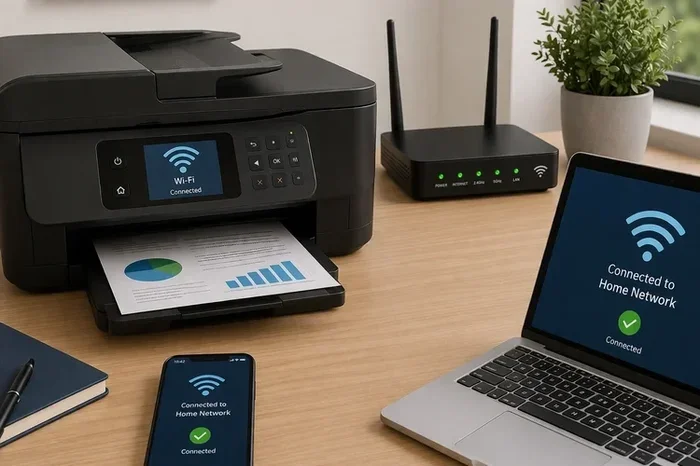
Where you put your router affects everything. A router tucked behind a TV stand or inside a cabinet will not perform as well as one sitting in an open space. Try to place your wireless router in a central spot on the main floor of your home.
Keep it elevated. Placing it on a shelf or table works better than putting it on the floor. Avoid placing it near microwaves, baby monitors, or other devices that can cause wireless interference.
Update Your Router Firmware
Router manufacturers release firmware updates regularly. These updates fix bugs, improve security, and sometimes boost wireless speeds. Check your router settings every few months and install any available updates.
Use the Right Wi-Fi Band
Most modern routers offer two bands: 2.4 GHz and 5 GHz. The 2.4 GHz band reaches farther but is slower. The 5 GHz band is faster but has a shorter range. For streaming and gaming, use the 5 GHz band when you are close to the router. For devices farther away, the 2.4 GHz band works better.
Does Optimum Offer Mesh Wi-Fi Systems?
Optimum does not sell its own mesh Wi-Fi system directly. But they do support mesh networks. You can buy a mesh system from brands like Google Nest, TP-Link, or Netgear and connect it to your Optimum gateway.
A mesh network system uses multiple nodes placed around your home. Each node creates a wireless access point that extends your Wi-Fi coverage. This is perfect for larger homes or homes with thick walls that block signals.
If you already have an existing router and want to add mesh, you can add a mesh Wi-Fi system to your existing setup. The process is simple and the results are impressive. You get seamless wireless coverage from one end of your home to the other.
Common Optimum Router Problems and How to Fix Them
Even the best wireless routers can have issues now and then. Here are some common problems Optimum customers face and simple ways to fix them.
Slow Internet Speeds
If your internet feels sluggish, start by running an internet speed test. If the speed is lower than what your plan promises, try restarting your gateway. Unplug it, wait 30 seconds, and plug it back in. This simple step fixes many connection issues.
Weak Wi-Fi Signal in Certain Rooms
Dead zones are frustrating. If you have rooms where the signal is weak, try moving your gateway to a more central location. You can also add a mesh node or a Wi-Fi extender to boost the signal in those areas.
Devices Not Connecting
If a device will not connect to your wireless network, try forgetting the network on that device and reconnecting. Make sure you are entering the correct password. If the problem continues, restart the gateway and the device.
Gateway Overheating
Gateways can overheat if they are in enclosed spaces. Make sure your Optimum gateway has plenty of airflow around it. Do not stack other electronics on top of it or cover it with fabric.
If none of these fixes work, you can always contact Optimum customer support. They can run remote diagnostics and sometimes send a replacement gateway if your current one is faulty.
The Future of Optimum Wireless Home Internet
Optimum continues to invest in better technology for home internet. They are expanding their fiber optic internet network to reach more homes. Fiber offers incredibly fast speeds and lower latency compared to cable. This means even better wireless performance for customers.
As Wi-Fi 6 and Wi-Fi 7 standards become more common, Optimum gateways will likely adopt them. These newer standards bring faster speeds, better handling of multiple devices, and improved efficiency. If you are in the market for a new router, look for one that supports the latest Wi-Fi standards to future-proof your home network.
Also, the trend toward smart homes means more devices are competing for bandwidth. Smart cameras, smart speakers, smart locks, and smart appliances all need a reliable connection. A strong wireless router from Optimum or a third-party brand ensures your smart home runs smoothly without interruptions.
Final Thoughts
So, does Optimum have a wireless router? The answer is a clear yes. Whether you rent their gateway or bring your own equipment, you can enjoy a reliable wireless home network. Optimum gives you the flexibility to choose what works best for your household.
Take time to understand your options. Know what speed tier you need. Decide if the rental gateway is enough or if you should invest in your own wireless router. And always think about Wi-Fi coverage when you set up your equipment.
A well-setup home network makes a real difference in your daily life. You stream without buffering. You game without lag. You work from home without dropped calls. Take the time to get it right, and your internet experience will be so much better.
For more tips on setting up and optimizing your home network, check out our other guides on wireless networking and router choices. The more you know, the better your internet experience will be.
Frequently Asked Questions
Does Optimum charge extra for a wireless router?
Optimum includes a gateway with your internet service, but there is usually a monthly rental fee. This fee is added to your bill. You can avoid this fee by purchasing your own compatible wireless router and putting the Optimum gateway in bridge mode.
Can I use any wireless router with Optimum internet?
Most wireless routers work with Optimum service. You just need to make sure the router is compatible with your internet plan speed. DOCSIS 3.1 modems and routers are recommended for the best performance with Optimum cable internet.
What is the difference between an Optimum gateway and a wireless router?
An Optimum gateway is a modem router combo. It handles both the internet connection and the wireless signal in one device. A standalone wireless router only creates the Wi-Fi network and needs a separate modem to connect to the internet.
How can I improve my Optimum Wi-Fi coverage at home?
You can improve coverage by placing your gateway in a central location, using a mesh network system, or upgrading to a more powerful wireless router. Avoid placing the router near walls and metal objects that block the signal.
Is it better to rent or buy an Optimum router?
Renting is convenient and includes support from Optimum. But buying your own router saves money in the long run and gives you more features and better performance. If you plan to stay with Optimum for several years, buying your own gear usually pays off.
Does Optimum support Wi-Fi 6 routers?
Yes, Optimum supports Wi-Fi 6 routers. You can use a Wi-Fi 6 router with Optimum service for faster wireless speeds and better handling of multiple devices. Just make sure to put the Optimum gateway in bridge mode when using your own router.