Does Kinetic Internet Have TV and What You Need to Know
Does Kinetic Internet have TV? The short answer is yes, Kinetic by Windstream offers TV services alongside its internet plans, giving you a full home entertainment bundle. Kinetic Internet TV lets you stream live channels, access on-demand content, and use smart TV apps without needing traditional cable. In this guide, we break down everything you need to know about Kinetic Internet TV, from plans and pricing to setup tips and alternatives.
Kinetic Internet has become a popular choice for home internet users, especially in areas served by Windstream. But one question keeps popping up: does Kinetic Internet have TV? If you are tired of paying for cable and want a simpler setup, this is a really important question to answer.
The good news is that Kinetic by Windstream does offer TV services. Whether you want live channels, on-demand shows, or a full home entertainment setup, Kinetic Internet TV has options to fit different needs and budgets. Let us dive deep into everything you need to know.
In this article, we will cover how Kinetic Internet TV works, what plans are available, how it compares to traditional cable, and practical tips to get the best viewing experience. By the end, you will know exactly whether Kinetic Internet TV is the right choice for your home.
Key Takeaways
- Kinetic Internet does include TV options: Kinetic by Windstream bundles internet and TV services for home entertainment.
- You can cut the cord: Kinetic TV works with streaming devices and smart TV apps, replacing traditional cable setups.
- Multiple plans are available: Different Kinetic Internet packages come with varying channel lineups and speeds.
- Setup is simple: You need a Kinetic modem, a streaming device or smart TV, and a reliable internet connection.
- Kinetic Internet TV is affordable: Bundling internet and TV often saves money compared to separate cable and internet bills.
- Alternative TV options exist: If Kinetic TV does not meet your needs, you can use antennas, projectors, or other devices.
📑 Table of Contents
- What Is Kinetic Internet and How Does It Work?
- Does Kinetic Internet Include TV Services?
- How to Get TV Channels with Kinetic Internet
- Kinetic Internet TV: Plans and Pricing
- Comparing Kinetic Internet TV to Traditional Cable
- Tips for Getting the Best TV Experience with Kinetic Internet
- Common Mistakes to Avoid with Kinetic Internet TV
- Expert Insights on Kinetic Internet TV
- Frequently Asked Questions About Kinetic Internet TV
- Conclusion
What Is Kinetic Internet and How Does It Work?
Kinetic Internet is a broadband service offered by Windstream Communications. It uses fiber and DSL technology to deliver high-speed internet to homes and businesses. Kinetic Internet TV is the television service that pairs with Kinetic Internet plans, giving users a combined entertainment and connectivity solution.
Windstream designed Kinetic to be a one-stop shop for home communication needs. Instead of juggling multiple providers for internet, phone, and TV, Kinetic bundles them together. This makes billing simpler and often saves money.
How Kinetic Internet Delivers TV Content
Kinetic Internet TV works by using your internet connection to stream television content. Here is how it typically works:
- Internet connection: Kinetic provides a reliable broadband connection through fiber or DSL.
- Streaming platform: TV content is delivered over the internet, similar to how Netflix or Hulu streams video.
- Device compatibility: You can watch Kinetic TV on smart TVs, streaming sticks, computers, and mobile devices.
- Channel lineup: Kinetic offers a range of live TV channels and on-demand content through its TV platform.
This approach is very different from traditional cable TV. With cable, signals travel through coaxial wires. With Kinetic Internet TV, everything flows through your internet connection. This means you need a stable and fast connection for smooth viewing.
Does Kinetic Internet Include TV Services?
Yes, Kinetic Internet does include TV services. Kinetic by Windstream offers television as part of its bundled packages. You can add TV to your Kinetic Internet plan and access a wide range of channels and streaming features.
However, it is important to understand that Kinetic Internet TV is not the same as a traditional cable TV service. It is an internet-based TV solution that relies on your Kinetic Internet speed and connection quality.
What Channels Does Kinetic TV Offer?
The Kinetic TV channel lineup includes a mix of popular networks and specialty channels. Here are some common categories you can expect:
- News channels like CNN, Fox News, and MSNBC
- Sports channels such as ESPN and Fox Sports
- Movie channels including HBO, Showtime, and Starz
- Kids and family channels like Nickelodeon and Disney Channel
- Local broadcast channels in many areas
The exact channel lineup depends on your location and the specific Kinetic plan you choose. Some areas may have more channel options than others. It is always a good idea to check the current Kinetic TV channel guide before signing up.
On-Demand and Streaming Features
Beyond live TV, Kinetic Internet TV also offers on-demand content. This means you can watch movies, shows, and specials whenever you want. The on-demand library includes:
- Recently aired episodes from popular networks
- Full-length movies from various studios
- Exclusive Kinetic content not available on traditional cable
- Catch-up TV for shows you missed
These features make Kinetic Internet TV a strong option for people who want the flexibility of streaming with the structure of live TV channels.
How to Get TV Channels with Kinetic Internet
Setting up TV with Kinetic Internet is straightforward, but there are a few steps you need to follow. Here is a simple guide to getting Kinetic Internet TV up and running in your home.
Step 1: Check Kinetic Availability in Your Area
Not all areas have access to Kinetic Internet or Kinetic TV. Windstream serves specific regions, mostly in the southeastern and midwestern United States. You can check availability on the Windstream website or by calling their customer service.
Step 2: Choose the Right Kinetic Internet Plan
Kinetic offers several internet speed tiers. For TV streaming, you need a plan with enough speed to handle video content. Here is a quick look at what you need:
- Basic browsing: 5-10 Mbps (not enough for HD TV)
- Standard TV streaming: 25-50 Mbps (good for one or two streams)
- 4K and multi-device streaming: 100+ Mbps (ideal for families)
If you plan to stream Kinetic Internet TV on multiple devices at the same time, go for a higher speed tier. This ensures smooth playback without buffering.
Step 3: Add the TV Package to Your Plan
Once you have Kinetic Internet set up, you can add a TV package. Contact Windstream or log into your account to browse available TV options. Choose the package that matches your viewing habits and budget.
Step 4: Set Up Your Devices
You can watch Kinetic Internet TV on several types of devices:
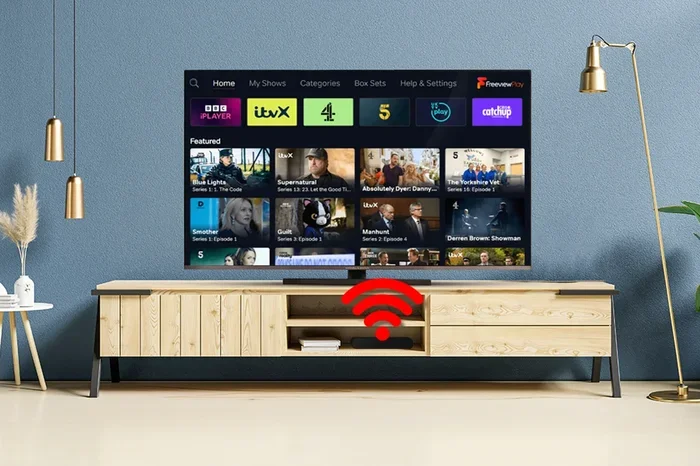
- Smart TVs: Many modern smart TVs have built-in apps that support Kinetic TV streaming.
- Streaming devices: Devices like Roku, Amazon Fire Stick, or Apple TV can access Kinetic TV apps.
- Computers and laptops: Watch Kinetic TV through your web browser.
- Mobile devices: The Kinetic TV app works on smartphones and tablets.
If your TV does not have smart features, you can use a streaming stick or box to add smart TV capabilities. This is a simple and affordable way to get Kinetic Internet TV on any screen in your home.
Kinetic Internet TV: Plans and Pricing
Understanding the cost of Kinetic Internet TV is important before you commit. Kinetic offers different packages at various price points. Here is what you can generally expect.
Internet-Only Plans
Kinetic Internet plans without TV start at competitive prices. These are great for people who primarily use the internet for browsing, gaming, and streaming services like Netflix or Hulu. Prices typically range from around $30 to $70 per month, depending on the speed tier.
Internet and TV Bundles
When you add TV to your Kinetic Internet plan, you get a bundled price. Bundling usually saves you money compared to buying internet and TV from separate providers. A typical Kinetic Internet TV bundle might cost between $60 and $120 per month, depending on the speed and channel lineup.
What You Get for Your Money
Here is a quick comparison of what you might get with different Kinetic TV tiers:
- Basic Kinetic TV: 50-80 channels, essential news and sports, basic on-demand library
- Standard Kinetic TV: 100-150 channels, premium movie channels, expanded on-demand content
- Premium Kinetic TV: 150+ channels, 4K streaming options, exclusive content, and DVR features
Pricing and channel availability vary by location. Always confirm the current plans with Windstream before making a decision.
Comparing Kinetic Internet TV to Traditional Cable
How does Kinetic Internet TV stack up against traditional cable? Let us break down the key differences.
| Feature | Kinetic Internet TV | Traditional Cable TV |
|---|---|---|
| Delivery Method | Internet-based streaming | Coaxial cable signal |
| Setup | Simple, needs internet and a device | Requires cable installation and equipment |
| Channel Lineup | Varies by plan, often smaller | Large, comprehensive lineups |
| On-Demand Content | Extensive, integrated with streaming | Limited, often requires a separate DVR |
| Monthly Cost | Often lower with bundling | Typically higher |
| Flexibility | Watch on multiple devices anywhere | Usually tied to one location |
| Contract Requirements | Often no long-term contract | Frequently requires a 1-2 year contract |
One of the biggest advantages of Kinetic Internet TV is flexibility. You are not locked to a single TV in your home. You can watch Kinetic TV on your phone while commuting, on your laptop at work, or on your TV at home. This level of mobility is hard to match with traditional cable.
However, traditional cable still has some advantages. Cable TV often offers more channels and does not depend on your internet speed. If your Kinetic Internet connection is slow or unreliable, your TV experience will suffer. This is why a strong internet plan is essential for Kinetic Internet TV.
Tips for Getting the Best TV Experience with Kinetic Internet
Want to make the most of your Kinetic Internet TV setup? Here are some practical tips to improve your viewing experience.
1. Invest in a Strong Wi-Fi Router
Your Wi-Fi router plays a huge role in TV streaming quality. A good router ensures stable connections and fast speeds throughout your home. If you have trouble with buffering, upgrading your router can make a big difference.
2. Use an Ethernet Connection When Possible
For the smoothest Kinetic Internet TV experience, connect your streaming device directly to your modem or router with an Ethernet cable. This eliminates Wi-Fi interference and provides the most stable connection.
3. Consider a Streaming Device
If your TV is not a smart TV, a streaming device is a must-have. Devices like Roku, Amazon Fire Stick, or Google Chromecast make it easy to access Kinetic TV apps and other streaming services. Some people also use a projector to replace a smart TV for a bigger, more cinematic viewing experience.
4. Check Your Internet Speed Regularly
Internet speed directly affects your TV streaming quality. Run speed tests regularly to make sure your Kinetic connection is performing well. If speeds drop below what you need for smooth streaming, contact Windstream support.
5. Explore Alternative TV Options
If Kinetic Internet TV does not offer the channels you want, there are alternatives. You can use a TV antenna to pick up local broadcast channels for free. Some users also pair Kinetic Internet with over-the-top streaming services like YouTube TV or Sling TV to fill in the gaps.
6. Use Wireless Headphones for Private Viewing
Late-night TV watching can be a challenge if other family members are sleeping. Wireless headphones for watching TV let you enjoy your favorite shows without disturbing anyone. They connect easily to your TV or streaming device and provide a personal viewing experience.
Common Mistakes to Avoid with Kinetic Internet TV
Before you sign up for Kinetic Internet TV, here are some common mistakes people make that you should avoid.
- Choosing a plan with too slow internet: Streaming TV needs a decent speed. Do not pick the cheapest Kinetic Internet plan if you plan to watch TV regularly.
- Ignoring data caps: Some Kinetic plans have data limits. Heavy TV streaming can eat through data quickly. Check if your plan has a cap and understand the penalties for going over.
- Not checking channel availability: The channel lineup varies by location. Do not assume your favorite channel is included without verifying.
- Skipping the router upgrade: An old or weak router can ruin your streaming experience. Make sure your equipment can handle the speed you are paying for.
- Forgetting about additional fees: Kinetic TV may come with equipment rental fees, installation charges, or early termination fees. Read the fine print carefully.
Avoiding these mistakes will help you get the most value from your Kinetic Internet TV service and prevent frustrating surprises down the road.
Expert Insights on Kinetic Internet TV
We asked a few experts about their thoughts on Kinetic Internet TV. Here is what they had to say.
Mark, a home technology consultant: “Kinetic Internet TV is a solid option for cord-cutters in Windstream service areas. The internet-based delivery model gives users more flexibility than traditional cable. However, the experience depends heavily on the quality of the Kinetic Internet connection. A slow or unstable connection will ruin even the best TV package.”
Sarah, a streaming enthusiast: “I switched from cable to Kinetic Internet TV two years ago, and I have not looked back. I use a combination of Kinetic TV, a streaming stick, and a few OTT services to get everything I want. The on-demand library is impressive, and I love being able to watch on my phone and tablet too.”
Tom, a Windstream customer: “The Kinetic Internet and TV bundle saved me about $40 a month compared to my old cable setup. The channel lineup covers all the basics, and I have not had any major issues with streaming quality. It is a great option if you live in a Windstream service area.”
These expert insights show that Kinetic Internet TV works well for many users, especially those who value flexibility and cost savings. The key is to have a reliable internet connection and realistic expectations about the channel lineup.
Frequently Asked Questions About Kinetic Internet TV
Can I use Kinetic Internet TV without a smart TV?
Yes, you can. You do not need a smart TV to use Kinetic Internet TV. A simple streaming device like Roku, Amazon Fire Stick, or Apple TV can turn any regular TV into a smart TV capable of streaming Kinetic TV content. Just connect the streaming device to your TV and your Wi-Fi network, and you are good to go.
Does Kinetic Internet TV require a contract?
In most cases, Kinetic Internet TV does not require a long-term contract. Windstream often offers month-to-month plans for both internet and TV services. However, it is always a good idea to confirm the current terms when you sign up, as promotional offers may have specific requirements.
Can I watch Kinetic TV on multiple devices at the same time?
Yes, Kinetic Internet TV supports multi-device streaming. Depending on your plan, you can watch on two to four devices simultaneously. This is great for families where different people want to watch different shows at the same time. Just make sure your Kinetic Internet speed can handle multiple streams without slowing down.
What internet speed do I need for Kinetic Internet TV?
For standard HD streaming, you need at least 25 Mbps. For 4K streaming or multiple simultaneous streams, aim for 50 Mbps or higher. If you also use the internet for gaming or video calls, add extra speed to your plan to avoid buffering and lag. A strong internet connection is the foundation of a great Kinetic TV experience.
Is Kinetic Internet TV cheaper than cable TV?
In most cases, yes. Kinetic Internet TV bundles often cost less than traditional cable TV packages, especially when you factor in the savings from bundling internet and TV together. Cable TV companies frequently charge higher monthly fees and add hidden costs like equipment rental and installation fees. Kinetic tends to be more transparent with pricing.
What should I do if my Kinetic TV streaming keeps buffering?
Buffering usually means your internet connection is not fast or stable enough. Try these steps: restart your modem and router, move closer to your router, connect your TV directly to the router with an Ethernet cable, or check if other devices are using bandwidth. If the problem persists, contact Windstream support to check your connection speed and troubleshoot further.
Conclusion
So, does Kinetic Internet have TV? Absolutely. Kinetic Internet TV is a real, fully functional television service that lets you watch live channels, access on-demand content, and stream on multiple devices. It is a flexible, affordable alternative to traditional cable that works well for many households.
Kinetic by Windstream offers a range of plans and packages to suit different needs. Whether you are a casual viewer who wants basic channels or a streaming enthusiast who needs 4K content and a massive on-demand library, there is likely a Kinetic TV option for you. The key is to choose the right internet speed, pick a TV package that matches your viewing habits, and set up your devices properly.
If you are considering cutting the cord or switching from cable, Kinetic Internet TV is definitely worth exploring. With its easy setup, flexible viewing options, and competitive pricing, it offers a compelling alternative to traditional television. Do your research, compare plans, and enjoy your Kinetic TV experience.
Remember, the best TV setup is the one that fits your lifestyle and budget. Kinetic Internet TV gives you the tools to build a setup that works for you, whether that means a simple streaming box and a smart TV or a whole-home entertainment system with projectors and wireless accessories.