Can You Send Text Over Wifi Here Is Everything You Need
Yes, you can send text over wifi using messaging apps like WhatsApp, iMessage, and Facebook Messenger. Wifi texting lets you communicate without a cellular network, saving carrier fees and staying connected in areas with weak signal. This guide covers every method, app, and tip you need to start sending messages over wifi today.
Have you ever been in a place with no cell signal and wished you could still send a text message? Maybe you are traveling abroad, stuck in a basement, or dealing with a dead zone in your home. The good news is that you can send text over wifi and stay connected no matter where you are.
Sending text over wifi is not just a neat trick. It is a practical solution that millions of people use every day. Whether you want to avoid expensive roaming charges or simply need to message someone in a low-signal area, wifi texting has you covered. In this article, we will walk through everything you need to know about how it works, which apps support it, and how to get started.
The idea of internet texting might sound technical, but it is actually very simple. You use a messaging app that sends your message through a data connection instead of the traditional cellular network. As long as you have access to a wifi network, you can type, send, and receive messages just like you would with regular SMS. Let us dive into the details.
Key Takeaways
- Wifi texting works on multiple apps: WhatsApp, iMessage, Facebook Messenger, and Signal all support sending messages over a wifi connection.
- No cellular signal needed: You can send and receive texts anywhere with an active wifi network, even internationally.
- RCS and SMS over wifi are built into phones: Modern Android and iPhone devices support carrier-based wifi texting natively.
- Free to use: Most wifi messaging apps are free and do not charge per message or per MB of data.
- Quality depends on connection speed: A stable wifi connection ensures fast and reliable message delivery.
- Security varies by app: End-to-end encrypted apps like Signal and WhatsApp offer the best privacy for wifi messaging.
📑 Table of Contents
- What Does It Mean to Send Text Over Wifi
- Which Apps Let You Send Text Over Wifi
- How To Set Up Wifi Texting On Your Phone
- Benefits Of Sending Text Over Wifi
- Common Problems With Wifi Texting And How To Fix Them
- Is Wifi Texting Secure
- Quick Tips For Better Wifi Texting
- Comparison Table: Popular Messaging Apps For Wifi Texting
- Can You Send Text Over Wifi Without The Internet
- Expert Insights On Wifi Messaging
- Key Takeaways
- Frequently Asked Questions
- Final Thoughts
What Does It Mean to Send Text Over Wifi
When you send a regular text message, also known as SMS, it travels through your carrier network using cell towers. This is how traditional texting has worked for decades. But when you send text over wifi, your message takes a different path. It travels through the internet using your data connection instead of radio waves from a cell tower.
This means your phone does not need to be connected to a cellular network at all. As long as your device is linked to a wifi network, you can communicate. The message gets converted into data packets, sent through your router, and delivered to the recipient through the internet.
This process is sometimes called wifi messaging or internet texting. It is the same basic idea behind apps like WhatsApp and iMessage. The difference is that these apps use the internet protocol to deliver your message rather than relying on the legacy SMS system.
How Is This Different From Regular Texting
Regular texting uses the cellular network and the SMS protocol. Your phone communicates directly with a nearby cell tower. The carrier handles the delivery. This system has been around since the early days of mobile phones and it works almost everywhere there is cell coverage.
Wifi texting skips the cell tower entirely. Your message goes through the internet. This opens up several advantages. You are not limited by cell tower range. You can message someone across the globe without worrying about international SMS fees. And you can still communicate even when cell service is completely unavailable.
However, there is one trade-off. If your wifi connection drops, you cannot send or receive messages until you reconnect. With regular SMS, a weak cell signal might still let you send a text. But with internet texting, you need a stable and active wifi network.
Which Apps Let You Send Text Over Wifi
Not all messaging apps work the same way when it comes to wifi messaging. Some apps are designed specifically for internet-based communication. Others have built-in features that let you send messages over wifi even when you have no cell signal. Here are the most popular options.
WhatsApp is one of the most widely used messaging apps in the world. It supports wifi texting on both Android and iPhone. All you need is a wifi connection and the app installed on both your device and the recipient’s device. Messages are sent over the internet using the messaging protocol that WhatsApp uses. The app is free to download and free to use. There are no per-message charges, which makes it a great choice for people who want to avoid carrier fees.
WhatsApp also supports voice calls and video calls over wifi. So you are not limited to just text. You can send photos, videos, documents, and voice messages all through the same app. The end-to-end encryption means your messages stay private between you and the recipient.
iMessage
If you use an iPhone, iMessage is already built into your device. Apple designed iMessage to send messages over the internet whenever possible. When you are connected to wifi, iMessage automatically sends your messages as internet-based texts instead of using the traditional SMS system.
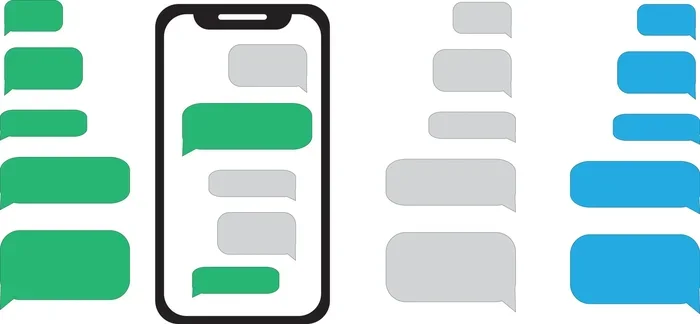
One great thing about iMessage is that it works seamlessly between Apple devices. When you send a message to another iPhone user, it goes through iMessage by default. The messages appear in blue bubbles instead of green. You also get features like read receipts, typing indicators, and high-quality photo sharing.
iMessage also supports SMS over wifi. This means that even if you are sending a message to someone with an Android phone, iMessage can still use your wifi connection to deliver it. You do not need a strong cell signal for this to work. As long as your wifi is active, the message goes through.
Facebook Messenger
Facebook Messenger is another popular choice for wifi messaging. It works over any active internet connection, including wifi. You can send text messages, make voice calls, and start video chats all through the Messenger app. Since it is linked to your Facebook account, finding friends and contacts is easy.
The app is free and widely used around the world. It supports group chats, emoji reactions, and file sharing. The main downside is that it requires a Facebook account, and some users have privacy concerns about how Facebook handles data.
Signal
Signal is a privacy-focused messaging app that is perfect for secure wifi texting. It uses end-to-end encryption for all messages, calls, and media. Signal is open source, which means anyone can review its code for security vulnerabilities. It is free to use and does not show ads.
If you care about privacy and want to send messages over wifi without worrying about interception, Signal is an excellent choice. It works just like WhatsApp and Messenger but with a stronger focus on security and data protection.
Google Messages (RCS)
Google Messages supports RCS, which stands for Rich Communication Services. RCS is a modern messaging standard that works over the internet. When both you and the recipient have RCS enabled, your messages are sent through wifi or mobile data instead of the traditional SMS system.
RCS offers features like read receipts, typing indicators, high-resolution photo sharing, and group chats. Google Messages is the default messaging app on most Android phones, making it very easy to start using RCS over wifi without downloading anything extra.
How To Set Up Wifi Texting On Your Phone
Setting up wifi texting on your phone is straightforward. The steps vary slightly depending on whether you use an iPhone or an Android device. Here is how to get started on both platforms.
Setting Up Wifi Messaging On iPhone
On iPhone, iMessage handles most of the work for you. To make sure it is set up correctly, go to Settings, then Messages, and toggle iMessage on. Next, make sure your phone is connected to a wifi network. When you send a message to another iPhone user, it will automatically go through iMessage over wifi.
If you want to send SMS messages over wifi to Android users, go to Settings, then Messages, and look for the option called “Send as SMS.” This allows your iPhone to fall back to wifi-based delivery when the cellular network is weak or unavailable. You can also enable “Cellular Data” as a backup if you have a weak wifi signal.
Setting Up Wifi Messaging On Android
On Android, the process depends on your phone manufacturer and the messaging app you use. Most modern Android phones come with Google Messages pre-installed. Open the app, go to Settings, then Chat features, and turn on “Enable Chat features.” This activates RCS, which allows you to send messages over wifi.
If you prefer third-party apps like WhatsApp or Signal, simply download the app from the Google Play Store, create your account, and make sure you are connected to wifi. The app will automatically send and receive messages through your internet connection. No special settings are usually required.
Using Wifi Calling With Text
Some carriers offer a feature called wifi calling. This lets your phone route calls and texts through a wifi network instead of the cellular network. When wifi calling is enabled, your SMS messages can be sent over wifi even if you have no cell signal at all.
To enable wifi calling, go to your phone’s Settings, look for the Phone or Connections section, and find the Wifi Calling option. Turn it on and follow the prompts. Your carrier may need to support this feature. Most major carriers in the US and Europe do support it.
Benefits Of Sending Text Over Wifi
There are many reasons why people choose to send text over wifi instead of using traditional SMS. Here are the biggest benefits.
No Cellular Signal Required
The most obvious benefit is that you do not need a cellular signal. If you are in a basement, a remote area, or a building with thick walls that block cell towers, you can still send and receive messages as long as you have wifi. This makes wifi messaging incredibly reliable in areas where cell service is weak or nonexistent.
Saves Money On Roaming Charges
If you travel internationally, sending SMS through your carrier can be very expensive. Roaming charges add up fast. But when you use internet texting over wifi, you can message people for free regardless of where you are in the world. As long as you have wifi access, your messages go through without any extra cost.
No Per-Message Fees
Traditional SMS messages used to cost money, especially on plans with limited texting. While most modern plans include unlimited SMS, some plans still charge per message or require add-on packages. Wifi messaging through apps like WhatsApp and iMessage eliminates these fees entirely. You send unlimited messages for free.
Rich Media Sharing
When you send a regular SMS, photo and video quality is often compressed. With wifi messaging, you can send high-quality photos, videos, and files without compression. Apps like WhatsApp and Signal preserve the original quality of your media, making them much better for sharing images and videos with friends and family.
Group Chat And Features
Most wifi messaging apps offer group chat, read receipts, typing indicators, and emoji reactions. These features are not available with standard SMS. If you want a richer messaging experience, internet-based texting over wifi is the way to go.
Common Problems With Wifi Texting And How To Fix Them
While wifi texting is very convenient, it is not without its challenges. Here are some common issues and how to solve them.
Messages Not Sending
If your messages are not sending over wifi, the first thing to check is your connection. Make sure your phone is actually connected to the wifi network and that the network has internet access. Try opening a web browser to confirm that wifi is working.
Next, check if the messaging app has permission to use data. On iPhone, go to Settings and make sure the app has permission to use cellular data and wifi. On Android, go to Settings, then Apps, find the messaging app, and check its data permissions.
Messages Going Through As SMS Instead Of Internet Messages
Sometimes your phone will send a message as a regular SMS even when you have wifi available. This usually happens when the recipient does not support the same messaging protocol. For example, if you are using iMessage and the recipient is on an Android phone, the message may fall back to SMS.
To fix this, make sure the recipient has the same app installed. If you both use WhatsApp, for example, all messages will go through the internet. You can also check your phone’s settings to ensure that “Send as SMS” is disabled if you prefer to wait for an internet-based delivery.
Slow Message Delivery
If your wifi connection is slow or unstable, messages may take longer to deliver. This is especially true for messages with photos or videos. Try moving closer to your router or restarting your wifi modem. A stronger and more stable connection will improve delivery speed.
Notifications Not Coming Through
On some phones, push notifications for messaging apps may not work properly when the phone is in sleep mode. To fix this, go to your phone’s battery settings and disable any restrictions on the messaging app. You can also check the app’s notification settings to make sure they are turned on.
Is Wifi Texting Secure
Security is a big concern when it comes to internet texting. The good news is that most popular messaging apps use end-to-end encryption. This means that only you and the recipient can read your messages. Not even the app developer or your internet provider can access the content.
Apps like Signal and WhatsApp use the strongest encryption standards available. iMessage also uses end-to-end encryption for messages between Apple devices. However, if you send an iMessage to an Android user, the message goes through SMS, which is not encrypted.
If privacy is important to you, choose apps that offer end-to-end encryption by default. Avoid messaging apps that store your messages on their servers without encryption. Reading the privacy policy of your chosen app can help you understand how your data is handled.
Quick Tips For Better Wifi Texting
Here are some practical tips to improve your wifi messaging experience.
- Use a strong wifi signal: Stay close to your router for the best connection speed and reliability.
- Keep your apps updated: App updates often include bug fixes and security improvements for wifi messaging.
- Enable wifi calling: This lets your phone use wifi for both calls and texts, which is great in areas with poor cell coverage.
- Check your data permissions: Make sure your messaging app is allowed to use data on both wifi and cellular networks.
- Use end-to-end encrypted apps: Apps like Signal and WhatsApp protect your messages and keep them private.
- Restart your router if needed: A simple router restart can fix slow or unstable connections that affect message delivery.
Comparison Table: Popular Messaging Apps For Wifi Texting
| App | Platform | Encryption | Free To Use | Wifi Only |
|---|---|---|---|---|
| Android, iPhone | End-to-end | Yes | Yes | |
| iMessage | iPhone | End-to-end | Yes | Yes |
| Signal | Android, iPhone | End-to-end | Yes | Yes |
| Facebook Messenger | Android, iPhone | Optional | Yes | Yes |
| Google Messages (RCS) | Android | End-to-end | Yes | Yes |
As you can see, all of these apps support wifi messaging and are free to use. Your choice depends on your needs. If privacy is your top priority, go with Signal. If you want the most popular option, WhatsApp is hard to beat. If you are deep in the Apple ecosystem, iMessage is the natural choice.
Can You Send Text Over Wifi Without The Internet
This is a common question, and the answer is no. Wifi texting requires an active internet connection through the wifi network. The wifi router must be connected to the internet for your messages to reach the recipient. A wifi network that is not connected to the internet will not let you send messages to anyone outside your local network.
However, there is a workaround for local communication. Some apps allow you to send messages over a local wifi network without internet access. Apps like Briar and Bridgefy use mesh networking technology to send messages between devices on the same wifi network, even without internet. This can be useful in emergency situations or in areas with no internet access.
Expert Insights On Wifi Messaging
According to networking experts, wifi messaging has become an essential tool for modern communication. The shift from traditional SMS to internet-based messaging has been driven by the widespread availability of wifi networks and the growing demand for free, feature-rich communication tools.
Industry analysts note that more than 80 percent of smartphone users now use internet-based messaging apps for their daily communication. This trend has pushed carriers to adapt by offering wifi calling and RCS as standard features. The future of texting is clearly moving toward internet-based delivery, with wifi playing a central role.
Security researchers also emphasize the importance of using encrypted messaging apps for wifi texting. Without encryption, messages sent over wifi can potentially be intercepted by third parties. Choosing apps with strong privacy protections ensures that your conversations remain safe and private.
Key Takeaways
- Wifi texting works on multiple apps: WhatsApp, iMessage, Facebook Messenger, and Signal all support sending messages over a wifi connection.
- No cellular signal needed: You can send and receive texts anywhere with an active wifi network, even internationally.
- RCS and SMS over wifi are built into phones: Modern Android and iPhone devices support carrier-based wifi texting natively.
- Free to use: Most wifi messaging apps are free and do not charge per message or per MB of data.
- Quality depends on connection speed: A stable wifi connection ensures fast and reliable message delivery.
- Security varies by app: End-to-end encrypted apps like Signal and WhatsApp offer the best privacy for wifi messaging.
Frequently Asked Questions
Can you send SMS over wifi without a SIM card?
Yes, you can send messages over wifi without a SIM card as long as you use an internet-based messaging app like WhatsApp or iMessage. These apps do not require a SIM card to function. You only need a wifi connection and the app installed on your device. Traditional SMS requires a SIM card and a cellular network, but wifi messaging bypasses that entirely.
Is wifi texting free?
Yes, sending text over wifi is free when you use apps like WhatsApp, iMessage, Signal, or Facebook Messenger. These apps do not charge per message. The only cost is your wifi data usage, which is typically included in your home internet plan. If you are using a mobile hotspot, the data comes from your cellular plan, so check your data limits.
Can I send text over wifi internationally?
Absolutely. One of the biggest advantages of wifi messaging is that it works internationally without extra charges. You can send messages to anyone in the world as long as both you and the recipient have internet access. This makes it a great alternative to expensive international SMS fees.
Do I need a special app to send text over wifi?
It depends on your phone and your needs. iPhones come with iMessage built in, which supports wifi texting automatically. Android phones support RCS through Google Messages. If you want more features and better privacy, you can download apps like WhatsApp or Signal. These apps are free and easy to set up.
Why are my wifi messages going through as SMS instead?
This usually happens when the recipient does not support the same messaging protocol. For example, if you send an iMessage to an Android user, it may fall back to SMS. To avoid this, make sure both you and the recipient use the same app, like WhatsApp or Signal. You can also check your phone’s settings to disable “Send as SMS” so it waits for an internet-based delivery.
Is wifi texting safe and private?
Most popular messaging apps use end-to-end encryption, which means your messages are protected from interception. Apps like Signal, WhatsApp, and iMessage offer strong privacy protections. However, not all messaging apps encrypt messages by default. Always check the privacy features of the app you choose to ensure your conversations stay private.
Final Thoughts
The ability to send text over wifi has transformed how we communicate. It has made messaging more accessible, more affordable, and more reliable than ever before. Whether you are at home, traveling abroad, or in an area with poor cell coverage, wifi messaging keeps you connected to the people who matter most.
With so many apps available, there has never been a better time to start using internet texting. Choose an app that fits your needs, set it up on your phone, and enjoy the freedom of messaging without limits. The future of texting is here, and it runs on wifi.