Does Ethernet Increase Wifi Speed And Network Performance
Does ethernet increase wifi speed? The short answer is yes, but not in the way most people think. When you connect a device via ethernet cable, it frees up bandwidth on your wireless network, which can significantly improve network performance for all connected devices. In this guide, we break down exactly how ethernet impacts your wifi, what you can expect, and simple steps to get the best results.
Have you ever wondered whether plugging in an ethernet cable can actually make your wifi faster? It sounds a bit strange, right? You connect one device with a wire, and suddenly everything else on the network feels quicker. But is that really possible?
The truth is, ethernet does affect wifi performance, but mostly in indirect ways. When you understand how your router handles wired and wireless traffic, you start to see why a single ethernet connection can make a noticeable difference. In this article, we will explore exactly how ethernet increases wifi speed, what the science says, and what you can do to get the most out of your home network.
Whether you are a gamer, a remote worker, or just someone who hates buffering videos, this guide has something for you. We will cover everything from basic concepts to practical tips you can try today. Let us dive in.
Key Takeaways
- Ethernet frees up wifi bandwidth: Wired devices use less wireless airtime, leaving more for other devices.
- Lower latency on wired connections: Ethernet reduces ping and network latency for a smoother experience.
- Better overall network performance: Your router can focus on wireless devices when fewer rely on wifi.
- Ethernet does not directly boost wifi signal strength: It works indirectly by reducing congestion on the network.
- Gigabit ethernet offers the best results: Faster wired speeds mean less strain on your router’s wireless capabilities.
- Mesh wifi systems pair well with ethernet backhaul: Adding ethernet to a mesh setup maximizes wireless coverage.
- Simple setup changes can make a big difference: Even plugging in one device can improve your entire network.
📑 Table of Contents
- What Happens When You Connect Ethernet and Wifi?
- How Ethernet Improves Network Performance
- Ethernet vs Wifi: Key Differences
- Can Ethernet Help With Mesh Wifi Systems?
- Does Ethernet Affect Other Devices On The Network?
- Quick Tips to Maximize Both Ethernet and Wifi Performance
- Common Mistakes That Hurt Network Performance
- Expert Insights on Ethernet and Wifi
- Conclusion
What Happens When You Connect Ethernet and Wifi?
Your router has a limited amount of processing power and bandwidth to share. Every device connected to it, whether wired or wireless, uses a portion of those resources. When you add a wired connection, something interesting happens behind the scenes.
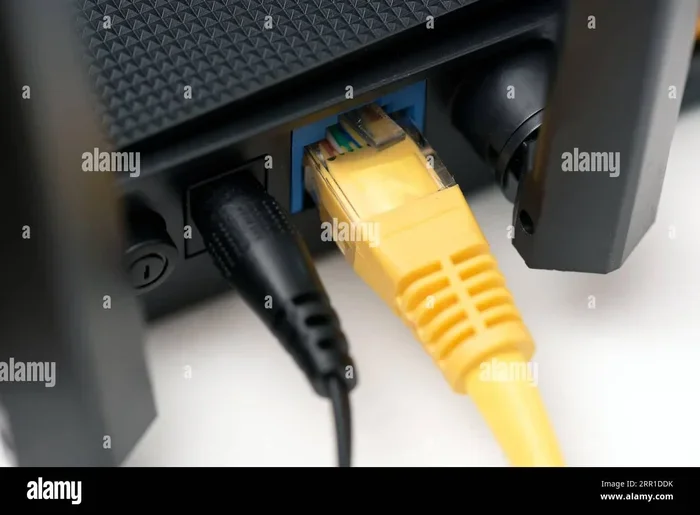
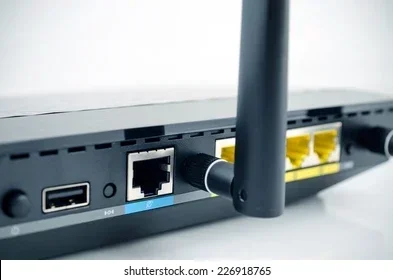
Ethernet traffic is handled differently than wireless traffic. A wired connection uses the router’s ethernet ports, which operate on a separate internal pathway. This means your wired device gets a direct, dedicated line to the router. Meanwhile, your wireless devices share the same airtime over the airwaves.
So when you move one device from wifi to ethernet, you reduce the number of devices competing for wireless resources. That is where the magic happens. Fewer wireless devices means less congestion, which leads to better network performance for everyone still on wifi.
How Bandwidth Gets Shared
Think of your wifi like a highway. Every device on the network is a car trying to get through. The more cars there are, the slower everyone moves. Now imagine taking one car off the road. Traffic flows better, right?
That is essentially what happens when you use ethernet cable for one or more devices. The router no longer needs to split its wireless airtime among as many devices. Your remaining wifi devices get a bigger slice of the pie.
Here is a quick breakdown of how bandwidth sharing works:
- Wifi-only setup: All devices compete for the same wireless channel.
- Mixed setup: Wired devices use their own path, freeing up wireless capacity.
- Gigabit ethernet setup: Wired devices get maximum speed, and wifi devices benefit the most.
Does Ethernet Directly Boost Wifi Signal?
No, ethernet does not boost your wifi signal directly. The radio waves that carry your wireless signal are not affected by a wired connection in terms of strength or range. However, by reducing the load on your router, ethernet can help your router perform better overall. A less busy router can focus its energy on maintaining strong wireless connections.
How Ethernet Improves Network Performance
The relationship between ethernet and wifi is more interconnected than most people realize. When you understand this relationship, you can make smarter decisions about how to set up your home network.
Reducing Network Congestion
Network congestion is the number one enemy of fast wifi. When too many devices stream, download, or game at the same time, your router struggles to keep up. This leads to slow speeds, buffering, and high ping rates.
By moving heavy-use devices to a wired connection, you take the biggest bandwidth hogs off the wireless network. Smart TVs, desktop computers, and gaming consoles are perfect candidates for ethernet. Once they are plugged in, your wireless devices have more room to breathe.
Lowering Latency and Ping
Latency is the time it takes for data to travel from your device to the internet and back. Also known as ping rate, this number matters a lot for gaming and video calls. Ethernet connections have significantly lower latency than wireless ones.
When you free up wireless bandwidth by using ethernet, your remaining wifi devices can also experience lower latency. This is because the router spends less time managing wireless traffic and more time processing data efficiently.
Improving Upload and Download Speeds
Your upload speed and download speed are both affected by how many devices are active on the network. When you plug in a device via ethernet, that device gets a stable, high-speed connection. This leaves more wireless bandwidth for other devices, which can improve their internet speed test results too.
For example, if you have a desktop PC connected by ethernet for large downloads, your phone or laptop on wifi may actually see faster speeds because the router is not juggling as many wireless data streams.
Ethernet vs Wifi: Key Differences
To truly understand how ethernet impacts wifi, you need to see how these two connection types compare. Here is a side-by-side look at what each offers.
| Feature | Ethernet (Wired) | Wifi (Wireless) |
|---|---|---|
| Speed | Up to 10 Gbps (Gigabit) | Up to 1-3 Gbps (Wi-Fi 6) |
| Latency | Very low (1-2 ms) | Higher (5-30+ ms) |
| Stability | Extremely stable | Subject to interference |
| Mobility | None (cable required) | Full mobility |
| Setup | Requires cable and port | Easy, no cables needed |
| Impact on Network | Reduces wireless congestion | Uses shared wireless airtime |
As you can see from the table, ethernet wins on stability, speed, and latency. But wifi wins on convenience. The best home networks use both wisely.
When to Use Ethernet
You should use ethernet whenever possible for devices that need consistent, high-speed connections. Desktop PCs, gaming consoles, smart TVs, and network storage devices all benefit from a wired setup. If you are wondering whether you can connect your PC to the internet without an ethernet cable, check out our guide on Can I Connect My PC To Wi Fi Without Ethernet for helpful alternatives.
When to Stick With Wifi
Wifi is perfect for mobile devices like smartphones, tablets, and laptops. These devices need the freedom to move around, and modern wifi standards like Wi-Fi 6 offer very fast speeds. For most everyday browsing and streaming, wifi is more than enough.
Can Ethernet Help With Mesh Wifi Systems?
Mesh wifi systems have become very popular for covering large homes with strong wireless signals. But did you know that adding ethernet to your mesh setup can dramatically improve performance?
Many mesh systems support ethernet backhaul. This means you can connect the mesh nodes to each other using ethernet cables instead of relying on wireless backhaul. The result is a much faster and more stable mesh network.
If you are considering enhancing your current setup, you might want to read about whether you can Add Mesh Wifi To Existing Router. This article covers how to integrate mesh technology with your current router for the best results.
Ethernet Backhaul vs Wireless Backhaul
Wireless backhaul uses the same wifi band for communication between mesh nodes and your devices. This can cut into your available bandwidth. Ethernet backhaul, on the other hand, uses a dedicated cable connection between nodes. This leaves the full wireless bandwidth available for your devices.
The difference is significant. Homes with ethernet backhaul often see 2 to 3 times better wireless performance compared to homes using wireless backhaul only.
Extending Your Network With Ethernet
If you have dead zones in your home, running an ethernet cable to a second router or access point can extend your network coverage. This is a much more reliable approach than buying extra wifi extenders. For more details on extending your network using cables, check out our article on Can I Extend Wifi With Ethernet Cable.
Does Ethernet Affect Other Devices On The Network?
This is one of the most common questions people ask. The short answer is yes, but in a good way. When you connect a device via ethernet, it does not hurt your other devices. In fact, it usually helps them.
Here is why: your router has a certain amount of total bandwidth coming into your home from your internet service provider. Ethernet and wifi both draw from this same pool. But ethernet uses it more efficiently, leaving more for wireless devices.
Think of it this way. If you have a 100 Mbps internet plan and five devices are all streaming over wifi, each device might only get 15 to 20 Mbps. But if you move one heavy device to ethernet, the remaining four wifi devices might each get 20 to 25 Mbps. Everyone wins.
Some people worry that ethernet might slow down their wifi because the router has to work harder. This is a misconception. Ethernet actually reduces the router’s workload for that particular device, freeing up resources for wireless connections.
The Role Of Your Router
Your router plays a huge role in how well ethernet and wifi work together. A modern router with a strong processor and plenty of memory handles mixed setups much better than an older or budget router. If your router is several years old, upgrading might be the best thing you can do for your network performance.
You might also consider purchasing your own modem or router instead of renting from your ISP. Check out our guide on Can I Buy My Own Wifi Box to learn more about your options and how it can improve your network.
Quick Tips to Maximize Both Ethernet and Wifi Performance
Want to get the most out of your network? Here are some simple, actionable tips you can start using right away.
- Plug in your most bandwidth-hungry devices. Smart TVs, gaming consoles, and desktop PCs should always use ethernet when possible.
- Use Cat6 or Cat6a cables for gigabit speeds. Older cables like Cat5 may limit your wired connection speed.
- Place your router in a central location. This helps your wireless devices get the strongest possible signal.
- Keep your router firmware updated. Updates often include performance improvements and bug fixes.
- Use a wired connection for your home office setup. This ensures stable video calls and fast file uploads.
- Run an internet speed test regularly. This helps you track performance and spot issues early.
- Consider a mesh system with ethernet backhaul. This is the best way to cover a large home with strong wifi.
Common Mistakes That Hurt Network Performance
Even with the best intentions, many people make mistakes that hurt their wifi and network performance. Here are a few to avoid.
- Using old ethernet cables: Cat5 cables are outdated and may not support gigabit speeds. Upgrade to Cat6 or better.
- Overloading one wifi band: If all your devices are on the 2.4 GHz band, congestion will kill your speeds. Use the 5 GHz band when possible.
- Ignoring interference: Microwaves, baby monitors, and even AC units can interfere with your wifi signal. Learn more about how AC units can affect your connection in our article on Can An Ac Unit Affect Wifi.
- Not securing your network: Neighbors using your wifi can slow down your connection. Always use a strong password.
- Assuming more speed always means better performance: Sometimes the issue is not speed but latency or packet loss. A wired connection helps with both.
Expert Insights on Ethernet and Wifi
Networking professionals agree that a hybrid approach, using both ethernet and wifi, delivers the best results. According to network engineers, the key is to reserve wireless connections for devices that need mobility and use wired connections for everything else.
“The biggest mistake home users make is trying to do everything over wifi,” says a certified network technician. “Even moving one or two devices to a wired connection can transform the wireless experience for the rest of the household.”
This advice aligns perfectly with what we have covered in this article. You do not need to wire every device in your home. Even a single ethernet connection can make a meaningful difference in your overall network performance.
For those who want to explore more about how different devices interact with your network, you might find our article on Can I Connect To Wifi Without Wifi Adapter interesting. It covers alternative ways to get online that complement your ethernet and wifi setup.
Conclusion
So, does ethernet increase wifi? The answer is a clear yes, but indirectly. By connecting certain devices via ethernet cable, you reduce congestion on your wireless network, which leads to better wifi speed and improved network performance for all your devices.
The key takeaway is simple: use ethernet for heavy, stationary devices and save wifi for mobile ones. This hybrid approach gives you the best of both worlds. You get the speed and stability of a wired connection where you need it, and the convenience of wireless where it matters most.
Start small. Plug in one device today and see if your wifi improves. You might be surprised at the difference. With the right setup, your home network can perform at its absolute best.
Frequently Asked Questions
Does plugging in an ethernet cable slow down wifi for other devices?
No, it does not slow down wifi. In fact, it usually improves wifi performance for other devices. When you move a device to a wired connection, it frees up wireless bandwidth and reduces congestion on the network.
Can I use ethernet and wifi at the same time on the same device?
Most devices cannot use both connections simultaneously for internet access. However, your router can manage both connections independently. Your ethernet-connected device gets a wired connection while your wifi devices continue using the wireless network.
What type of ethernet cable is best for improving network performance?
Cat6 or Cat6a cables are the best choices for most home networks. They support gigabit speeds and handle interference well. Avoid older Cat5 cables if you want the best performance from your wired connections.
How many devices should I connect via ethernet for the best results?
There is no magic number, but moving your top 2 to 3 bandwidth-heavy devices to ethernet usually makes the biggest difference. This includes smart TVs, gaming consoles, and desktop computers that stay in one place.
Does ethernet increase wifi range or coverage?
Ethernet does not directly increase wifi range. However, by reducing the load on your router, it can help your router maintain stronger connections to wireless devices, which may feel like improved coverage in some cases.
Will ethernet improve my online gaming experience?
Yes, ethernet greatly improves online gaming. It provides lower latency, more stable connections, and faster speeds compared to wifi. If you game on a console or PC, plugging in with an ethernet cable is one of the best upgrades you can make.