Can I Use VPN for WiFi And How It Protects Your Data
Yes, you can absolutely use a VPN for WiFi, and it is one of the best ways to protect your data online. A VPN for WiFi encrypts your internet traffic, hides your IP address, and keeps your personal information safe from hackers, especially on public networks. Whether you are at a coffee shop, airport, or home, a VPN for WiFi adds a powerful layer of online privacy and data protection to every connection you make.
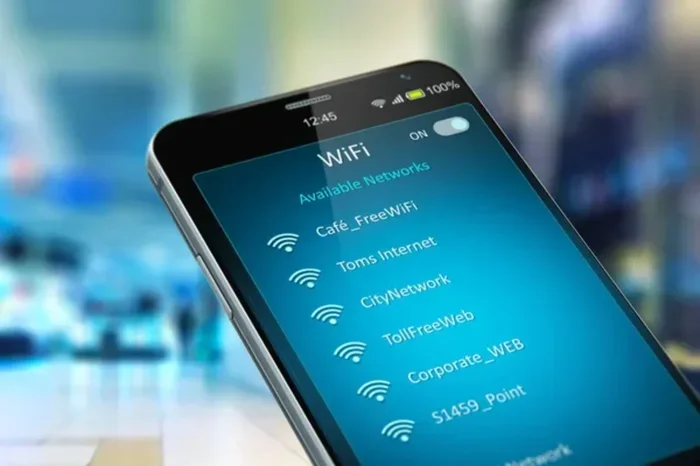
Have you ever connected to WiFi at a coffee shop, airport, or hotel and wondered who else might be on that same network? The truth is, open WiFi networks are convenient, but they are also a playground for hackers. Anyone with basic tools can potentially see what you are doing online if you do not take the right precautions.
This is exactly where a VPN for WiFi comes in. A Virtual Private Network creates a secure, encrypted tunnel between your device and the internet. It keeps your browsing, messaging, and personal data hidden from prying eyes. Whether you are worried about public WiFi security or simply want more online privacy, a VPN is one of the simplest and most effective tools you can use.
In this guide, we will walk you through everything you need to know about using a VPN for WiFi. We will explain how it works, why it matters, what features to look for, and the common mistakes people make. By the end, you will have a clear picture of how to keep your data safe on any WiFi network.
Key Takeaways
- A VPN for WiFi encrypts your data: It scrambles your online activity so no one can read it.
- Public WiFi is risky: Hackers can intercept your data on open networks, but a VPN stops them.
- Not all VPNs are equal: Look for strong encryption, a kill switch, and no-logs policies.
- VPNs can slightly slow your speed: But the tradeoff for security is well worth it.
- You can use a VPN on any device: Phones, laptops, tablets, and routers all support VPN apps.
- Free VPNs come with risks: They often sell your data or show intrusive ads.
- A VPN is not a silver bullet: Combine it with other security habits for full protection.
📑 Table of Contents
What Is a VPN for WiFi?
How a VPN Works
A VPN for WiFi is a software tool or service that reroutes your internet traffic through a secure server. Instead of connecting directly to the WiFi network and then to the internet, your data travels through an encrypted channel first. This means your internet service provider, the WiFi network owner, and any hackers on the same network cannot see what you are doing.
Think of it like sending a letter through a locked box. Anyone can see the box, but only you and the recipient have the key to open it. That is essentially what encryption does to your internet data. It wraps your online activity in a protective layer that only your device and the VPN server can unlock.
Most VPN apps are very easy to use. You download the app, sign in, tap one button, and your connection becomes secure. You do not need to be a tech expert to get started. The best VPN providers design their apps for everyday users, so setup usually takes less than a minute.
Why WiFi Needs Extra Protection
WiFi networks are inherently open by design. When you connect to a public WiFi hotspot, you are sharing that network with dozens or even hundreds of other people. This creates opportunities for cyber threats like man-in-the-middle attacks, where a hacker positions themselves between you and the network to intercept your data.
Even your home WiFi network can be vulnerable if it is not properly secured. Weak passwords, outdated router firmware, and unencrypted connections can all leave your data exposed. A VPN for WiFi protects you at the device level, which means it works regardless of the network you are on. It adds a security layer that does not depend on the WiFi network itself.
This is why more people are turning to secure browsing tools like VPNs. They give you control over your own security instead of relying on the network you happen to be connected to. That sense of control is incredibly valuable in today’s connected world.
How Does a VPN Protect Your Data?
Encryption and Your Online Safety
The core of any VPN for WiFi is encryption. When your data leaves your device, the VPN scrambles it into unreadable code. Only the VPN server has the key to decode it. This process happens in milliseconds and you will barely notice any difference in your browsing experience.
Most quality VPNs use AES-256 encryption, which is the same standard used by banks and governments. It is incredibly strong and practically impossible to crack. When you are browsing on a public WiFi hotspot, this encryption ensures that even if someone is monitoring the network, they will only see gibberish instead of your actual data.
Here is what a VPN for WiFi encrypts:
- Your browsing history and search queries
- Login credentials and passwords
- Email messages and private conversations
- Financial transactions and payment details
- File downloads and uploads
- Streaming activity and video calls
Without a VPN, all of this data travels in plain text over the WiFi network. That means anyone with the right tools can potentially capture and read it. With a VPN active, your data protection is essentially guaranteed on any network.
Hiding Your IP Address
Every device connected to the internet has an IP address. Think of it as your online home address. It reveals your approximate location and can be used to track your online activity. When you use a VPN for WiFi, your real IP address is hidden and replaced with the IP address of the VPN server.
This has two major benefits. First, it makes it much harder for websites, advertisers, and data brokers to track you across the web. Second, it protects your identity and location from potential attackers on the same WiFi network. Your online privacy improves dramatically when your real IP address is never exposed.
Many people do not realize how much their IP address reveals. Your approximate location, your internet service provider, and even your browsing habits can be tied back to your IP. A VPN breaks that connection and gives you a new, anonymous identity every time you go online.
Preventing Data Interception
One of the biggest dangers of public WiFi is data interception. This happens when a hacker on the same network captures the data packets traveling between your device and the internet. They can see which websites you visit, what you type into forms, and even steal session cookies that could give them access to your accounts.
A VPN for WiFi makes data interception virtually impossible. Because your data is encrypted before it leaves your device, intercepted packets are useless to the attacker. They might capture the data, but they cannot read it. This is why security experts strongly recommend using a VPN on any public or shared WiFi network.
Even on seemingly safe networks, such as those at hotels or office buildings, data interception can occur. You never really know who else is on the network or what their intentions are. A VPN removes that uncertainty and gives you peace of mind wherever you connect.
Can You Use a VPN on Any WiFi Network?
Using VPN on Public WiFi
Absolutely. In fact, using a VPN for WiFi on public networks is the most important use case. Coffee shops, airports, shopping malls, hotels, and libraries all offer open WiFi that is convenient but often insecure. These networks are prime targets for hackers because they attract so many users and are typically poorly secured.
When you connect to a public WiFi hotspot and activate your VPN, you effectively create a private bubble of security around your device. No matter who else is on that network, your data remains encrypted and protected. This is especially important if you need to check your email, do online banking, or enter any sensitive information while away from home.
Quick tip: Always turn on your VPN before you connect to a public network. Some VPN apps even have a feature that automatically connects you to the VPN when you join an unknown network. This removes the risk of forgetting to activate protection.
Using VPN on Home WiFi
You might wonder if you even need a VPN for WiFi at home. After all, your home network is password-protected and feels safe. While it is true that home networks are generally more secure than public ones, they are not immune to threats.
Your internet service provider can see your browsing history. Advertisers can track your activity through your IP address. And if your home WiFi password is weak or your router firmware is outdated, attackers could potentially access your network. Using a VPN at home adds a strong extra layer of WiFi encryption and keeps your data private from everyone except you.
Many people also use a VPN at home to access content that might be restricted in their region. A VPN for WiFi lets you connect to servers in other countries, which can unlock streaming content and websites that are not available locally. This is a popular use case for streaming VPN users who want to watch shows from other regions.
Using VPN on Mobile Hotspots
Mobile hotspots are another situation where a VPN for WiFi is highly valuable. When you share your phone’s cellular data as a WiFi hotspot, the connection between your phone and your laptop or tablet passes through the air. While your cellular data is encrypted by your carrier, adding a VPN ensures an extra layer of security for any device connected to your hotspot.
This is especially useful for remote workers who rely on mobile hotspots when they are away from secure office networks. A VPN protects the data flowing between all connected devices and keeps your work activities private. It is a simple step that can make a big difference in your overall security posture.
Key Features to Look for in a VPN for WiFi
Encryption Standards
Not all VPNs are created equal, and encryption strength is the most important factor to consider. Look for a VPN provider that uses AES-256 encryption, which is the industry gold standard. This level of encryption is used by governments, military organizations, and financial institutions around the world.
You should also check what VPN protocols the service supports. Protocols are the rules that govern how your data is transmitted through the VPN tunnel. OpenVPN and WireGuard are two of the most trusted protocols. OpenVPN is widely regarded as very secure, while WireGuard is known for being fast and modern. The best VPNs offer both options so you can choose based on your needs.
Some VPNs also support IKEv2/IPSec, which is great for mobile devices because it reconnects quickly when you switch between WiFi and cellular data. Make sure the VPN you choose supports the protocols that match your usage habits.
Kill Switch and DNS Leak Protection
A kill switch is one of the most important features a VPN for WiFi can have. It automatically cuts off your internet connection if the VPN drops unexpectedly. This prevents your data from being exposed on an unencrypted connection, even for a few seconds.
Without a kill switch, your device might silently reconnect to the regular internet if the VPN connection drops. During that brief window, your real IP address and browsing activity are visible to your network and potentially to attackers. A kill switch eliminates this risk entirely.
DNS leak protection is another critical feature. DNS, or Domain Name System, is what translates website names into IP addresses. If your DNS requests leak outside the VPN tunnel, your browsing activity can be exposed even when the VPN is running. A good VPN ensures all DNS requests stay inside the encrypted tunnel.
Server Locations and Speed
The number and location of VPN servers matter more than you might think. More servers mean less congestion and faster speeds. If a VPN has servers in many countries, you can also access content from different regions and get better internet speed overall.
Some VPN apps slow down your connection significantly because of poor server infrastructure. Look for a provider that offers unlimited bandwidth and has a reputation for fast speeds. Many top-tier VPNs now offer speeds that are barely noticeable compared to your regular connection, especially if you connect to a nearby server.
When testing a VPN for WiFi, try connecting to servers in your own country first. This usually gives you the fastest speeds. If you need to access content from another region, choose a server that is geographically close to the content you want.
Common Mistakes When Using a VPN for WiFi
Choosing Free VPNs
It is tempting to grab a free VPN app and call it a day. But free VPNs often come with serious tradeoffs. Many free VPNs make money by collecting and selling your browsing data, which completely defeats the purpose of using a VPN for online privacy.
Free VPNs also tend to have weaker encryption, limited server options, and much slower speeds. Some free VPNs even contain malware or inject ads into your browsing experience. If you are serious about protecting your data on WiFi, investing in a reputable paid VPN is the way to go.
There are a few reputable VPNs that offer limited free plans, but even these usually come with data caps and restricted features. If you need full protection, a paid VPN for WiFi service is a small price to pay for real security and peace of mind.
Forgetting to Turn On the VPN
This sounds obvious, but it happens more often than you would think. Many people install a VPN app but forget to activate it before they start browsing. The whole point of a VPN for WiFi is that it protects your data in real time, so if it is not running, your data is not encrypted.
One of the best habits you can build is enabling the auto-connect feature in your VPN settings. Most quality VPN apps let you set rules for when the VPN should turn on automatically. You can set it to connect whenever you join a new WiFi network or whenever your device boots up.
This small habit can make a huge difference in your security. You do not want to realize after the fact that you were browsing sensitive sites without protection because you forgot to hit that connect button.
Ignoring VPN Settings
Default VPN settings work well for most people, but taking a few minutes to customize your settings can significantly improve your protection. For example, enabling the kill switch, turning on DNS leak protection, and choosing the right protocol can all make a big difference.
Some users also ignore split tunneling, which is a feature that lets you choose which apps go through the VPN and which connect directly to the internet. This can be useful if you want to protect your browser but let a gaming app or streaming service use your regular connection for better speed.
Taking the time to explore your VPN settings pays off in both security and performance. A well-configured VPN for WiFi gives you the perfect balance between protection and convenience.
Expert Tips to Maximize Your VPN Protection
Choose the Right Protocol for Your Needs
Not every situation requires the same VPN protocol. If you prioritize security above all else, OpenVPN is an excellent choice. If you need speed and low latency, WireGuard is hard to beat. For mobile devices that frequently switch between networks, IKEv2/IPSec offers the best reconnection performance.
Many modern VPN apps let you choose your protocol in the settings. If you are not sure which one to pick, start with the automatic or default setting. Most VPNs now intelligently select the best protocol based on your network conditions and usage.
For secure browsing on public WiFi, always use the strongest protocol available. The slight speed difference is worth the extra security, especially when you are handling sensitive information on an open network.
Keep Your VPN Software Updated
VPN providers regularly release updates that fix security vulnerabilities and improve performance. Running an outdated version of your VPN app can leave you exposed to known exploits. Make sure automatic updates are turned on for your VPN app, just like you would for your operating system and antivirus software.
Updates also bring new features and server locations. A well-maintained VPN for WiFi stays ahead of emerging threats and gives you the best possible protection. Check for updates at least once a week if you do not have automatic updates enabled.
Combine Your VPN with Other Security Tools
A VPN is a powerful tool, but it works best when combined with other security practices. Use strong, unique passwords for all your accounts. Enable two-factor authentication wherever possible. Keep your devices updated with the latest security patches. And use a reputable antivirus program to catch malware that a VPN cannot prevent.
Think of your VPN as one layer in a multi-layered security approach. It protects your data in transit, but it does not protect you from phishing attacks, malware downloads, or compromised websites. Combining a VPN for WiFi with good digital hygiene gives you comprehensive protection across all areas of your online life.
Another great combination is using a VPN alongside a privacy-focused browser or browser extensions that block trackers and ads. This creates a defense-in-depth approach where multiple tools work together to keep you safe and private online.
Final Thoughts
Using a VPN for WiFi is no longer optional if you care about your online privacy and data protection. Whether you are sipping coffee at your local café, working from a hotel room, or simply browsing at home, a VPN adds a critical layer of security that keeps your personal information safe from prying eyes.
The process is simple. Choose a reputable VPN provider, install the app on your devices, and make it a habit to keep it running whenever you are connected to WiFi. The small effort you put in pays off with significantly better security, greater privacy, and peace of mind every time you go online.
Remember that a VPN for WiFi is not a magic solution that solves every security problem. But it is one of the most effective and accessible tools available for protecting your data on wireless networks. Combined with smart browsing habits and other security measures, it gives you a strong foundation for staying safe in an increasingly connected world.
Start today. Pick a trusted VPN service, install it on your phone and laptop, and experience the difference that real data protection can make. Your future self will thank you for taking this simple but powerful step toward better online security.
Frequently Asked Questions
Is it legal to use a VPN for WiFi?
Yes, using a VPN for WiFi is legal in most countries, including the United States, Canada, and most of Europe. However, some countries like China, Russia, and Iran have restrictions or outright bans on VPN usage. Always check your local laws before using a VPN to make sure you are compliant with regulations in your area.
Will a VPN slow down my WiFi speed?
A VPN can slightly reduce your internet speed because your data has to travel through an extra server and be encrypted and decrypted. However, modern VPNs are optimized for speed and the difference is often barely noticeable. Choosing a nearby VPN server and a fast protocol like WireGuard can minimize any speed loss. Overall, the security benefits far outweigh the minor speed tradeoff.
Can I use a free VPN for WiFi?
You can, but free VPNs often come with significant drawbacks. Many free VPNs log and sell your browsing data, have weaker encryption, and offer limited server options. Some even contain malware or intrusive ads. If you need reliable protection, a paid VPN from a reputable provider is a much safer choice that actually delivers on its privacy promises.
Does a VPN work on mobile WiFi hotspots?
Yes, a VPN works on mobile WiFi hotspots just as well as it works on any other WiFi network. When you share your phone’s cellular data as a hotspot, a VPN on your phone protects the connection for all connected devices. You can also install a VPN directly on the device you are connecting to the hotspot for an additional layer of security.
What happens if my VPN disconnects while I am on WiFi?
If your VPN disconnects and you do not have a kill switch enabled, your device will automatically reconnect to the regular internet. During that time, your real IP address and browsing activity become visible to the WiFi network and potential attackers. This is why enabling the kill switch feature in your VPN settings is essential. It cuts off your internet connection entirely if the VPN drops, preventing any data exposure.
Do I need a VPN for my home WiFi network?
While home WiFi networks are generally more secure than public ones, a VPN still adds valuable protection. It hides your browsing activity from your internet service provider, prevents tracking by advertisers, and protects you if your home network is ever compromised. Many people use a VPN at home for privacy, to access geo-restricted content, and to add an extra layer of security to their daily browsing habits.