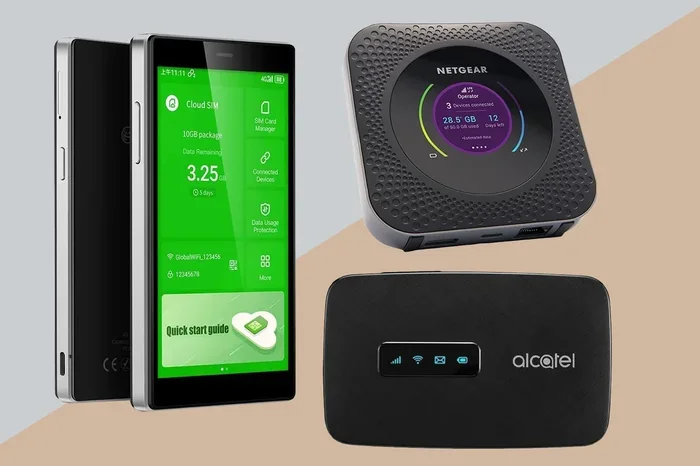
Does Breeze Have Wifi 2023 Everything You Need to Know
Does Breeze have WiFi in 2023? The answer is yes. Breeze offers wireless internet solutions that keep you connected at home or on the go. In this guide, we cover plans, setup steps, speed expectations, and common issues so you can make the most of your Breeze WiFi connection.
Does Breeze have WiFi? This is a question many people ask when they are looking for a new internet provider or a portable WiFi solution. In 2023, Breeze has expanded its wireless internet offerings, and many users want to know what they are getting into. Whether you are a student, a remote worker, or a family looking for reliable home internet, understanding your options matters.
This guide breaks down everything about Breeze WiFi 2023. We will cover plans, setup, speed, coverage, and troubleshooting. By the end, you will know if Breeze is the right choice for your wireless internet needs.
## What Is Breeze WiFi in 2023?
Breeze WiFi is a wireless internet service that provides broadband connectivity to homes and mobile users. The company has been growing its footprint in 2023, offering WiFi plans that cater to different user needs. From light browsing to heavy streaming, Breeze has options for everyone.
The service works through a combination of cellular towers and fixed wireless technology. This means you do not always need a traditional landline or cable connection. You get a wireless internet signal that connects to your device through a modem or hotspot device.
### How Breeze WiFi Technology Works
Breeze uses a mix of technologies to deliver internet to your home. The main ones are fixed wireless access and mobile broadband. Fixed wireless uses a small antenna or dish installed outside your home. This dish connects to a nearby tower and sends the internet signal to your indoor modem.
Mobile broadband works similarly to how your phone gets data. A portable hotspot or a device plugged into your computer receives the signal. Both methods give you WiFi connectivity without needing a physical cable running into your house.
### Why People Choose Breeze for Internet
Many users pick Breeze because it offers flexibility. You do not need a long-term contract in many cases. The setup process is simple, and the equipment is usually provided at a low cost or free. This makes it appealing for people who want quick internet access without dealing with complicated installations.
Another reason is coverage. Breeze has been expanding its tower network, which means more rural and suburban areas now have access to reliable wireless broadband. For people who previously had limited options, this is a big deal.
## Does Breeze Offer WiFi Plans for Home Use?
Yes, Breeze offers WiFi plans designed for home use. These plans come with different speed tiers and data limits. Choosing the right one depends on how you use the internet and how many devices are connected to your home network.
### Breeze Home WiFi Plans
Most Breeze home plans fall into three categories. The first is a basic plan for light users. This plan is great for email, social media, and simple browsing. The second is a standard plan that handles streaming and video calls comfortably. The third is a premium plan for heavy users and large households.
Here is a quick look at what to expect:
- Basic Plan: Up to 25 Mbps download speed. Good for 1-2 devices.
- Standard Plan: Up to 50 Mbps download speed. Good for 3-5 devices.
- Premium Plan: Up to 100 Mbps download speed. Good for 5+ devices.
### How to Choose the Right Plan
Think about your daily internet habits. Do you watch Netflix or YouTube regularly? Do you work from home with video calls? Do you have smart home devices that need a constant connection? These questions help you pick the right internet plan.
If you are unsure, start with the standard plan. It gives you room to grow. You can always upgrade later if you find you need more bandwidth.
## Setting Up Breeze WiFi at Home
Setting up Breeze WiFi at home is not complicated. Most users can get online within 30 minutes. The process is designed to be simple, even for people who are not tech-savvy.
### What You Need to Get Started
Before you begin, make sure you have a few things ready. You need a Breeze account, which you can create online or over the phone. You also need a compatible modem or router. Breeze usually ships this to you when you sign up for a plan.
Here is a quick checklist of what you need:
- A Breeze account with an active plan
- A modem or router (provided or compatible)
- A power outlet near your preferred location
- A smartphone or computer for initial setup
### Step-by-Step Setup Guide
First, plug your modem or router into a power outlet. Wait for the lights to stabilize, which usually takes about two minutes. Next, connect your device to the WiFi network using the default network name and password. These are usually printed on a sticker on the device.
Open a web browser and go to the setup page. Follow the on-screen instructions to configure your WiFi network name and WiFi password. Once you are done, save your settings and test the connection by browsing a website.
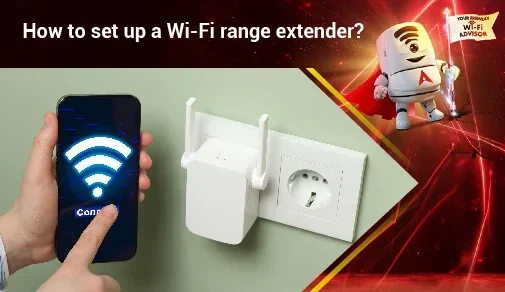
If you want to extend your WiFi coverage, you can use an Ethernet cable to connect a range extender. This is especially helpful for larger homes where the signal might not reach every room. You can also check out how to extend WiFi with an Ethernet cable for more detailed guidance.
## Breeze WiFi Speed and Performance in 2023
Speed is one of the most important factors when choosing an internet provider. In 2023, Breeze WiFi delivers competitive speeds that work well for most households. However, actual performance can vary based on several factors.
### What Affects Breeze WiFi Speed?
Several things can impact your internet speed. The distance from the nearest tower is a big one. The more towers nearby, the stronger and faster your signal will be. Weather conditions can also play a role, especially during heavy rain or storms.
Your hardware matters too. An older modem or router may not support the fastest speeds available. The number of devices connected to your network also affects performance. If too many devices are streaming or downloading at the same time, your WiFi signal may slow down.
### How to Test Your Breeze WiFi Speed
Testing your speed is easy and free. Go to a speed test website like Speedtest.net on your phone or computer. Make sure you are connected to your Breeze WiFi network. Run the test and note the download and upload speeds.
If your speeds are lower than what your plan promises, try moving closer to your modem. You can also restart your router, which often fixes temporary slowdowns. For more tips on improving your setup, you might want to read about adding mesh WiFi to an existing router to boost coverage and performance.
## Common Breeze WiFi Issues and How to Fix Them
No internet service is perfect. Even with a great provider, you may run into issues from time to time. The good news is that most common problems have simple solutions.
### Slow WiFi Speeds
Slow speeds are the most common complaint. Before calling support, try a few things. Restart your modem and router by unplugging them for 30 seconds. Check if any devices are downloading large files in the background. Also, make sure your WiFi password is secure so neighbors are not using your bandwidth.
### Weak Signal in Certain Rooms
If your signal is strong in one room but weak in another, your router placement might be the issue. Keep your modem in a central location in your home. Avoid placing it near walls, metal objects, or appliances that can interfere with the wireless signal.
If moving the router does not help, consider a WiFi extender. This device boosts your signal and sends it to areas with weak coverage. Some users also find that checking whether they can connect to WiFi without a WiFi adapter helps them troubleshoot device-specific connection problems.
### Connection Drops
Frequent disconnections can be frustrating. This issue often happens when the modem loses its connection to the tower. Restarting the device usually fixes this. If it happens often, contact Breeze support to check for tower maintenance or outages in your area.
## Breeze WiFi vs. Other Internet Providers in 2023
When shopping for internet, it helps to compare options. Breeze WiFi competes with cable, DSL, and satellite providers. Each has its strengths and weaknesses.
### Breeze vs. Cable Internet
Cable internet typically offers very fast speeds. However, it requires a physical cable connection, which limits where you can use it. Breeze WiFi gives you more flexibility because it uses wireless towers. This makes it a great option for rural areas where cable is not available.
### Breeze vs. Satellite Internet
Satellite internet works almost everywhere, but it often has high latency and data caps. Breeze WiFi generally offers lower latency and more generous data allowances. The setup is also simpler with no dish needed on your roof in most cases.
### Breeze vs. DSL Internet
DSL uses phone lines, which many homes already have. However, speeds are usually slower than what Breeze offers. If you need faster broadband connection and do not have cable available, Breeze WiFi is a strong contender.
## Is Breeze WiFi Worth It in 2023?
After looking at plans, setup, speed, and common issues, the big question remains: is Breeze WiFi worth it? The answer depends on your specific needs and location.
Breeze is a solid choice for people who want wireless internet without the hassle of cables. It works well for rural homes, temporary setups, and users who value flexibility. The plans are affordable, and the setup is beginner-friendly.
However, if you need ultra-fast speeds for heavy gaming or large file uploads, you might want to explore other options. Breeze WiFi is best suited for general home use, streaming, browsing, and remote work.
If you are considering Breeze as your primary provider, you may also want to look into whether you can buy your own WiFi box to save on rental fees and get a device that better suits your needs.
## Final Thoughts on Breeze WiFi in 2023
Breeze WiFi has made a strong impression in 2023. The company offers reliable wireless internet with easy setup and flexible plans. Whether you are a casual browser or a heavy streamer, there is a Breeze plan that fits your lifestyle.
The key to getting the best experience is understanding your needs, choosing the right plan, and placing your equipment properly. With a little effort, you can enjoy fast, stable WiFi connectivity from Breeze.
Before you sign up, make sure to check coverage in your area and compare plans. Reading reviews from other users can also give you real-world insights into Breeze WiFi performance. Do not hesitate to reach out to customer support if you run into any issues. They are usually helpful and responsive.
If you are also wondering about whether you can use other devices or equipment with your Breeze setup, you might be interested in learning about whether a TV antenna can be used for WiFi, which explores creative connectivity solutions.
In summary, Breeze WiFi 2023 is a competitive and user-friendly option for wireless internet. It may just be the perfect fit for your home or mobile connectivity needs.
Key Takeaways
- Breeze does offer WiFi services in 2023 with multiple plan options for different needs.
- Setup is straightforward and requires a compatible modem or router.
- Internet speeds vary by plan and location but generally meet household needs.
- Coverage depends on your hardware and home layout, but extenders help.
- Common issues like slow speeds can be fixed with simple troubleshooting steps.
- Breeze WiFi works with most devices including phones, laptops, and smart home gadgets.
- Comparing Breeze to other providers helps you decide if it is the right choice for you.
Frequently Asked Questions
Does Breeze have WiFi in all areas?
Breeze WiFi coverage is growing in 2023, but it is not available everywhere. Check the Breeze website or contact support to confirm coverage in your specific area. Rural and suburban regions are seeing the most expansion.
Can I use my own router with Breeze WiFi?
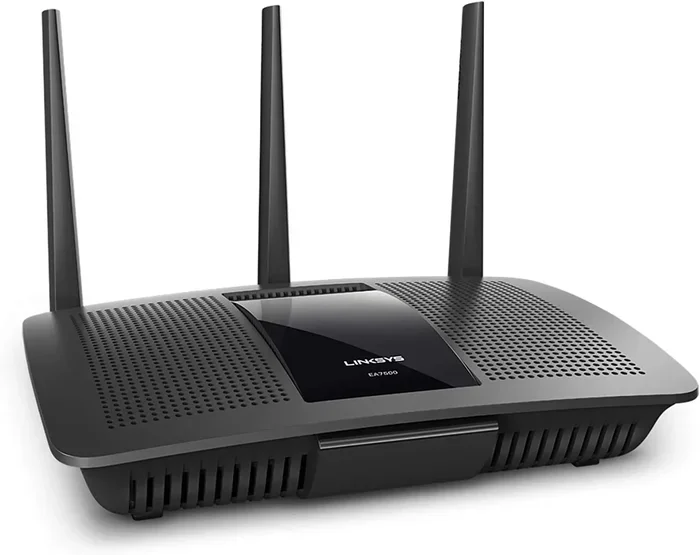
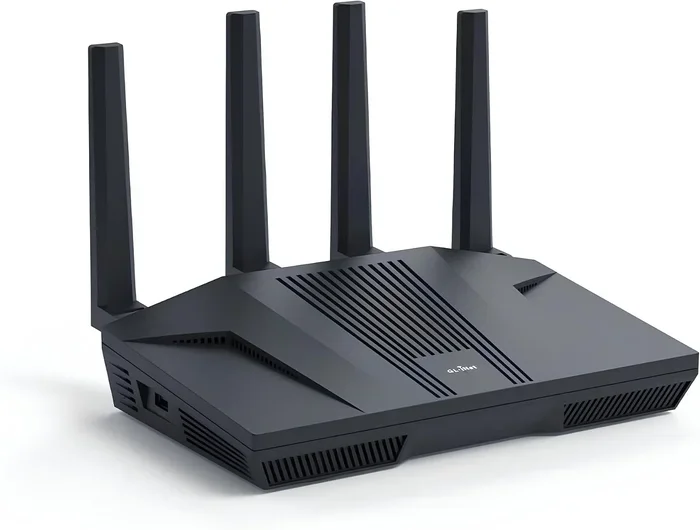
Yes, you can use a compatible router with Breeze. Just make sure your router supports the frequency bands and speeds offered by your Breeze plan. Using your own router can sometimes improve WiFi performance compared to the default equipment.
How fast is Breeze WiFi in 2023?
Breeze WiFi speeds range from 25 Mbps to 100 Mbps depending on your plan. Actual speeds depend on your location, signal strength, and the number of connected devices. Most users find these speeds sufficient for streaming, browsing, and remote work.
Do I need a contract with Breeze?
Many Breeze plans do not require a long-term contract. This is one of the benefits of choosing Breeze for wireless internet. However, always check the specific terms of your plan before signing up to understand any commitments or early termination fees.
What should I do if my Breeze WiFi is not working?
Start by restarting your modem and router. Check for outages in your area on the Breeze website. If the issue persists, contact Breeze customer support. Most common problems like slow speeds or connection drops can be resolved with simple troubleshooting steps.
Is Breeze WiFi good for gaming?
Breeze WiFi can handle casual and moderate gaming well. The lower latency compared to satellite makes it a better choice for online gaming. However, serious competitive gamers may want to consider a wired connection or a provider with higher and more consistent speeds.