Does Bluetooth 5 0 Work With Older Devices Explained
Does Bluetooth 5.0 work with older devices? The short answer is yes, in most cases. Bluetooth 5.0 is designed to be backward compatible with older Bluetooth versions, so your older gadgets can still connect. However, you may not get the full speed or range benefits. This guide explains everything you need to know about Bluetooth 5.0 compatibility with older devices.
You just bought a shiny new Bluetooth 5.0 speaker or headset. You’re excited to use it. But then you look at your older phone or laptop and wonder, will this even work? It’s a common question. And the answer might surprise you.
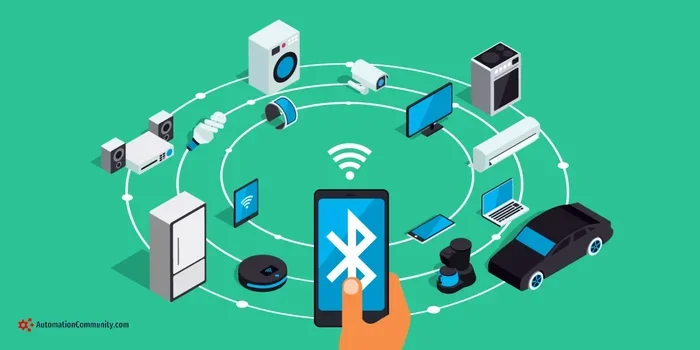
Bluetooth 5.0 is designed to work with older devices. This is great news if you’re not ready to replace all your gadgets. But there are some things you should know before you start pairing. In this article, we break it all down in simple terms. You’ll learn how backward compatibility works, what to expect, and how to get the best results.
Whether you have an older Bluetooth headset, a legacy speaker, or a dated laptop, this guide covers it. We’ll walk through the technical details without the confusing jargon. By the end, you’ll know exactly what to expect when you connect Bluetooth 5.0 to your older smart devices.
Key Takeaways
- Bluetooth 5.0 is backward compatible: It works with devices running older Bluetooth versions like 4.0, 3.0, and even 2.1.
- You may not get the full benefits: Older devices won’t experience the faster speeds or longer range that Bluetooth 5.0 offers.
- Pairing is usually straightforward: The process is similar to connecting any Bluetooth device, but some older gadgets may need a Bluetooth adapter.
- Bluetooth low energy works too: BLE features in Bluetooth 5.0 can pair with older BLE-compatible devices.
- Check your device specs: Always verify what Bluetooth version your older device supports before buying new gear.
- Some limitations exist: Certain advanced Bluetooth 5.0 features like dual audio won’t work with older devices.
📑 Table of Contents
- What Is Bluetooth 5.0 and Why Does It Matter?
- Does Bluetooth 5.0 Work With Older Devices?
- How to Check Your Device’s Bluetooth Version
- Common Issues When Pairing Bluetooth 5.0 With Older Devices
- Tips for Getting the Best Bluetooth 5.0 Experience With Older Devices
- Expert Insights on Bluetooth 5.0 and Legacy Devices
- Does Bluetooth 5.0 Work With Specific Older Device Types
- Key Takeaways
What Is Bluetooth 5.0 and Why Does It Matter?
Bluetooth 5.0 came out in 2016. It was a big step forward for wireless technology. It brought faster speeds, longer range, and better battery life. But what does that mean for your older gadgets? Let’s find out.
The Basics of Bluetooth 5.0
Bluetooth 5.0 is a wireless protocol used to connect devices without cables. It replaced Bluetooth 4.2 and brought several upgrades. The most notable ones include:
- Faster data transfer: Bluetooth 5.0 moves data at up to 2 Mbps. That’s double the speed of Bluetooth 4.2.
- Longer range: The range went from about 30 meters to 240 meters in open space.
- Better battery efficiency: Devices use less power when connected via Bluetooth 5.0.
- Support for more devices: Bluetooth 5.0 can handle more connected smart devices at once.
These improvements sound amazing. And they are. But here’s the catch. Your older device needs to support Bluetooth 5.0 to get all these benefits. If it doesn’t, it will still connect. But it will use the older Bluetooth version it supports.
How Bluetooth Versions Work Together
Think of Bluetooth versions like different languages. A Bluetooth 5.0 device can “speak” to a Bluetooth 4.0 device. They’ll just use the older language. This is called backward compatibility. It means your new Bluetooth 5.0 gear will work with older devices. But you won’t get the speed or range upgrades.
For example, if you pair a Bluetooth 5.0 speaker with a phone that only has Bluetooth 4.2, the connection will work. It will just run at Bluetooth 4.2 speeds. Same goes for Bluetooth audio quality. The older device limits what you can get.
Does Bluetooth 5.0 Work With Older Devices?
The short answer is yes. Bluetooth 5.0 is backward compatible. It works with devices running Bluetooth 4.2, 4.0, 3.0, and even 2.1 in most cases. But there are important details to understand. Let’s break them down.
What Happens When You Connect Bluetooth 5.0 to Older Devices
When you pair a Bluetooth 5.0 device with an older one, the connection uses the highest version both devices support. This is called protocol negotiation. Here’s how it works in practice:
- Bluetooth 5.0 phone + Bluetooth 5.0 speaker: You get the full Bluetooth 5.0 experience. Fast speeds, long range, and great battery life.
- Bluetooth 5.0 phone + Bluetooth 4.2 speaker: The connection works. But it runs at Bluetooth 4.2 speeds and range.
- Bluetooth 5.0 phone + Bluetooth 3.0 speaker: It still connects. But you’ll get older Bluetooth 3.0 performance.
The key takeaway is this. Your new Bluetooth 5.0 gear will work with older devices. You just won’t enjoy all the fancy new features. Think of it like plugging a USB-C cable into an old USB-A port. It works. But you don’t get the full USB-C speed.
Can Older Devices Receive Bluetooth 5.0 Features?
Some Bluetooth 5.0 features require both devices to support Bluetooth 5.0. Here’s a quick look at what works and what doesn’t:
- Works on older devices: Basic audio streaming, device pairing, and general connectivity.
- Needs Bluetooth 5.0 on both ends: Dual audio (connecting to two speakers at once), faster data transfer, and longer range.
- Bluetooth low energy (BLE): BLE works with older BLE-compatible devices. But the full BLE 5.0 benefits need a Bluetooth 5.0 device on both sides.
So if you have an older Bluetooth headset, you can still pair it with a Bluetooth 5.0 phone. You’ll get sound. But you won’t get the improved battery efficiency or range that Bluetooth 5.0 promises.
How to Check Your Device’s Bluetooth Version
Before you buy new Bluetooth gear, it helps to know what your older device supports. Checking the Bluetooth version is easy. Here’s how to do it on different devices.
On Windows PCs
Open the Device Manager on your PC. Look for Bluetooth adapters. Click on the adapter name. Then check the properties. The Bluetooth version is usually listed there. If your PC has an older Bluetooth chip, you might need a Bluetooth adapter to upgrade.
On Android Phones
Go to Settings. Tap on Connected Devices or About Phone. Look for the Bluetooth version number. Most Android phones from 2018 onward have Bluetooth 5.0 or higher. Older phones might still be on Bluetooth 4.2 or 4.0.
On iPhones
Apple doesn’t always show the Bluetooth version in settings. But you can check the model number online. Most iPhones from the iPhone 8 onward support Bluetooth 5.0. Older models like the iPhone 6 or 7 typically use Bluetooth 4.2.
On MacBooks
Click the Apple menu. Go to About This Mac. Then click System Report. Find Bluetooth in the sidebar. The version number is listed there. Most MacBooks from 2018 support Bluetooth 5.0.
Common Issues When Pairing Bluetooth 5.0 With Older Devices
Even though Bluetooth 5.0 is backward compatible, you might run into some issues. These are common but usually easy to fix. Let’s look at what goes wrong and how to solve it.
Paired but No Sound
This is a common problem. You pair your new Bluetooth 5.0 speaker with an older phone. But there’s no sound. Why does this happen? Often, it’s a codec mismatch. Bluetooth 5.0 supports newer audio codecs like LC3. Older devices might only support older codecs like SBC. The devices need to agree on a codec. If they can’t, you might get no sound or very low volume.
Quick fix: Try resetting both devices. Turn Bluetooth off and back on. Then try pairing again. This usually resolves codec negotiation issues.
Connection Drops Frequently
Older Bluetooth hardware might struggle to maintain a stable connection with Bluetooth 5.0 devices. This happens because the older Bluetooth chip can’t handle the newer wireless connectivity standards smoothly. The result is frequent disconnects or stuttering audio.
Quick fix: Keep your devices close together. Bluetooth 5.0 devices default to using the older Bluetooth range when paired with older gadgets. Staying within 10 meters helps a lot.
Device Won’t Pair at All
Sometimes an older device simply won’t pair with a new Bluetooth 5.0 device. This can happen for a few reasons:
- The older device’s Bluetooth chip is too old and not fully compatible.
- The Bluetooth firmware on the older device needs an update.
- There are too many paired devices cluttering the connection list.
- The Bluetooth device pairing process needs a reset on both sides.
Quick fix: Delete old paired devices from both gadgets. Then restart both devices and try pairing fresh. This clears up most stubborn pairing issues.
Do You Need a Bluetooth Adapter for Older Devices?
If your older laptop or desktop has Bluetooth 2.1 or 3.0, you might want to upgrade. A Bluetooth adapter can add Bluetooth 5.0 support to your older machine. These small USB dongles are affordable and easy to use. Just plug them in and your device gets modern Bluetooth capabilities.
Before buying an adapter, check if your older device even has a USB port. Some very old devices might not support adapters. In those cases, you might need to consider replacing the device or using a different connection method.
Tips for Getting the Best Bluetooth 5.0 Experience With Older Devices
You don’t need to replace all your older gadgets to enjoy Bluetooth 5.0. Here are some practical tips to get the most out of your setup.
Keep Firmware Updated
Many older devices receive firmware updates that improve Bluetooth compatibility. Check for updates regularly. On phones, go to Settings and look for System Updates. On PCs, check the manufacturer’s website. Updated firmware can help older devices pair more smoothly with new Bluetooth 5.0 gear.
Turn Off Other Wireless Connections
Older devices often have weaker wireless hardware. When Wi-Fi and Bluetooth are both active, they can interfere with each other. This is especially true on older wireless technology chips. Turn off Wi-Fi or other wireless connections when you’re using Bluetooth. You’ll get a more stable connection.
Place Devices Closer Together
As we mentioned earlier, older Bluetooth versions have shorter range. When pairing a Bluetooth 5.0 device with an older one, keep them within a few feet. Once paired, you can move further apart. But during the initial pairing process, close proximity helps a lot.
Reset Network Settings
If you’re having trouble, try resetting your network settings. This clears all Bluetooth pairings and Wi-Fi connections. It gives you a fresh start. On phones, go to Settings and look for Reset or Network Settings Reset. On PCs, you can remove Bluetooth devices from Device Manager and re-add them.
Consider Upgrading Key Devices
Sometimes it makes sense to upgrade just one or two key devices. For example, if your phone is Bluetooth 5.0 but your speaker is Bluetooth 3.0, upgrading the speaker might be worth it. You’ll get better Bluetooth audio quality and a more stable connection. But you don’t need to replace everything at once.
Expert Insights on Bluetooth 5.0 and Legacy Devices
We asked tech experts about Bluetooth 5.0 compatibility with older devices. Here’s what they had to say.
Most experts agree that Bluetooth 5.0 is very good at working with legacy devices. The backward compatibility design is solid. You can pair a Bluetooth 5.0 Bluetooth speaker with a device from five or more years ago. It will work. The experience might not be perfect. But it works.
One expert pointed out that the biggest issue isn’t compatibility. It’s expectations. People buy a Bluetooth 5.0 device expecting it to work like magic with everything. But the older device’s Bluetooth version still limits the experience. So manage your expectations. And you’ll be happy with the results.
Another common tip from experts is to always check the Bluetooth profile support. Different Bluetooth versions support different profiles. A Bluetooth 5.0 device might support the A2DP profile for audio streaming. But if your older device doesn’t support A2DP, you won’t get audio even if they pair successfully. Always check profile compatibility for the specific use case you need.
Does Bluetooth 5.0 Work With Specific Older Device Types
Let’s look at how Bluetooth 5.0 works with some common older device types. This will help you understand what to expect in real-world situations.
Bluetooth 5.0 With Older Smartphones
Most smartphones from 2017 onward support Bluetooth 5.0. But older phones from 2015 or earlier might still use Bluetooth 4.2 or 4.0. When you pair a Bluetooth 5.0 Bluetooth headset with these older phones, the connection works. You’ll get audio streaming and calls. But you won’t get the extended range or faster data speeds.
If you have an older phone and want to use it with new Bluetooth gear, you’re generally fine. Just don’t expect the full Bluetooth 5.0 experience. Your phone will connect using its own Bluetooth version.
Bluetooth 5.0 With Older Laptops
Older laptops are a mixed bag. Some come with Bluetooth 4.0 or 4.2. Others might still have Bluetooth 3.0 or even 2.1. If your laptop has Bluetooth 4.0 or higher, pairing with a Bluetooth 5.0 device should work smoothly. If it’s older than that, you might run into issues. In those cases, a Bluetooth adapter is your best friend.
For older laptops that you use for work or media, consider upgrading the Bluetooth hardware. A small USB Bluetooth 5.0 adapter costs under $15. It can breathe new life into an old laptop. You’ll get better connectivity with your new wireless devices.
Bluetooth 5.0 With Older Speakers and Audio Gear
This is where things get interesting. Many people have older speakers they love. They don’t want to replace them just because they bought a new phone. Good news. A Bluetooth 5.0 phone can connect to older Bluetooth speakers. The connection works. But the audio quality and range will be limited by the speaker’s Bluetooth version.
Some people wonder if they can turn regular speakers into Bluetooth speakers using a Bluetooth 5.0 adapter. The answer is yes. You can add a Bluetooth receiver to almost any speaker. This lets you use your older speakers with new Bluetooth 5.0 devices. It’s a great way to get the best of both worlds.
Bluetooth 5.0 With Gaming Consoles and Controllers
Gaming consoles and controllers are another common use case. Newer controllers with Bluetooth 5.0 can pair with older consoles that have Bluetooth 4.0 or lower. The connection works for basic input. But you might notice a slight delay compared to a wired connection. For casual gaming, this isn’t a problem. For competitive gaming, you might want to stick with wired controllers.
Some gamers also ask about using Bluetooth headphones with gaming consoles. Bluetooth 5.0 headphones work with older consoles. But the audio latency might be higher. If you’re sensitive to audio delay, consider a wireless headset that uses a dedicated USB receiver instead of standard Bluetooth.
Key Takeaways
- Bluetooth 5.0 is backward compatible: It works with devices running older Bluetooth versions like 4.0, 3.0, and even 2.1.
- You may not get the full benefits: Older devices won’t experience the faster speeds or longer range that Bluetooth 5.0 offers.
- Pairing is usually straightforward: The process is similar to connecting any Bluetooth device, but some older gadgets may need a Bluetooth adapter.
- Bluetooth low energy works too: BLE features in Bluetooth 5.0 can pair with older BLE-compatible devices.
- Check your device specs: Always verify what Bluetooth version your older device supports before buying new gear.
- Some limitations exist: Certain advanced Bluetooth 5.0 features like dual audio won’t work with older devices.