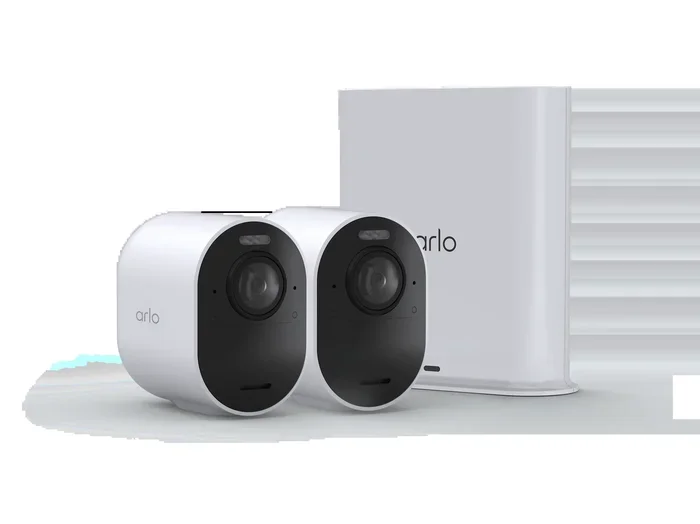
Can You Use Arlo Without Paying for a Subscription
Yes, you can use Arlo cameras without paying for a subscription. Arlo offers a free plan that includes basic motion detection, live streaming, and local storage options. However, you will miss out on advanced features like cloud recording, person detection, and activity zones that require a paid plan.
Many people wonder whether they can use Arlo cameras without paying for a subscription. The short answer is yes. Arlo lets you set up and use their security cameras without committing to a monthly fee. But there are trade-offs you need to understand before you decide.
Arlo is one of the most popular home security camera brands on the market today. Their cameras offer solid video quality, easy installation, and smart features that make home monitoring convenient. The question is whether the free experience gives you enough to protect your home effectively.
In this guide, we will walk through everything you need to know about using Arlo without a subscription. We will cover what works, what does not, and how to get the most out of the free plan. Whether you are a budget-conscious homeowner or just testing the waters, this article has you covered.
Key Takeaways
- Arlo Free Plan Exists: You can use Arlo cameras at no monthly cost with limited but useful features.
- Cloud Recording Costs Extra: Advanced storage and AI features require a paid Arlo subscription.
- Local Storage Is Free: You can store clips on a microSD card or NAS device without paying.
- Basic Alerts Work for Free: Motion and sound detection still function on the free tier.
- Paid Plans Unlock Smart Features: Person detection, activity zones, and package detection need a subscription.
- Setup Is Simple Without Payment: You can get started quickly with just the base station and cameras.
- Network Setup Matters: A strong Wi-Fi connection makes the free experience much better.
📑 Table of Contents
- What You Get With Arlo Free Plan
- What You Lose Without a Subscription
- How to Set Up Arlo Without Paying
- Storage Options Without Paying
- Smart Home Integration and Wi-Fi Considerations
- Is the Free Plan Enough for Your Needs?
- Common Mistakes People Make with Arlo Free Plan
- Expert Tips for Maximizing Arlo Without a Subscription
- Frequently Asked Questions
- Final Thoughts
What You Get With Arlo Free Plan
The Arlo free plan is more generous than many people expect. You do not need to spend a dime to get basic security monitoring up and running. Here is what the free tier includes.
Live Streaming Without Limits
You can view live feeds from your Arlo cameras anytime. The live stream works through the Arlo app on your phone or tablet. You can check on your home from anywhere as long as you have an internet connection. This alone makes the free plan valuable for many users.
Basic Motion Detection
Arlo free plan includes motion detection alerts. When the camera senses movement, it sends a notification to your phone. You can review short clips right from the app. These clips are usually a few seconds long and are saved temporarily.
Two-Way Audio
If your Arlo camera has a microphone and speaker, you can use two-way audio for free. This lets you speak through the camera to visitors or deter intruders. It is a handy feature that does not require any paid plan.
Night Vision
All Arlo cameras with night vision capability work on the free plan. You can see clear footage even in complete darkness. This is essential for outdoor cameras that monitor your property at night.
Photo Capture
The free plan allows you to capture still photos when motion is detected. These snapshots are stored in the app and give you a quick visual record of activity near your camera.
What You Lose Without a Subscription
While the free plan covers the basics, there are significant limitations. Understanding what you miss helps you decide if a paid plan is worth it for your situation.
No Cloud Video Recording
This is the biggest limitation. Without a subscription, Arlo does not save video clips to the cloud. You can only view live streams and brief motion-triggered snapshots. If you want to review events that happened hours or days ago, you need cloud storage. And that requires a paid plan.
No Person Detection
Arlo’s smart person detection feature uses AI to distinguish between people and other objects like animals or passing cars. This feature is locked behind a paid subscription. On the free plan, you get motion alerts but cannot filter them to show only people.
Limited Activity Zones
Custom activity zones let you define specific areas where you want the camera to detect motion. For example, you can set a zone to ignore your busy street but alert you when someone enters your driveway. This feature is available only on paid plans.
No Package Detection
Arlo offers package detection on higher-tier plans. This smart feature specifically alerts you when a delivery is left at your door. Without a subscription, you will not get this specialized notification.
Shorter Clip Lengths
Free plan users get shorter motion-triggered clips compared to paid users. This means you might miss the beginning or end of an important event captured by your camera.
How to Set Up Arlo Without Paying
Setting up Arlo cameras without a subscription is straightforward. Follow these steps to get started quickly.
Step 1: Unbox and Charge Your Cameras
Take your Arlo cameras out of the box and charge them fully. Most Arlo cameras come with rechargeable batteries. Some models also support wired power, which can save you battery replacement hassle.
Step 2: Download the Arlo App
Download the free Arlo app on your smartphone or tablet. The app is available for both iOS and Android devices. Create a free Arlo account using your email address.
Step 3: Sync Your Cameras to the Base Station
If your Arlo system uses a base station, connect it to your router using an Ethernet cable. Then sync each camera to the base station through the app. The process is simple and usually takes just a few minutes per camera.
Step 4: Position Your Cameras
Place your cameras in strategic locations. Focus on entry points like front doors, back doors, and garage entrances. Make sure each camera has a clear view of the area you want to monitor.
Step 5: Connect to Your Wi-Fi Network
Follow the on-screen prompts to connect each camera to your home Wi-Fi network. A strong and stable connection is essential for smooth live streaming and reliable motion alerts. If your Wi-Fi signal is weak in certain areas, you might want to consider improving your home network setup. For example, you can add a mesh router to T-Mobile home internet to extend coverage throughout your property. This ensures your Arlo cameras stay connected and perform reliably.
Step 6: Test Your System
Walk in front of each camera to test the motion detection. Check the live feed on your phone to make sure the image is clear. Adjust the camera angle if needed for the best coverage.
Storage Options Without Paying
One of the most common questions about using Arlo without a subscription is about storage. Where do your clips go if there is no cloud storage? Here are your options.
MicroSD Card Storage
Many Arlo cameras support microSD card storage. You can insert a formatted microSD card directly into the camera. This allows the camera to record and save clips locally without needing any subscription. The downside is that the card has limited space, and you need to manage recordings manually.
Network Attached Storage (NAS)
For users who want more storage capacity, a NAS device is a great option. You can configure your Arlo system to save recordings to a NAS on your home network. This gives you plenty of space and keeps your footage on your own hardware. Setting up NAS storage requires some technical knowledge but is completely free.
Local Base Station Storage
Some Arlo base stations come with built-in storage. Check your specific model to see if this option is available. This provides a convenient middle ground between cloud storage and external devices.
No Storage at All
If you do not use any local storage option, the free plan only keeps brief motion-triggered snapshots. Any video recording requires either a paid subscription or a local storage solution.
Smart Home Integration and Wi-Fi Considerations
Using Arlo cameras effectively depends heavily on your home network. A reliable Wi-Fi connection makes all the difference in camera performance and alert reliability.
Wi-Fi Band Matters
Arlo cameras work best on a strong Wi-Fi connection. Many modern smart home devices use the 5GHz Wi-Fi band for faster speeds and less interference. For instance, devices like the Roomba can use 5GHz Wi-Fi for optimal performance, and Arlo cameras benefit from the same stable connection.
Managing Your Home Network
Sometimes you need to manage which devices access your network. You might want to block certain devices or restrict access to specific areas of your home. Understanding how to block Wi-Fi in a room can help you optimize your network for security cameras and other smart devices.
Viewing Footage on Different Devices
You can view your Arlo camera feeds on various devices. The Arlo app works on smartphones and tablets. If you want to check your cameras while traveling, you simply open the app and view the live feed. You can also browse the internet on a tablet and access the Arlo app from the same device, making it easy to monitor your home from anywhere.
Optimizing Your Network for Arlo
Here are some quick tips for getting the best performance from your Arlo cameras without paying for a subscription.
- Place your router centrally: This gives all cameras the best signal strength.
- Use a mesh network: A mesh system eliminates dead zones in larger homes.
- Keep cameras close to Wi-Fi range: Distance weakens the signal and causes lag in live streams.
- Update firmware regularly: This keeps cameras secure and running smoothly.
- Use a dedicated network: Some routers let you create a separate network for smart home devices.
Is the Free Plan Enough for Your Needs?
Whether the Arlo free plan is enough depends on what you need from your security system. Let us look at a few scenarios to help you decide.
When the Free Plan Works Great
The free plan is ideal if you just want basic monitoring. If you need to check on your home while you are away, watch live feeds, and get motion alerts, the free plan handles these tasks well. It is also perfect for people who only need occasional camera access and do not need to review past footage.
For example, if you travel frequently and want to peek in on your home, the free plan gives you live streaming and motion alerts. You can check your cameras from your phone and feel more secure knowing what is happening at home.
When You Should Consider a Paid Plan
If you need to review recorded footage after an incident, the free plan will not serve you well. Without cloud storage or local storage, you have no way to go back and see what happened. Similarly, if you want smart features like person detection or package alerts, you will need to pay for a subscription.
People who live in high-crime areas or have valuable property outside their home should strongly consider a paid plan. The advanced features provide peace of mind that the free plan simply cannot match.
Cost Comparison at a Glance
Here is a simple comparison of what you get with each option.
- Free Plan: Live streaming, basic motion alerts, two-way audio, night vision, photo snapshots, no cloud video.
- Arlo Smart Plan: Everything in the free plan plus cloud recording, person detection, activity zones, and package detection.
- Arlo Ultra Plan: All Smart Plan features plus 4K video quality, advanced AI detection, and priority support.
The free plan costs nothing and gives you a solid starting point. The paid plans add powerful features that make your security system much more effective. Think of the free plan as a trial run. If you find it useful, you can always upgrade later when you are ready.
Common Mistakes People Make with Arlo Free Plan
Avoid these common pitfalls to get the best experience with your Arlo cameras without paying.
Expecting Cloud Storage
The most common mistake is assuming your clips are saved in the cloud. They are not on the free plan. Always set up local storage if you want to keep recordings. Otherwise, you will only have brief snapshots to look back on.
Ignoring Wi-Fi Weak Spots
Placing cameras too far from your router leads to dropped connections and missed alerts. Test your Wi-Fi signal in every camera location before finalizing placement.
Not Charging Batteries Regularly
Wireless Arlo cameras run on batteries. If you forget to charge them, your cameras go offline. Set a reminder to check battery levels every few weeks.
Skipping Firmware Updates
Outdated firmware can cause connectivity issues and security vulnerabilities. Always keep your cameras and base station updated through the app.
Overlooking the Arlo App Settings
The Arlo app has many settings that affect performance. Take time to explore motion sensitivity settings, notification preferences, and camera scheduling options. Proper configuration makes a big difference even on the free plan.
Expert Tips for Maximizing Arlo Without a Subscription
Want to squeeze every bit of value from your free Arlo setup? Here are some expert tips that make a real difference.
Use motion zones wisely. Even though full activity zones are a paid feature, you can still position your cameras strategically. Point them at high-traffic areas and away from busy streets to reduce false alerts.
Pair Arlo with smart lighting. Motion-triggered lights work great with Arlo cameras. When a light turns on, the camera captures a clearer image. This improves the quality of your free motion alerts.
Check your footage regularly. Even without cloud storage, the app keeps recent snapshots and clips. Make it a habit to open the app daily and review any activity. This keeps you aware of what is happening around your property.
Share access with family. The free plan lets you add other users to your Arlo system. Give family members access so everyone can monitor the home. This adds an extra layer of security without any extra cost.
Consider a used NAS device. If you want local storage but do not want to spend much, look for a used network attached storage device. Many affordable options exist that work perfectly with Arlo cameras.
Frequently Asked Questions
Can I use Arlo cameras with no subscription at all?
Yes, Arlo cameras work without any subscription. You get live streaming, motion alerts, two-way audio, and night vision for free. You just miss out on cloud recording and advanced AI features.
How long do free Arlo clips stay available?
On the free plan, motion-triggered clips are available for a limited time in the app. They are not saved long-term unless you use a microSD card or NAS for local storage. Cloud recordings require a paid subscription.
Is the Arlo free plan really free forever?
Yes, the Arlo free plan does not expire. You can use it indefinitely without paying anything. There are no hidden fees or trial periods that end and charge you automatically.
Can I upgrade to a paid plan later without losing my cameras?
Absolutely. You can start with the free plan and upgrade to a paid plan anytime. Your cameras and base station remain the same. The upgrade simply unlocks additional features like cloud storage and person detection.
Do all Arlo camera models work on the free plan?
Yes, all Arlo camera models work with the free plan. Whether you have a basic wireless camera or a premium Ultra model, the free tier gives you access to core features like live streaming and motion detection.
What is the difference between Arlo Secure and the free plan?
Arlo Secure is the paid subscription tier. It includes cloud video recording, person detection, activity zones, package detection, and advanced AI features. The free plan only offers basic motion alerts, live streaming, and snapshots without any cloud storage.
Final Thoughts
So, can you use Arlo without paying? The answer is a clear yes. Arlo gives you a workable home security setup with the free plan that covers the essentials. You get live streaming, motion alerts, two-way audio, and night vision without spending a penny each month.
However, the free plan has real limitations. No cloud video recording means you cannot review past events unless you set up local storage. Smart features like person detection and activity zones remain locked behind paid plans. If these features matter to you, a subscription is worth considering.
The best approach is to start with the free plan and see if it meets your needs. Many homeowners find that the free experience is enough for their situation. Others discover they need the extra features and upgrade when they are ready.
Whatever path you choose, Arlo gives you flexibility. You are never locked in, and you can always change your plan later. Set up your cameras, test the free features, and decide what level of security works best for you and your home.