Do You Need Wi Fi To Use Bluetooth Speakers Right Now
You do not need Wi-Fi to use Bluetooth speakers. Bluetooth is a direct wireless connection between your device and the speaker, so it works independently of any internet connection. However, Wi-Fi can enhance certain features like streaming from cloud services, multi-room audio, and smart speaker controls. This article breaks down exactly when you need Wi-Fi and when you don’t.
This is a comprehensive guide about Do You Need Wi Fi To Use Bluetooth Speakers.
Key Takeaways
- Bluetooth speakers work without Wi-Fi: They use direct wireless pairing, not an internet connection.
- Wi-Fi unlocks extra features: Smart speakers, cloud streaming, and firmware updates often require Wi-Fi.
- Bluetooth range is limited: Typically around 30 feet, so Wi-Fi can extend your reach in some cases.
- Battery life matters more: Bluetooth speakers rely on internal batteries, so keep them charged for offline use.
- You can turn regular speakers into Bluetooth speakers: With a simple adapter, you don’t need Wi-Fi at all.
- Smart speakers like Alexa: Can work as Bluetooth speakers even without an active Wi-Fi connection.
- HDMI and Bluetooth can work together: For better audio quality without needing Wi-Fi.
[FEATURED_IMAGE_PLACEHOLDER]
How Bluetooth Speakers Work Without Wi-Fi
Here is the short answer: Bluetooth speakers do not need Wi-Fi to play audio. Bluetooth uses radio waves to connect your phone, laptop, or tablet directly to the speaker. This means you can enjoy music, podcasts, and calls anywhere, even in a basement with no internet at all.
The technology behind Bluetooth has been around since the late 1990s. It was designed to replace wires. Today, Bluetooth speakers are everywhere. You will find them at the beach, in the kitchen, and even at outdoor parties. They work by creating a small personal network called a piconet between your device and the speaker.
When you pair a Bluetooth speaker, your device sends audio data through radio signals. The speaker receives these signals and turns them into sound. No router. No internet service. No monthly bill. Just two devices talking directly to each other.
Most modern Bluetooth speakers use version 5.0 or higher. This gives you better range and stronger connections. You can expect a reliable connection up to about 30 feet in open spaces. Walls and obstacles will reduce that distance, but the connection stays wireless either way.
Bluetooth technology is built for simplicity. You turn on the speaker, put it in pairing mode, and connect from your device. That is it. There is no setup wizard. No password for the internet. No app required in most cases. This is why Bluetooth speakers are so popular for travel and outdoor activities.
What Makes Bluetooth Different from Wi-Fi?
People often confuse Bluetooth and Wi-Fi because both use wireless signals. But they serve different purposes. Wi-Fi connects devices to the internet. Bluetooth connects devices to each other directly.
Think of it this way. Wi-Fi is like a highway that leads to the internet. Bluetooth is like a private bridge between two points. Your phone does not need to be on the highway to cross the bridge.
Here are the key differences:
- Bluetooth uses less power: Your speaker battery lasts longer without Wi-Fi draining it.
- Bluetooth is faster to set up: No network name or password needed.
- Bluetooth works offline: No internet provider required.
- Wi-Fi offers higher bandwidth: Better for streaming high-quality audio over long distances.
- Wi-Fi connects multiple devices: Bluetooth usually connects one speaker at a time.
So when you ask yourself, do you need Wi-Fi to use Bluetooth speakers, the answer is a clear no. Bluetooth stands on its own.
When Wi-Fi Is Not Needed for Bluetooth Speakers
There are many situations where you can use Bluetooth speakers without ever touching a Wi-Fi network. Understanding these scenarios helps you make the most of your wireless audio setup.
Outdoor Events and Camping Trips
Taking a speaker to the park or campsite? You do not need Wi-Fi there. Just pair your phone with the speaker and play your downloaded music. This is one of the biggest advantages of Bluetooth speakers. They free you from internet dependency.
Many people download playlists before heading out. Others use offline music stored on their devices. Either way, the Bluetooth connection handles the rest. You get wireless audio without any internet at all.
Traveling Without Local Data
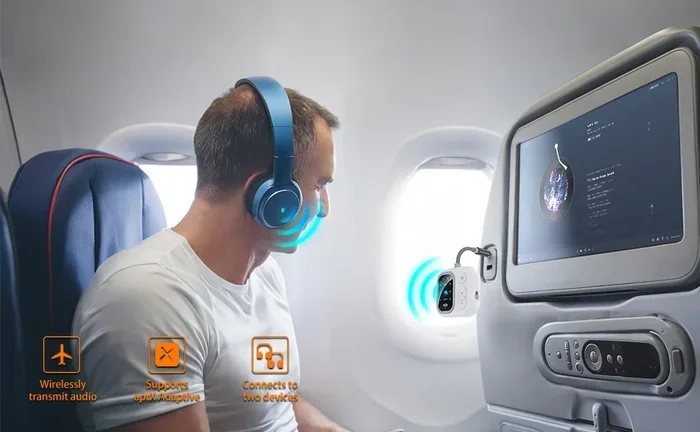
Flying on a plane? Riding a train through a dead zone? Bluetooth speakers still work perfectly. As long as your device has stored audio, the speaker plays it. You do not need a Wi-Fi connection or cellular data to enjoy your tunes.
This is why Bluetooth speakers are travel essentials. They work in hotels, rental cars, and remote cabins. You just need charged batteries and saved audio files.
Home Use During Internet Outages
Internet goes down? No problem. Your Bluetooth speaker keeps working. This is a huge relief when you want background music while cooking or a podcast during a workout. Bluetooth speakers provide reliable audio even when your router fails.
Some people keep a Bluetooth speaker in the garage or workshop specifically for this reason. It works regardless of internet status. That kind of independence is valuable.
Using Your Phone in Airplane Mode
You can put your phone in airplane mode and still use Bluetooth. Airplane mode disables Wi-Fi and cellular connections, but it does not turn off Bluetooth. You can pair your speaker and play music this way.
This trick saves battery too. Without Wi-Fi searching, your phone lasts longer. And your Bluetooth speaker delivers the same quality sound.
When Wi-Fi Enhances Bluetooth Speaker Performance
While Bluetooth speakers work without Wi-Fi, there are times when adding Wi-Fi improves the experience. Let us look at when Wi-Fi makes a difference.
Streaming from Cloud Music Services
Services like Spotify, Apple Music, and Amazon Music require internet to stream. If you want to play music from these services through your Bluetooth speaker, you need Wi-Fi or cellular data on your phone.
The Bluetooth speaker itself does not use Wi-Fi directly. But your phone does. The phone streams the music over Wi-Fi and sends it to the speaker via Bluetooth. So Wi-Fi is needed on the source device, not the speaker.
Smart Speakers with Voice Assistants
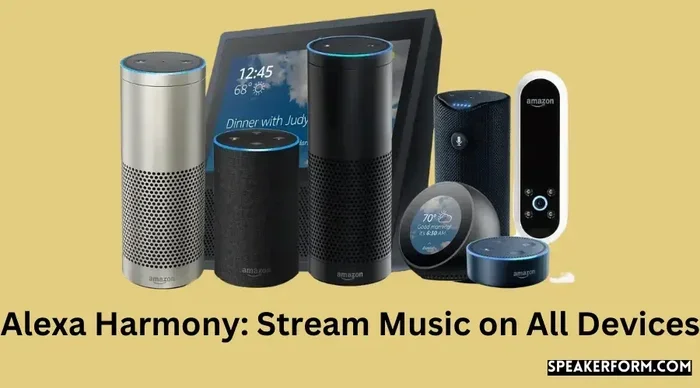
Smart speakers like Amazon Echo and Google Nest often double as Bluetooth speakers. You can pair your phone to them without Wi-Fi. But to use voice commands and smart features, Wi-Fi is essential.
For example, Can I Use Alexa As Bluetooth Speaker? Yes, you can. But to unlock Alexa’s full potential, you need Wi-Fi. Without it, Alexa becomes a basic Bluetooth speaker with limited functionality.
Multi-Room Audio Setup
Want to play music in multiple rooms at the same time? Most Bluetooth speakers only connect to one device at a time. Wi-Fi-based speaker systems allow group playback across rooms.
Some premium Bluetooth speakers now offer Wi-Fi support for multi-room features. In these cases, Wi-Fi handles the coordination while Bluetooth handles the actual audio delivery to each speaker.
Firmware Updates and App Features
Speaker manufacturers release updates that improve sound quality and add features. These updates often require a Wi-Fi connection to download. Without Wi-Fi, your speaker stays on its current firmware.
The companion apps for some speakers also need Wi-Fi. These apps let you customize EQ settings, check battery levels, and update the speaker. So while the speaker works without Wi-Fi for basic playback, you miss out on extras.
Connecting to Smart Home Devices
If you want your Bluetooth speaker to integrate with smart home routines, Wi-Fi is necessary. Voice commands to play music, set timers, or trigger routines all go through your home Wi-Fi network.
Without Wi-Fi, the speaker operates in standalone mode. It is still great for audio, but it cannot participate in your smart home ecosystem.
Bluetooth vs Wi-Fi Speakers: Key Differences
Not sure whether to buy a Bluetooth speaker or a Wi-Fi speaker? Here is a detailed comparison to help you decide.
| Feature | Bluetooth Speaker | Wi-Fi Speaker |
|---|---|---|
| Internet Required | No | Yes |
| Setup Complexity | Very simple | Moderate |
| Range | Up to 30 feet | Depends on Wi-Fi coverage |
| Audio Quality | Good to excellent | Excellent, often lossless |
| Battery Needed | Yes, for portable use | Usually plugged in |
| Multi-Room Support | Limited | Yes, with compatible systems |
| Smart Features | Limited | Full voice assistant support |
| Price Range | Budget-friendly to premium | Mid-range to premium |
As you can see, Bluetooth speakers win for portability and simplicity. Wi-Fi speakers shine in home setups with smart features. Many people own both and use them for different purposes.
If you want to use regular speakers with Bluetooth, you can check out Can I Turn Regular Speakers Into Bluetooth for a simple guide on how to make it work.
Tips for Getting the Best Bluetooth Speaker Performance
Whether you use your speaker with or without Wi-Fi, these tips will improve your experience.
Keep Your Speaker Charged
Nothing kills a good listening session faster than a dead battery. Charge your speaker fully before heading out. Most Bluetooth speakers give you 8 to 20 hours of playtime on a single charge.
Pro tip: Turn off the speaker when not in use. This saves battery and prevents accidental connections.
Stay Within Range
Keep your phone within 30 feet of the speaker for the best connection. Walls and metal objects weaken the signal. If you notice static or dropouts, move closer to the speaker.
Update Your Speaker Firmware
When you have access to Wi-Fi, check for firmware updates. These updates often fix bugs and improve audio quality. Manufacturers release them regularly.
Clean the Bluetooth Cache
If your speaker keeps disconnecting, try clearing the Bluetooth cache on your phone. This resets the connection and often fixes pairing issues. On most phones, you go to Settings, then Bluetooth, then forget the device and re-pair it.
Use High-Quality Audio Files
Bluetooth supports different audio codecs. AAC and aptX deliver better sound than standard SBC. If your phone and speaker support these codecs, enable them in settings for improved audio quality.
Pairs Your Speaker with Multiple Devices
Most speakers remember several paired devices. This is handy when you switch between your phone and laptop. Just make sure to disconnect from one device when connecting to another to avoid conflicts.
If you are curious about using Bluetooth speakers with other devices, you might want to read Can I Use Alexa As Bluetooth Speaker for helpful tips on smart speaker Bluetooth pairing.
Common Mistakes People Make with Bluetooth Speakers
Avoid these common pitfalls to get the most out of your Bluetooth speaker.
Mistake 1: Forgetting to turn off Bluetooth on other devices. If your tablet or laptop has Bluetooth on, it might auto-connect to the speaker and interrupt your phone. Turn off Bluetooth on unused devices.
Mistake 2: Placing the speaker too far away. Bluetooth has a limited range. Going beyond 30 feet causes dropouts. Keep the speaker nearby for uninterrupted playback.
Mistake 3: Ignoring firmware updates. Old firmware can cause connection issues and poor sound quality. Update whenever Wi-Fi is available.
Mistake 4: Using the speaker in extreme temperatures. Cold weather drains batteries fast. Hot weather can damage internal components. Keep your speaker in a comfortable temperature range.
Mistake 5: Assuming Wi-Fi improves Bluetooth audio quality. It does not. Bluetooth sends audio directly from device to speaker. Wi-Fi does not make this connection faster or clearer. The audio quality depends on the Bluetooth codec and speaker hardware.
Many people also wonder whether they can use a Bluetooth speaker for amplifying their voice. If you are curious about this, you can explore Can I Use HDMI For Video And Bluetooth For Audio to learn about combining different connection types for better results.
Frequently Asked Questions
Do Bluetooth speakers need Wi-Fi to play music?
No, Bluetooth speakers do not need Wi-Fi to play music. They connect directly to your device using Bluetooth radio signals. As long as your device has audio stored locally or plays downloaded content, the speaker works perfectly without any internet connection. This makes Bluetooth speakers ideal for offline use.
Can I use a Bluetooth speaker without a phone?
Yes, you can pair a Bluetooth speaker with any device that supports Bluetooth. This includes tablets, laptops, MP3 players, and even some TVs. The speaker does not need a phone specifically. It just needs a Bluetooth-enabled source device to receive audio signals.
Does Wi-Fi improve Bluetooth speaker sound quality?
No, Wi-Fi does not improve Bluetooth audio quality. Bluetooth handles the audio transmission directly between devices. Wi-Fi is only involved if you are streaming music from an online service on your source device. The actual Bluetooth connection and sound quality remain the same regardless of your Wi-Fi status.
How far can a Bluetooth speaker work without Wi-Fi?
Most Bluetooth speakers work up to 30 feet in open spaces. This range can be shorter in crowded areas or near walls and obstacles. Bluetooth does not require Wi-Fi to function, so the range depends entirely on the Bluetooth version and environmental factors. Newer speakers with Bluetooth 5.0 offer the longest range.
Can smart speakers work as Bluetooth speakers without Wi-Fi?
Yes, smart speakers like Amazon Echo can work as Bluetooth speakers without Wi-Fi. You simply pair your phone with the speaker using Bluetooth. However, you will lose access to voice assistant features, smart home controls, and streaming services. The speaker will still play audio from your device’s local storage or downloaded content.
Why does my Bluetooth speaker keep disconnecting?
Bluetooth disconnections happen for several reasons. Being too far from the speaker is the most common cause. Other devices interfering with the Bluetooth signal can also cause issues. Try moving closer to the speaker, turning off other Bluetooth devices nearby, and restarting both the speaker and your source device. Clearing the Bluetooth cache on your phone often fixes persistent disconnection problems.
Conclusion
The answer to the question do you need Wi-Fi to use Bluetooth speakers is straightforward. You do not need Wi-Fi at all for basic Bluetooth playback. Bluetooth speakers connect directly to your device and work independently of any internet connection. This makes them incredibly versatile and reliable.
That said, Wi-Fi adds value in specific situations. Streaming from cloud services, using smart features, and updating firmware all benefit from a Wi-Fi connection. But none of these are required for the core function of playing audio through a Bluetooth speaker.
Whether you are at the beach, in a remote cabin, or dealing with an internet outage, your Bluetooth speaker will keep working. That is the beauty of this technology. It gives you wireless audio freedom without any strings attached.
So the next time someone asks if Wi-Fi is needed for Bluetooth speakers, you can confidently say no. Share this article with them. And enjoy your music, wherever you go, with or without Wi-Fi.
Frequently Asked Questions
What is Do You Need Wi Fi To Use Bluetooth Speakers?
Do You Need Wi Fi To Use Bluetooth Speakers is an important topic with many practical applications.