Do You Need Wi Fi For A Dvd Player Heres The Answer
You do not always need Wi-Fi to use a DVD player. Many standard DVD players work perfectly fine without any internet connection. However, Wi-Fi enabled DVD players and smart DVD players unlock streaming features, firmware updates, and online content that enhance your viewing experience.
Have you ever wondered whether your DVD player really needs Wi-Fi to work? It is a fair question. With so many devices pushing wireless connectivity these days, it is easy to assume that every gadget needs an internet connection. The truth is, most DVD players do just fine without Wi-Fi. But there is more to the story than that.
Whether you are setting up a new home theater or wondering if your old player can do more, understanding the role of Wi-Fi in DVD players matters. This guide breaks it all down. We will look at when you need Wi-Fi, when you do not, and what you gain when you connect your DVD player to a wireless network. Let us get into it.
Key Takeaways
- Traditional DVD players work offline: You do not need Wi-Fi to play DVDs, Blu-rays, or CDs on a standard player.
- Smart DVD players benefit from Wi-Fi: Wi-Fi lets you access streaming apps, firmware updates, and online media libraries.
- Wireless DVD players offer convenience: Wi-Fi connectivity removes the need for messy cables and gives you more flexibility in your setup.
- You can share Wi-Fi through a laptop: If you lack a router, you can use alternative methods to get your DVD player online.
- Security matters: When your DVD player is connected to Wi-Fi, make sure your network is protected from unauthorized access.
- Portable DVD players often lack Wi-Fi: Most travel-friendly disc players work offline and do not require wireless connectivity.
- Wi-Fi is optional but increasingly useful: As streaming becomes more popular, having Wi-Fi on your DVD player adds real value.
📑 Table of Contents
- What Is A Wi-Fi DVD Player?
- Do You Actually Need Wi-Fi For Your DVD Player?
- Types Of DVD Players With Wi-Fi
- How To Set Up Wi-Fi On Your DVD Player
- Pros And Cons Of Wi-Fi DVD Players
- Alternatives If You Do Not Have Wi-Fi
- Common Mistakes People Make With DVD Player Wi-Fi
- Expert Insights On DVD Player Connectivity
- Final Thoughts
What Is A Wi-Fi DVD Player?
A Wi-Fi DVD player is any disc player that can connect to your wireless network. This includes standard DVD players, Blu-ray players, and combo units that handle multiple disc formats. The Wi-Fi feature lets the player do more than just read a disc. It opens up a world of online content and smart features.
Not all DVD players come with Wi-Fi built in. Some older models rely on wired Ethernet connections instead. And many basic players have no internet capability at all. Before you assume your player can connect wirelessly, it is worth checking the specs. Look for terms like wireless connectivity, built-in Wi-Fi, or smart features on the product label or manual.
How Wi-Fi Works In A DVD Player
When a DVD player has Wi-Fi, it connects to your home router just like a phone or laptop. The player uses that connection to pull in data. This could be streaming apps, software updates, or online media libraries. The process is usually simple. You go into the settings menu, select your network, and enter the password.
Some players use a direct Wi-Fi connection. Others rely on a Wi-Fi module built into the device. Either way, the goal is the same. It gives your DVD player access to the internet without needing a cable. This makes setup cleaner and gives you more freedom in where you place the player.
Do You Actually Need Wi-Fi For Your DVD Player?
The short answer is no. You do not need Wi-Fi to watch a DVD. A standard DVD player reads the disc using a laser. It does not need the internet to play movies, music, or data discs. If your only goal is watching discs, a basic player with no wireless capability will do the job just fine.
But here is where things get interesting. If you want more from your player, Wi-Fi becomes very useful. Think about it. You buy a smart DVD player that can run apps like Netflix or YouTube. Without Wi-Fi, those apps are useless. You paid for the smart features, but you cannot use them offline.
So the real question is not whether you need Wi-Fi. It is what you want your DVD player to do. If you just want to play discs, skip the Wi-Fi. If you want a more connected entertainment setup, wireless connectivity adds real value.
When You Do NOT Need Wi-Fi
- You only watch physical discs: DVDs, Blu-rays, and CDs work perfectly without any internet.
- You have an older or basic player: Many older models were never designed to go online.
- You do not use streaming apps: If you never plan to use Netflix, Hulu, or similar services on your player, Wi-Fi is not needed.
- You are setting up a simple system: A basic home theater with a DVD player and a TV does not require wireless connectivity.
- You have limited internet access: If your home does not have Wi-Fi or a router, you can still enjoy your DVD collection.
When You DO Need Wi-Fi
- You want to use streaming apps: Smart DVD players need Wi-Fi to access services like YouTube, Amazon Prime, or Spotify.
- You need firmware updates: Manufacturers release updates that fix bugs and add features. Wi-Fi lets your player download them automatically.
- You want to stream online content: Some players let you rent or buy movies directly through their interface.
- You use your DVD player as a media hub: If your player can access photos, music, or videos from your network, Wi-Fi makes that possible.
- You have a wireless controller or remote app: Some modern players let you control them through a phone app over Wi-Fi.
Types Of DVD Players With Wi-Fi
Not all Wi-Fi DVD players are the same. There are several types on the market, and each one offers a different level of connectivity. Understanding these types helps you choose the right player for your needs.
Smart DVD Players
Smart DVD players are the most popular type with built-in Wi-Fi. These players run on operating systems similar to smartphones. They have app stores, settings menus, and network configurations right on the device. You can download apps, browse the web, and access online content just like you would on a tablet or phone.
Popular brands in this category include Sony, LG, and Samsung. Many of these players also support Bluetooth and HDMI-CEC features. This means you can connect wireless headphones, control the player with your TV remote, and mirror content from your phone. The Wi-Fi connection is the backbone of all these features.
Portable DVD Players With Wireless Capability
Some portable DVD players come with Wi-Fi support. These are great for travel or for rooms where running a cable is difficult. The wireless connection lets you stream content from your phone or tablet directly to the player. It also allows you to update the player’s software without connecting it to a computer.
Keep in mind that many portable players focus on offline playback. They come with built-in screens and battery packs. Wi-Fi is often an optional extra rather than a core feature. If you are shopping for a portable option, check the specs carefully to see if wireless connectivity is included.
Blu-ray Players With Wi-Fi
Blu-ray players with Wi-Fi offer the best of both worlds. You get high-quality disc playback and smart features. These players often support 4K upscaling, Dolby Atmos, and other advanced audio and video formats. Wi-Fi lets you access streaming 4K content, which is especially valuable if you do not have a smart TV.
Many modern Blu-ray players can also connect to mesh networks and dual-band Wi-Fi (2.4GHz and 5GHz). This gives you a stronger, more stable connection. If you have a large home with multiple devices, a Blu-ray player with good Wi-Fi support is a smart choice.
How To Set Up Wi-Fi On Your DVD Player
Setting up Wi-Fi on a DVD player is usually straightforward. Most modern players walk you through the process with on-screen prompts. Here is a general step-by-step guide that works for most brands and models.
Step-by-Step Setup Guide
- Turn on your DVD player and make sure it is connected to your TV via HDMI or another cable.
- Open the Settings menu on your player. This is usually represented by a gear icon on the home screen.
- Look for Network Settings or a similar option. This might be under “General Settings” or “System Preferences.”
- Select Wireless or Wi-Fi as your connection type. The player will scan for available networks.
- Choose your home network from the list. Make sure you pick the correct one, especially if you have multiple networks.
- Enter your Wi-Fi password using the on-screen keyboard. Double-check for typos before confirming.
- Wait for the connection to establish. Most players will show a confirmation message or an icon in the status bar.
- Test the connection by opening a streaming app or checking for firmware updates.
Tips For A Strong Wi-Fi Connection
- Place your router close to the DVD player: Walls and distance weaken the signal. The closer the router, the better the connection.
- Use the 5GHz band if available: It offers faster speeds and less interference than the 2.4GHz band.
- Restart your router if the connection fails: A simple reboot often fixes connectivity issues.
- Update your player’s firmware: New firmware can improve Wi-Fi performance and fix bugs.
- Avoid interference from other devices: Microwaves, baby monitors, and cordless phones can disrupt Wi-Fi signals.
If you do not have a Wi-Fi router at home but want to get your DVD player online, you might consider sharing Wi-Fi through a laptop. This works by turning your laptop into a hotspot. It is not the fastest method, but it gets the job done in a pinch.
Pros And Cons Of Wi-Fi DVD Players
Like any technology, Wi-Fi DVD players come with advantages and disadvantages. Let us break them down so you can make an informed decision.
Advantages Of Wi-Fi Connectivity
- Access to streaming apps: You can watch Netflix, YouTube, and other services directly on your TV through the DVD player.
- Firmware updates: Your player stays up to date with the latest features and security patches.
- Wireless convenience: No cables running across the floor. You place the player anywhere within Wi-Fi range.
- Online media libraries: Some players let you access your personal media stored on a NAS drive or cloud service.
- Smart remote features: Many Wi-Fi players support smartphone apps for control and casting.
- Future-proofing: As more content moves online, having Wi-Fi ensures your player stays relevant longer.
Disadvantages Of Wi-Fi Connectivity
- Privacy concerns: When your DVD player is connected to Wi-Fi, it can potentially share data. If you are worried about someone tracking from Wi-Fi or the Wi-Fi owner seeing what you are watching, a wired connection or no connection at all is more private.
- Network security: Any device connected to your network is a potential entry point. Make sure your Wi-Fi password is strong and your network is secure.
- Signal issues: Weak Wi-Fi signals can cause buffering, lag, and connection drops during streaming.
- Higher cost: Wi-Fi-enabled players often cost more than basic models. You pay extra for features you might not use.
- Firmware bugs: Updates sometimes introduce new problems. A player that worked fine offline might develop issues after an update.
Comparison: Wi-Fi vs Non-Wi-Fi DVD Players
| Feature | Wi-Fi DVD Player | Standard DVD Player |
|---|---|---|
| Disc Playback | Yes | Yes |
| Streaming Apps | Yes | No |
| Firmware Updates | Yes (automatic) | No |
| Wireless Convenience | Yes | No |
| Price | Higher | Lower |
| Setup Complexity | Moderate | Very Simple |
| Privacy Level | Lower | Higher |
| Internet Required | For smart features | Never |
Alternatives If You Do Not Have Wi-Fi
Not having Wi-Fi does not mean you are stuck with a boring setup. There are several alternatives that let you enjoy your DVD player without a wireless connection.
Use A Wired Ethernet Connection
Many DVD players with internet capability also support wired Ethernet. You can plug an Ethernet cable directly from your router to the player. This gives you a stable, fast connection without relying on wireless signals. It is also more secure since the signal does not travel through the air.
Connect External Streaming Devices
If you have a smart TV or a streaming stick like a Roku or Chromecast, you might not need Wi-Fi on your DVD player at all. You can use the streaming device for online content and the DVD player for discs. This setup gives you the best of both worlds without putting extra strain on your DVD player’s hardware.
Use A Tablet Or Computer For Streaming
Another option is to use a tablet or laptop for streaming while your DVD player handles the discs. Most modern tablets can connect to Wi-Fi easily and output video to your TV through an HDMI adapter or screen mirroring. This keeps your DVD player simple and offline while still giving you access to online content.
If you are considering a tablet for this purpose, you might want to check whether you can browse the internet on a tablet without a service provider. Many tablets support Wi-Fi-only plans, which can save you money compared to a full cellular data plan.
Download Content Beforehand
If you have Wi-Fi access at a library, café, or friend’s house, you can download streaming content to a USB drive or external hard drive. Then you can play that content through your DVD player or another device at home. This is a great workaround for people who do not have reliable internet at home.
Common Mistakes People Make With DVD Player Wi-Fi
Setting up Wi-Fi on a DVD player seems simple, but people make mistakes that cause frustration. Here are some common pitfalls to avoid.
- Ignoring firmware updates: Skipping updates can leave your player vulnerable to security issues and missing new features. Check for updates regularly.
- Using a weak Wi-Fi password: A simple password makes it easy for someone to connect to your network and potentially see what you are watching. Always use a strong, unique password.
- Placing the player too far from the router: Distance kills Wi-Fi signals. If your DVD player is in another room from the router, consider a Wi-Fi extender.
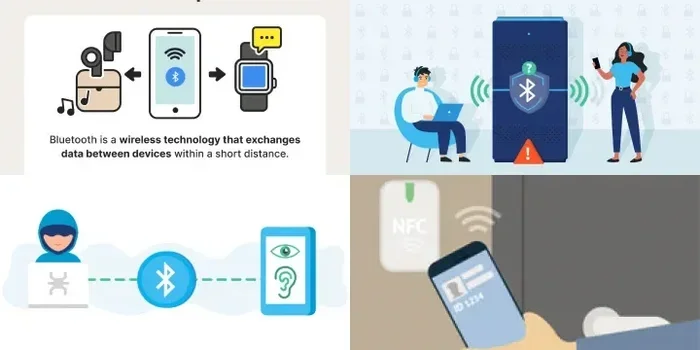
- Confusing Wi-Fi with Bluetooth: Wi-Fi and Bluetooth are different technologies. Your DVD player might support one but not the other. Check the specs before buying accessories.
- Assuming all smart features work offline: Streaming apps, online stores, and firmware updates all require an internet connection. Without Wi-Fi, these features simply will not work.
- Forgetting to secure your network: Any device on your Wi-Fi network can be a target. Make sure your router uses WPA3 or WPA2 encryption and that you change default admin passwords.
Expert Insights On DVD Player Connectivity
Technology experts agree that Wi-Fi on a DVD player is a nice-to-have rather than a must-have. The core function of playing discs does not depend on an internet connection. But as entertainment systems become more integrated, wireless connectivity adds meaningful convenience.
“Most people buy a DVD player to watch discs, and that works without Wi-Fi,” says a home theater specialist. “But if you want a single device that handles both discs and streaming, a Wi-Fi-enabled player saves you from buying multiple devices.”
The trend in home entertainment is moving toward convergence. Devices that can handle multiple tasks are becoming the standard. A Wi-Fi DVD player fits into this trend perfectly. It lets you play your existing disc collection while also giving you access to the vast world of online streaming.
If you are still on the fence, consider how often you use streaming services. If you watch Netflix or YouTube every day, a Wi-Fi DVD player could replace your streaming stick and simplify your setup. If you only watch discs a few times a month, a basic player without Wi-Fi will save you money and keep things simple.
Final Thoughts
So, do you need Wi-Fi for a DVD player? The honest answer is: it depends on what you want to do. If you just want to watch DVDs, Blu-rays, and CDs, you do not need Wi-Fi at all. A basic player handles everything you need without any internet connection.
But if you want your DVD player to do more, Wi-Fi opens up a lot of possibilities. Streaming apps, online content, firmware updates, and smart features all rely on a wireless connection. A Wi-Fi enabled DVD player turns a simple disc player into a full entertainment hub.
The key is to know your needs. Think about how you use your entertainment system. If you are a casual viewer who loves physical media, skip the Wi-Fi and save some money. If you want the latest features and the flexibility of online streaming, invest in a smart DVD player with wireless connectivity.
Either way, you will enjoy your movies and music. Wi-Fi is just one tool in your home entertainment toolkit. Use it if it makes sense for you, and ignore it if it does not. The best DVD player is the one that fits your lifestyle and your budget.
Take some time to evaluate your setup. Check what your current player can do. If it is time for an upgrade, consider whether wireless connectivity is worth the extra cost. With the right choice, your DVD player will serve you well for years to come, with or without Wi-Fi.
Frequently Asked Questions
Can I use a DVD player without any internet connection?
Yes, absolutely. A standard DVD player does not need any internet connection to play DVDs, Blu-rays, or CDs. The player reads the disc using a laser and does not rely on Wi-Fi or any other form of internet access. You can enjoy your entire disc collection offline without any issues at all.
What are the benefits of a Wi-Fi enabled DVD player?
A Wi-Fi DVD player can access streaming apps like Netflix and YouTube, receive firmware updates automatically, and connect to online media libraries. It also supports smart features like smartphone remote control and screen mirroring. These features turn a basic disc player into a more versatile entertainment device that fits into a modern home setup.
Do portable DVD players have Wi-Fi?
Some portable DVD players do have Wi-Fi, but many do not. Portable players are often designed for offline use, especially for travel. If Wi-Fi is important to you, check the product specifications before purchasing. Not all portable models include wireless connectivity, so it is always best to verify the features upfront.
Is it safe to connect my DVD player to Wi-Fi?
Yes, it is generally safe as long as you take basic security precautions. Use a strong Wi-Fi password, enable WPA3 or WPA2 encryption on your router, and keep your player’s firmware updated. If you are concerned about privacy, you can always disconnect the player from Wi-Fi when you are not using its smart features. Keeping your network secure protects all connected devices.
Can I share Wi-Fi through my laptop to connect a DVD player?
Yes, you can share your laptop’s internet connection with a DVD player in some cases. This works by turning your laptop into a hotspot or bridge. However, the connection may be slower and less stable than a direct Wi-Fi connection through a router. It is a useful workaround if you do not have a wireless router available.
Will a DVD player work better with Wi-Fi or without?
A DVD player works perfectly fine without Wi-Fi for playing discs. Wi-Fi does not improve disc playback quality. However, Wi-Fi does improve the overall user experience by enabling streaming apps, online content, and automatic updates. If you use these features regularly, a Wi-Fi connection will make your DVD player more useful and versatile.
=== CONCLUSION ===
Do you need Wi-Fi for a DVD player? The answer is clear: you do not need it to play discs, but it adds significant value if you want smart features and online access. A standard DVD player works great offline, while a Wi-Fi enabled player opens up a world of streaming and connectivity options. Consider your viewing habits, your budget, and your entertainment setup before deciding. Whether you choose a basic player or a smart one, the right DVD player will bring your favorite movies and shows to life.