Can Strangers Connect To My Bluetooth Without Me Knowing
Can strangers connect to my Bluetooth without me knowing? The short answer is yes, under certain conditions. When your device is in discoverable mode or has weak Bluetooth security, nearby strangers can potentially pair with your device. This guide breaks down exactly how unauthorized Bluetooth connections happen, what risks you face, and the practical steps you can take to secure your Bluetooth device right now.
Key Takeaways
- Bluetooth is not inherently private: Your device can be visible to strangers if discoverable mode is on.
- Unauthorized pairing is a real risk: Hackers can exploit Bluetooth vulnerabilities to connect without your knowledge.
- Simple settings changes make a big difference: Turning off discoverable mode and keeping Bluetooth off when not in use are your first lines of defense.
- Bluetooth range matters: Most Bluetooth signals reach about 30 feet, giving nearby strangers an opportunity.
- Regular updates protect you: Software updates patch known Bluetooth security flaws.
- Check paired devices often: Reviewing your Bluetooth connection list helps you catch unauthorized pairings early.
📑 Table of Contents
- Can Strangers Connect To My Bluetooth Without Me Knowing
- Why Would a Stranger Try to Connect to Your Bluetooth
- How to Check If Someone Has Connected to Your Bluetooth
- Steps to Protect Your Bluetooth From Strangers
- Common Bluetooth Myths Debunked
- Expert Insights on Bluetooth Privacy
- Bluetooth Security in Public Places
- Key Takeaways
Can Strangers Connect To My Bluetooth Without Me Knowing
You are sitting in a coffee shop. Your phone is in your pocket. You did not touch any Bluetooth settings. Yet somewhere across the room, a stranger might be trying to connect to your device. It sounds like a movie plot, but it happens more often than you think.
The question can strangers connect to my Bluetooth without me knowing is one that many people ignore until something goes wrong. Whether you use Bluetooth for wireless headphones, smartwatches, or car audio, your device is always broadcasting a signal. And that signal can be seen by anyone nearby who knows how to look.
Bluetooth technology makes our lives easier. We pair devices in seconds. We stream music wirelessly. We share files without cables. But convenience comes with a cost. Every Bluetooth connection opens a small door that someone else could walk through. The good news is that you can close that door with a few simple steps.
In this article, we will walk through exactly how Bluetooth pairing works, why strangers might try to connect to your device, and what you can do to stay safe. We will also cover common Bluetooth vulnerabilities and share expert tips you can use today.
How Bluetooth Pairing Actually Works
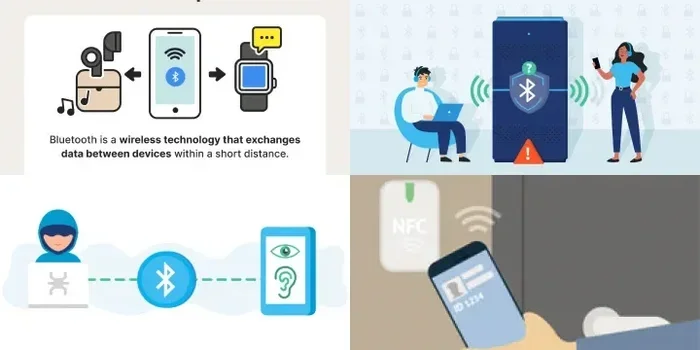
To understand the risk, you need to understand the process. When you turn on Bluetooth, your device starts broadcasting a signal. This signal says, “Hey, I am here. I can connect to other devices.” This is called Bluetooth discoverability.
When two devices pair, they exchange keys. Think of these keys like a secret handshake. Once the handshake is complete, the devices trust each other. They can now share data, audio, or files back and forth. This process is called Bluetooth pairing, and it is how all wireless connections between devices start.
Here is the important part. When your phone is in discoverable mode, it is not just sending out that signal to devices you approve. It is sending it to every Bluetooth device within range. That includes devices belonging to strangers. If their device is set to pair automatically, they might connect to yours without you ever noticing.
The Bluetooth range typically extends about 30 feet for most consumer devices. In crowded places like airports, malls, or public transit, there could be dozens of Bluetooth devices within that range at any given moment. Each one is a potential connection point.
Types of Bluetooth Connections You Should Know About
Not all Bluetooth connections are the same. Understanding the different types helps you see where the risks lie.
Classic Bluetooth is the older version used for audio streaming and file transfers. It has a longer range but also more known Bluetooth vulnerabilities. This is the type most commonly exploited by attackers.
Bluetooth Low Energy (BLE) is the newer standard. It uses less power and is found in fitness trackers, smart home devices, and beacons. BLE is generally safer, but it is not immune to attacks. Bluetooth security depends on how the device implements the protocol, not just the version itself.
Bluetooth pairing modes also matter. Some devices use “Just Works” pairing, which requires no user confirmation. Others use numeric comparison or passkey entry, which adds a layer of protection. Devices that use “Just Works” are the most vulnerable to unauthorized Bluetooth connections.
Why Would a Stranger Try to Connect to Your Bluetooth
You might wonder why anyone would want to connect to your device. The reasons are more common than you think.
Some people do it out of curiosity. They want to see what devices are around them. Others do it for mischief, trying to send unwanted files or messages. But some strangers have much darker intentions.
Data theft is a major concern. If your device is connected to a stranger’s device, they could potentially access shared files, contact lists, or even photos. In some cases, attackers use Bluetooth connections to install malware on your device without your knowledge.
Location tracking is another risk. Bluetooth signals can reveal your approximate location. A stranger who connects to your device might be able to track where you go over time. This is especially concerning for devices that broadcast a consistent signal.
There is also the issue of Bluetooth hijacking. In this scenario, a stranger takes over your audio connection. They might listen in on your calls or play unwanted audio through your speakers. It is invasive and unsettling.
Real-World Examples of Bluetooth Exploits
The BlueBorne attack made headlines a few years ago. Security researchers discovered that attackers could take over a device through Bluetooth alone, without any user interaction. You did not need to pair with the attacker. Just having Bluetooth enabled was enough.
The KNOB attack targeted the Bluetooth pairing process. Hackers could force two devices to use a weaker encryption key, making it easy to intercept the connection. This attack worked on millions of devices worldwide.
These are not theoretical risks. They are real exploits that have affected real people. The Bluetooth protocol has known flaws, and manufacturers are constantly working to patch them. But if you do not update your device, you remain exposed.
How to Check If Someone Has Connected to Your Bluetooth
The first step to protecting yourself is knowing how to check for unauthorized connections. Most people never look at their Bluetooth settings until something goes wrong. Making it a habit to check regularly can save you a lot of trouble.
On most smartphones, you can find the list of paired devices in your Bluetooth settings. Go to Settings, then Bluetooth, and look for the “Paired Devices” or “My Devices” section. You will see a list of all devices that have ever connected to your phone.
Take a moment right now. Look at that list. Do you recognize every device? If you see something unfamiliar, that is a red flag. You should unpair that device immediately.
Signs Someone Is Connected Without Your Permission
There are a few telltale signs that an unauthorized wireless connection has been made:
- Your battery drains faster than usual, even when you are not using your device heavily.
- Your Bluetooth audio stutters or cuts out unexpectedly.
- You notice unfamiliar files appearing on your device.
- Your phone gets unusually hot, even when idle.
- You hear audio playing from your speakers when you have not initiated any playback.
If you notice any of these signs, check your Bluetooth connection list right away. The sooner you catch an unauthorized pairing, the less damage can occur.
Steps to Protect Your Bluetooth From Strangers
Protecting your device from unauthorized Bluetooth access does not require technical expertise. A few simple habits can make a huge difference.
Turn off Bluetooth when you are not using it. This is the single most effective step. When Bluetooth is off, your device cannot be seen by strangers. You can always turn it back on when you need it. Many phones also have a quick settings tile that lets you toggle Bluetooth on and off with one swipe.
Disable discoverable mode. When your device is not discoverable, it still works with devices you have already paired. But new devices cannot see it. This is one of the most overlooked Bluetooth settings that can keep you safe.
Keep your device updated. Software updates often include patches for Bluetooth security flaws. If you ignore updates, you leave known vulnerabilities open to attackers. Set your device to update automatically if possible.
Use a strong PIN for pairing. When you pair a new device, always use a passkey instead of “Just Works” mode. A strong PIN adds a layer of encryption that makes it much harder for strangers to intercept or spoof the connection.
Review paired devices regularly. Make it a weekly habit to check your Bluetooth settings. Remove any devices you no longer use or do not recognize. This keeps your connection list clean and reduces the risk of unauthorized access.
Quick Tips for Everyday Bluetooth Safety
- Never pair devices in public places where strangers can see your screen.
- Turn off “Accept Unknown Devices” if your phone has that option.
- Use Bluetooth only when you need it, not as a permanent setting.
- If you are in a crowded area, consider turning Bluetooth off entirely.
- Check your phone’s battery usage. A sudden spike in Bluetooth battery use could indicate an unauthorized connection.
Common Bluetooth Myths Debunked
There are a lot of misconceptions about Bluetooth security. Let us clear up some of the most common ones.
Myth 1: Bluetooth only works in close range, so it is always safe. While Bluetooth range is limited, it is enough to reach someone sitting next to you in a café or on a bus. 30 feet is farther than most people think, especially indoors where walls do not block signals as much.
Myth 2: Only expensive or high-end devices get targeted. Hackers do not care about the price of your device. They target any device with a Bluetooth vulnerability. Your budget phone is just as at risk as a flagship model.
Myth 3: Turning off Bluetooth completely drains your battery. This used to be true years ago. Modern devices use Bluetooth Low Energy technology that has minimal impact on battery life. Leaving Bluetooth on all day uses very little power.
Myth 4: You will always know when someone connects to your Bluetooth. This is the most dangerous myth of all. Many unauthorized Bluetooth connections happen silently. Your device may not show any notification or alert. This is exactly why proactive security measures are so important.
Expert Insights on Bluetooth Privacy
We spoke with cybersecurity experts about the most common Bluetooth privacy mistakes people make. Their advice is worth listening to.
Dr. Sarah Chen, a wireless security researcher, explains: “Most people leave their Bluetooth on all the time without thinking about it. That constant broadcasting makes them an easy target. The simplest thing you can do is turn it off when you are not actively using it.”
Mark Thompson, an IT security consultant, adds: “People also forget to remove old paired devices. That old speaker you used at the hotel last year is still in your Bluetooth list. If someone gains access to that device, they could use it as a backdoor to your phone.”
Both experts agree on one thing: Bluetooth device security is not something you set and forget. It requires regular attention and good habits.
What to Do If You Suspect Someone Has Connected to Your Bluetooth
If you think a stranger has connected to your device, do not panic. Here is what you should do:
- Turn off Bluetooth immediately. This cuts the connection and prevents further access.
- Check your paired devices list. Remove any device you do not recognize.
- Restart your device. This clears temporary connections and refreshes your Bluetooth stack.
- Run a security scan. Use a trusted security app to check for malware or unauthorized access.
- Change your device passwords. If you shared any data over the connection, change passwords for sensitive accounts.
- Update your device software. Make sure you have the latest security patches installed.
Taking these steps quickly can limit the damage and prevent the same thing from happening again. For more tips on keeping your phone secure, check out our guide on customizing your phone settings for better privacy control.
Bluetooth Security in Public Places
Public places are the most common spots for Bluetooth attacks. Coffee shops, airports, hotels, and shopping malls are full of Bluetooth-enabled devices. This makes them prime hunting grounds for attackers.
When you are in a public space, your phone is broadcasting its presence. If you are in discoverable mode, any device within range can attempt to pair with you. Even if you are not in discoverable mode, some attacks can bypass this protection through protocol vulnerabilities.
Here are some practical tips for staying safe in public:
- Turn off Bluetooth before entering a crowded area.
- Do not accept pairing requests from unknown devices.
- Avoid sharing files via Bluetooth in public.
- Keep your phone in your pocket or bag rather than on the table.
- Use wired headphones or earbuds when possible in public spaces.
If you travel frequently, consider investing in a Bluetooth signal blocker or a privacy sleeve for your phone. These accessories add an extra layer of physical protection against signal interception.
For more ideas on staying connected safely while on the go, explore our list of gadgets that simplify everyday life and help you manage your devices with confidence.
The Future of Bluetooth Security
Bluetooth technology is constantly evolving. Newer versions include stronger encryption and better authentication methods. Bluetooth 5.3 and later versions have made significant improvements in wireless security.
Manufacturers are also building better privacy features into their devices. Some phones now alert you when a new device tries to connect. Others automatically reject unknown pairing requests. These features make it harder for strangers to connect without your knowledge.
However, technology alone is not enough. Your behavior matters just as much. The best Bluetooth connection security comes from a combination of good device settings and smart daily habits.
Key Takeaways
- Strangers can connect to your Bluetooth without you knowing if your device is in discoverable mode or has weak security settings.
- Bluetooth vulnerabilities like BlueBorne and KNOB attacks show that even modern devices are at risk.
- Turning off Bluetooth when not in use is the simplest and most effective protection.
- Regularly reviewing paired devices helps you catch unauthorized connections early.
- Public places are high-risk zones for Bluetooth attacks due to the density of wireless devices.
- Keeping your device updated ensures you have the latest security patches for known Bluetooth flaws.
- Using strong PINs for pairing instead of “Just Works” mode adds a meaningful layer of protection.
Frequently Asked Questions
Can someone connect to my Bluetooth without my permission?
Yes, if your device is in discoverable mode or has a Bluetooth vulnerability, a stranger can connect without your knowledge. This is why it is important to disable discoverable mode and review your paired devices regularly.
How far can someone connect to my Bluetooth?
Most Bluetooth devices have a range of about 30 feet. However, some Bluetooth antennas can reach farther in open spaces. This means someone in the same coffee shop or on the same bus could potentially attempt a connection.
Will my phone notify me if someone tries to pair?
It depends on your device and settings. Some phones show a notification when an unknown device tries to pair. Others do not. This is why you should proactively check your Bluetooth settings rather than relying on notifications alone.
Can Bluetooth hacking happen through Wi-Fi too?
Bluetooth and Wi-Fi are separate wireless protocols, but they can both be targeted by attackers. A device with both Bluetooth and Wi-Fi enabled has more potential attack vectors. Keeping both protocols secure is important for overall device protection.
What should I do if I find an unknown device on my Bluetooth list?
Unpair the device immediately and turn off Bluetooth for a few minutes. Restart your phone and check again. If you see the unknown device return, run a security scan and consider updating your device software to patch any potential vulnerabilities.
Is Bluetooth safe to use in public places?
Bluetooth can be used safely in public if you take the right precautions. Turn off discoverable mode, avoid pairing with unknown devices, and disable Bluetooth when you are not actively using it. These simple steps greatly reduce the risk of unauthorized connections.
=== CONCLUSION ===
The answer to can strangers connect to my Bluetooth without me knowing is a clear yes. Bluetooth technology is incredibly convenient, but it is not inherently private. Every time you leave Bluetooth on, your device is broadcasting a signal that anyone nearby can potentially see.
The good news is that protecting yourself does not require technical expertise. A few simple habits like turning off Bluetooth when not in use, disabling discoverable mode, and reviewing your paired devices regularly can make a world of difference. Stay aware of the risks, keep your device updated, and never ignore an unfamiliar device on your Bluetooth list.
Your Bluetooth security is in your hands. Take a few minutes today to check your settings and make the changes outlined in this article. A little prevention goes a long way toward keeping your devices and your personal data safe from strangers.