Do You Really Need A Special Projector To Watch 3d Movies
You do not always need a special projector to watch 3D movies at home. Many modern projectors come with built-in 3D capability, but you can also enjoy 3D content with the right setup and compatible 3D glasses. This guide breaks down everything you need to know about choosing the right 3D movie projector for your home theater 3D experience.
Key Takeaways
- Not every projector supports 3D: You need a projector with built-in 3D capability and HDMI 1.4 or higher to watch 3D movies properly.
- Active shutter and passive polarized are the two main 3D types: Each offers a different immersive movie experience with its own pros and cons.
- A regular projector cannot display 3D: The hardware must support stereoscopic 3D for the effect to work.
- You need more than just a projector: Compatible 3D glasses, a proper projector screen for 3D, and the right cables are all essential.
- 3D projectors are more affordable than ever: Prices have dropped significantly, making 3D movies at home accessible to more people.
- Laser 3D projectors offer the best brightness: They maintain vivid image quality even in 3D mode, unlike traditional bulb-based models.
📑 Table of Contents
How 3D Projector Technology Works
Watching a 3D movie at home feels like magic. The images pop out of the screen, and suddenly your living room turns into a mini cinema. But how does this technology actually work inside a 3D projector?
Most 3D projectors use a method called stereoscopic imaging. This means the projector shows two slightly different images, one for each eye. Your brain then combines these two images to create the illusion of depth. It is a clever trick that has been around for decades, but modern projectors make it look incredibly smooth and natural.
The two main types of 3D technology used in projectors are active shutter and passive polarized. Active shutter 3D works by rapidly switching the left and right images while your glasses sync up with the projector. Passive polarized 3D uses special filters in both the projector and the glasses to separate the images for each eye. Both methods aim to deliver the same immersive movie experience, but they get there in different ways.
Understanding how 3D projection works helps you figure out what kind of setup you need. Not all projectors support both methods, and this is a key factor when choosing your equipment for a home cinema setup.
Active Shutter 3D
Active shutter 3D is the most common type found in home theater 3D setups. The projector alternates between showing the left eye image and the right eye image at very high speed. Your 3D glasses have electronic shutters that open and close in sync with the projector. This creates a seamless and immersive movie experience that feels incredibly realistic.
The big advantage of active shutter is that it offers full HD resolution for each eye. The downside is that the glasses need batteries and can be a bit pricey. Some people also report slight flickering, though modern 3D movie projectors have mostly solved this issue with faster refresh rates.
Passive Polarized 3D
Passive polarized 3D uses polarizing filters to split the image. The projector projects two images with different polarizations, and your glasses have matching filters. This means each eye only sees the image meant for it. The result is a convincing 3D effect without the need for expensive active glasses.
Passive 3D glasses are usually cheaper and lighter than active shutter glasses. They also do not need charging or batteries. However, passive 3D typically cuts the resolution in half for each eye. For casual movie watching, this is usually not a big deal. But for 3D gaming or very detail-oriented viewing, active shutter might be the better choice for your 3D projection system.
Do You Need A Special Projector To Watch 3D Movies
The short answer is: it depends. You do not always need a dedicated 3D projector to enjoy 3D movies at home. But you do need a projector that supports 3D capability. Many modern projectors come with built-in 3D ready features, while older models may not support 3D content at all.
If you already own a projector, check its specifications before buying anything extra. Look for terms like “3D compatible,” “3D ready,” or “supports HDMI 1.4.” These labels tell you whether the projector can handle 3D projection and deliver the depth effect you are looking for.
Regular Projectors vs 3D-Ready Projectors
A regular projector without 3D support cannot display 3D movies no matter what you do. The projector simply does not have the hardware to alternate or polarize the images correctly. Trying to force 3D on a non-compatible projector will not work and could potentially damage your equipment.
On the other hand, a 3D-ready projector can handle both 2D and 3D content with ease. You get the flexibility to watch regular movies and switch to 3D when you want. This is the ideal setup for home cinema enthusiasts who want the best of both worlds without buying two separate machines.
Interestingly, you can also use a regular projector for other entertainment setups, but 3D movies require that extra layer of support built into the hardware. The 3D capability is not something you can add later with a simple accessory or software update.
What Makes A Projector 3D Capable
Several technical specs determine whether a projector can handle 3D movies:
- HDMI 1.4 or higher – This is the minimum standard for transmitting 3D signals. Any projector with HDMI 1.4 or newer can support 3D content playback.
- Refresh rate – For active shutter 3D, the projector needs a high refresh rate, typically 120Hz or above. This ensures smooth image switching between eyes without flickering.
- Resolution support – A good 3D movie projector should support at least 1080p resolution for each eye in active mode. Higher resolution means sharper 3D projection.
- Brightness – 3D mode often dims the image by 30 to 50 percent. A brighter projector compensates for this loss and keeps the picture vivid and colorful.
When shopping for a special projector for 3D viewing, always check these specs first. They make all the difference in your overall immersive movie experience and whether the setup is worth the investment.
Types Of 3D Projectors You Should Know About
Not all 3D projectors are created equal. Different technologies offer different advantages depending on your needs and budget. Here is a breakdown of the main types you will encounter when shopping for a 3D movie projector.
DLP 3D Projectors
DLP (Digital Light Processing) projectors use tiny mirrors called a DMD chip to create images. DLP projectors are known for their sharp image quality, fast response times, and reliable performance. Most DLP projectors support active shutter 3D natively, making them a popular choice for home theater 3D setups.
Brands like BenQ, Optoma, and Epson offer popular DLP models with strong 3D projection capabilities. These projectors are great for delivering vibrant colors, deep contrast, and smooth motion. If you want a dependable 3D projection system without breaking the bank, a DLP model is an excellent starting point.
LCD And LCoS 3D Projectors
LCD projectors use liquid crystal panels to create images. LCoS (Liquid Crystal on Silicon) is a more advanced version that offers better image quality and smoother visuals. Both types can support 3D technology, but they tend to be more common in the passive 3D category.
LCoS projectors from brands like Sony and JVC are often used in high-end home cinema setups. They offer excellent projector contrast ratio and color accuracy, making them ideal for serious 3D movie watchers who want the most realistic stereoscopic 3D experience possible.
Laser 3D Projectors
Laser projectors are the newest generation of 3D projection systems. They use laser light sources instead of traditional bulbs. This gives them several advantages: longer lifespan, better brightness, improved color accuracy, and lower maintenance costs.
Laser projectors handle 3D content beautifully. They maintain high brightness even in 3D mode, which is a common problem with older bulb-based projectors. If budget is not a concern, a laser 3D projector is the best option for a premium immersive movie experience that will last for years.
What Else You Need For A 3D Movie Setup
Buying a 3D projector is only half the battle. You need a few other pieces of equipment to complete your home theater 3D setup. Here is everything you should have to get the best 3D movie experience at home.
3D Glasses Compatibility
Your 3D glasses must match the type of 3D technology your projector uses. Active shutter glasses will not work with a passive 3D projector, and vice versa. This is a common mistake that many people make when setting up their home cinema for the first time.
Some projectors come with glasses included in the box. Others require you to purchase them separately. Always check the compatibility before buying. Also, consider how many pairs you need if you plan to watch with family or friends. Multiple pairs of 3D glasses can add to the total cost of your 3D movie projector setup.
The Right Screen For 3D Movies
Not every screen works well with 3D content. A standard white screen can cause ghosting, which is when the image for one eye bleeds into the other eye’s view. A 3D-compatible screen has special coatings that reduce ghosting and improve overall image clarity and depth.
If you are using a projector screen for 3D, look for screens labeled “3D ready” or “gain screen.” These screens enhance brightness and help maintain the 3D effect throughout your viewing area. You can also use a projector as a TV for regular 2D viewing, but a dedicated 3D screen makes a noticeable difference when watching 3D movies with family and friends.
HDMI And Connectivity Requirements
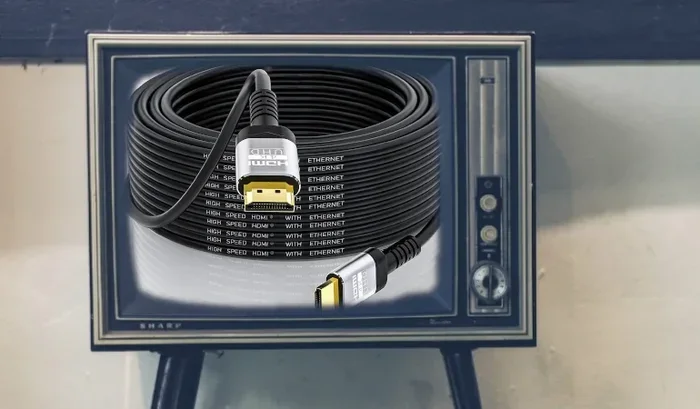
HDMI 1.4 is the minimum standard you need for 3D content transmission. HDMI 2.0 and later versions offer even better support for higher resolution 3D projection. Make sure your cables and source devices support the right version to avoid any compatibility issues.
You can also connect your phone to a projector with HDMI if your phone supports 3D output. However, most phones do not natively support 3D content playback, so a dedicated 3D media player or streaming device is usually a better option for watching 3D movies at home.
For streaming 3D movies, consider using a device like Apple TV or Roku that supports 3D content delivery. Some people also like to use a Fire Stick on a projector for accessing streaming services. However, not all Fire Stick apps offer 3D content, so always check compatibility before relying on this setup for your home theater 3D needs.
Can You Watch 3D Movies Without A Dedicated 3D Projector
This is a question many people ask, and the answer is nuanced. You cannot watch true 3D movies on a projector that lacks 3D capability. But there are alternatives and workarounds worth considering if you are not ready to invest in a full 3D projection system.
Alternative Ways To Enjoy 3D Content
One popular alternative is using a VR headset with your projector or TV. Some VR headsets can convert 2D 3D content into a stereoscopic experience. While this is not the same as a true 3D projection system, it can add depth and immersion to your viewing experience in a different way.
Another option is watching 3D movies on a 3D-capable TV. Many modern TVs come with built-in 3D support and include glasses. This can be a simpler setup if you do not want to invest in a full home theater 3D system with a projector. TVs also tend to be brighter and easier to set up than projectors.
Using A Regular Projector For 3D Movies
Unfortunately, you cannot convert a non-3D projector into a 3D projector with accessories or software. The 3D projection requires specific hardware components that are built into the projector during manufacturing. If your projector does not list 3D support in its specifications, it simply cannot display 3D content.
However, you can still enjoy a great movie night with a regular projector. The image quality in 2D mode on a high-quality projector is often excellent. Using a projector as a TV for regular 2D content is a fantastic experience and does not require any 3D capabilities at all. Sometimes the best setup is the one that works reliably for what you actually watch most often.
Is Investing In A 3D Projector Worth It
Deciding whether to buy a special projector for 3D movies depends on several factors. Let us break down the cost, the experience, and who benefits most from this technology so you can make an informed decision.
Cost Considerations
3D projectors tend to cost more than their non-3D counterparts. The price difference can range from $100 to $500 depending on the brand, features, and 3D technology used. Add to that the cost of 3D glasses, a compatible screen, and quality cables, and the total home cinema setup can add up quickly.
However, prices have come down significantly over the years. You can now find solid 3D-ready projectors at reasonable price points that deliver excellent 3D movie quality. If you already plan to buy a projector for 3D movies at home, choosing a 3D capable model makes sense since you get the flexibility for both 2D and 3D viewing without any extra hassle.
Who Should Buy A 3D Projector
A 3D projector is worth it for people who:
- Love watching 3D movies regularly and want a cinema-like experience right in their living room
- Have a dedicated home theater room where they can control lighting and seating for the best immersive movie experience
- Are interested in 3D gaming and want the extra depth and immersion that 3D projection provides
- Want to future-proof their entertainment setup with a versatile 3D projection system
On the other hand, if you only watch movies occasionally and do not care about 3D effects, a standard projector will serve you just fine. The immersive movie experience of 3D is wonderful, but it is not for everyone. Consider your viewing habits and how often you actually watch 3D content before making a purchase decision.
Quick Tips For Getting The Best 3D Experience
- Always dim the room lights when watching 3D movies to enhance the depth effect and reduce glare
- Make sure your 3D glasses are fully charged or have fresh batteries before a movie session
- Position the projector at the correct distance and angle to minimize ghosting and double images
- Choose a projector screen for 3D with a matte finish to reduce reflections and improve clarity
- Keep your projector firmware updated for the best 3D compatibility and performance
Common Mistakes To Avoid
- Buying a projector without checking its 3D capability in the specifications first
- Using mismatched 3D glasses with your projector type, which causes flickering or no 3D effect
- Skipping the screen calibration step, which can ruin the 3D effect and cause eye strain
- Expecting the same brightness in 3D mode as in 2D mode, which is physically impossible due to how 3D projection works
- Ignoring the HDMI version requirement for 3D content transmission, which can result in no signal at all
Conclusion
So, do you need a special projector to watch 3D movies? The answer is yes and no. You do need a projector with 3D support built in, but not every expensive or exotic model qualifies. Many modern 3D-ready projectors offer excellent value and deliver a stunning immersive movie experience right in your living room without emptying your wallet.
The key is to understand your own needs and viewing habits. If you are a casual viewer who wants to enjoy 3D content once in a while, a mid-range 3D projector with HDMI 1.4 support will do the job perfectly. If you are a serious home cinema enthusiast, investing in a premium 3D projection system with a proper screen and quality 3D glasses will take your experience to the next level.
Remember, the technology is there, and the prices are more accessible than ever. Whether you choose a DLP, LCD, or laser 3D projector, the important thing is to match your equipment to your 3D movie format and viewing habits. Set up your home theater 3D system, grab some 3D glasses, and enjoy the magic of 3D movies at home with your family and friends.
Frequently Asked Questions
Can I Watch 3D Movies On Any Projector?
No, you cannot watch true 3D movies on just any projector. Your projector must have built-in 3D capability and support HDMI 1.4 or higher. Check your projector’s specifications for “3D compatible” or “3D ready” labels before trying to watch 3D content.
Do I Need Special Glasses For A 3D Projector?
Yes, you need 3D glasses that match your projector’s technology. Active shutter 3D projectors require active shutter glasses, while passive polarized 3D projectors require passive polarized glasses. Using mismatched glasses will not produce a 3D effect.
Is HDMI 1.4 Necessary For 3D Content?
HDMI 1.4 is the minimum standard required for transmitting 3D signals. Without HDMI 1.4 or higher, your 3D projector will not receive the 3D content from your source device. Always use HDMI 1.4 or later cables and ports for the best 3D projection experience.
Can I Convert My 2D Projector To Support 3D?
No, you cannot convert a non-3D projector into a 3D projector. 3D projection requires specific hardware components built into the projector during manufacturing. Software updates or external accessories cannot add true 3D capability to a projector that does not support it natively.
What Is The Best Projector For 3D Movies At Home?
The best 3D movie projector depends on your budget and needs. DLP projectors offer great value and sharp images. LCoS projectors deliver premium quality for serious viewers. Laser projectors provide the best brightness and longevity. Choose based on your home theater 3D goals and how often you plan to watch 3D content.
Does 3D Mode Reduce Projector Brightness?
Yes, 3D mode typically reduces brightness by 30 to 50 percent. This happens because the projector alternates between left and right eye images, effectively cutting the light output in half. Choosing a brighter projector or a projector screen for 3D with a gain coating can help compensate for this reduction.