Do I Need A Bluetooth Dongle For My New Windows PC
Do I need a Bluetooth dongle for my new Windows PC? The short answer is: it depends. Many modern Windows 10 and Windows 11 laptops come with built-in Bluetooth already installed. However, if your desktop PC or older laptop lacks this feature, a Bluetooth dongle is a simple and affordable fix. This guide walks you through everything you need to know about Bluetooth adapters, when to use one, and how to pick the right one for your setup.
This is a comprehensive guide about Do I Need A Bluetooth Dongle For My Pc.
Key Takeaways
- Most new Windows laptops include built-in Bluetooth: You may not need a dongle at all if your PC was made in the last few years.
- Desktop PCs often lack Bluetooth: A USB Bluetooth dongle is the easiest and cheapest way to add wireless connectivity.
- Bluetooth 5.0 and 5.3 offer better range and speed: Look for these versions when buying a dongle for the best performance.
- Setup is simple: Plug in the dongle, install drivers, and pair your devices in minutes.
- Not all dongles are equal: Cheap models may have poor range or lag, so choose wisely based on your needs.
- You can use a dongle for more than just audio: Connect wireless keyboards, mice, game controllers, and more.
[FEATURED_IMAGE_PLACEHOLDER]
Do I Need A Bluetooth Dongle For My New Windows PC?
You just got a shiny new Windows PC. You want to connect your wireless headphones, a Bluetooth speaker, or maybe a game controller without dealing with cables. But then you wonder, do I need a Bluetooth dongle for my PC?
The answer is not as straightforward as you might think. Some new Windows computers come with Bluetooth built right in. Others do not. And if your PC does not have it, adding wireless capability is easier and cheaper than you probably think.
In this guide, I will walk you through everything you need to know about Bluetooth dongles, whether your PC already has Bluetooth, and exactly when you need to buy one. I will also share tips on picking the right Bluetooth adapter and setting it up without any headaches.
By the end of this article, you will know exactly what to do. No guesswork. No wasted money. Just clear, practical advice you can use right away.
What Is A Bluetooth Dongle And How Does It Work
A Bluetooth dongle is a small USB device that adds wireless connectivity to your PC. Think of it as a tiny adapter that plugs into a USB port and lets your computer talk to Bluetooth devices. These devices include headphones, speakers, keyboards, mice, and even game controllers.
The dongle acts as a bridge. It sends and receives wireless signals between your PC and your peripherals. Without it, your computer has no way to connect to Bluetooth accessories. With it, you get wireless freedom in seconds.
Most Bluetooth dongles are plug-and-play. You insert the USB stick, and Windows 10 or Windows 11 recognizes it automatically. Some may need a quick driver install, but that is usually it. The process is much simpler than setting up a wired connection.
How Bluetooth Technology Works
Bluetooth uses short-range radio waves to transmit data. It operates on the 2.4 GHz frequency band. This is the same band used by Wi-Fi, but Bluetooth uses much less power. That is why your wireless headphones can run for hours on a single charge.
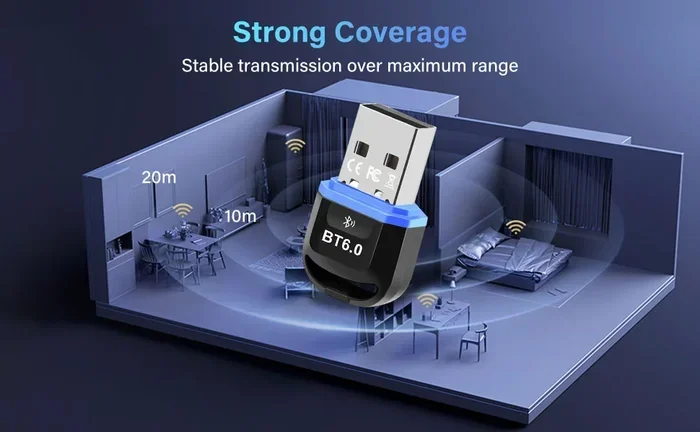
Newer versions of Bluetooth offer faster speeds and longer range. Bluetooth 5.0 can reach up to 800 feet in open space. Bluetooth 5.3, the latest version, improves stability and reduces power consumption. When choosing a dongle, look for these newer versions for the best experience.
Do New Windows PCs Have Built-In Bluetooth
Here is the good news. Most new Windows laptops come with Bluetooth already built in. If you bought a laptop in the last three to four years, there is a strong chance you do not need a dongle at all.
But desktop PCs are a different story. Most desktop computers do not include Bluetooth out of the box. They rely on wired connections or Wi-Fi for internet access. So if you have a desktop, you will almost certainly need a Bluetooth adapter to go wireless.
Here is a quick way to check if your PC has Bluetooth:
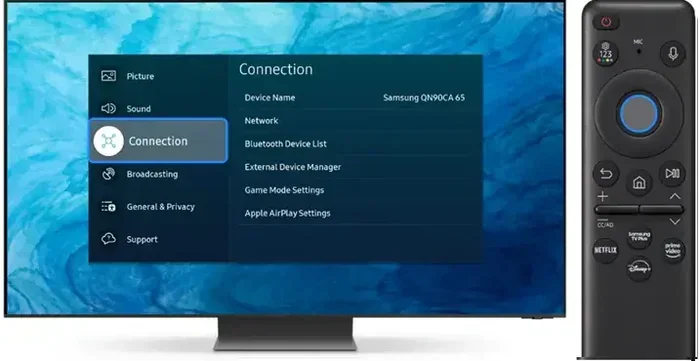
- Open Settings. Go to Settings > Devices > Bluetooth & other devices.
- Look for the Bluetooth toggle. If you see it, your PC has Bluetooth.
- Check Device Manager. Search for “Bluetooth” in the Device Manager search bar.
- Look at your PC specs. Check the manufacturer’s website for your model number.
If none of these show Bluetooth, then yes, you need a dongle. It is that simple.
Laptop vs Desktop Bluetooth Support
Laptops are designed to be portable. That means manufacturers build in wireless features like Bluetooth and Wi-Fi from the start. Desktop PCs focus more on power and storage. Wireless features are often added later through expansion cards or USB adapters.
If you use a laptop and already have Bluetooth, you are all set. But if you are using a desktop or an older laptop, a USB Bluetooth dongle is your best bet. It costs between $5 and $30 for most good models. That is a small price for wireless convenience.
When You Definitely Need A Bluetooth Dongle
Not every situation calls for a dongle. But certain scenarios make one absolutely essential. Here are the most common reasons you need a Bluetooth adapter for your PC.
You Want Wireless Audio
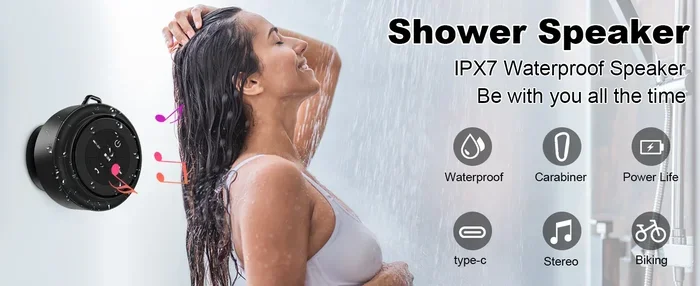
If you love listening to music or watching movies without wires, you need Bluetooth. A Bluetooth dongle lets you connect wireless headphones or a Bluetooth speaker to your PC. This is perfect for late-night gaming sessions or watching shows without disturbing anyone else in the house.
Many people also use their PC for music production or DJing. If you want to connect wireless headphones for monitoring, a dongle makes it possible. You can even connect a bluetooth speaker for group listening or presentations.
You Use Wireless Peripherals
Wireless keyboards and mice are incredibly popular. They keep your desk clean and tidy. But these devices need a Bluetooth connection to work. If your PC does not have built-in Bluetooth, a dongle is the only way to use them.
Some wireless peripherals come with their own USB receiver. But if you prefer the clean look of Bluetooth, a dongle is the way to go. You pair your keyboard and mouse directly to your PC without extra receivers cluttering your USB ports.
You Want To Connect Your Phone To Your PC
Bluetooth is great for sharing files between your phone and PC. You can transfer photos, documents, and even mirror your phone screen. But this only works if both devices support Bluetooth connectivity. If your PC does not, a dongle solves the problem instantly.
You Play Games With Wireless Controllers
Many gamers prefer wireless controllers for a cleaner setup. Xbox, PlayStation, and third-party controllers all use Bluetooth. If your PC does not have built-in Bluetooth, you cannot connect these controllers wirelessly. A Bluetooth dongle fixes this problem and lets you game without being tethered by a cable.
For Xbox controllers, you can also use a wireless adapter made by Microsoft. But a universal Bluetooth adapter works with many controller types, giving you more flexibility.
How To Choose The Right Bluetooth Dongle
Not all Bluetooth dongles are created equal. Some are cheap and unreliable. Others offer excellent range and fast speeds. Here is what you should look for when shopping for a Bluetooth USB adapter.
Check The Bluetooth Version
The Bluetooth version matters a lot. Bluetooth 5.0 and newer offer the best performance. Here is a quick comparison:
- Bluetooth 4.0: Basic connectivity. Range up to 30 feet. Good for simple peripherals.
- Bluetooth 5.0: Double the speed and range of Bluetooth 4.0. Range up to 800 feet.
- Bluetooth 5.3: The latest standard. Better power efficiency and stable connections.
For most users, a Bluetooth 5.0 or 5.3 dongle is the sweet spot. It gives you reliable performance and future-proofing.
Consider The USB Port Type
Some dongles use standard USB-A ports. Others use USB-C. Make sure you buy one that matches your PC’s ports. If your PC only has USB-C, get a USB-C dongle. You can also use a USB-A to USB-C adapter if needed.
Look For Brand Reliability
Stick with trusted brands when buying a Bluetooth adapter. Cheap no-name dongles may seem like a great deal, but they often have poor range, lag, and connection drops. Brands like TP-Link, ASUS, and Intel make reliable options that work well with Windows.
Check Driver Compatibility
Most modern dongles work with Windows 10 and Windows 11 out of the box. But if you are using an older version of Windows, check the driver support before buying. Good dongles come with easy driver downloads on their support pages.
Setting Up Your Bluetooth Dongle On Windows
Setting up a Bluetooth dongle on your Windows PC is quick and easy. Follow these steps and you will be connected in no time.
Step 1: Plug In The Dongle
Insert the Bluetooth dongle into an available USB port. Wait a few seconds for Windows to recognize the device. You should see a notification in the bottom-right corner of your screen.
Step 2: Install Drivers (If Needed)
Most dongles install drivers automatically. If Windows does not recognize it, visit the manufacturer’s website and download the latest driver. This usually takes less than a minute.
Step 3: Turn On Bluetooth
Go to Settings > Bluetooth & devices. Toggle Bluetooth to On. Your PC is now searching for nearby Bluetooth devices.
Step 4: Pair Your Device
Put your Bluetooth device in pairing mode. Select it from the list on your PC and click Connect. That is it. You are now wirelessly connected.
Quick tip: If you are connecting a bluetooth speaker, make sure the speaker is close to your PC during pairing. Once paired, you can move further away without losing connection.
Common Bluetooth Dongle Problems And How To Fix Them
Bluetooth dongles are generally reliable. But sometimes you run into issues. Here are the most common problems and how to solve them.
Dongle Not Recognized By PC
If your PC does not detect the dongle, try a different USB port. Avoid USB hubs and plug directly into the PC. You can also try uninstalling the device in Device Manager and letting Windows reinstall the driver automatically.
Poor Connection Or Lag
Interference from other devices can cause lag. Keep your dongle away from your router and USB 3.0 ports, which can cause signal interference. A small USB extension cable can help position the dongle for better reception.
Device Keeps Disconnecting
If your device disconnects frequently, update your Bluetooth drivers. You can do this through Device Manager or the manufacturer’s website. Also, make sure your Bluetooth adapter firmware is up to date.
Range Is Too Short
Cheap dongles often have limited range. If you need to move around your room freely, invest in a Bluetooth 5.0 or higher dongle. These offer much better range and stability.
Do You Really Need A Bluetooth Dongle
So, do you actually need one? The answer comes down to your PC and your needs. If your Windows PC already has built-in Bluetooth, you are good to go. No dongle needed.
But if you have a desktop PC, an older laptop, or a PC that lacks Bluetooth, a dongle is a must-have accessory. It opens up a world of wireless possibilities. You can connect headphones, speakers, keyboards, mice, and game controllers without a single cable.
The cost is minimal. A good Bluetooth dongle costs between $10 and $25. That is a small investment for the convenience of wireless connectivity. Plus, if you ever upgrade your PC, you can simply unplug the dongle and move it to your new machine.
For those who use their PC for entertainment, a dongle is especially useful. You can connect a bluetooth speaker for movies and music, or use wireless headphones for private listening. Gamers benefit too, with wireless controllers and headsets that eliminate cable clutter.
One thing to keep in mind is that a bluetooth dongle is not the same as a Wi-Fi adapter. Wi-Fi connects your PC to the internet. Bluetooth connects your PC to peripherals. Some dongles offer both features in one device, which can save you a USB port.
Ultimately, whether you need a dongle depends on your setup and what you want to do. But now you have all the information to make the right decision. You know how to check if your PC has Bluetooth, what to look for in a dongle, and how to set it up. You are ready to go wireless.
If you are still unsure, check your PC specs first. A quick look at your manufacturer’s website or a peek into Device Manager will tell you everything you need to know. And if you do need a dongle, you now know exactly what to buy and how to use it.
The bottom line: A Bluetooth dongle is a small device that makes a big difference. It brings wireless freedom to any PC that lacks built-in Bluetooth. Whether you are streaming music, gaming, or just browsing, going wireless is easier than ever.
Frequently Asked Questions
Can I use a Bluetooth dongle with any Windows PC?
Yes, most Bluetooth dongles work with Windows 10 and Windows 11 without any issues. Just plug it in, install the driver if needed, and you are good to go. Some older versions of Windows may require manual driver installation, but this is rare with modern dongles.
Is a Bluetooth dongle the same as a Bluetooth adapter?
Yes, they are the same thing. A Bluetooth dongle is just another name for a small USB Bluetooth adapter. Both terms refer to the same device that adds wireless Bluetooth capability to your PC.
Can I use Bluetooth headphones with a dongle for gaming?
Absolutely. A Bluetooth dongle lets you connect wireless headphones to your PC for gaming. Just keep in mind that Bluetooth can add a slight audio delay. For competitive gaming, a wired connection or a dedicated wireless gaming headset may be better. But for casual gaming and music, Bluetooth works great.
Do I need to install drivers for a Bluetooth dongle?
Most modern dongles install drivers automatically on Windows 10 and Windows 11. However, some dongles may need a manual driver download from the manufacturer’s website. Always check the product page for the latest driver support before buying.
Can I connect a Bluetooth speaker to my PC with a dongle?
Yes, a Bluetooth dongle lets you connect any Bluetooth speaker to your PC. This is perfect for streaming music, watching videos, or giving presentations. Just pair the speaker with your PC through the Bluetooth settings, and you are ready to go.
How far can a Bluetooth dongle reach from my PC?
The range depends on the Bluetooth version. Bluetooth 4.0 reaches about 30 feet. Bluetooth 5.0 can reach up to 800 feet in open space. For most home and office setups, Bluetooth 5.0 or higher gives you plenty of range to move around freely.
Frequently Asked Questions
What is Do I Need A Bluetooth Dongle For My Pc?
Do I Need A Bluetooth Dongle For My Pc is an important topic with many practical applications.