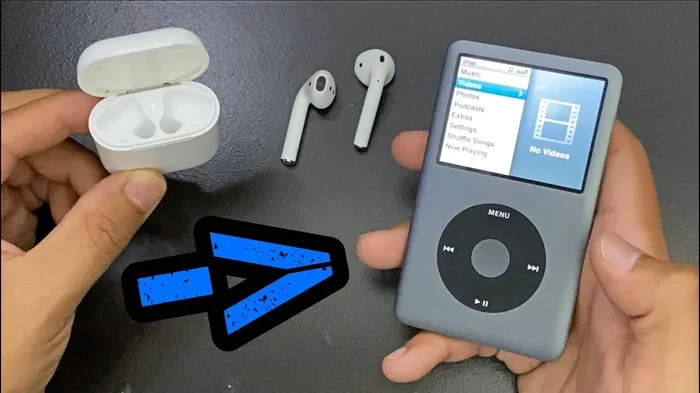
Do Any Ipods Have Bluetooth Here Is What You Need To Know
Not all iPods have Bluetooth. Only the iPod Touch models include built-in Bluetooth support. The iPod Classic, iPod Nano, and iPod Shuffle do not have Bluetooth at all. If you want wireless audio from an iPod, the Touch is your best and only real option.
Do any iPods have Bluetooth? This is a question a lot of people ask, especially if they have an older iPod sitting in a drawer and want to use it wirelessly. The short answer is yes, but only certain models. The iPod Touch is the only iPod that comes with built-in Bluetooth. The iPod Classic, iPod Nano, and iPod Shuffle do not support Bluetooth at all.
If you are trying to go wireless with your iPod, knowing which model you have matters a lot. This guide breaks down every iPod model and its Bluetooth status. You will learn which iPods support Bluetooth, what you can do with it, and how to add Bluetooth to an iPod that does not have it built in.
Let us dive in and clear up the confusion once and for all.
Key Takeaways
- iPod Touch is the only iPod with Bluetooth: All iPod Touch models from the 2nd generation onward include Bluetooth capability.
- iPod Classic, Nano, and Shuffle lack Bluetooth: These models use a 30-pin or Lightning dock connector for audio output only.
- You can add Bluetooth to non-Bluetooth iPods: Bluetooth adapters and transmitters can make older iPods wireless.
- iPod Touch works great with Bluetooth headphones: Pairing is simple and supports most wireless audio devices.
- Bluetooth on iPod Touch enables more than music: You can use it for gaming, calls, and streaming apps.
📑 Table of Contents
- Which iPod Models Have Bluetooth?
- What Can You Do with Bluetooth on an iPod Touch?
- How to Add Bluetooth to Non-Bluetooth iPods
- Bluetooth Versions and What They Mean for iPod Users
- Best Bluetooth Accessories for iPod Users
- Common Mistakes People Make with iPod Bluetooth
- Quick Tips for the Best Bluetooth Experience on Your iPod
- Final Thoughts
Which iPod Models Have Bluetooth?
Apple has made many iPod models over the years. Each one has different features and capabilities. When it comes to Bluetooth, the lineup is pretty clear. Only the iPod Touch includes wireless Bluetooth support. Every other iPod model relies on a wired connection for audio output.
iPod Touch: The Only iPod with Bluetooth
The iPod Touch is essentially a small iPhone without the cellular radio. It runs iOS and has Wi-Fi and Bluetooth built in. Every generation of iPod Touch from the 2nd generation onward includes Bluetooth. The latest model, the iPod Touch 7th generation, supports Bluetooth 4.1.
This means you can pair Bluetooth headphones, speakers, and other audio devices with an iPod Touch. You can stream music wirelessly, take calls, and even use it for gaming with wireless controllers. The iPod Touch gives you the most flexibility when it comes to wireless audio.
Here are the iPod Touch models that support Bluetooth:
- iPod Touch 2nd generation (2008)
- iPod Touch 3rd generation (2009)
- iPod Touch 4th generation (2010)
- iPod Touch 5th generation (2012)
- iPod Touch 6th generation (2015)
- iPod Touch 7th generation (2019)
Each of these models lets you connect wirelessly to Bluetooth headphones, speakers, and car audio systems. The newer models tend to have better Bluetooth performance and longer range.
iPod Classic: No Bluetooth
The iPod Classic is the iconic click-wheel iPod with a massive hard drive inside. It was Apple’s flagship music player for years. However, the iPod Classic does not have Bluetooth. It uses a 30-pin dock connector or a USB cable to connect to headphones and speakers.
If you have an iPod Classic, you are limited to wired audio output. You can plug in wired headphones or use a dock. There is no way to go wireless with the Classic without adding external hardware.
iPod Nano: No Bluetooth
The iPod Nano was a small, clip-on music player that Apple made for years. It went through several redesigns. None of the iPod Nano models include Bluetooth. They all use a built-in headphone jack or a Lightning connector (on the 7th generation model).
The Nano is great for workouts and casual listening. But if you want to use wireless headphones with it, you will need a workaround. More on that below.
iPod Shuffle: No Bluetooth
The iPod Shuffle is the smallest iPod Apple ever made. It is a tiny flash drive-style player with no screen. The iPod Shuffle does not have Bluetooth either. It connects to headphones through a built-in headphone jack or a USB cable for charging.
The Shuffle is super simple and portable. But it is a wired-only device when it comes to audio output. There is no wireless option without extra accessories.
What Can You Do with Bluetooth on an iPod Touch?
Having Bluetooth on an iPod Touch opens up a lot of possibilities. It is not just about listening to music. Let us look at what you can actually do with Bluetooth on this device.
Wireless Music Streaming
The most obvious use is streaming music wirelessly. You can pair your iPod Touch with Bluetooth headphones or a Bluetooth speaker and play music without any wires. This works with Apple Music, Spotify, and other streaming apps available on the iPod Touch.
You can also connect to a Bluetooth speaker for bigger sound. This is great for parties, outdoor gatherings, or just listening in another room. The iPod Touch handles all of this smoothly.
Gaming with Wireless Accessories
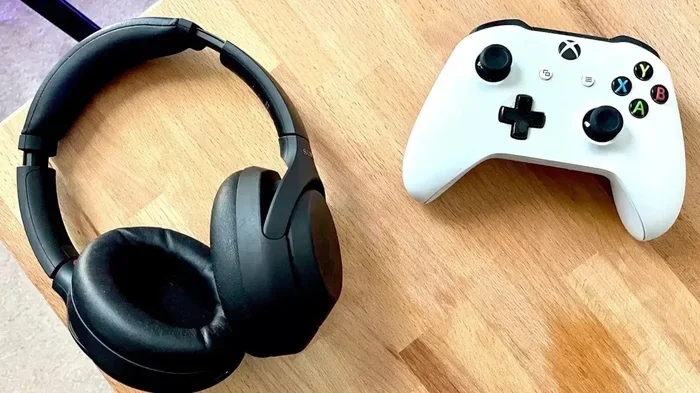
The iPod Touch is actually a solid gaming device. It supports a wide range of games on the App Store. With Bluetooth, you can pair wireless controllers for a better gaming experience. You can pair Bluetooth headphones to Xbox One controllers and other wireless gaming accessories. This makes gaming on the iPod Touch much more immersive.
If you like casual games or even more intense titles, wireless audio and controls make a big difference. You do not have to deal with tangled wires while you play.
Hands-Free Calls and Voice Assistants
The iPod Touch has a microphone and supports FaceTime audio calls. With Bluetooth, you can connect to a Bluetooth headset and take calls wirelessly. You can also use voice assistants like Siri through a Bluetooth speaker or headphones.
This is handy if you use your iPod Touch for more than just music. The Bluetooth connectivity makes it a more versatile device overall.
Connecting to Car Audio Systems
If your car has Bluetooth, you can pair your iPod Touch with the car stereo. This lets you play music through your car speakers without any wires. It is a convenient way to use your iPod Touch on road trips or commutes.
Some people also use their iPod Touch as a music source in the car by connecting it to a Bluetooth car radio. This works well and keeps your phone free for calls and navigation.
How to Add Bluetooth to Non-Bluetooth iPods
If you have an iPod Classic, Nano, or Shuffle, you might still want wireless audio. The good news is that you can add Bluetooth to these devices with external accessories. Here are the best ways to do it.
Bluetooth Transmitters
A Bluetooth transmitter is a small device that plugs into your iPod’s headphone jack or dock connector. It sends the audio signal wirelessly to your Bluetooth headphones or speaker. This is the easiest and most affordable way to add Bluetooth to any iPod.
You just plug the transmitter in, pair it with your Bluetooth device, and you are good to go. These transmitters work with all iPod models, including the Classic, Nano, and Shuffle.
Look for a transmitter that supports aptX or aptX Low Latency for better audio quality. Some transmitters also have a built-in microphone, which lets you take calls wirelessly.
Bluetooth Adapters for the Dock Connector
For older iPods with a 30-pin dock connector, you can find Bluetooth adapters that fit right into the dock port. These adapters connect to your iPod and stream audio to Bluetooth devices. They are a clean solution that keeps your iPod looking stock.
For the iPod Nano 7th generation and iPod Shuffle, which use a Lightning connector, you can find Lightning-to-Bluetooth adapters as well. These are a bit less common but do exist.
Turning Wired Headphones into Bluetooth
If you have a favorite pair of wired headphones, you do not have to throw them away. You can make them Bluetooth compatible with a small Bluetooth adapter. These adapters plug into the headphone jack and send audio to your Bluetooth headphones or speaker.
You can also make your wired headphones Bluetooth by using a Bluetooth transmitter that has a headphone jack output. This is a great way to breathe new life into older headphones and use them with your iPod wirelessly.
Bluetooth Versions and What They Mean for iPod Users
Not all Bluetooth connections are the same. Different versions of Bluetooth offer different speeds, ranges, and features. Here is what you need to know about Bluetooth versions and how they affect your iPod experience.
Bluetooth 4.1 on iPod Touch 7th Generation
The latest iPod Touch supports Bluetooth 4.1. This version offers a reliable connection with a range of about 30 feet. It uses less power than older Bluetooth versions, which helps preserve battery life. Bluetooth 4.1 is more than enough for streaming music and taking calls.
Bluetooth 4.1 also supports low energy audio, which means your headphones last longer on a single charge when connected to an iPod Touch.
Older Bluetooth Versions on Earlier iPod Touch Models
Earlier iPod Touch models use older Bluetooth versions. The 2nd and 3rd generation models use Bluetooth 2.1. The 4th through 7th generation models use Bluetooth 4.0 or 4.1. These older versions still work fine for basic audio streaming. However, they may have slightly shorter range and higher power consumption compared to newer versions.
If you are using an older iPod Touch, you might notice a slight delay in audio when watching videos. This is because older Bluetooth versions have higher latency. For music, this does not matter. But for video and gaming, it can be noticeable.
Best Bluetooth Accessories for iPod Users
If you want to get the most out of your iPod’s Bluetooth capabilities, choosing the right accessories matters. Here are some of the best options.
Bluetooth Headphones
Wireless headphones are the most popular Bluetooth accessory for iPod users. You can find Bluetooth headphones in many styles, from earbuds to over-ear headphones. Look for headphones with good battery life and comfortable fit. If you use your iPod for gaming, consider headphones with low latency for a better experience. You can also use Bluetooth headphones for gaming on your iPod Touch with great results.
Bluetooth Speakers
A Bluetooth speaker gives you bigger sound without any wires. Portable Bluetooth speakers are compact and easy to carry. They are perfect for outdoor trips, pool parties, or just relaxing at home. You can also use a Bluetooth speaker to amplify your voice if you need a portable speaker for presentations or announcements.
Bluetooth Car Kits
If you want to use your iPod Touch in the car, a Bluetooth car kit is a great option. These kits mount your iPod and connect to your car stereo wirelessly. Some kits also charge your iPod while you drive. This is a convenient way to enjoy your music on the road.
Common Mistakes People Make with iPod Bluetooth
Using Bluetooth with an iPod is straightforward, but people make a few common mistakes. Here are some things to watch out for.
- Not updating your iPod: Older iPod models may have outdated software. Always update to the latest iOS version for the best Bluetooth performance.
- Pairing in a crowded area: Bluetooth uses the 2.4 GHz frequency, which can get crowded in busy places. If you have connection issues, try moving to a quieter area.
- Ignoring battery levels: Bluetooth drains battery faster than wired connections. Keep your iPod and your Bluetooth devices charged.
- Using low-quality transmitters: Cheap Bluetooth transmitters can cause audio lag and poor sound quality. Invest in a reputable brand for the best experience.
- Forgetting to disconnect: If your iPod is connected to a Bluetooth device you are not using, it can drain battery. Disconnect devices you are not actively using.
Quick Tips for the Best Bluetooth Experience on Your iPod
Want the smoothest Bluetooth experience with your iPod? Follow these quick tips.
- Keep your iPod updated. Software updates often include Bluetooth improvements and bug fixes.
- Keep devices close. Bluetooth works best within 30 feet. Stay within range for the most stable connection.
- Turn off Bluetooth when not in use. This saves battery life and prevents unwanted connections.
- Use high-quality Bluetooth accessories. Good headphones and speakers make a noticeable difference in sound quality.
- Restart devices if you have connection issues. A simple restart often fixes Bluetooth pairing problems.
- Forget old pairings. If your iPod struggles to connect, go to your Bluetooth settings and remove old devices before pairing again.
Final Thoughts
So do any iPods have Bluetooth? Yes, but only the iPod Touch. The iPod Classic, Nano, and Shuffle do not include Bluetooth. If you want wireless audio from an iPod, the iPod Touch is your go-to device. It supports Bluetooth headphones, speakers, car audio, and wireless gaming accessories.
If you have a non-Bluetooth iPod, you can still go wireless with a Bluetooth transmitter or adapter. These accessories are affordable and easy to use. They let you enjoy wireless audio from any iPod model.
Bluetooth technology has come a long way, and even older iPod Touch models handle wireless audio well. Whether you are listening to music, gaming, or taking calls, Bluetooth adds a lot of convenience to your iPod experience.
Know your iPod model, pick the right accessories, and enjoy wireless audio the way it was meant to be.
Frequently Asked Questions
Can I use Bluetooth headphones with any iPod?
Only the iPod Touch has built-in Bluetooth. If you have an iPod Classic, Nano, or Shuffle, you cannot connect Bluetooth headphones directly. You would need a Bluetooth transmitter or adapter to make it work wirelessly.
Which iPod has the best Bluetooth performance?
The iPod Touch 7th generation has the best Bluetooth performance among all iPod models. It supports Bluetooth 4.1, which offers a reliable connection, good range, and low energy usage. Earlier iPod Touch models also work well but may have slightly older Bluetooth versions.
Can I make my iPod Nano wireless with Bluetooth?
Yes, you can add Bluetooth to an iPod Nano using a Bluetooth transmitter. These small devices plug into the headphone jack or dock connector and send audio wirelessly to your Bluetooth headphones or speaker. It is an easy and affordable solution.
Does the iPod Shuffle support Bluetooth?
No, the iPod Shuffle does not support Bluetooth at all. It is a very small, simple music player with no wireless capabilities. To use Bluetooth headphones with a Shuffle, you would need a Bluetooth transmitter that connects to the headphone jack.
Can I connect my iPod Touch to a Bluetooth speaker?
Yes, you can connect your iPod Touch to any Bluetooth speaker. Simply go to your iPod Touch settings, turn on Bluetooth, and pair it with your speaker. This works with all iPod Touch models that have Bluetooth built in.
Is Bluetooth on the iPod Touch good for gaming?
Yes, Bluetooth on the iPod Touch works well for gaming. You can connect wireless controllers and Bluetooth headphones for a more immersive experience. Just keep in mind that older Bluetooth versions may have slight audio delay, which can affect fast-paced games.
=== CONCLUSION ===
Not every iPod has Bluetooth, but the ones that do offer a great wireless experience. The iPod Touch stands out as the only iPod model with built-in Bluetooth support. It lets you connect wireless headphones, speakers, car audio, and gaming controllers effortlessly.
If you own an iPod Classic, Nano, or Shuffle, you can still enjoy Bluetooth audio with the help of a transmitter or adapter. These accessories are simple to use and open up a world of wireless possibilities for older iPod models.
Understanding which iPod has Bluetooth helps you make the right choice. Whether you are buying a used iPod or trying to add wireless capability to one you already own, this guide has you covered. Go ahead, go wireless, and enjoy your music the way you want to.