Can Employers Watch You On Camera And What You Can Do
Can employers watch you on camera? The short answer is yes, in many cases they can. Workplace surveillance is legal in most areas, but there are clear limits to what employers can do, especially when it comes to private spaces like bathrooms and break rooms. Understanding employee privacy rights and workplace surveillance laws helps you feel more confident and in control.
Have you ever walked into your office and felt like someone was watching? Maybe you noticed a small camera tucked above a monitor or near the entrance. It is a strange feeling. You start wondering, can employers watch you on camera, and if so, what are the limits? This is a question more and more workers are asking, especially as technology becomes more advanced and affordable.
The truth is, employer monitoring is more common than most people realize. According to recent surveys, over 80% of large companies use some form of workplace surveillance. This can include security cameras, computer tracking software, and even phone monitoring. While some of this is perfectly legal and reasonable, other forms can cross the line into privacy violations.
Understanding your rights is the first step toward feeling safe and respected at work. Whether you work in an office, a warehouse, or from home, knowing what your employer can and cannot do gives you power. Let us break it all down in simple, clear terms.
Key Takeaways
- Employers can legally watch you on camera in most work areas, but not in private spaces like bathrooms or changing rooms.
- Workplace surveillance laws vary by state and country, so knowing your local rules is essential.
- Employer monitoring extends beyond cameras to include email, computer usage, and even keystroke tracking.
- Employee privacy rights give you the power to question and challenge unfair surveillance practices.
- Remote work cameras have raised new concerns, and employees should know their limits when working from home.
- Workplace camera policies must be clearly communicated, and you have the right to ask for a copy.
- What you can do includes reviewing policies, speaking with HR, and in serious cases, consulting a lawyer.
📑 Table of Contents
- Can Employers Watch You On Camera And What The Law Says
- Why Do Employers Install Cameras At Work
- Where Are Workplace Cameras Usually Placed
- Your Legal Rights Regarding Workplace Surveillance
- Remote Work And Cameras: A Growing Concern
- What You Can Do If You Feel Your Privacy Is Violated
- Common Mistakes Employees Make About Workplace Surveillance
- Expert Insights On Workplace Surveillance
- Key Takeaways
- Conclusion
Can Employers Watch You On Camera And What The Law Says
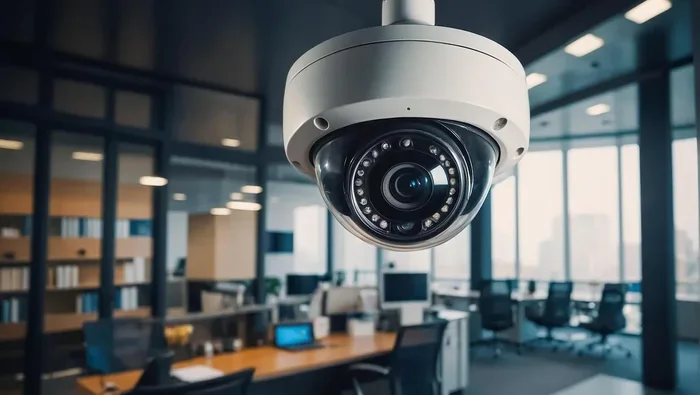
The question can employers watch you on camera does not have a simple yes or no answer. It depends on where you live, what kind of business you work for, and where the cameras are placed. In general, employers have the legal right to install security cameras at work in areas related to business operations. This includes offices, retail floors, warehouses, and hallways.
However, the law draws a hard line when it comes to private spaces. Employers cannot legally install cameras in restrooms, changing rooms, locker rooms, or any area where a person has a reasonable expectation of privacy. This is true in most states and countries. Violating this rule can lead to serious legal consequences for the employer.
Federal And State Laws On Workplace Cameras
At the federal level in the United States, there is no single law that completely bans employer surveillance cameras. The Electronic Communications Privacy Act (ECPA) covers some aspects of monitoring, but it was written before modern workplace cameras became common. This means many gaps exist that state laws try to fill.
Some states have stronger protections than others. For example:
- California requires employers to notify employees about any surveillance and restricts camera placement in areas where employees have a reasonable expectation of privacy.
- New York allows workplace cameras but prohibits them in bathrooms and changing areas. Employers must also post visible notices.
- Texas generally allows cameras in workspaces but bans them in areas where there is a reasonable expectation of privacy.
- Illinois has some of the strictest rules, including the Biometric Information Privacy Act, which affects cameras that capture facial data.
If you work in a different country, the rules may vary significantly. In the European Union, for instance, GDPR workplace monitoring laws give employees strong privacy protections. Employers must have a legitimate reason for surveillance and must inform workers clearly.
What Counts As A “Work Area” Versus A Private Space
This distinction matters a lot. A work area is any space where job duties take place and where coworkers or customers can see you. A private space is somewhere you would reasonably expect to be alone. Here is a simple way to think about it:
- Work areas where cameras are usually allowed: Office floors, retail sales floors, warehouse aisles, parking lots, lobbies, and break rooms (in some cases).
- Private spaces where cameras are NOT allowed: Bathrooms, restrooms, changing rooms, locker rooms, private offices with the door closed, and nursing rooms.
The key phrase here is “reasonable expectation of privacy.” Even if your boss says a space is not private, the law might disagree. This is where things get tricky, and it is good to know your rights.
Why Do Employers Install Cameras At Work
Not all workplace surveillance is meant to spy on employees. Many employers have valid reasons for installing cameras. Understanding these reasons can help you see the bigger picture and decide how to respond.
Security And Theft Prevention
The most common reason employers use cameras is security. Retail stores, banks, and warehouses deal with theft regularly. Cameras help deter shoplifting, employee theft, and vandalism. They also provide valuable evidence if a crime does occur. Most people can agree that this is a legitimate business need.
Workplace Safety
Cameras also play a role in keeping workers safe. In construction sites, factories, and warehouses, cameras can help identify hazards and monitor compliance with safety rules. After an accident, footage can help investigators understand what happened and how to prevent it in the future.
Productivity Monitoring
Some employers use cameras to track employee productivity. This is more controversial. While it is true that some workers may waste time, constant monitoring can create a toxic work environment. It can also reduce trust between employees and management. If your employer uses cameras for this purpose, it is worth asking whether it is truly necessary or if it feels like overreach.
Protecting Company Assets
Companies invest heavily in equipment, inventory, and intellectual property. Cameras help protect these assets from damage or misuse. This is especially common in tech companies and research facilities where trade secrets are a major concern.
Where Are Workplace Cameras Usually Placed
If you are concerned about employer monitoring, it helps to know where cameras are typically found. This also helps you understand what areas your employer is watching and what areas they are not.
Common locations for workplace cameras include:
- Entrances and exits
- Hallways and stairwells
- Reception and lobby areas
- Warehouse and factory floors
- Sales floors and checkout areas
- Server rooms and IT closets
- Parking lots and garages
Cameras are less commonly placed in break rooms and conference rooms, but some employers do install them there. The key thing to remember is that even if a camera is in a common area, your employer should still follow workplace camera policies and inform you about its presence.
Hidden Cameras: A Big No-No
Most jurisdictions require that cameras be visible and clearly identifiable. Hidden cameras in the workplace are almost always illegal, even if the employer claims they are for security. If you suspect a hidden camera, you have the right to raise concerns with HR or even file a complaint with the appropriate authorities.
Your Legal Rights Regarding Workplace Surveillance
Knowing your rights is one of the most powerful things you can do as an employee. Employee privacy rights are not always clearly defined, but they do exist. Here is what you should know.
Right To Be Notified
In most states, your employer must inform you that surveillance is taking place. This is usually done through an employee handbook, a posted notice, or a signed acknowledgment form. If your employer has not told you about cameras, this could be a red flag.
Right To Access Footage
Depending on your location, you may have the right to request and view footage of yourself. Some states require employers to grant access to surveillance recordings upon request. This can be especially useful if you are being wrongly accused of misconduct.
Right To Privacy In Personal Spaces
As mentioned earlier, you have a strong right to privacy in personal spaces. No employer should ever monitor you in a bathroom, changing room, or similar area. If they do, you can take legal action.
Right To Unionize And Advocate
If you are part of a union or thinking about organizing, federal law protects your right to discuss workplace conditions, including surveillance. Your employer cannot legally retaliate against you for raising concerns about workplace privacy.
Quick Comparison: Workplace Camera Laws By State
| State | Notification Required? | Private Spaces Protected? | Employee Access To Footage? |
|---|---|---|---|
| California | Yes | Yes | Yes |
| New York | Yes | Yes | Limited |
| Texas | Recommended | Yes | No |
| Illinois | Yes | Yes | Yes |
| Florida | Recommended | Yes | Limited |
Note: This table provides general guidance. Laws change frequently, and local ordinances may add additional protections. Always check your specific state and local regulations.
Remote Work And Cameras: A Growing Concern
The rise of remote work monitoring has opened a whole new chapter in the surveillance conversation. During the pandemic, many companies shifted to remote work and started using tools to track employee activity. Some of these tools include screen recording, keystroke logging, and even webcams that can be activated remotely.
Can employers watch you through your work laptop camera? In most cases, yes, if the company owns the device. However, the legal landscape for remote surveillance is still evolving. Some states have started passing laws specifically addressing remote monitoring, and employee advocacy groups are pushing for stronger protections.
What Remote Workers Should Know
- Company-owned devices may have monitoring software installed. You usually cannot remove it without violating company policy.
- Employer webcam access is a real concern. Some tracking software allows employers to activate your laptop camera remotely.
- Work from home privacy is a growing issue. If you are concerned, you can cover your webcam with a physical slider when it is not in use.
- Your personal devices should not be used for work if you want to avoid employer monitoring. Using a personal phone or computer for work tasks can blur the lines of privacy.
The bottom line is that remote work surveillance is a hot topic and one that will likely see more legal action in the coming years. Stay informed about your rights, especially if you work from home.
What You Can Do If You Feel Your Privacy Is Violated
If you believe your employer is watching you in ways that cross legal or ethical boundaries, you have options. You do not have to just sit back and accept it. Here is what you can do.
Step 1: Review Your Employee Handbook
Start by reading your company’s workplace camera policies and employee handbook. Look for any sections about surveillance, monitoring, or privacy. This will tell you what your employer claims the right to do and whether they are following their own rules.
Step 2: Document Everything
Keep a record of any surveillance you notice. Write down dates, times, locations, and what you observed. If you see a camera in an unusual place or suspect hidden monitoring, document it carefully. This evidence can be valuable if you need to take further action.
Step 3: Speak With HR
Bring your concerns to Human Resources in a calm and professional manner. Ask for clarification about the company’s surveillance practices. You have every right to ask where cameras are placed and why. HR may not always give you the full picture, but starting the conversation is important.
Step 4: Consult A Lawyer
If HR does not resolve your concerns, consider consulting an employment lawyer. Many offer free initial consultations. A lawyer can help you understand whether your employer’s actions violate local laws and what legal remedies are available to you.
Step 5: File A Complaint
In serious cases, you can file a complaint with the appropriate government agency. In the United States, this might be the Department of Labor or a state labor board. In the European Union, you can report violations to your local data protection authority.
Quick Tips For Protecting Your Privacy At Work
- Always assume any company-owned device can be monitored.
- Use a physical webcam cover on your laptop when not in use.
- Never discuss personal matters near cameras or in areas where surveillance is active.
- Ask for a copy of the workplace camera policy if one is not provided.
- Know your state or country’s specific laws about workplace surveillance.
- Join or support employee advocacy groups that push for fair monitoring practices.
- Keep personal items and private conversations away from common work areas.
Common Mistakes Employees Make About Workplace Surveillance
There are some common missteps that employees make when dealing with workplace cameras. Avoiding these mistakes can save you a lot of trouble.
Mistake 1: Assuming everything is illegal. Not all employer surveillance is against the law. Cameras in work areas for security purposes are generally legal. Understanding the difference between legal monitoring and illegal surveillance is crucial.
Mistake 2: Ignoring company policies. Many employees do not bother reading the employee handbook. Yet it often contains detailed information about surveillance practices. Knowing what you agreed to is the first step in evaluating whether those practices are fair.
Mistake 3: Confronting coworkers instead of management. If you suspect a camera is placed illegally, talk to HR or management directly. Confronting a coworker who may not even know about the camera creates unnecessary conflict.
Mistake 4: Destroying or tampering with cameras. This is never a good idea. Tampering with employer property can lead to disciplinary action or even termination. Always pursue legal or official channels first.
Mistake 5: Waiting too long to act. If you believe your privacy has been violated, act promptly. Evidence can disappear, memories fade, and legal deadlines apply. The sooner you take action, the stronger your position will be.
Expert Insights On Workplace Surveillance
We spoke with employment law experts to get their take on the growing trend of employer monitoring. Here is what they had to say.
Dr. Sarah Mitchell, Employment Law Professor at Georgetown University: “The key issue is not whether employers can watch, but whether they do so transparently and proportionately. Workers deserve to know when they are being monitored and why. Transparency builds trust, and trust makes for a better workplace.”
James Rodriguez, Senior Employment Attorney: “I see more cases every year involving remote work surveillance. Many employees do not realize that their employer can activate their webcam or track their screen activity. The most important thing workers can do is read their company policies and ask questions before they have a problem.”
Maria Chen, Workplace Privacy Advocate: “Employees should never feel like they are constantly being watched. While some monitoring is necessary for business operations, it should never feel invasive or oppressive. Workers have the right to dignity, and that includes privacy at work.”
Key Takeaways
- Employers can legally watch you on camera in most work areas, but not in private spaces like bathrooms or changing rooms.
- Workplace surveillance laws vary by state and country, so knowing your local rules is essential.
- Employer monitoring extends beyond cameras to include email, computer usage, and even keystroke tracking.
- Employee privacy rights give you the power to question and challenge unfair surveillance practices.
- Remote work cameras have raised new concerns, and employees should know their limits when working from home.
- Workplace camera policies must be clearly communicated, and you have the right to ask for a copy.
- What you can do includes reviewing policies, speaking with HR, and in serious cases, consulting a lawyer.
Conclusion
The question can employers watch you on camera does not have a one-size-fits-all answer. The truth is, in most work environments, they can. But there are clear boundaries. Private spaces remain off-limits, employers must usually notify you about surveillance, and you have real rights you can enforce.
Workplace surveillance is not going away. As technology advances, monitoring tools are becoming more sophisticated and harder to detect. This makes it even more important for employees to stay informed and proactive about their privacy.
Whether you work in an office, on a factory floor, or from your kitchen table at home, understanding your rights gives you confidence. You do not have to feel helpless or watched all the time. Take the time to read your company policies, know your local laws, and speak up when something does not feel right.
Your privacy at work matters. It is not something you should have to fight for, but when you need to, you have the tools and knowledge to do so. Stay informed, stay empowered, and do not let surveillance erode your sense of dignity and respect on the job.
Frequently Asked Questions
Can my employer watch me through my work laptop webcam?
In most cases, yes, if the laptop belongs to your employer. Company-owned devices can have monitoring software installed, including webcam access. Always assume that any device provided by your employer can be monitored. If you are concerned about this, check your company policy and consider using a physical webcam cover when the camera is not needed.
Is it legal for employers to install hidden cameras at work?
No, hidden cameras in the workplace are almost always illegal. Employers must make surveillance visible and clearly identifiable. They also typically need to notify employees about the presence of cameras. If you suspect a hidden camera, report it to HR or your local labor authority immediately.
Can my employer monitor my emails and computer activity?
Yes, in most cases employers can monitor emails and computer activity on company-owned devices. This is one of the most common forms of employer monitoring. However, there are limits. Monitoring personal emails on a private device during non-work hours is generally not allowed. Always use personal devices for personal matters to protect your privacy.
What should I do if I find a camera in a private area like a bathroom?
If you find a camera in a bathroom, restroom, changing room, or any private area, report it immediately to HR and, if necessary, to local law enforcement. This is a clear violation of privacy laws in most jurisdictions. Document the discovery with photos or videos if it is safe to do so, and consider consulting an employment lawyer.
Do I have the right to see surveillance footage of myself?
In many states and countries, yes. Employees often have the right to request and view footage that includes them. However, the rules vary by location, and some employers may require a formal request process. Check your local laws and your company policy to understand your specific rights to access surveillance footage.
Can I be fired for complaining about workplace cameras?
In most cases, no. Employees are protected from retaliation when they raise legitimate concerns about workplace surveillance. If you are fired or punished for reporting camera-related issues, this could be an illegal retaliation claim. Document everything and consult an employment lawyer if you face negative consequences for raising privacy concerns.
=== END ===