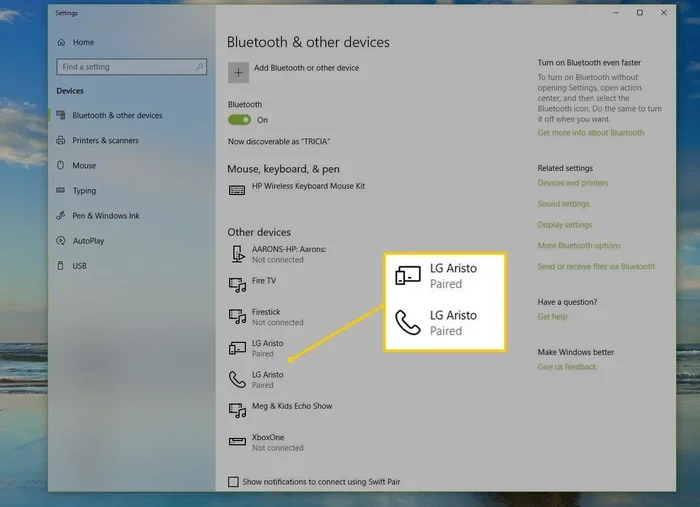
Can Bluetooth Run Without Wi Fi Everything You Need to Know
Yes, Bluetooth can absolutely run without WiFi. Bluetooth is a standalone wireless technology that connects devices directly using radio waves, no internet required. Whether you are pairing headphones, sharing files, or using a Bluetooth speaker, this short-range protocol works independently. Understanding how Bluetooth operates on its own helps you use your devices smarter and stay connected anywhere.
Have you ever been in a situation where your WiFi is down, but you still want to connect your Bluetooth headphones? Or maybe you are at a cabin in the woods with no internet, but you want to play music through a Bluetooth speaker. The question is simple but important. Can Bluetooth run without WiFi? The short answer is yes. Bluetooth works completely on its own. It does not need WiFi or an internet connection to pair devices or transfer data.
Bluetooth is one of the most widely used wireless technologies in the world. You probably use it every day without even thinking about it. From wireless earbuds to car audio systems, Bluetooth connects your devices seamlessly. But many people still confuse Bluetooth with WiFi. They assume that one depends on the other. That is not the case at all. Let us break down exactly how Bluetooth works, why it does not need WiFi, and what you can do with it when there is no internet connection.
Key Takeaways
- Bluetooth works independently of WiFi: Bluetooth uses its own radio frequency and does not need an internet connection to function.
- Many everyday devices rely on Bluetooth alone: Wireless earbuds, fitness trackers, keyboards, and car audio systems all use Bluetooth without WiFi.
- Bluetooth has a limited range: Standard Bluetooth works within about 30 feet, while Bluetooth Low Energy extends connectivity for smart devices.
- Bluetooth file transfer does not require internet: You can share photos, documents, and files between devices using Bluetooth directly.
- Bluetooth and WiFi are different technologies: They serve different purposes, though some devices use both simultaneously.
- Bluetooth is secure when used properly: Modern Bluetooth versions include encryption and pairing protections.
- Bluetooth will continue to evolve: Newer versions offer better speed, range, and energy efficiency without needing WiFi.
📑 Table of Contents
- What Is Bluetooth and How Does It Work?
- Can Bluetooth Run Without WiFi? The Short Answer Is Yes
- Bluetooth vs WiFi: What Is the Difference?
- What Can You Do With Bluetooth Without WiFi?
- Does Bluetooth Use Internet for Anything?
- Common Bluetooth Problems When WiFi Is Off
- Quick Tips for Using Bluetooth Without WiFi
- Common Mistakes People Make With Bluetooth
- Future of Bluetooth: What to Expect
- Final Thoughts
What Is Bluetooth and How Does It Work?
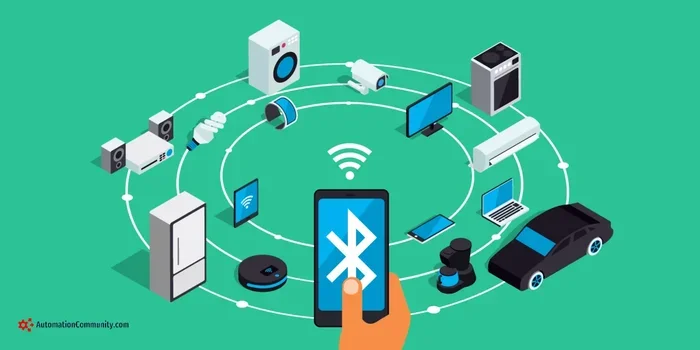
Bluetooth is a wireless communication standard that lets devices exchange data over short distances. It uses radio waves on a specific frequency band, usually 2.4 GHz. This is the same general frequency range that WiFi uses, but Bluetooth operates differently. It creates a small personal area network, often called a PAN, between two or more devices.
When you pair two Bluetooth devices, they establish a direct connection. One device acts as the transmitter, and the other acts as the receiver. For example, your phone sends audio signals to your Bluetooth headphones. This happens entirely through radio waves. No internet, no WiFi router, no cellular data. Just the two devices talking directly to each other.
Bluetooth has been around since the 1990s. Over the years, it has gone through many updates. Each new version brings better speed, longer range, and lower power consumption. Today, Bluetooth 5.3 and newer versions offer impressive performance. They can handle audio streaming, file transfers, and even smart home connections without any help from WiFi.
How Bluetooth Pairing Works
Bluetooth pairing is the process that lets two devices recognize each other and establish a connection. Here is how it works in simple steps:
- You turn on Bluetooth on both devices.
- One device becomes discoverable and broadcasts its presence.
- The other device detects it and sends a pairing request.
- Both devices exchange a pairing key or passkey.
- The connection is established, and data can flow between them.
This entire process happens locally. It does not touch the internet at all. That is why you can pair a Bluetooth keyboard with a tablet even in airplane mode. The Bluetooth protocol handles everything on its own.
Can Bluetooth Run Without WiFi? The Short Answer Is Yes
Let us get this straight. Bluetooth and WiFi are two separate wireless technologies. They share some similarities, but they serve different purposes. WiFi is designed for high-speed internet access. Bluetooth is designed for short-range device-to-device communication. One does not need the other to work.
Think of it this way. WiFi is like a highway that connects your devices to the internet. Bluetooth is like a footpath that connects two devices directly to each other. You can walk the footpath without ever getting on the highway. Similarly, Bluetooth can function perfectly well without WiFi being present.
Here are some common scenarios where Bluetooth works without WiFi:
- Playing music on Bluetooth speakers: Your phone sends audio directly to the speaker. No internet needed.
- Using Bluetooth headphones: Audio streams from your phone to your earbuds via radio waves.
- Sharing files between phones: Bluetooth file transfer works locally between two devices.
- Connecting a wireless keyboard: Your keyboard communicates with your tablet or laptop without internet.
- Using a fitness tracker: The tracker syncs data to your phone through Bluetooth alone.
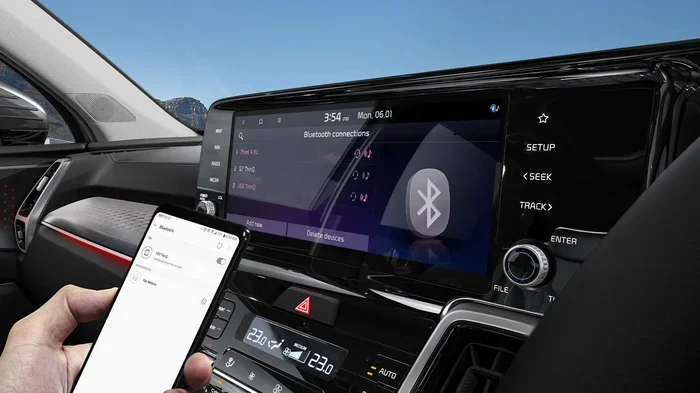
- Connecting to a car audio system: Your phone plays music through your car speakers via Bluetooth.
In every single case above, WiFi is not required. Bluetooth handles the connection independently. This is one of the greatest strengths of Bluetooth technology. It gives you wireless connectivity even when you have no internet access at all.
Bluetooth vs WiFi: What Is the Difference?
People often mix up Bluetooth and WiFi because both use wireless signals. But they are fundamentally different in how they work and what they are designed to do. Let us compare them side by side.
| Feature | Bluetooth | WiFi |
|---|---|---|
| Primary Purpose | Device-to-device connection | Internet access and network sharing |
| Range | Up to 30 feet (standard) | Up to 150 feet or more |
| Power Usage | Low power consumption | Higher power consumption |
| Speed | Slower data transfer | Faster data transfer |
| Internet Required | No | Yes (for internet access) |
| Connection Type | Point-to-point | Network-based (multiple devices) |
| Best For | Audio streaming, file transfer, peripherals | Browsing, streaming video, large downloads |
As you can see from the comparison, Bluetooth does not need WiFi to do its job. Bluetooth is built for direct, low-power, short-range connections. WiFi is built for high-speed internet access. They complement each other in many devices, but they do not depend on each other.
Some devices use both Bluetooth and WiFi at the same time. For example, a smart TV might use WiFi to stream content from the internet and Bluetooth to connect a wireless soundbar. But these are separate connections. If the WiFi goes down, the Bluetooth connection to the soundbar can still work.
When Bluetooth and WiFi Overlap
There are situations where Bluetooth and WiFi share the same 2.4 GHz frequency band. This can sometimes cause interference. For example, if your WiFi router is close to your Bluetooth speaker, you might notice audio glitches. This happens because both technologies are competing for space on the same frequency.
However, modern Bluetooth devices use adaptive frequency hopping. This means they constantly switch between different channels within the 2.4 GHz band to avoid interference. This technology helps Bluetooth stay stable even when WiFi is nearby. So even when both are active, Bluetooth continues to work without needing WiFi.
What Can You Do With Bluetooth Without WiFi?
Now that we have confirmed Bluetooth works without WiFi, let us explore what you can actually do. There are many practical uses for Bluetooth that do not require any internet connection at all.
1. Wireless Audio Streaming
This is the most common use of Bluetooth. You can connect your phone to Bluetooth headphones, earbuds, or speakers and listen to music, podcasts, or audiobooks. If you have downloaded content on your device, you do not need WiFi to play it. The audio streams directly from your device to the Bluetooth accessory.
Many people use Bluetooth speakers at outdoor parties, by the pool, or in the shower. None of these situations require WiFi. The Bluetooth connection handles everything locally between the phone and the speaker.
2. File Transfer Between Devices
Bluetooth file transfer is a handy feature that many people overlook. You can send photos, documents, contacts, and even videos between two Bluetooth-enabled devices. This works without internet. It is especially useful when you do not have access to cloud storage or when WiFi is unavailable.
On Android devices, you can use Bluetooth to share files directly. On iPhones, AirDrop uses a combination of Bluetooth and WiFi, but the Bluetooth part handles the discovery and handshake. Even without WiFi, the Bluetooth connection can initiate the transfer.
3. Connecting Wireless Peripherals
Wireless keyboards, mice, game controllers, and styluses all use Bluetooth. You can connect these peripherals to laptops, tablets, or phones without needing WiFi. This is incredibly useful for people who work offline or travel to areas with limited connectivity.
Gamers love Bluetooth controllers because they can connect to phones or tablets for mobile gaming without any internet. The controller communicates directly with the device through Bluetooth. No lag, no dependency on WiFi.
4. Fitness and Health Devices
Fitness trackers, smartwatches, and heart rate monitors use Bluetooth Low Energy (BLE) to sync data with your phone. BLE is a special version of Bluetooth designed for low power consumption. It works without WiFi and is perfect for health tracking devices.
When you go for a run without your phone, your fitness tracker stores data locally. Once you are back in range, it syncs via Bluetooth. This entire process works offline. You do not need WiFi or internet to track your steps, heart rate, or sleep patterns.
5. Car Audio and Hands-Free Calling
Most modern cars support Bluetooth connectivity. You can stream music from your phone to your car stereo and make hands-free calls. Both functions work without WiFi. The Bluetooth connection between your phone and car is direct and local.
This is especially important for safety. Even in areas with poor cellular coverage, Bluetooth calling can still work as long as your phone has a signal. The Bluetooth connection itself does not need internet.
Does Bluetooth Use Internet for Anything?
Here is where things get a little nuanced. Bluetooth itself does not need internet. But some apps and services that use Bluetooth might require internet for certain features. Let us clarify this.
For example, if you are using a Bluetooth speaker and playing music from Spotify, the Bluetooth connection between your phone and speaker works without WiFi. However, Spotify itself needs internet to stream music. So the internet requirement comes from the app, not from Bluetooth.
If you have music downloaded locally on your device, Bluetooth plays it perfectly without any internet. The same goes for podcasts, audiobooks, or locally stored videos. Bluetooth just moves the data from one device to another. It does not care where that data came from.
Another example is Bluetooth tethering. You can share your phone’s cellular data connection with other devices through Bluetooth. In this case, Bluetooth is the bridge, but the internet comes from your phone’s mobile data. The Bluetooth connection itself still does not need WiFi.
Bluetooth Low Energy and IoT Devices
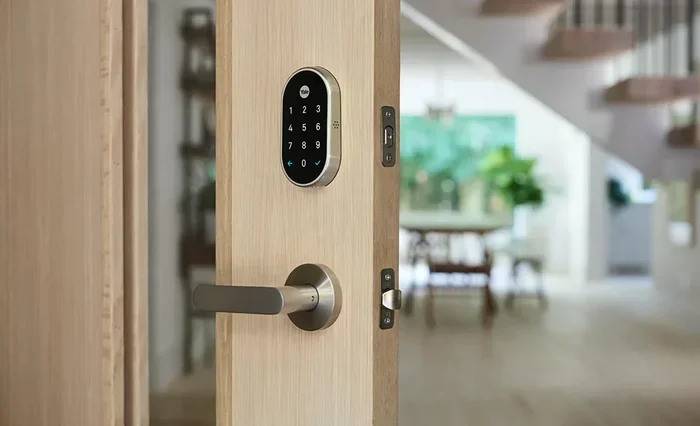
Bluetooth Low Energy, also known as BLE, has opened up a whole new world of connected devices. Smart home gadgets like temperature sensors, door locks, and light bulbs often use BLE. These devices communicate directly with your phone or a hub without WiFi.
For instance, a Bluetooth smart lock lets you unlock your door using your phone. The lock and phone communicate via Bluetooth. No WiFi router is needed. This makes Bluetooth an essential part of the Internet of Things, or IoT, ecosystem.
BLE devices are perfect for situations where power efficiency matters. A temperature sensor running on a small battery can last for months or even years using Bluetooth Low Energy. It does not need to maintain a WiFi connection, which would drain the battery quickly.
Common Bluetooth Problems When WiFi Is Off
Even though Bluetooth works without WiFi, you might sometimes run into issues. Here are some common problems and how to fix them.
Bluetooth Devices Not Pairing
If your Bluetooth devices are not connecting, try these steps:
- Turn Bluetooth off and on again on both devices.
- Make sure both devices are within range (about 30 feet).
- Remove old pairings and start fresh.
- Check if airplane mode is enabled and disable it.
- Restart both devices and try again.
Poor Audio Quality
If your Bluetooth audio sounds choppy or disconnected, it might be due to interference. Other wireless devices, microwaves, and even USB 3.0 ports can cause interference in the 2.4 GHz band. Moving closer to the Bluetooth device usually helps.
Slow File Transfers
Bluetooth file transfers are slower than WiFi-based transfers. This is normal. Bluetooth is designed for low power and short-range communication, not high-speed data. If you need to transfer large files quickly, consider using a direct cable or WiFi Direct instead.
Expert Insight
Bluetooth technology experts recommend keeping your devices updated. Newer Bluetooth versions include improvements in range, speed, and stability. If your device supports Bluetooth 5.0 or higher, you will enjoy a much better experience, especially when using Bluetooth without WiFi.
Quick Tips for Using Bluetooth Without WiFi
Here are some practical tips to get the most out of Bluetooth when you have no WiFi connection:
- Download content beforehand: Save music, podcasts, and videos on your device so you can enjoy them offline via Bluetooth.
- Keep devices close: Bluetooth range is limited. Stay within 30 feet for the best connection.
- Turn off unused Bluetooth devices: This saves battery and reduces interference.
- Use Bluetooth Low Energy devices: They last longer and work great without WiFi.
- Check for interference: Move away from other wireless devices if you experience connection issues.
- Update your firmware: Keep your Bluetooth devices updated for the best performance.
- Use airplane mode with Bluetooth enabled: This lets you use Bluetooth while blocking other wireless signals that might cause interference.
Common Mistakes People Make With Bluetooth
Avoid these common mistakes to get the best Bluetooth experience:
- Assuming Bluetooth needs WiFi: Bluetooth works on its own. Do not blame WiFi when a Bluetooth issue is actually something else.
- Ignoring Bluetooth version differences: Older Bluetooth versions have shorter range and slower speeds. Check your device specifications.
- Leaving Bluetooth on all the time: This drains battery life on phones and other portable devices.
- Pairing in crowded areas: In places with many wireless devices, Bluetooth connections can be unstable. Try moving to a quieter spot.
- Not clearing old pairings: A long list of old paired devices can cause connection issues. Regularly clean up your Bluetooth pairings.
Future of Bluetooth: What to Expect
Bluetooth technology continues to evolve. The Bluetooth Special Interest Group, or SIG, regularly releases new versions with improved features. Here is what we can expect in the near future:
- Longer range: Future Bluetooth versions may extend range well beyond the current 30 feet standard.
- Faster data transfer: Newer protocols will handle larger files and higher-quality audio more efficiently.
- Better energy efficiency: Bluetooth Low Energy will become even more power-efficient, enabling smaller batteries and longer device life.
- Enhanced location services: Bluetooth is already used for indoor positioning. Future versions will make this even more accurate.
- Stronger security: As Bluetooth becomes more widespread, security improvements will be a top priority.
The beauty of Bluetooth is its independence. It does not need WiFi, cellular data, or any other network to function. As long as two devices have Bluetooth chips, they can connect and communicate. This makes Bluetooth one of the most versatile and reliable wireless technologies available today.
Final Thoughts
So, can Bluetooth run without WiFi? Absolutely. Bluetooth is a self-sufficient wireless technology that connects devices directly using radio waves. It does not need an internet connection, a WiFi router, or any external network. Whether you are streaming music, sharing files, connecting peripherals, or using smart home devices, Bluetooth works on its own.
Understanding this gives you more confidence in using your devices. You no longer need to worry about WiFi being available to enjoy wireless audio, transfer files, or connect your favorite accessories. Bluetooth gives you freedom and flexibility wherever you go.
Next time someone asks you, “Can Bluetooth work without WiFi?” you will know the answer. It works perfectly fine on its own. Bluetooth is one of the most convenient and reliable wireless technologies we have. Embrace it, use it, and enjoy the wireless freedom it brings to your everyday life.
Frequently Asked Questions
Does Bluetooth need WiFi to connect to headphones?
No, Bluetooth headphones connect directly to your phone or device using radio waves. WiFi is not required at all. You can pair and use Bluetooth headphones in airplane mode or anywhere without internet.
Can I use Bluetooth in a place with no internet at all?
Yes, Bluetooth works completely offline. You can pair devices, stream locally stored music, transfer files, and use Bluetooth peripherals without any internet connection. Bluetooth creates its own local wireless network between devices.
Is Bluetooth slower than WiFi for data transfer?
Yes, Bluetooth is generally slower than WiFi for transferring large files. Bluetooth is designed for low-power, short-range communication. For quick file sharing between nearby devices, Bluetooth works great. For large files, WiFi Direct or a cable may be faster.
Can Bluetooth and WiFi interfere with each other?
Yes, both Bluetooth and WiFi operate on the 2.4 GHz frequency band. This can cause occasional interference, especially in crowded wireless environments. Modern Bluetooth devices use frequency hopping to minimize this problem.
Does Bluetooth use data or internet to work?
Bluetooth does not use any data or internet. It uses radio waves to create a direct connection between devices. Your cellular data or WiFi plan is not affected by Bluetooth usage at all.
How far can Bluetooth work without WiFi?
Standard Bluetooth works up to about 30 feet. Bluetooth Low Energy can reach similar distances. Newer Bluetooth versions like Bluetooth 5.0 and above can extend range up to 800 feet in ideal conditions, all without needing WiFi.
=== CONCLUSION ===
Bluetooth is a powerful, independent wireless technology that does not need WiFi to function. From wireless audio and file transfers to smart home devices and fitness trackers, Bluetooth connects your devices directly and efficiently. Understanding how Bluetooth works without WiFi gives you more control over your connectivity. You can use Bluetooth anywhere, anytime, regardless of internet availability. Keep your devices paired, stay connected, and enjoy the wireless convenience that Bluetooth delivers every single day.