Can You Use A USB To USB C Cable And Get Faster Charging
Yes, you can use a USB to USB C cable for charging and data transfer. A USB to USB C cable works with most modern devices, but charging speed depends on the cable quality, port type, and power source. USB-C offers faster speeds and reversible convenience compared to older USB-A connections.
Have you ever grabbed a cable from a drawer, plugged it into your new device, and wondered if it would even work? The shift from traditional USB to USB C has left a lot of people confused. If you have an older USB-A cable and a shiny new USB-C device, you are probably asking the same question.
The good news is that you can use a USB to USB C cable in most cases. But there are some important details you need to know. Not all cables deliver the same speed. Not all setups give you the fastest possible charging speed. And not every cable is built the same way. This guide breaks it all down for you.
We will walk through how a USB to USB C cable works, what it can do, and when it might fall short. You will learn about power delivery, data transfer rates, and the simple tips that make a big difference. By the end, you will know exactly what to expect and how to get the best performance from your setup.
Key Takeaways
- A USB to USB C cable works: It is compatible with most devices that have a USB-C port, including phones, laptops, and tablets.
- Charging speed varies: The cable, power adapter, and device all affect how fast you charge.
- Data transfer is possible: You can sync files and back up data using a USB to USB C cable.
- Not all cables are equal: Cheap cables may limit speed or fail to charge at full power.
- USB-C is the future: More devices are switching to USB-C, making this cable type essential.
📑 Table of Contents
- What Is a USB to USB C Cable?
- Can You Use a USB to USB C Cable for Faster Charging?
- Data Transfer Speeds with a USB to USB C Cable
- Device Compatibility: What Works with a USB to USB C Cable?
- Common Mistakes People Make with USB to USB C Cables
- Quick Tips for Getting the Most Out of Your USB to USB C Cable
- Is USB-C the Future of Charging and Connectivity?
- Should You Replace All Your USB-A Cables with USB-C?
- Conclusion
What Is a USB to USB C Cable?
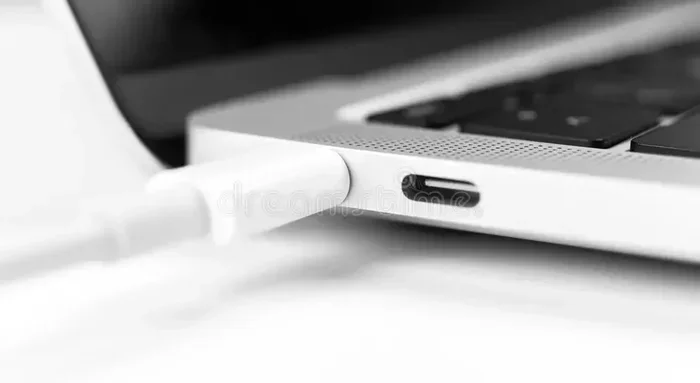
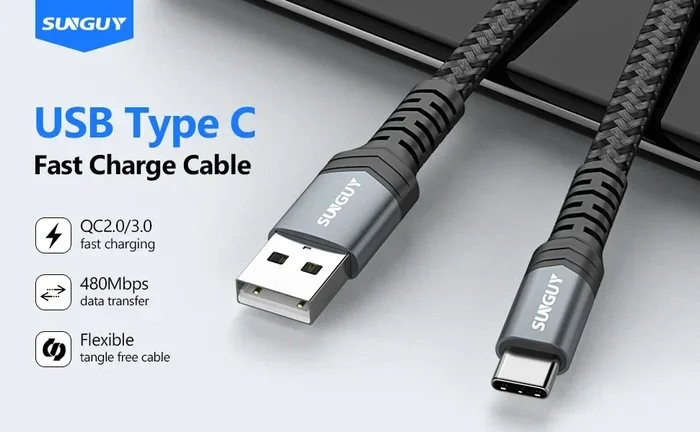
A USB to USB C cable has two different ends. One end is the classic USB-A connector. The other end is the newer USB-C connector. The USB-A side plugs into a standard power adapter or computer port. The USB-C side plugs into your phone, tablet, or laptop.
This design makes the cable a bridge between old and new technology. It lets you use older chargers and accessories with modern devices. That is a big reason why USB to USB C cables have become so popular.
How Does USB-C Differ from USB-A?
The USB-A connector is the flat, rectangular plug you have seen for years. It only fits in one direction. You have probably flipped it three times before getting it right. The USB-C connector is small, oval-shaped, and reversible. You can plug it in either way, and it always works.
USB-C also supports much faster data transfer and higher power delivery. A standard USB-A port usually handles up to 5 watts of power. USB-C can handle up to 100 watts or more with Power Delivery technology. That means a USB to USB C cable can charge your device much faster, but only if the power source and device support it.
Can You Use a USB to USB C Cable for Faster Charging?
The short answer is yes. But the full answer is more nuanced. Using a USB to USB C cable does not automatically mean faster charging. Several factors determine your actual charging speed.
What Determines Charging Speed?
Charging speed depends on three main things. First, the power adapter or charger you use. A basic 5-watt charger will charge slowly, no matter what cable you use. Second, the cable quality and what it can handle. Not all USB to USB C cables support high wattage. Third, your device itself. Some phones and laptops limit how much power they accept.
If you want faster charging speed, you need all three pieces to work together. A good USB to USB C cable paired with a powerful charger and a device that supports fast charging will give you the best results.
USB Power Delivery Explained
USB Power Delivery, or USB PD, is a charging standard that allows higher power through USB-C. It can deliver up to 100 watts. This is a huge jump from the 5 to 10 watts you get with basic USB-A charging.
Not every USB to USB C cable supports USB PD. You need a cable that is specifically rated for it. Look for cables that mention USB PD or higher wattage support on the packaging. These cables have thicker internal wiring that can handle more current without overheating.
Here is a quick comparison of common charging setups:
- Basic USB-A charger with USB to USB C cable: Charges at 5 to 10 watts. Works fine for overnight charging.
- USB-C charger with USB-C to USB-C cable: Charges at 18 to 65 watts. Much faster for most devices.
- USB PD charger with a certified USB to USB C cable: Charges at 20 to 100 watts. The fastest option available.
As you can see, the cable matters. But the charger matters just as much. A USB to USB C cable alone will not magically make your device charge faster.
Data Transfer Speeds with a USB to USB C Cable
Charging is not the only thing a USB to USB C cable can do. You can also use it to transfer data between devices. This is useful for backing up your phone, moving files to a laptop, or syncing a camera.
How Fast Is the Data Transfer?
USB-A ports typically support USB 2.0 or USB 3.0 speeds. USB 2.0 transfers data at up to 480 megabits per second. USB 3.0 can reach 5 gigabits per second. When you use a USB to USB C cable, the data speed is limited by the USB-A side.
That means you will not get the full speed of USB-C with a USB-A to USB-C cable. For the fastest data transfer, you need a USB-C to USB-C cable connected to a USB-C port on both ends. But for everyday tasks like moving photos or documents, a USB to USB C cable works perfectly well.
Here are some practical examples of what you can do:
- Transfer photos from a camera to a laptop: Works great with a USB to USB C cable.
- Sync a smartphone to a computer: Handles this easily for most users.
- Connect a USB flash drive to a modern laptop: The USB-A end goes into the flash drive, and the USB-C end goes into the laptop.
Device Compatibility: What Works with a USB to USB C Cable?
One of the biggest questions people ask is whether their device will work with a USB to USB C cable. The answer is almost always yes, but there are a few exceptions.
Devices That Work Well
Most modern smartphones use USB-C. This includes Samsung Galaxy phones, Google Pixel phones, and many others. A USB to USB C cable works great with these devices for both charging and data.
Laptops are also switching to USB-C. Many newer models from Dell, HP, Lenovo, and Apple now use USB-C or Thunderbolt ports. A USB to USB C cable can charge these laptops when paired with the right charger.
Tablets like the iPad Pro and Samsung Galaxy Tab use USB-C as well. You can charge and sync them with a USB to USB C cable without any issues.
Devices That May Not Work
Some older devices only have USB-A ports. If you try to plug a USB-C device into a USB-A-only port, it will work for basic charging but may not support fast charging or high-speed data.
Also, some very old devices with proprietary connectors will not work with a USB to USB C cable at all. You would need an adapter or a different cable type.
When in doubt, check your device manual or look up the port type online. It is a quick step that saves a lot of frustration.
Common Mistakes People Make with USB to USB C Cables
Using a USB to USB C cable seems simple, but people still make mistakes that slow things down or even damage their devices.
Using Cheap, Uncertified Cables
This is the biggest mistake. Cheap cables from unknown brands often use thin wiring that cannot handle high power. They may charge slowly, disconnect randomly, or in rare cases, overheat. Always look for cables from reputable brands or ones that carry USB-IF certification.
Think of it this way. You would not buy the cheapest power strip for your expensive TV. The same logic applies to your charging cables.
Assuming All USB-C Cables Are the Same
Not all cables are created equal. A basic USB to USB C cable might only support 5 watts. A premium USB-C to USB-C cable might support 100 watts. Check the specs before you buy. Look for the wattage and data speed ratings on the packaging.
Ignoring Cable Length
Cable length matters more than most people realize. Longer cables tend to lose more power during charging. If you need fast charging, use a shorter cable. A 3-foot USB to USB C cable will charge faster than a 6-foot one in most cases.
Not Checking Your Charger
People often blame the cable when the real problem is the charger. If you have a 5-watt charger, no cable in the world will give you fast charging. Upgrade your charger along with your cable for the best results.
Quick Tips for Getting the Most Out of Your USB to USB C Cable
Want to make sure you are getting the best performance? Follow these simple tips.
- Buy certified cables. Look for USB-IF certification or trusted brand names. This ensures the cable meets safety and performance standards.
- Match your charger to your cable. If your cable supports 20 watts, use a charger that can deliver at least 20 watts.
- Keep cables short for fast charging. Shorter cables lose less energy and charge your device faster.
- Check your device settings. Some phones have a “fast charging” toggle in the settings. Make sure it is turned on.
- Inspect your cables regularly. Frayed or damaged cables can charge slowly or not at all. Replace them when you see wear.
- Use a wall charger instead of a computer port. Wall chargers typically deliver more power than USB ports on computers.
These small steps add up. They can make a real difference in how fast your device charges and how reliably your cable performs. If you are looking for more tech tips and useful gadget ideas, check out our guide on 10 Gadgets To Make Moms Life Easier for some great accessory recommendations that pair well with USB-C setups.
Is USB-C the Future of Charging and Connectivity?
The tech world is clearly moving toward USB-C. Almost every new phone, laptop, and tablet now uses USB-C ports. Even some newer accessories like mice and keyboards are switching to USB-C. For example, if you are shopping for a new computer mouse, you might notice that many models now use USB-C instead of older USB-A connections. You can read more about the pros and cons of different mouse options in our article on Advantages and Disadvantages of a Computer Mouse.
One of the biggest advantages of USB-C is universality. You can use the same cable to charge your phone, tablet, and laptop if they all have USB-C ports. This reduces cable clutter and makes traveling much easier.
USB-C also supports video output. Many laptops can connect directly to a monitor using a USB-C cable. This means one cable can handle charging, data, and video all at the same time. That is a level of convenience that older USB-A cables simply cannot match.
The reversible connector is another game-changer. No more flipping the cable back and forth trying to find the right orientation. Just plug it in, and it works. It is a small design detail that makes a big difference in daily use.
Connectivity is also improving across the board. More devices are supporting wireless and wired connections that work seamlessly with USB-C hubs and adapters. For those curious about broader device connectivity trends, you might also enjoy our piece on Are All Rings Connected To Wifi to see how smart home devices are evolving their connection standards.
As USB-C becomes the standard, having a reliable USB to USB C cable in your bag or at your desk is a smart move. It ensures you stay compatible with both old and new devices for years to come.
Should You Replace All Your USB-A Cables with USB-C?
You do not need to replace every cable overnight. But it makes sense to start transitioning. Keep a few USB to USB C cables on hand for your current devices. When an old cable wears out, replace it with a USB-C option.
Over time, you will naturally build a USB-C collection. Your new devices will all use the same connector. You will have fewer cables to keep track of. And you will enjoy faster charging and data transfer where supported.
For now, a USB to USB C cable is the perfect bridge solution. It lets you use your existing USB-A chargers and adapters while preparing for the future.
Conclusion
So, can you use a USB to USB C cable for faster charging? Yes, you absolutely can. A USB to USB C cable is a versatile and practical accessory that works with most modern devices. It supports both charging and data transfer, making it a valuable addition to your tech toolkit.
But speed depends on more than just the cable. Your charger, your device, and the quality of the cable all play a role. Invest in certified cables, pair them with the right charger, and you will notice a real improvement in charging speed and data transfer performance.
USB-C is here to stay. More devices are adopting it every year. Having a good USB to USB C cable ready ensures you are prepared for whatever comes next. Keep one in your bag, one at your desk, and one in the kitchen. You will be glad you did.
Start with one quality cable today. See the difference it makes. You will wonder why you did not make the switch sooner.
Frequently Asked Questions
Can a USB to USB C cable charge my phone faster?
A USB to USB C cable can charge your phone faster, but only if your charger and phone support fast charging. The cable itself must also be rated for higher wattage. A basic 5-watt charger will still charge slowly, even with a great cable.
Is a USB to USB C cable the same as a USB-C to USB-C cable?
No, they are different. A USB to USB C cable has a USB-A end and a USB-C end. A USB-C to USB-C cable has USB-C ends on both sides. The USB-C to USB-C cable typically supports faster charging and data speeds.
Will a USB to USB C cable work with my laptop?
Most likely yes. Many modern laptops have USB-C ports for charging and data. A USB to USB C cable can connect your laptop to a USB-A charger or port. Check your laptop manual to confirm it supports USB-C charging.
What should I look for when buying a USB to USB C cable?
Look for USB-IF certification, wattage rating, and data speed support. A good cable should handle at least 20 watts for fast charging. Avoid cheap, uncertified cables that may overheat or charge slowly.
Can I use a USB to USB C cable for data transfer?
Yes, you can transfer data with a USB to USB C cable. The speed depends on the USB standard of your USB-A port. USB 3.0 ports offer faster transfer than USB 2.0 ports. For the best speeds, use a USB-C to USB-C cable.
Are all USB-C cables compatible with all USB-C devices?
Not all USB-C cables are the same. Some support only 5 watts, while others support 100 watts with USB Power Delivery. Always check the cable specifications to make sure it matches your device’s charging needs.