Can You Use A Projector Without Wifi Or Internet Connection
Yes, you can absolutely use a projector without wifi or an internet connection. Projectors are display devices that work independently of the internet, and you can connect them through HDMI, USB, or Bluetooth to play content offline. This guide covers every method, setup tip, and common mistake so you can enjoy offline projector use with confidence.
Key Takeaways
- Projectors do not need wifi to function: They simply display whatever signal you feed them through cables or local connections.
- HDMI is the most reliable offline connection: It delivers high-quality video and audio without any internet requirement.
- USB drives and local files work great: You can play movies, photos, and presentations directly from a USB device.
- Bluetooth and wireless adapters enable cord-free setup: You can stream local content without needing a router.
- Common mistakes kill the experience: Wrong cable choice, poor placement, and ignoring audio setup can ruin offline projection.
- Offline projector use is perfect for travel and outdoor events: No internet means more flexibility and fewer distractions.
📑 Table of Contents
- Can You Use A Projector Without Wifi?
- How Projectors Work Without An Internet Connection
- Ways To Connect A Projector Without WiFi
- What Can You Do With A Projector Offline?
- Setting Up Your Projector For Offline Use
- Common Mistakes When Using A Projector Without WiFi
- Can You Use A Projector As A Tv Without Internet?
- Expert Tips For The Best Offline Projector Experience
Can You Use A Projector Without Wifi?
The short answer is yes. You can absolutely use a projector without wifi or any internet connection at all. A projector is fundamentally a display device. Its job is to take a signal and show it on a big screen. It does not need the internet to do that.
Think of it like a television. Your TV can display cable channels, a DVD player, or a gaming console without ever touching the internet. A projector works the same way. It just needs a source signal. That signal can come from a laptop, a phone, a USB drive, a Blu-ray player, or even a gaming console.
Many people assume projectors need wifi because of smart projectors. Smart projectors have built-in apps and streaming features. But those features are just extras. The core function of projecting an image works completely offline. Whether you are setting up for a backyard movie night or a business presentation, you do not need an internet connection.
If you have ever wondered about using a projector without internet, you are in the right place. This guide covers every method, every connection type, and every tip you need. Let us dive in.
How Projectors Work Without An Internet Connection
Understanding how a projector works helps you see why internet is not needed. A projector takes a light source and pushes it through a lens. That lens enlarges the image and throws it onto a wall or screen. The content itself comes from whatever device is connected to the projector.
The Signal Source Matters, Not The Internet
The projector does not care where the content comes from. It only cares about the signal it receives. This signal travels through a cable or a wireless connection between devices. As long as the source device has the content saved locally, the projector can display it.
For example, if you have a movie saved on your laptop, you can connect the laptop to the projector with an HDMI cable. The projector will display that movie perfectly. No internet needed. The same goes for photos on a USB drive or slides on a PowerPoint presentation stored on your computer.
Smart Projectors vs. Regular Projectors
Smart projectors have built-in operating systems like Android or webOS. These let you download apps and stream content directly. But here is the key point. Those streaming apps need wifi. Without internet, the smart features simply do not work.
However, the projector itself still works. You just switch to a different input source. You connect a device with the content already downloaded. This is the same approach you would use with a regular projector. Smart features are optional extras, not requirements for basic projection.
If you want to learn more about using a standard projector for different setups, check out our guide on using a regular projector for a golf simulator. It covers how projectors work with local devices in real-world scenarios.
Ways To Connect A Projector Without WiFi
Now that you know a projector does not need wifi, let us look at the different ways to connect it. Each method has its own strengths. Some are better for video, while others are better for presentations or gaming.
HDMI Connection
HDMI is the gold standard for offline projector use. It carries both video and audio through a single cable. You simply plug one end into your laptop, phone, or media player, and the other end into the projector.
HDMI supports high resolutions, including 1080p and even 4K on newer cables. It is reliable, easy to set up, and works with almost every device. If you want the best picture quality without wifi, HDMI is the way to go.
One great thing about HDMI is that you can also use it to connect your phone to a projector with the right adapter. Many phones now support HDMI output through a USB-C to HDMI cable. This lets you mirror your phone screen directly onto the big screen.
USB Drive
A USB flash drive is one of the simplest ways to play content without any internet. You load your movies, photos, or documents onto the drive. Then you plug the drive directly into the projector’s USB port.
Most modern projectors have built-in USB ports that can read common file formats. You can play MP4 videos, JPEG photos, and even PDF presentations straight from the drive. No laptop needed. No internet needed. Just plug and play.
This method is perfect for outdoor movie nights or presentations where you do not want to carry extra devices. Keep in mind that file format compatibility varies by projector model. Always check your projector’s manual for supported formats.
Bluetooth and Wireless Adapters
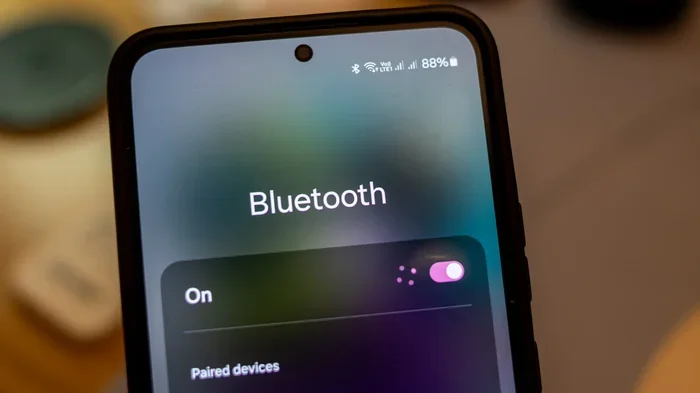
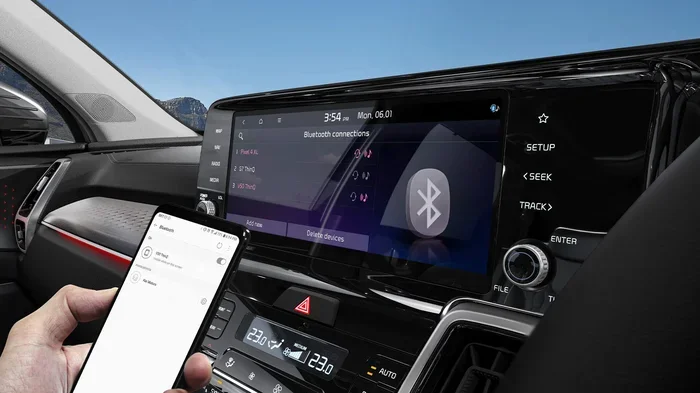
Some projectors support Bluetooth connectivity. This lets you pair devices like phones or laptops without cables. Bluetooth works locally between two devices. It does not need a wifi router or internet connection.
You can also use a wireless display adapter. These small devices plug into the projector’s HDMI port and create a local wireless connection. Your phone or laptop connects to the adapter, not to the internet. The adapter receives the signal and sends it to the projector.
For more on using Bluetooth with projectors and other devices, see our article on using HDMI for video and Bluetooth for audio. It explains how to set up local wireless connections for your projector.
VGA Connection
VGA is an older connection type, but it still works. Many projectors, especially older models, have VGA ports. VGA carries video only, so you will need a separate audio cable or external speakers.
The picture quality is not as sharp as HDMI, especially for high-resolution content. But for basic presentations or older devices, VGA gets the job done. It is a solid backup option when HDMI is not available.
What Can You Do With A Projector Offline?
Using a projector without wifi opens up a lot of possibilities. Let us explore the most common and fun ways people use projectors offline.
Outdoor Movie Nights
This is probably the most popular use case. You load movies onto a USB drive or connect a laptop with downloaded content. Set up the projector in your backyard, point it at a white wall or portable screen, and enjoy a cinematic experience under the stars.
No wifi means no buffering, no ads, and no subscription logins. Just pure entertainment. Pair the projector with a Bluetooth speaker for better sound, and you have a setup that rivals any home theater.
Business Presentations
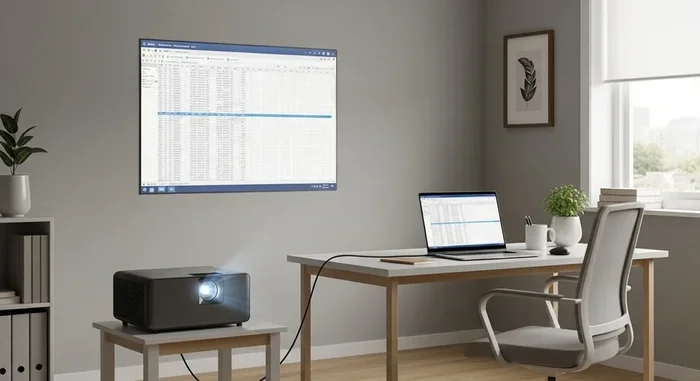
In meeting rooms and conference halls, wifi is not always reliable or even available. Projectors connected via HDMI or VGA to a laptop work perfectly in these situations. You can display slides, charts, and videos without worrying about internet connectivity.
Offline presentations are actually more secure in many cases. You are not relying on cloud-based tools or online resources. Everything is stored locally on your device. This can be a major advantage for sensitive business materials.
Gaming on a Big Screen
Gamers love the idea of playing on a big projector screen. Many gaming consoles, handhelds, and even phones can connect to a projector without wifi. You can play local multiplayer games, retro games, or single-player adventures on a massive display.
If you are wondering whether you can use a regular projector for gaming setups like simulators, our guide on using a regular projector for a golf simulator has detailed insights on this topic.
Education and Training
Schools, training centers, and workshops often use projectors in environments with limited or no internet. Offline educational videos, interactive slides, and training materials can all be displayed through a projector. This makes projectors invaluable tools for learning environments.
Teachers can preload content on a USB drive or laptop and deliver full lessons without ever connecting to the internet. The projector simply displays what is on the source device.
Setting Up Your Projector For Offline Use
Setting up a projector without wifi is straightforward, but a few tips can make the experience much better. Here is a step-by-step approach to get the best results.
Step 1: Choose the Right Connection
Decide which connection method works best for your content. HDMI is the top choice for quality. USB is great for simplicity. Bluetooth is ideal for cord-free flexibility. Pick the one that matches your setup and devices.
Step 2: Position the Projector Properly
Placement matters a lot for image quality. You want the projector at the right distance from the screen or wall. Check your projector’s manual for the recommended throw distance. If you are short on space, consider whether the projector can be placed on a shelf or table.
For tips on projector placement, see our article on putting a projector on a shelf. It covers safe and effective placement options for different environments.
Step 3: Set Up Audio
Most projector built-in speakers are mediocre at best. For a better experience, connect external speakers. You can use Bluetooth speakers, a soundbar, or even simple wired speakers. If your projector has a 3.5mm audio output, you can plug in almost any speaker system.
Step 4: Test Before the Big Event
Always do a test run before your movie night or presentation. Check the image quality, audio sync, and cable connections. Make sure all your content is accessible and plays correctly from the source device. A quick test saves a lot of headaches later.
Common Mistakes When Using A Projector Without WiFi
Even though offline projector use is simple, people still make avoidable mistakes. Here are the most common ones and how to prevent them.
Assuming Smart Features Will Work Offline
This is the number one mistake. People buy a smart projector expecting to stream Netflix without internet. Smart features need wifi. Without it, those apps will not load. Always download content to a local device beforehand and connect through HDMI or USB instead.
Using the Wrong Cable
Not all cables are created equal. Using an old or damaged HDMI cable can result in poor picture quality or no signal at all. Make sure your cables are in good condition and support the resolution you need. A cheap cable can ruin an otherwise perfect setup.
Ignoring Room Lighting
A projector works best in a darker environment. If you are using it during the day or in a bright room, the image will look washed out. Consider using a projector screen instead of a bare wall. A screen enhances contrast and color accuracy significantly.
Some people wonder if they can use alternative surfaces like a black sheet. For more on this, check out our article on using a black sheet as a projector screen.
Forgetting About Audio
Projector speakers are often weak and tinny. If you do not set up proper audio, the experience suffers greatly. Always plan for external speakers or a sound system when setting up an offline projection.
Not Checking File Compatibility
When using a USB drive, make sure your files are in a format the projector supports. Not all projectors play every video format. MP4 is the most widely supported, but it is always worth checking before the event.
Can You Use A Projector As A Tv Without Internet?
Many people ask whether a projector can replace a TV for everyday use without internet. The answer is yes, with some caveats. A projector can display anything connected to it, just like a TV. The difference is that a projector needs a dark environment for the best image quality.
If you want to use a projector as your primary display, you can connect a cable box, a Blu-ray player, or a gaming console. All of these work offline. You can also use a USB drive to play stored content. The projector does not distinguish between a TV signal and a local file. It just displays whatever it receives.
For a deeper look at using projectors as TVs, see our guide on using a projector as a TV. It covers the pros, cons, and practical setup tips for replacing your TV with a projector.
Expert Tips For The Best Offline Projector Experience
Here are some pro tips that will take your offline projector setup to the next level.
- Download content in advance. If you plan to stream from a device, download movies or shows to the device before you go offline. Most streaming apps allow offline downloads.
- Use a high-quality HDMI cable. A good cable makes a noticeable difference in picture and sound quality. Look for certified HDMI cables that support your desired resolution.
- Invest in a portable projector screen. A proper screen makes a huge difference compared to a bare wall. Portable screens are easy to set up and pack away.
- Keep your projector clean. Dust can affect image quality and projector lifespan. Clean the lens and vents regularly, especially if you use it outdoors.
- Consider a wireless HDMI transmitter. These devices let you send a signal from your source device to the projector without a long cable. They work locally and need no internet.
- Check your projector’s lamp life. Offline use can be extended sessions. Make sure your projector lamp is in good condition for the best brightness and color accuracy.
Using a projector without wifi is not just possible. It is often the better option for many situations. Whether you are outdoors, in a meeting room, or traveling, offline projection gives you freedom and flexibility. You do not need to rely on any internet connection to enjoy a big-screen experience.
The key is knowing which connection method to use and preparing your content in advance. HDMI for the best quality, USB for simplicity, and Bluetooth or wireless adapters for cord-free convenience. With these tools and a little planning, your projector will work perfectly without ever connecting to the internet.
Remember, a projector is a display tool at its core. It does not need wifi to shine. It just needs a signal. Give it that signal, set it up correctly, and you will enjoy a fantastic viewing experience every single time.
Frequently Asked Questions
Do I Need Internet To Set Up A Projector?
No, you do not need internet to set up a projector. You only need a source device like a laptop, phone, or media player connected through HDMI, USB, or Bluetooth. The projector displays whatever signal it receives, regardless of internet access.
Can I Watch Netflix On A Projector Without Wifi?
Yes, but you need to download the content first while you still have internet. Most streaming apps allow offline downloads. Once downloaded, you can play the content from your device through the projector without needing wifi.
What Cables Do I Need For Offline Projector Use?
An HDMI cable is the best option for both video and audio. If your device does not have HDMI, you can use a USB-C to HDMI adapter or a VGA cable for video only. You will need a separate audio cable or Bluetooth speaker for sound with VGA connections.
Can I Use A Projector Without Any Device Connected?
No, a projector needs a source device to display content. It cannot generate content on its own without smart features and internet. You must connect a laptop, phone, USB drive, or media player to show anything on the screen.
Is Offline Projector Use Good For Gaming?
Absolutely. Gaming consoles, handheld devices, and phones all work with projectors offline. You get a large, immersive display without needing internet. Local multiplayer games and single-player titles work perfectly through HDMI or wireless adapters.
Can I Use A Projector Outdoors Without Wifi?
Yes, outdoor projector use is one of the best offline applications. You can connect a laptop or USB drive with downloaded movies, set up the projector in your backyard, and enjoy a big-screen experience. A portable screen and Bluetooth speakers make it even better.
=== CONCLUSION ===
Using a projector without wifi is simple, practical, and surprisingly common. Whether you are hosting a movie night, giving a presentation, or setting up a gaming station, you do not need an internet connection. The projector just needs a signal from a source device, and it will display that signal beautifully.
HDMI cables, USB drives, Bluetooth connections, and wireless adapters all work offline. Smart features may not function without internet, but the core projection capability works perfectly. With the right setup and a little preparation, you can enjoy offline projection anywhere and anytime.
Now that you know how easy it is to use a projector without wifi, you can set up your next event with confidence. No internet required. No stress. Just a big, bright display and great content.