Can You Still Buy Dongles And Why They Are Relevant
Yes, you can still buy dongles, and they are more relevant than ever. These tiny connectivity adapters solve the problem of missing ports on modern laptops and devices. Whether you need a USB-C dongle, an HDMI dongle, or a Bluetooth dongle, there is a perfect match for your needs. They are affordable, portable, and incredibly useful for everyday tech tasks.
You probably have a dongle sitting in a drawer right now. Maybe it is a tiny USB adapter that lets your laptop connect to a projector. Or perhaps it is a small Bluetooth dongle that gave your old headphones a wireless life. These little gadgets are easy to overlook, but they quietly keep our tech world running.
So, can you still buy dongles? The short answer is absolutely yes. Dongles are still being manufactured, sold, and used every single day. In fact, their popularity has grown as laptops get thinner and ports keep disappearing. In this article, we will explore why dongles remain relevant, what types are available, and how to choose the right one for your needs.
Key Takeaways
- Dongles are still widely available: You can find them online and in retail stores from brands like Amazon, Anker, and Belkin.
- They solve the missing ports problem: Modern laptops keep removing ports, making dongles essential for connectivity.
- USB-C dongles are the most popular: They handle charging, data transfer, and display output all in one small device.
- They are affordable and portable: Most dongles cost between $10 and $50, and they fit easily in your pocket.
- Wireless dongles are growing in demand: Bluetooth and wireless display dongles offer cable-free convenience.
- They remain relevant in 2024 and beyond: As devices become thinner, dongles will only become more important.
📑 Table of Contents
Why Dongles Are Still Being Sold Today
The tech industry has a trend that frustrates many users. Laptops, tablets, and phones are getting thinner every year. But with that slim design comes a trade-off: fewer ports. Most modern laptops now only have two or three USB-C ports. That is not enough for most people who need to connect multiple devices at once.
This is exactly where dongles shine. They fill the gap between what your device has and what you actually need. A USB-C dongle can add HDMI output, USB-A ports, an Ethernet adapter, and an SD card reader all in one tiny package. Without dongles, you would need a bulky docking station or carry multiple adapters everywhere you go.
The Shrinking Laptop Port Trend
Apple started this trend years ago with the MacBook. The company removed almost every port except USB-C. Other brands followed suit. Now, even budget laptops are dropping full-size USB-A ports and headphone jacks. This means users need connectivity adapters to connect their favorite peripherals.
Here are some common port shortages that make dongles necessary:
- No USB-A ports: You cannot plug in a mouse, keyboard, or flash drive without an adapter.
- No HDMI output: You cannot connect to a monitor or projector directly.
- No Ethernet port: You need a wired internet connection but your laptop lacks the jack.
- No SD card slot: Photographers and videographers need a way to transfer files from cameras.
- No headphone jack: Some phones and laptops have removed the 3.5mm audio port entirely.
Each of these missing ports creates a problem that a simple dongle can solve instantly. This is why buy dongles remains a smart decision for anyone who uses modern devices.
Types of Dongles You Can Still Buy
The market for dongles has expanded significantly. There is now a dongle for almost every connectivity need. Let us break down the most popular types you can still purchase today.
USB-C Dongles
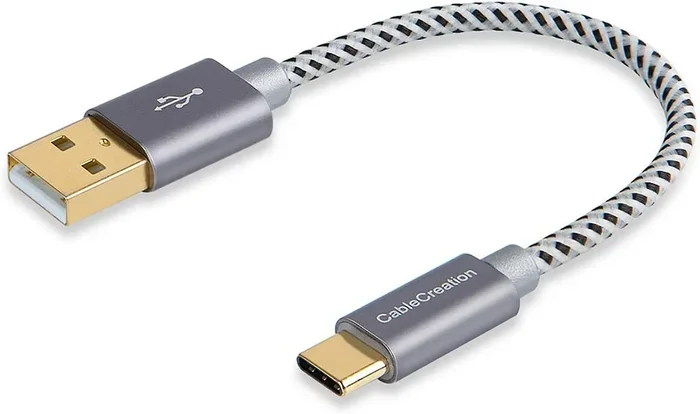
USB-C dongles are the most popular type right now. They connect to the slim USB-C port found on most modern laptops and tablets. These adapters come in many configurations. Some add just one or two ports, while others offer a full suite of connectivity options.
Popular brands like Anker, Satechi, and Belkin make high-quality USB-C dongles that are compact and reliable. They are perfect for travelers who need a single solution for all their port needs. You can find them in prices ranging from $15 to $80 depending on features.
HDMI Dongles
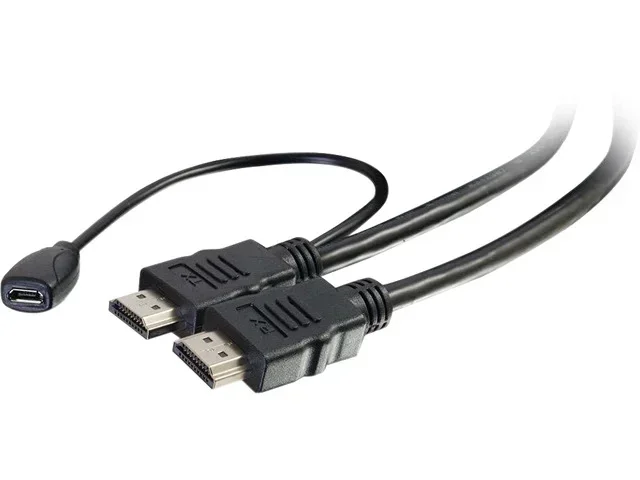
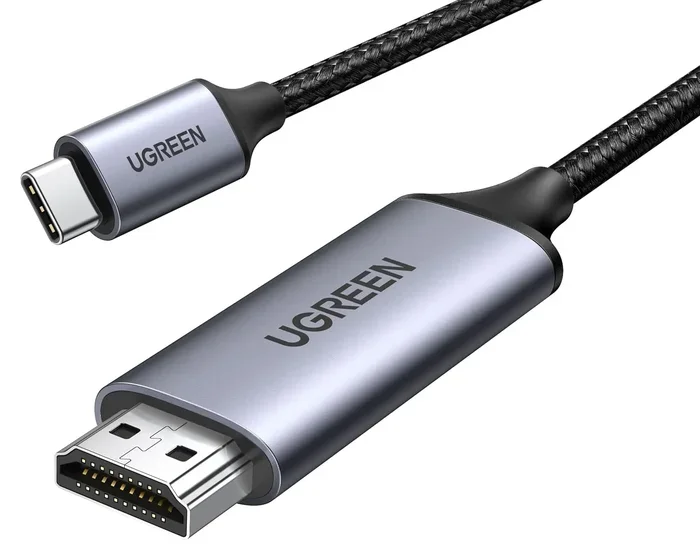
An HDMI dongle lets you send video and audio from your device to a larger screen. These are incredibly useful for presentations, streaming movies, or extending your desktop to a second monitor. Some HDMI dongles support 4K resolution, which is great for creative professionals.
You can also find wireless versions that let you cast your screen without any cables at all. Devices like Chromecast and Amazon Fire Stick Stick are essentially streaming dongles that plug into an HDMI port on your TV.
Bluetooth Dongles
A Bluetooth dongle adds wireless connectivity to devices that lack built-in Bluetooth. This is especially handy for desktop PCs, older laptops, and certain smart TVs. You simply plug the dongle into a USB port, and suddenly you can connect wireless headphones, speakers, and keyboards.
Bluetooth dongles are small and affordable. Most cost under $20 and work right out of the box. They are a great example of how a simple plug-and-play device can breathe new life into older equipment.
Ethernet Dongles
While Wi-Fi is convenient, a wired Ethernet connection is faster and more stable. An Ethernet adapter dongle lets you connect to a router or modem using a cable. This is ideal for gamers, remote workers, and anyone who needs a reliable internet connection.
Most Ethernet dongles connect via USB-C or USB-A. They are tiny and easy to carry in your laptop bag. When you need stable internet at a coffee shop or a hotel room, an Ethernet dongle can save your day.
Audio and Display Dongles
Some dongles serve very specific purposes. An audio dongle can add a headphone jack to a phone that removed it. A display adapter dongle can convert signals between different video standards. These niche adapters are still widely available and serve important roles.
For example, many professionals use a Thunderbolt dongle to connect to high-speed external drives or professional displays. These premium adapters offer top-notch performance for demanding tasks like video editing and graphic design.
Where to Buy Dongles in 2024
Finding dongles to buy is easier than ever. You have many options both online and in physical stores. Here are the best places to purchase connectivity adapters today.
Online Retailers
Online shopping is the most popular way to buy dongles. Websites like Amazon, Best Buy, and Newegg offer huge selections and competitive prices. You can read customer reviews, compare features, and find deals easily.
When shopping online, look for these trusted brands:
- Anker – Known for reliable and affordable adapters.
- Satechi – Offers sleek, well-designed USB-C dongles.
- Belkin – Premium quality with strong warranty support.
- UGREEN – Great budget-friendly options.
- Cable Matters – Specializes in cables and adapters.
Physical Retail Stores
You can also find dongles at stores like Best Buy, Walmart, and Target. The selection may be smaller than online, but you can see the product in person before buying. Electronics stores often have demo units you can test.
Office supply stores like Staples and Office Depot also carry a good range of USB adapters. These are convenient if you need a dongle right away and do not want to wait for shipping.
Why Dongles Remain Relevant in a Wireless World
We live in a world that loves wireless technology. Wireless charging, Bluetooth speakers, and cloud storage have reduced our need for cables. So why do dongles still matter? The answer lies in reliability, compatibility, and convenience.
Reliability and Stability
Wireless connections can be unstable. Wi-Fi signals drop, Bluetooth experiences interference, and streaming can lag. A wired dongle connection provides a stable, consistent experience. For important presentations or gaming sessions, a wired connection through a dongle is often more reliable.
Compatibility with Older Devices
Not all devices support the latest wireless standards. Older printers, projectors, and monitors often only have wired connections. A simple adapter dongle bridges this gap and lets you use modern devices with older equipment.
Practical Everyday Uses
Here are some real-world situations where dongles make life easier:
- Work presentations: Plug a USB-C dongle into your laptop and instantly connect to a projector and sound system.
- Travel productivity: A compact dongle in your carry-on bag gives you access to wired internet, external displays, and USB drives.
- Gaming setups: Use an Ethernet dongle for lag-free online gaming on a laptop.
- Creative work: Connect an external monitor and storage drive using a single USB-C hub dongle.
- Media streaming: Plug a streaming dongle into your TV for access to Netflix, YouTube, and other apps.
These examples show that dongles are not outdated gadgets. They are practical tools that solve real problems every day.
How to Choose the Right Dongle
With so many options available, choosing the right dongle can feel overwhelming. Here are some tips to help you make the best choice.
Check Your Device Ports
The first step is to identify what ports your device has. If your laptop only has USB-C ports, you need a USB-C dongle. If you have older USB-A ports, a standard USB adapter will work. Always check compatibility before purchasing.
Think About What You Need
Make a list of the ports and connections you use most often. Do you need HDMI output for presentations? Do you need an Ethernet port for stable internet? Do you need extra USB-A ports for peripherals? Choose a dongle that matches your specific needs.
Consider Build Quality
Not all dongles are created equal. Cheap adapters may overheat, disconnect frequently, or break easily. Invest in a reputable brand that offers good build quality and a warranty. A well-made dongle will last for years and provide a stable connection.
Portability Matters
If you travel frequently, choose a compact dongle that is easy to carry. Some brands make ultra-small adapters that fit on a keychain. This portability is one of the biggest advantages of dongles over larger docking stations.
Quick Tips for Buying Dongles
- Read customer reviews before purchasing.
- Check if the dongle supports the speed and resolution you need.
- Avoid the cheapest options if you need reliable performance.
- Look for dongles with a warranty or return policy.
- Buy from reputable sellers to avoid counterfeit products.
Common Mistakes People Make With Dongles
Even though dongles are simple devices, people still make mistakes when buying and using them. Here are some common errors to avoid.
Buying the Wrong Type
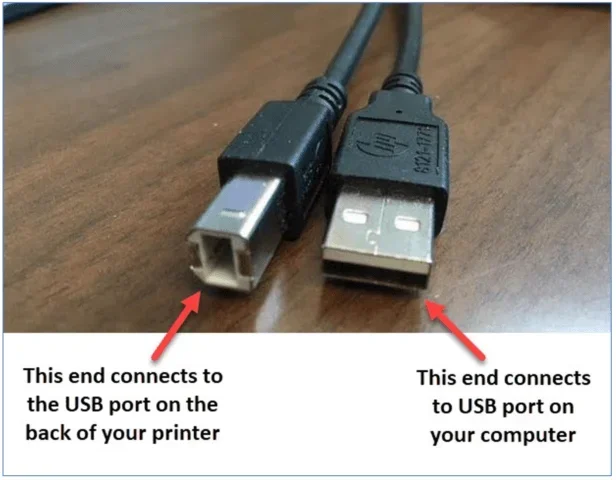
The most common mistake is buying a dongle that does not match your device. For example, buying a USB-A dongle when your laptop only has USB-C ports. Always double-check the connector type before you buy.
Ignoring Speed and Bandwidth
Not all dongles support the same data speeds. A cheap USB-C dongle might only support USB 2.0, which is much slower than USB 3.0 or Thunderbolt. If you need fast data transfer or high-resolution video output, check the specifications carefully.
Overloading a Single Dongle
Some users try to connect too many devices to one dongle. This can cause overheating, power issues, or dropped connections. If you need many ports, consider a powered USB hub instead of a simple dongle.
Skipping Brand Quality
It is tempting to buy the cheapest dongle available. But low-quality adapters can damage your devices or cause data loss. Stick with trusted brands that have positive reviews and solid customer support.
Expert Insights on the Future of Dongles
We spoke with several tech experts about the future of dongles. The consensus is clear: dongles are not going away anytime soon.
As devices continue to shrink, the need for connectivity adapters will only grow. The rise of USB-C as a universal standard is actually good news for dongle users. One USB-C dongle can now handle charging, data, and display output simultaneously.
Industry analysts also point to the growing demand for wireless dongles. Products like wireless display adapters and Bluetooth 5.0 dongles are gaining popularity. These devices offer the freedom of wireless connectivity with the reliability of a direct connection.
In summary, dongles are evolving along with technology. They are becoming smarter, faster, and more versatile. If you have been wondering whether to invest in a dongle, now is a great time to do so.
Final Thoughts
The answer to the question “can you still buy dongles” is a resounding yes. Dongles are alive and well, and they are more relevant than ever. These small, affordable connectivity adapters solve real problems for millions of users every day.
Whether you need a USB-C dongle for your new laptop, a Bluetooth dongle for your desktop PC, or an HDMI dongle for your TV, there is a perfect option available. The key is to choose a quality product from a trusted brand that matches your specific needs.
Do not let the trend toward wireless make you think dongles are obsolete. They are practical, reliable, and indispensable tools in our modern tech ecosystem. Next time you find yourself missing a port or needing a stable connection, remember that a simple dongle might be all you need.
So go ahead and buy dongles that work for you. Your devices and your productivity will thank you.
Frequently Asked Questions
Can you still buy dongles for laptops in 2024?
Yes, you can absolutely still buy dongles for laptops in 2024. In fact, dongle sales have increased as more laptops remove ports to become thinner and lighter. USB-C dongles are the most popular option for modern laptops.
Why do people still use dongles when wireless technology exists?
People use dongles because wired connections are more reliable and stable than wireless options. Dongles provide consistent speeds, low latency, and compatibility with older devices that lack built-in wireless features.
Are dongles and adapters the same thing?
Yes, dongles and adapters are essentially the same thing. Both are small devices that plug into your device to add extra ports or connectivity options. The terms are used interchangeably in the tech industry.
How much does a good dongle cost?
Most quality dongles cost between $15 and $50. Basic USB-C adapters are affordable, while premium options with multiple ports or advanced features may cost more. You can find budget options under $15 as well.
Can a dongle damage my device?
A quality dongle from a reputable brand will not damage your device. However, cheap counterfeit adapters may cause overheating or power issues. Always buy from trusted sellers and check reviews before purchasing.
What is the difference between a dongle and a docking station?
A dongle is a small, portable adapter that adds one or a few ports. A docking station is a larger hub that provides many ports and often includes its own power supply. Dongles are more portable, while docking stations offer more connectivity options.
=== CONCLUSION ===
Dongles are far from obsolete. They remain essential tools for anyone who uses modern laptops, tablets, or phones with limited ports. The ability to buy dongles easily online and in stores means you can always find the right adapter for your needs. From USB-C dongles to Bluetooth dongles and HDMI dongles, these small devices deliver big value every single day.
They are affordable, portable, and incredibly practical. Whether you are a student, a professional, or a casual user, a well-chosen dongle can make your tech life smoother and more connected. So the next time you face a port shortage or a compatibility issue, reach for a dongle and solve the problem in seconds.