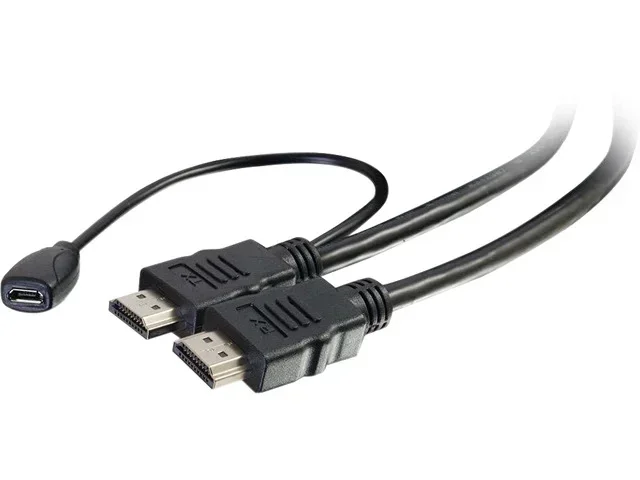
Can You Run Power Through HDMI and Why It Really Matters
Yes, you can run power through HDMI in certain setups. HDMI-CEC and HDMI ARC allow cables to carry small amounts of electricity to power devices like soundbars, TVs, and streaming boxes. Understanding how HDMI power delivery works helps you avoid cable confusion, save money on extra chargers, and keep your home entertainment system running smoothly.
This is a comprehensive guide about Can You Run Power Through Hdmi.
Key Takeaways
- HDMI-CEC lets devices share power and signals: This feature allows connected gadgets to turn on together and draw small amounts of power through the HDMI cable.
- HDMI ARC delivers both audio and a trickle of power: The Audio Return Channel on HDMI ports sends sound back to your TV while providing minimal electricity to connected devices.
- Not all HDMI cables carry power: Standard HDMI cables transfer video and audio signals, but power delivery depends on the HDMI version and device support.
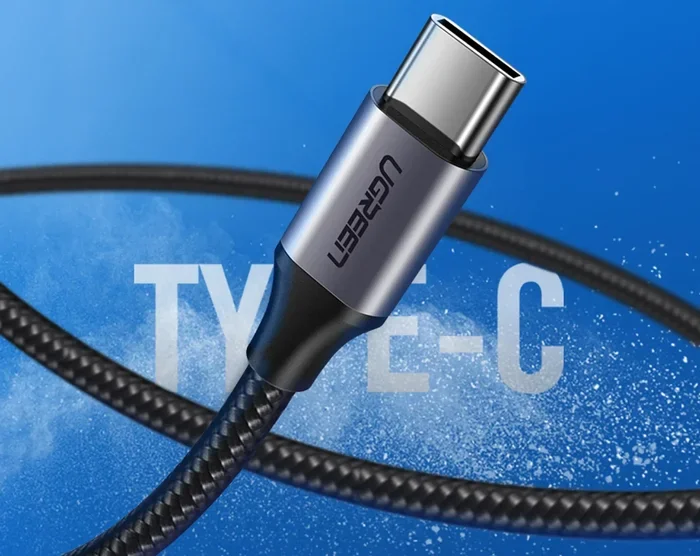
- USB-C HDMI adapters can provide more power: If you need to charge a laptop while displaying on a monitor, a USB-C to HDMI adapter often handles both tasks.
- HDMI 2.1 cables support higher bandwidth: These newer cables handle 4K and 8K signals and are better equipped for modern power demands across display connections.
- Avoid common myths about HDMI power: HDMI cables cannot charge phones or power large appliances, despite what some marketing claims suggest.
[FEATURED_IMAGE_PLACEHOLDER]
Have you ever plugged in an HDMI cable and noticed your TV turned on by itself? Or maybe your soundbar powered up the moment you connected it to your cable box. It might seem like magic, but there is a real reason behind it. The question “can you run power through HDMI” comes up a lot, and the answer is more interesting than most people think.
HDMI cables are everywhere in our homes. They connect our TVs, gaming consoles, laptops, streaming sticks, and sound systems. But most of us never think about what else those cables might be doing besides sending video and audio. The truth is, HDMI technology has built-in features that allow a small amount of electricity to flow through the same cable. This is called HDMI-CEC, and it changes the way we set up our entertainment systems.
In this article, we will break down exactly how power works through HDMI cables. We will look at the different HDMI versions, explain what HDMI ARC and HDMI-CEC actually do, and clear up the myths that float around online. Whether you are setting up a new home theater or just trying to understand why your devices behave a certain way, this guide has you covered.
What Is HDMI and How Does It Work?
Before we dive into the power side of things, let us quickly cover what HDMI actually is. HDMI stands for High-Definition Multimedia Interface. It is a standard cable that carries both video and audio signals from one device to another. A single HDMI cable can replace multiple older cables that used to be needed for separate audio and video connections.
The HDMI port on your TV or monitor is one of the most common display connectivity solutions in the world. You will find HDMI ports on almost every modern TV, laptop, gaming console, and streaming device. The cable itself has 19 pins inside the connector, and each pin has a specific job. Some pins carry video data, some carry audio, and a few handle control signals.
How HDMI Signals Travel Through Cables
When you send a movie from your laptop to your TV, the HDMI signal travels through the copper wires inside the cable. The digital data moves at incredibly high speeds, which is why HDMI cables are designed with specific bandwidth ratings. Older HDMI versions like HDMI 1.4 can handle up to 10.2 gigabits per second. Newer versions like HDMI 2.1 can push up to 48 gigabits per second.
Inside the cable, there are dedicated channels for different types of data. The TMDS channels carry the actual video and audio content. There is also a clock channel that keeps everything synchronized. And then there is the DDC channel, which handles communication between devices. This communication channel is what makes power over HDMI possible in the first place.
Can You Run Power Through HDMI?
So, can you run power through HDMI? The short answer is yes, but with important limitations. HDMI cables do carry a small amount of electrical current. This current is not meant to charge your phone or power a large appliance. Instead, it is designed to power low-wattage devices and enable communication between connected equipment.
The amount of power that runs through an HDMI cable is very small. We are talking about milliamps, not the amps your phone charger delivers. This is enough to wake up a sleeping device or keep a basic signal handshake active, but it is nowhere near enough to charge a battery or run a motor.
The Role of HDMI-CEC in Power Delivery
HDMI-CEC stands for HDMI Consumer Electronics Control. This is the feature that allows devices connected by HDMI to communicate with each other. Different TV brands call it different names. Samsung calls it Anynet+. LG calls it Simplink. Sony calls it BRAVIA Sync. But they all do essentially the same thing.
With HDMI-CEC enabled, when you turn on your TV, it can send a small electrical signal through the HDMI cable to turn on your connected soundbar or streaming box. This is the most common way people experience power running through an HDMI connection. The cable carries a control signal that triggers the other device to wake up or go to sleep.
Here are some things HDMI-CEC can do:
- Turn on multiple devices with a single remote
- Switch audio output to a soundbar automatically
- Control volume across different devices
- Put connected devices into standby mode when the TV turns off
- Share a basic trickle of power to keep devices ready
HDMI ARC and How It Delivers Power
HDMI ARC stands for Audio Return Channel. This is a feature found on most HDMI ports made after 2009. HDMI ARC allows your TV to send audio back to a soundbar, receiver, or home theater system through the same HDMI cable. But it also does something else: it provides a small amount of power to the connected device.
When you use HDMI ARC, your TV and soundbar share a two-way connection. The TV sends video to the soundbar, and the soundbar sends audio back. Along with this audio data, a small electrical current flows through the cable. This current is not enough to fully power the soundbar, but it keeps the device in a standby-ready state. When your TV sends a signal, the soundbar wakes up instantly.
If you want to get the most out of HDMI ARC, make sure both devices support it. Check the back of your TV and soundbar for ports labeled “ARC” or “eARC” (enhanced Audio Return Channel). The eARC version supports higher-quality audio formats like Dolby Atmos, and it still carries the same low-level power signal.
HDMI Cable Types and Their Power Capabilities
Not all HDMI cables are the same. The type of cable you use affects both signal quality and the amount of power that can flow through it. Let us break down the main HDMI cable types you will encounter.
Standard HDMI Cable
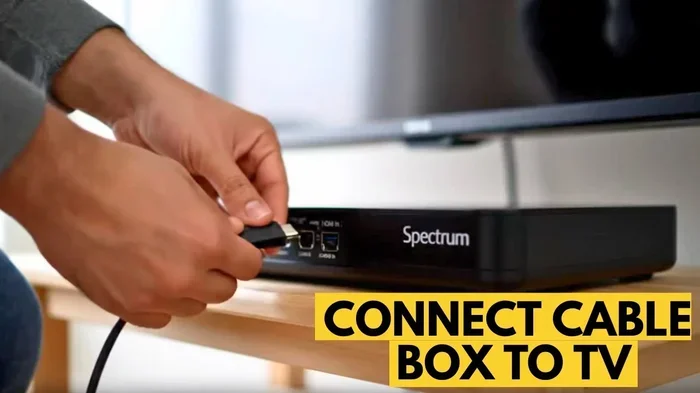
The standard HDMI cable, also known as Category 1, supports resolutions up to 1080p. It carries the basic video and audio signals along with the HDMI-CEC control power. This is the most common cable type found in homes. It works great for connecting a cable box to a TV or a laptop to a basic monitor.
A standard HDMI cable provides enough power for signal handshake and CEC functions. It cannot power any device on its own, but it keeps the communication line open between devices. If you have ever unplugged a cable and noticed your soundbar stays off until you plug it back in, this is why.
High-Speed HDMI Cable
High-speed HDMI cables, or Category 2, support resolutions up to 4K at 60Hz. These cables have thicker shielding and better conductors, which helps them handle more data. They also support deeper color depths and higher refresh rates. The power delivery through a high-speed cable is essentially the same as a standard cable, but the better build quality can make the signal more stable.
Ultra High-Speed HDMI Cable (HDMI 2.1)
Ultra high-speed cables are built for HDMI 2.1 specifications. They support 4K at 120Hz, 8K at 60Hz, and even 10K resolutions. These cables have the most advanced shielding and the highest bandwidth capacity. The power-related features remain consistent across all HDMI versions, but the overall cable quality is much better.
If you are building a modern gaming setup or a 4K home theater, an ultra high-speed cable is the way to go. It handles both the demanding display connectivity needs and the reliable CEC communication that keeps your devices working together.
HDMI Dongles and Adapters With Power
HDMI dongles like Chromecast, Roku Streaming Stick, and Amazon Fire TV Stick plug directly into your TV’s HDMI port. These small devices draw power from the HDMI port itself through the CEC feature. This is why some streaming sticks work fine when plugged in, while others need a separate USB power cable.
If your dongle keeps turning off or restarting, it might not be getting enough power from the HDMI port. In that case, you will need to use the included USB power cable or a wall adapter. The HDMI port alone cannot provide enough sustained power for devices that need more energy to run.
Common HDMI Power Myths Debunked
There is a lot of misinformation floating around about HDMI power. Let us clear up the most common myths so you do not waste money or get frustrated with your setup.
Myth 1: HDMI Cables Can Charge Your Phone
This is one of the most persistent myths. An HDMI cable cannot charge your smartphone or tablet. The power that flows through an HDMI cable is far too weak to charge any modern mobile device. If you see a product that claims to charge your phone through HDMI, it is either misleading or using a completely different technology.
To charge your phone while connecting it to a display, use a USB-C HDMI adapter. These adapters have a separate USB-C port for power delivery and an HDMI output for the display signal. This setup gives you both charging and screen mirroring at the same time.
Myth 2: All HDMI Cables Deliver the Same Power
While all standard HDMI cables carry the same basic CEC power signal, the quality of the cable can affect how reliably that signal travels. A cheap, damaged, or very long HDMI cable might weaken the CEC signal and cause devices to not communicate properly. This does not mean the cable carries different amounts of power. It means the signal quality drops over distance or through poor construction.
Myth 3: HDMI Can Power Large Devices
You cannot power a monitor, soundbar, or gaming console through HDMI alone. These devices need proper wall power or a USB power connection. The tiny amount of electricity that flows through an HDMI cable is only enough for signal communication and keeping devices in standby mode.
How to Choose the Right HDMI Setup for Power Needs
If you are setting up a new entertainment system or connecting multiple devices, choosing the right HDMI setup matters. Here are some practical tips to make sure your devices get the power and signals they need.
Check If Your Devices Support HDMI-CEC
Before you rely on HDMI power features, check that all your devices support HDMI-CEC. Go into your TV settings and look for the CEC option. It might be listed under a brand-specific name. Turn it on and test whether your devices turn on and off together.
If HDMI-CEC is not working, try these steps:
- Make sure the feature is enabled on both devices
- Try a different HDMI port on your TV
- Use a shorter, higher-quality HDMI cable
- Check for firmware updates on your TV and connected devices
Use an HDMI Extender When Needed
If you need to run an HDMI cable over a long distance, consider using an HDMI extender. These devices boost the signal and can sometimes provide additional power to keep the connection stable. Active HDMI extenders use external power to amplify the signal, while passive extenders rely on the cable itself.
For runs over 50 feet, an active extender with its own power supply is almost always the better choice. It prevents signal loss and keeps the CEC communication working between your devices.
Consider a HDMI Splitter for Multiple Displays
If you need to connect one source to multiple TVs, an HDMI splitter can help. However, not all splitters are created equal. Some splitters require their own power source to work properly. A powered HDMI splitter will give you a clean signal to each display and maintain CEC functionality across all connected devices.
Expert Tips for Better HDMI Power Management
Here are some practical tips from experts who work with display setups every day. These small changes can make a big difference in how your devices interact.
Tip 1: Keep your HDMI cables away from power cords. Running an HDMI cable right next to a power cord can cause electromagnetic interference. This interference can weaken the CEC signal and cause devices to disconnect unexpectedly. Keep them at least a few inches apart.
Tip 2: Label your HDMI ports. If your TV has four or more HDMI ports, it is easy to forget which one connects to which device. Use small labels or colored tape to mark each port. This makes troubleshooting much faster when something goes wrong.
Tip 3: Update your device firmware regularly. TV manufacturers and device makers release firmware updates that improve HDMI compatibility. These updates often fix CEC issues and improve how devices share power and signals through the HDMI connection.
Tip 4: Use eARC when available. If your TV and soundbar both support eARC, use it. eARC provides a better audio experience and more reliable power communication than standard ARC. It is especially useful if you have a complex home theater setup with multiple devices.
Common Mistakes People Make With HDMI Power
Even with the best intentions, people make mistakes when setting up their HDMI connections. Here are the most common ones and how to avoid them.
Using the Wrong Cable Length
Longer HDMI cables lose signal strength over distance. This also affects the CEC power signal. If your devices are not communicating properly, try shortening the cable or adding an active extender. A 6-foot cable will almost always work better than a 25-foot cable for CEC functionality.
Ignoring Firmware Updates
Many HDMI issues are caused by outdated firmware on the TV or connected device. Manufacturers regularly release updates that fix compatibility problems. Check for updates at least once a month, especially after setting up a new device.
Assuming All Ports Are the Same
Not all HDMI ports on your TV support the same features. Some ports might be HDMI ARC only, while others are standard. Check your TV manual to find out which ports support ARC, CEC, and other advanced features. Plugging a device into the wrong port can cause power and signal issues.
Conclusion
So, can you run power through HDMI? Yes, you can, but the power is very limited. It is designed for signal communication and keeping devices in standby mode, not for charging or running high-power equipment. HDMI-CEC and HDMI ARC are the two main features that make this possible, and they work behind the scenes every time you turn on your TV with a single remote.
Understanding how HDMI power works helps you set up your devices more effectively. You will know when to trust the cable and when to reach for a separate power adapter. You will avoid common mistakes and get the most out of your display connectivity setup. The next time your soundbar turns on when you power up your TV, you will know exactly why.
Take a few minutes to check your HDMI settings today. Make sure HDMI-CEC is enabled on all your devices. Use the right cable type for your setup. And if something is not working, the troubleshooting steps in this guide should help you get it sorted. A little knowledge about HDMI power delivery goes a long way toward keeping your home entertainment system running without a hitch.
Frequently Asked Questions
Can HDMI cables charge a laptop or phone?
No, standard HDMI cables cannot charge laptops or phones. The power that flows through an HDMI cable is only enough for signal communication and device standby. To charge a device while using HDMI, you need a USB-C HDMI adapter that has a separate power input for charging.
What is the difference between HDMI ARC and eARC?
HDMI ARC (Audio Return Channel) sends audio from your TV back to a soundbar or receiver. eARC (enhanced Audio Return Channel) does the same thing but supports higher-quality audio formats like Dolby Atmos. Both carry the same basic CEC power signal for device communication.
Why does my HDMI device keep turning off unexpectedly?
This usually happens when the HDMI-CEC power signal is weak or interrupted. It can be caused by a long cable, a low-quality cable, or a device that is not CEC-compatible. Try using a shorter cable, checking your CEC settings, or updating your device firmware.
Do all HDMI cables support HDMI-CEC?
Yes, all HDMI cables support HDMI-CEC because it is built into the HDMI specification. The cable itself does not need any special features. However, both the TV and the connected device must support CEC for it to work properly.
Can I use an HDMI splitter without external power?
Some HDMI splitters work without external power, but they may not support CEC or provide reliable power signals to all connected devices. A powered HDMI splitter is recommended if you need stable signal distribution and full CEC functionality across multiple displays.
Is HDMI 2.1 better for power delivery than older versions?
HDMI 2.1 does not deliver more power than older versions. The CEC power signal remains the same across all HDMI versions. However, HDMI 2.1 cables are built with better materials and shielding, which can improve signal reliability and CEC communication quality.