Can People See Your Text Messages If You Are On Their Wifi
Can people see your text messages if you are on their Wi-Fi? The short answer is: it depends on the type of messages you send and the security of the network. Regular SMS texts travel through your carrier’s network, not the Wi-Fi itself, so they are generally safe from Wi-Fi snooping. However, internet-based messages, browsing activity, and unencrypted data can be visible to network administrators. Understanding how Wi-Fi networks handle your data is the first step toward protecting your privacy.
You are sitting at a friend’s house, connected to their Wi-Fi, and you start texting someone. A thought pops into your head: can people see your text messages if you are on their Wi-Fi? It is a question more people should be asking, especially in a world where we share Wi-Fi networks at homes, offices, cafes, and hotels every single day.
The truth is not as simple as a yes or no. What someone can see depends on the type of message you send, the app you use, and the security settings of the network. Text message privacy on Wi-Fi networks is a topic that touches on networking, encryption, and everyday digital habits. This guide breaks it all down in plain language so you can understand exactly what is at risk and how to stay safe.
Key Takeaways
- SMS texts are carrier-based: Traditional text messages do not travel over Wi-Fi, making them largely invisible to network admins.
- Internet-based messages can be seen: Apps like email, social media, and some messaging platforms may expose data on shared Wi-Fi networks.
- Encryption is your shield: End-to-end encrypted apps like Signal and WhatsApp keep your messages private even on public or shared Wi-Fi.
- Network admins have tools: Wi-Fi owners can use packet sniffing and monitoring tools to see unencrypted traffic on their network.
- A VPN adds a strong layer: Using a virtual private network encrypts all your traffic, making it unreadable to anyone on the same network.
- Metadata can still be exposed: Even if message content is encrypted, network admins may see who you contacted and when.
- Simple habits matter: Using HTTPS sites, avoiding public Wi-Fi for sensitive chats, and keeping apps updated go a long way.
📑 Table of Contents
- How Text Messages Travel on Wi-Fi Networks
- What Can a Network Admin See on Their Wi-Fi
- Can People See Your Text Messages If You Are On Their Wifi Using Messaging Apps
- How Wi-Fi Snooping and Data Interception Work
- How to Protect Your Text Messages on Shared Wi-Fi Networks
- Common Mistakes People Make About Wi-Fi and Text Privacy
- Expert Insights on Text Message Privacy
- Conclusion
How Text Messages Travel on Wi-Fi Networks
To understand whether someone can spy on your texts, you need to know how those messages actually move from your phone to the other person’s phone. Not all text messages are created equal, and the path they take matters a lot.
SMS vs. MMS vs. Internet-Based Messaging
There are three main types of text messages people send every day. Each one travels differently, and each has different privacy implications when you are connected to a Wi-Fi network.
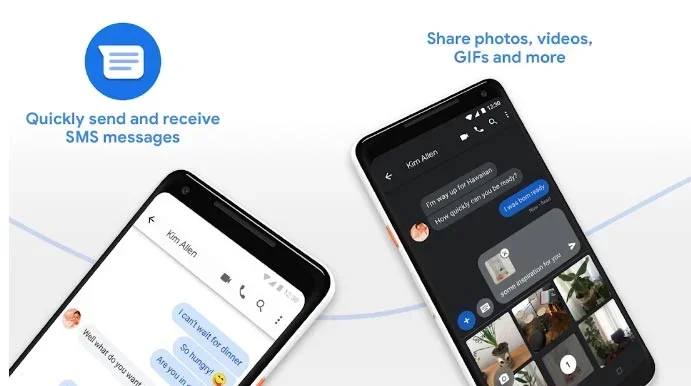
SMS (Short Message Service) is the traditional text message. It goes through your mobile carrier’s cellular network, not through the internet or Wi-Fi. When you send an SMS, it travels through cell towers to reach the recipient. This means that even if you are connected to someone’s Wi-Fi, your SMS messages do not use that Wi-Fi connection at all.
MMS (Multimedia Messaging Service) sends pictures, videos, and audio files. MMS does use the internet to deliver media, but it typically routes through your carrier’s data network. On a phone, MMS usually requires mobile data to be turned on. If you are only on Wi-Fi and have mobile data disabled, MMS may not send at all or may attempt to go through the Wi-Fi network.
Internet-based messaging apps like WhatsApp, iMessage, Facebook Messenger, Telegram, and Signal use your Wi-Fi or mobile data connection to send messages. These apps send data over the internet, which means the Wi-Fi network you are connected to handles that data. This is where privacy concerns become more relevant.
What Happens When You Send a Message Over Wi-Fi
When you send a message through an internet-based app while connected to Wi-Fi, your phone breaks the message into small data packets. These packets travel from your phone to the Wi-Fi router, then to your internet service provider, and finally to the messaging company’s servers before reaching the recipient.
At each of these stops, the data could potentially be observed. But whether someone actually reads your message depends entirely on encryption. If the data is encrypted, all anyone can see is scrambled nonsense. If it is not encrypted, the message is wide open for anyone with the right tools to read.
What Can a Network Admin See on Their Wi-Fi
If you are on someone else’s Wi-Fi network, the person who owns and manages that router has a certain level of access to the traffic flowing through it. Let us look at exactly what they can and cannot see.
Visible Activity on a Wi-Fi Network
A network administrator with access to the router can see a surprising amount of information. Here is what they typically can observe:
- Websites you visit: If a site uses HTTP instead of HTTPS, the admin can see every page you load.
- Domain names you connect to: Even with HTTPS, the admin can see which websites you visit through DNS requests.
- Data usage patterns: How much data you use and when you use it.
- Connected devices: Which phones, laptops, and tablets are on the network.
- Unencrypted messaging traffic: Messages sent through apps without encryption can be read in plain text.
- Metadata: Timestamps, file sizes, and connection frequencies.
What They Cannot See
Now for the good news. Even on a shared Wi-Fi network, there are things a network admin simply cannot see:
- Content of end-to-end encrypted messages: Apps like Signal and WhatsApp encrypt messages so that only you and the recipient can read them.
- HTTPS-secured website content: The actual content of secure websites is encrypted and invisible to Wi-Fi observers.
- SMS messages: Since SMS does not travel over Wi-Fi, it is completely off the radar of the network admin.
- Content inside VPN tunnels: If you use a VPN, all your traffic is encrypted before it even reaches the Wi-Fi router.
Can People See Your Text Messages If You Are On Their Wifi Using Messaging Apps
This is where things get really interesting. The answer depends heavily on which messaging app you use and what kind of encryption it supports. Let us break down the most popular apps and how they handle your privacy.
WhatsApp and Signal
Both WhatsApp and Signal use end-to-end encryption by default. This means that when you send a message, it is scrambled on your device and only unscrambled on the recipient’s device. Not even WhatsApp or Signal’s own servers can read the content of your messages.
On someone’s Wi-Fi network, a network admin could see that you are sending data to WhatsApp’s servers. They might even see the size and timing of those data packets. But the actual message content? Completely unreadable. End-to-end encryption makes your text messages safe from Wi-Fi snooping in these apps.
iMessage
Apple’s iMessage also uses end-to-end encryption. If both you and the recipient are using Apple devices and iMessage is active, your texts are encrypted in transit. A Wi-Fi network admin cannot read iMessage content. However, if iMessage falls back to SMS (which happens when messaging Android users), that SMS portion is not encrypted and travels through your carrier, not the Wi-Fi network.
Facebook Messenger and Telegram
Here is where things get a bit more complicated. Facebook Messenger does not use end-to-end encryption by default. You have to start a “Secret Conversation” to get that extra layer of protection. Without it, Facebook and potentially a Wi-Fi network admin could access your message content.
Telegram is a mixed bag. Secret chats in Telegram are end-to-end encrypted, but regular cloud chats are not. Regular chats are stored on Telegram’s servers and are not protected from network-level viewing.
Standard SMS Through Wi-Fi Calling
Some carriers offer Wi-Fi Calling, which lets you send SMS messages over a Wi-Fi network instead of cell towers. In this case, your carrier encrypts the call and message data. A Wi-Fi network admin generally cannot read the content of these messages, though they might see that Wi-Fi Calling data is being transmitted.
How Wi-Fi Snooping and Data Interception Work
You might wonder how someone actually looks at data on a Wi-Fi network. The techniques are more accessible than most people think, and understanding them helps you appreciate why encryption matters so much.
Wi-Fi Sniffing and Packet Capture
Wi-Fi sniffing is the process of capturing data packets that travel through a wireless network. Anyone with the right software and access to the network can potentially capture these packets. Free tools like Wireshark make this surprisingly easy for anyone with basic technical knowledge.
When a packet is captured, what the snooper sees depends entirely on encryption. Encrypted packets look like random gibberish. Unencrypted packets can be read in plain text. This is why the difference between HTTP and HTTPS matters so much, and why using encrypted messaging apps is critical.
Man-in-the-Middle Attacks
A man-in-the-middle attack happens when someone positioned between your device and the internet intercepts your communication. On a shared Wi-Fi network, this is more feasible than you might think.
In a public Wi-Fi scenario, an attacker might set up a fake Wi-Fi hotspot that looks legitimate. Once you connect, all your traffic flows through their device first. They can then inspect, modify, or log your data before passing it along to the real internet.
On a home or office network, the network owner themselves can perform this kind of interception using their router’s built-in capabilities or additional monitoring software.
DNS Spoofing and Logging
Every time you visit a website or open an app, your device sends a DNS request to look up the server address. On many Wi-Fi networks, the router logs these DNS requests. This means the network owner can build a list of every domain you connect to, even if they cannot see the specific pages or message content.
This kind of logging reveals a lot about your habits. The network admin may not know exactly what you wrote in a WhatsApp message, but they know you were using WhatsApp, when you used it, and how frequently.
How to Protect Your Text Messages on Shared Wi-Fi Networks
The good news is that you have a lot of control over your privacy. You do not need to be a tech expert to keep your text messages safe when you are on someone else’s Wi-Fi. Here are practical steps you can take right now.
Use End-to-End Encrypted Messaging Apps
This is the single most effective step you can take. Apps like Signal, WhatsApp, and iMessage encrypt your messages so that only you and the recipient can read them. Even if someone is monitoring the Wi-Fi network, they cannot decrypt the content.
Signal is widely considered the gold standard for private messaging. It is open source, uses the strongest encryption protocols, and collects virtually no metadata. WhatsApp is also solid, though it is owned by Meta, which does collect some usage data for advertising purposes.
Use a VPN on Shared Networks
A virtual private network creates an encrypted tunnel between your device and a VPN server. All your internet traffic passes through this tunnel, making it completely invisible to anyone on the Wi-Fi network.
Even if a network admin captures your data packets, they will only see encrypted gibberish. A VPN is especially important on public Wi-Fi networks like those in cafes, airports, and hotels. Some reliable VPN services include NordVPN, ExpressVPN, and ProtonVPN.
Check for HTTPS on Every Site
Always look for the padlock icon in your browser’s address bar. HTTPS means the connection between your device and the website is encrypted. Never enter sensitive information on an HTTP site, especially when you are on a shared network.
Modern browsers now flag HTTP sites as “Not Secure.” Pay attention to these warnings. They are there to protect you.
Disable Auto-Connect to Open Networks
Many smartphones have a setting that automatically connects to open Wi-Fi networks. This is convenient but risky. You might connect to a rogue hotspot without even realizing it. Turn off auto-connect and manually choose which networks you join.
Keep Your Apps and Operating System Updated
Software updates often include security patches that fix vulnerabilities. An outdated messaging app or operating system may have weaknesses that attackers can exploit on a shared Wi-Fi network. Turn on automatic updates to stay protected.
Avoid Sensitive Conversations on Public Wi-Fi
Even with encryption, it is wise to exercise caution. Avoid discussing sensitive topics, sharing passwords, or conducting financial business on public or shared Wi-Fi networks. If you must, use a VPN and make sure the apps you are using have strong encryption.
Common Mistakes People Make About Wi-Fi and Text Privacy
There are several misconceptions that leave people unnecessarily exposed. Let us clear up the most common mistakes.
Mistake 1: Thinking All Wi-Fi Is the Same
Not all Wi-Fi networks pose the same risk. A trusted home network with WPA3 encryption is very different from an open Wi-Fi network at a coffee shop. Understanding the security level of the network you are on helps you make better decisions about what to share and how.
Mistake 2: Assuming Incognito Mode Protects Your Texts
Private browsing or incognito mode only affects your browser history. It does nothing to protect your text messages or hide your activity from a Wi-Fi network admin. This is one of the most widespread misunderstandings about online privacy.
Mistake 3: Believing Carrier Networks Are Always Safe
While SMS messages travel through your carrier’s network and not Wi-Fi, your carrier can still see metadata like who you texted and when. For true privacy, rely on encrypted messaging apps rather than assuming the carrier has your back.
Mistake 4: Ignoring App Permissions
Some messaging apps request access to your contacts, storage, and microphone. If a messaging app is compromised or poorly secured, your data could be exposed regardless of the network you are on. Always review app permissions and only grant what is necessary.
Expert Insights on Text Message Privacy
Cybersecurity professionals consistently emphasize one core principle: encryption is the foundation of digital privacy. Whether you are on your home Wi-Fi or a stranger’s network, encrypted data is protected data.
Security researchers also point out that metadata is often overlooked. Even if message content is encrypted, patterns of communication can reveal a lot. The time you send messages, the frequency, the contact you message, and the size of data packets all create a picture of your behavior.
Experts recommend a layered approach to privacy. Combine end-to-end encrypted messaging with a VPN on shared networks, keep software updated, and stay aware of the networks you connect to. No single tool is enough, but together they create a strong defense.
The landscape of mobile data privacy continues to evolve. New messaging protocols, stronger encryption standards, and better privacy tools are emerging all the time. Staying informed and adopting good habits is the best way to protect yourself in an increasingly connected world.
Conclusion
So, can people see your text messages if you are on their Wi-Fi? The answer is nuanced. Traditional SMS messages are safe because they do not travel over Wi-Fi. But internet-based messages on unencrypted platforms can be visible to network administrators and potential snoopers.
The best defense is straightforward. Use end-to-end encrypted messaging apps like Signal or WhatsApp. Add a VPN when you are on shared or public networks. Stick to HTTPS websites. And stay aware of what information you are sending and where.
Taking these simple steps gives you strong control over your text message privacy. You do not need to be paranoid, but you should be informed. The digital world offers incredible convenience, and with the right knowledge and tools, you can enjoy it without sacrificing your privacy.
Start today. Check which messaging apps you use, whether they offer encryption, and whether your Wi-Fi habits put your data at risk. Small changes lead to big improvements in your online security.
Frequently Asked Questions
Can my Wi-Fi provider see my text messages?
If you use internet-based messaging apps, your Wi-Fi provider can see that you are sending data to those apps. However, if the app uses end-to-end encryption, the provider cannot read the actual message content. SMS messages do not travel through Wi-Fi at all, so the provider has no visibility into those.
Does using Wi-Fi instead of mobile data make my texts less private?
It can, depending on the app. If you use an encrypted messaging app like Signal, your messages stay private regardless of whether you use Wi-Fi or mobile data. But if you use an app without strong encryption, being on a shared Wi-Fi network increases the risk of someone viewing your message content.
Can someone on the same Wi-Fi network read my WhatsApp messages?
No. WhatsApp uses end-to-end encryption, which means only you and the person you are messaging can read the content. Someone else on the same Wi-Fi network might see that you are using WhatsApp, but they cannot read your messages.
What is the difference between Wi-Fi sniffing and a man-in-the-middle attack?
Wi-Fi sniffing is passively capturing data packets that travel through a network. A man-in-the-middle attack is actively intercepting and potentially altering the communication between two parties. Sniffing is more about observation, while a man-in-the-middle attack involves interception and manipulation of data.
Do I need a VPN if I only use encrypted messaging apps?
Encrypted messaging apps protect your message content very well. But a VPN adds an extra layer by hiding your entire internet activity from the network admin. It also protects your DNS requests and hides which apps you are using. If privacy is a top priority, using both encrypted apps and a VPN is the strongest approach.
Are group chats on encrypted apps safe on shared Wi-Fi?
Yes. Group chats on apps like Signal and WhatsApp are also end-to-end encrypted. Every message in the group is encrypted, so even on a shared Wi-Fi network, no one can read the content of the messages except the members of the group.