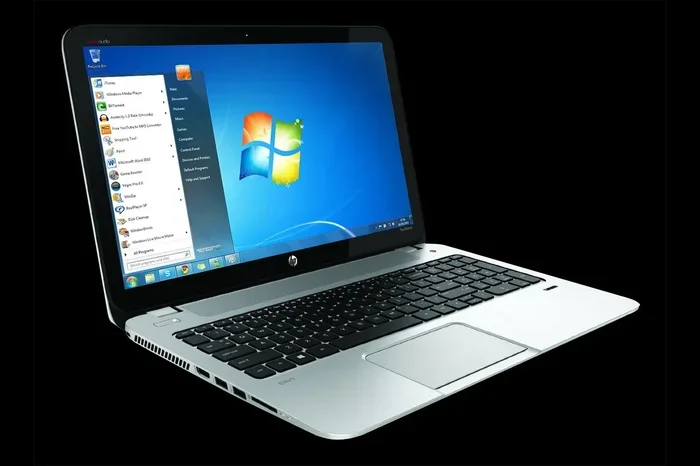
Can I Still Use Windows 7 On My Laptop In 2024 And Beyond
Can I Still Use Windows 7 On My Laptop is an essential topic that provides valuable insights.
Key Takeaways
- Understanding Can I Still Use Windows 7 On My Laptop: Provides essential knowledge
📑 Table of Contents
- What Happens When Windows 7 Reaches End of Support?
- Can I Still Use Windows 7 On My Laptop Safely?
- Why You Should Upgrade From Windows 7
- Windows 7 Upgrade Options For Your Laptop
- Comparison Table: Windows 7 vs Windows 10 vs Windows 11
- Common Mistakes People Make With Windows 7 Laptops
- Quick Tips for Windows 7 Users
- Expert Insights on Legacy Operating Systems
- Key Takeaways
- Conclusion
What Happens When Windows 7 Reaches End of Support?
Microsoft officially ended Windows 7 support on January 14, 2020. This date is called the end of life or end of support date. After this date, Microsoft stopped releasing patches and fixes for the operating system. This is a big deal for anyone still asking, “Can I still use Windows 7 on my laptop?”
No More Security Patches
When Microsoft ends support for an operating system, it stops sending out security updates. These updates are what protect your computer from viruses, malware, and hackers. Without them, your laptop becomes an easy target. Every new security flaw that gets discovered stays unfixed on Windows 7 forever. Cybercriminals love this because they know millions of people still use it.
No More Technical Assistance
Microsoft also stopped offering free technical support for Windows 7. If something goes wrong, you are on your own. You cannot call Microsoft for help with driver issues, software conflicts, or system errors. This makes troubleshooting much harder, especially for people who are not tech-savvy.
Software and App Compatibility Problems
Many modern apps and websites are now designed to work with newer operating systems. Over time, you will notice more and more programs refusing to install or run properly on Windows 7. Even popular web browsers like Google Chrome and Mozilla Firefox have stopped supporting Windows 7. This means you may not get the latest security features while browsing the internet.
Can I Still Use Windows 7 On My Laptop Safely?
The honest answer is: it depends on what you use the laptop for and how carefully you manage it. If you are wondering about using Windows 7 safely, there are a few things you need to understand first.
Low-Risk Use Cases
If your laptop runs Windows 7 and you only use it for very basic, offline tasks, the risk is lower. For example, using it to write documents in an offline word processor or view downloaded photos carries less danger. However, even these activities come with some risk if you ever connect the laptop to the internet.
High-Risk Use Cases
Using Windows 7 for online banking, shopping, or entering personal information is strongly discouraged. Hackers can easily exploit known vulnerabilities in the system. They can steal your passwords, financial details, and identity. Even casual web browsing on Windows 7 exposes you to malicious websites and unsafe downloads.
The Isolation Approach
Some people choose to isolate their Windows 7 laptop. This means disconnecting it from the internet entirely or using it only on a secure, offline network. This approach reduces risk significantly. But it also limits what you can do with the laptop. It becomes more of a dedicated offline tool than a general-purpose computer.
Why You Should Upgrade From Windows 7
Upgrading from Windows 7 is the single best thing you can do for your laptop’s safety and performance. Here is why making the switch matters so much.
Better Security
Modern operating systems like Windows 10 and Windows 11 receive regular security updates. These updates protect you from the latest threats. Microsoft also has dedicated teams working around the clock to find and fix new vulnerabilities. When you upgrade, you get access to all of this protection.
Improved Performance
Even on older hardware, Windows 10 and Windows 11 can feel faster and smoother than Windows 7 in many cases. Newer operating systems are better optimized for modern hardware. They handle memory and processing power more efficiently. You may notice your laptop boots up faster and runs apps more smoothly after an upgrade.
Access to Modern Software
Many developers have stopped creating software that works with Windows 7. By upgrading, you open the door to the latest apps, tools, and features. Whether you need a new office suite, photo editor, or video conferencing tool, you will have much better compatibility with a newer operating system.
Windows 7 Upgrade Options For Your Laptop
If you have decided to move on from Windows 7, you have several paths to choose from. Let us look at your upgrade options in detail.
Option 1: Upgrade to Windows 10
Windows 10 is still supported by Microsoft and receives regular updates. It works well on older laptops that may not meet the requirements for Windows 11. Microsoft offered a free upgrade to Windows 10 for Windows 7 users for a while, and while that offer has officially ended, you can still purchase a license at a low cost. Windows 10 is a solid choice for people who want a familiar experience with modern security features.
Option 2: Upgrade to Windows 11
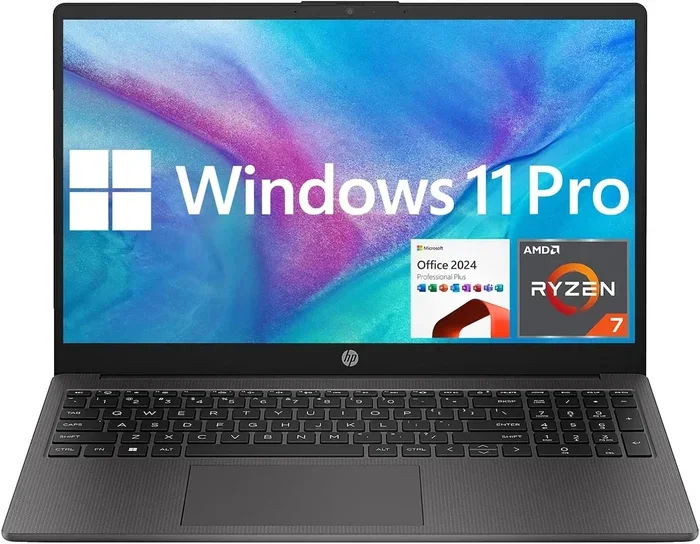
Windows 11 is the latest operating system from Microsoft. It comes with a fresh design, improved performance, and new features. However, it has stricter system requirements. Your laptop needs a compatible processor, at least 4 GB of RAM, and a Trusted Platform Module (TPM) chip. Not all older laptops can run Windows 11. You should check your laptop’s specifications before attempting this upgrade.
Option 3: Switch to a Linux Operating System
If your laptop is too old for Windows 10 or 11, consider switching to a Linux distribution. Linux is free, lightweight, and very secure. Popular options like Linux Mint and Ubuntu are beginner-friendly. They can breathe new life into an old laptop. The learning curve is a bit steeper, but millions of people use Linux successfully every day.
Option 4: Replace the Laptop Entirely
Sometimes the smartest move is to buy a new laptop. Modern laptops are more affordable than ever. They come with Windows 11 pre-installed and offer far better performance and battery life. If your current laptop struggles with basic tasks, replacing it might save you time and frustration in the long run.
Comparison Table: Windows 7 vs Windows 10 vs Windows 11
| Feature | Windows 7 | Windows 10 | Windows 11 |
|---|---|---|---|
| Security Updates | None since 2020 | Ongoing | Ongoing |
| Free Support | No | No (paid) | No (paid) |
| Browser Support | Limited | Good | Excellent |
| Minimum RAM | 1 GB | 2 GB | 4 GB |
| TPM Required | No | No | Yes |
| Cost | Free (already installed) | Paid license | Paid license |
| Modern App Support | Poor | Good | Excellent |
Common Mistakes People Make With Windows 7 Laptops
There are several mistakes that people make when they keep using Windows 7. Avoiding these can save you a lot of trouble.
- Thinking an antivirus alone is enough. Antivirus software helps, but it cannot protect you from every vulnerability. Without operating system updates, there are gaps that no antivirus can fully cover.
- Ignoring browser warnings. If your browser says a website is unsafe, pay attention. Windows 7 browsers lack the latest security features to block modern threats.
- Using Windows 7 for financial tasks. Entering credit card numbers or bank details on an unsupported system is a major risk. Always use a newer, supported device for these activities.
- Skipping driver updates. Even though Microsoft no longer provides updates, you can sometimes find updated drivers from the laptop manufacturer’s website. Keeping drivers current helps with hardware compatibility and performance.
- Believing the laptop is too old to upgrade. Many laptops that run Windows 7 can still handle Windows 10. Do not assume your laptop is too old without checking first.
Quick Tips for Windows 7 Users
If you are not ready to upgrade yet, here are some quick tips to reduce your risk while using Windows 7.
- Disconnect from the internet when you are not actively using it.
- Use a reputable antivirus program and keep it updated manually.
- Avoid clicking on suspicious links or downloading files from unknown sources.
- Use a separate device for anything involving personal or financial information.
- Back up your data regularly to an external hard drive or cloud storage.
- Limit the number of programs installed to reduce potential attack surfaces.
Expert Insights on Legacy Operating Systems
Cybersecurity experts consistently warn against using unsupported operating systems. According to industry professionals, legacy systems like Windows 7 are prime targets for hackers because they know users often delay upgrading. The concept of an operating system lifespan matters a lot here. Every operating system has a limited window of support. Once that window closes, the risks grow exponentially over time.
Experts also emphasize that software compatibility continues to erode for older systems. Each year, fewer developers test their applications on Windows 7. This means you will face more errors, crashes, and incompatibilities the longer you stay on it. The best practice is to always run a supported operating system that receives regular updates from the manufacturer.
Key Takeaways
- Windows 7 has no security updates since January 2020, making it increasingly vulnerable to cyber threats.
- You can technically still use Windows 7 on your laptop, but doing so comes with serious risks to your data and privacy.
- Upgrading to Windows 10 or Windows 11 is the safest and most practical path forward for most users.
- Linux is a strong free alternative for older laptops that cannot run modern versions of Windows.
- Replacing an old laptop may be more cost-effective than trying to keep an outdated system running safely.
- Avoid using Windows 7 for banking, shopping, or any activity involving personal information.
- Taking quick precautions like using antivirus and staying offline can reduce risk temporarily, but upgrading is the real solution.
Conclusion
So, can I still use Windows 7 on my laptop? Technically, yes. But should you? That is the real question. The risks of using an unsupported operating system in 2024 and beyond are significant and growing every year. Without security patches, modern browser support, or driver updates, your laptop is exposed to threats that did not exist when Windows 7 was new.
The good news is you have options. Whether you upgrade to Windows 10, move to Windows 11, try a Linux distribution, or invest in a new laptop, there is a path forward that keeps you safe and productive. Do not let the comfort of a familiar system put your personal data at risk. Take action today and give your laptop the operating system it needs to stay secure and functional in the modern digital world.
Frequently Asked Questions
Is it illegal to keep using Windows 7 after support ended?
No, it is not illegal. You can continue using Windows 7 on your laptop even after Microsoft ended support. However, using it without security updates does carry risks, and some software may stop working properly over time.
Can I get a free upgrade from Windows 7 to Windows 10 or 11?
Microsoft offered a free upgrade to Windows 10 for Windows 7 users in the past, but that offer ended in 2016. You can still purchase a Windows 10 or Windows 11 license at a relatively low cost, or explore free Linux alternatives.
Will my old laptop run Windows 10 or 11?
Many older laptops that run Windows 7 can handle Windows 10. Windows 11 has stricter requirements, so check your laptop’s processor, RAM, and TPM support before attempting the upgrade. Use Microsoft’s PC Health Check tool to verify compatibility.
What are the biggest risks of using Windows 7 in 2024?
The biggest risks include exposure to malware, viruses, and hacking attempts due to missing security patches. Your personal data, passwords, and financial information are especially vulnerable. Unsupported browsers also leave you open to unsafe websites and online threats.
Can I still browse the internet safely on Windows 7?
Browsing the internet on Windows 7 is not recommended. Major browsers like Chrome and Firefox have stopped supporting Windows 7, meaning you will not receive the latest security features. If you must browse, use a lightweight Linux distribution with an updated browser instead.
How do I know if my laptop is too old to upgrade?
Check your laptop’s specifications against the system requirements for Windows 10 or Windows 11. If your laptop has at least 2 GB of RAM and a compatible 64-bit processor, it can likely run Windows 10. If it falls short, consider Linux or replacing the laptop entirely.
=== META DESCRIPTION ===
Find out if you can still use Windows 7 on your laptop in 2024 and beyond. Learn about risks, upgrades, and alternatives for your old system.