Can I Sell My Laptop On Amazon And Start Earning Now
Yes, you absolutely can sell your laptop on Amazon and turn that old device into cash. Amazon offers multiple selling options, from Amazon Marketplace to Amazon Trade-In, making the process simple for beginners and pros alike. You will learn how to set up your account, create a winning product listing, price your laptop competitively, and ship it safely. Whether your laptop is brand new or gently used, selling on Amazon connects you with millions of eager buyers. Let us walk through every step so you can start earning today.
Have an old laptop sitting around collecting dust? You are not alone. Millions of people upgrade their computers every year, and that leaves a trail of perfectly good devices waiting for a second life. The great news is that selling your laptop on Amazon is one of the easiest and most profitable ways to put that old machine to work. Amazon reaches over 300 million active customers, which means your laptop is never more than a few clicks away from finding a new home.
Maybe you are wondering whether the process is complicated or if you need special skills. The truth is, anyone can do it. You do not need a business degree or fancy equipment. With a few simple steps, you can create a listing, set a fair price, and start earning money from a device you no longer use. This guide covers everything you need to know, from setting up your account to shipping your laptop to the buyer.
By the time you finish reading, you will have a clear roadmap. You will know exactly how to get started, what mistakes to avoid, and how to maximize your earnings. So let us dive in and explore how selling a used laptop on Amazon can become your new side hustle.
Key Takeaways
- Multiple Selling Paths: You can choose between Amazon Marketplace, Amazon Trade-In, and third-party listing tools to sell your laptop.
- Easy Setup: Creating an Amazon seller account is free for individual sellers, and the process takes less than 30 minutes.
- Smart Pricing Matters: Researching laptop resale value and competitor prices helps you list at a price that sells fast.
- Listing Quality Drives Sales: High-quality photos, detailed descriptions, and honest condition reports build buyer trust.
- Shipping Is Manageable: Amazon provides shipping labels and guidelines that make sending your laptop safe and affordable.
- Avoid Common Pitfalls: Skipping research, underpricing, and poor photos are the top mistakes new sellers make.
📑 Table of Contents
- Why Selling Your Laptop On Amazon Makes Sense
- How To Set Up Your Amazon Seller Account
- Preparing Your Laptop For Sale
- Creating A Winning Amazon Listing
- Pricing Your Laptop The Right Way
- Shipping And Handling Tips
- Maximizing Your Earnings And Selling Faster
- Common Questions About Selling Laptops On Amazon
- Final Thoughts: Start Your Laptop Selling Journey Today
Why Selling Your Laptop On Amazon Makes Sense
Massive Buyer Audience
Amazon is the largest online marketplace in the world. When you list your laptop there, you tap into a huge pool of buyers who are already ready to shop. Unlike smaller platforms, Amazon handles traffic, payment processing, and customer trust. Buyers feel safe purchasing from Amazon because of the platform’s strong buyer protection policies and reliable customer service system.
Multiple Selling Options
One of the best things about Amazon is flexibility. You are not locked into just one method. Here are the main ways you can sell:
- Amazon Marketplace: You create a listing and sell directly to buyers. This gives you full control over pricing and description.
- Amazon Trade-In Program: Amazon evaluates your laptop and offers you a gift card or cash in exchange. It is fast and effortless.
- Amazon FBA (Fulfillment by Amazon): You send your laptop to Amazon warehouses, and they handle storage, shipping, and customer service.
- Amazon FBM (Fulfilled by Merchant): You handle shipping yourself but still list on Amazon’s platform.
Trust and Credibility
Buyers trust Amazon. When they see a seller with good ratings and a professional listing, they feel confident making a purchase. This built-in trust is something independent websites and social media platforms simply cannot match. Your Amazon seller profile becomes your reputation, and positive reviews help you sell more over time.
How To Set Up Your Amazon Seller Account
Choosing Between Individual and Professional Plans
Before you list anything, you need an Amazon seller account. Amazon offers two plans:
- Individual Plan: Free to join. You pay $0.99 per item sold. Great if you are selling just one or two laptops.
- Professional Plan: Costs $39.99 per month. You pay no per-item fee. Better if you plan to sell regularly or list multiple items.
For most people selling a single laptop, the Individual plan is the smart choice. You can always upgrade later if you decide to sell more items.
Setting Up Your Profile
The account setup process is straightforward. You will need a valid email address, a bank account for payouts, and a government-issued ID. Amazon uses this information to verify your identity and protect both buyers and sellers. Once your account is active, you can access Amazon Seller Central, where you will manage all your listings and orders.
Quick Tip: Use a professional email address when signing up. Avoid nicknames or informal addresses. This builds credibility from day one.
Preparing Your Laptop For Sale
Gather Your Information
Buyers want to know exactly what they are getting. Before you create a listing, gather all the key details about your laptop. Here is what you need:
- Brand and model name
- Processor type and speed
- RAM size
- Storage capacity (HDD or SSD)
- Screen size and resolution
- Battery condition
- Any included accessories (charger, bag, mouse)
Clean and Test Your Laptop
First impressions matter. A clean, well-presented laptop sells faster and at a higher price. Wipe down the screen and keyboard with a soft microfiber cloth. Check that everything works — the keyboard, trackpad, USB ports, speakers, and webcam. If there are any scratches or dents, be honest about them in your listing. Transparency builds trust and reduces returns.
Back Up and Reset
Make sure you have backed up all your personal files. Then perform a factory reset to wipe the laptop clean. Remove your Apple ID, Microsoft account, or any other login credentials. A fresh, clean device makes a much better impression on buyers and protects your privacy.
Expert Insight: Many buyers specifically search for refurbished laptops or used laptops with fresh operating systems. A factory reset signals that the laptop is ready to use right out of the box, which increases buyer confidence and speeds up the sale.
Creating A Winning Amazon Listing
Write a Compelling Product Title
Your title is the first thing buyers see. It needs to be clear, descriptive, and keyword-rich. A strong title includes the brand, model, key specs, and condition. For example:
“Dell XPS 15 9500 Laptop — Intel i7, 16GB RAM, 512GB SSD, 15.6-inch FHD Display — Excellent Condition”
Notice how this title answers the buyer’s most important questions immediately. They know the brand, the model, the specs, and the condition all in one glance.
Craft a Detailed Product Description
Your description should expand on what the title introduces. Use bullet points to highlight key features. Be specific and honest. Here is what a strong description covers:
- What the laptop is great for (work, gaming, school, creative tasks)
- Exact specifications and components
- Physical condition (scratches, dents, wear)
- Battery health and performance
- What is included in the box
- Why you are selling it
Avoid vague language like “good condition” without explaining what that means. Instead, say something like “minor wear on the bottom panel, no scratches on the screen.” Specific details make buyers feel confident.
Use High-Quality Photos
Photos are just as important as your description. Amazon allows up to nine images per listing. Use them wisely:
- Photo 1: The laptop turned on, showing the desktop
- Photo 2: Close-up of the screen (no dead pixels)
- Photo 3: The keyboard and trackpad
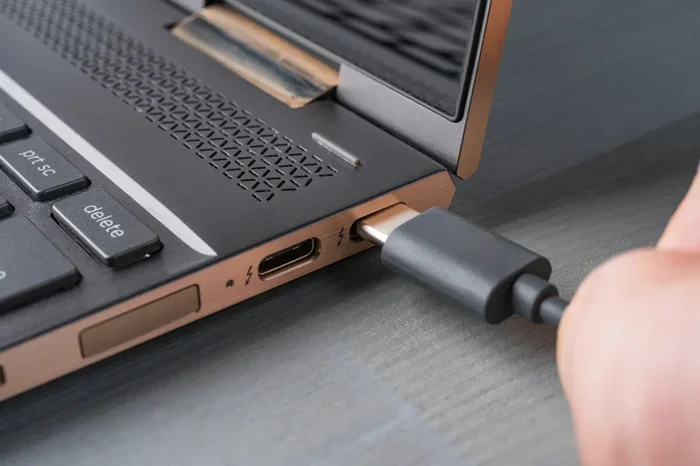
- Photo 4: All ports and connections
- Photo 5: The bottom panel showing any wear
- Photo 6: The charger and any included accessories
Take photos in a well-lit room with a plain background. Natural light works best. Avoid blurry or dark images. Clean, professional photos dramatically increase click-through rates and conversions.
Pricing Your Laptop The Right Way
Research Competitor Prices
Pricing is one of the most important factors in selling your laptop quickly. If you price too high, buyers will scroll past. Price too low, and you leave money on the table. Start by searching for similar laptops on Amazon. Look at listings with the same brand, model, and condition. Note what they are asking and what they actually sold for.
Understand Laptop Resale Value
The resale value of a laptop depends on several factors:
- Age: Laptops lose value quickly, especially after 3-4 years.
- Brand: Premium brands like Apple, Dell XPS, and Lenovo ThinkPad hold value better than budget brands.
- Condition: Laptops in excellent condition command higher prices.
- Specs: More RAM, faster processors, and SSD storage increase value.
- Demand: Popular models sell faster and at better prices.
Check the Amazon Trade-In Value
Before you set your own price, check what Amazon would offer through their Trade-In program. This gives you a baseline. If the Trade-In offer is close to what you could earn selling independently, the Trade-In option might be worth the convenience. If you can earn significantly more on your own, listing on the marketplace is the better route.
| Selling Method | Pros | Cons |
|---|---|---|
| Amazon Marketplace | Higher potential earnings, full control over pricing | More effort required, you handle shipping |
| Amazon Trade-In | Fast, easy, no listing needed | Lower payout, limited to Amazon’s offer |
| Amazon FBA | Amazon handles shipping and customer service | FBA fees reduce your profit margin |
| Amazon FBM | You control the shipping process | You handle all customer communication |
Quick Tip: Price your laptop about 5-10% below the average of similar listings. This small discount can be the difference between a sale in two days and a listing that sits for weeks. Buyers love feeling like they got a good deal.
Shipping And Handling Tips
Choose the Right Packaging
Shipping a laptop requires careful packaging to prevent damage during transit. Use a sturdy box that is slightly larger than the laptop. Wrap the laptop in bubble wrap, focusing on the corners and screen. Fill any empty space with packing peanuts or foam inserts. A well-packed laptop arrives safely and earns you positive reviews.
Use Amazon Shipping Labels
If you are using Amazon FBA, Amazon provides shipping labels and pickup services. For FBM sellers, you can purchase discounted shipping labels through Amazon Seller Central. Always require a signature upon delivery for high-value items like laptops. This protects you in case the package is lost or damaged.
Insurance and Tracking
Never ship a laptop without tracking and insurance. Amazon offers seller protection for eligible shipments, but extra insurance never hurts. Keep your tracking number and share it with the buyer promptly. Good communication during shipping builds trust and leads to five-star reviews.
Common Mistakes to Avoid:
- Using a flimsy box or envelope for shipping
- Forgetting to remove personal data before shipping
- Not including the charger in the package
- Underpricing because you feel guilty about selling
- Ignoring buyer questions — respond quickly and politely
Maximizing Your Earnings And Selling Faster
Optimize for Amazon Search
Amazon uses a search algorithm called A9. To get your listing seen, you need to optimize it for search. Include relevant keywords in your title and description naturally. Words like used laptop, refurbished laptop, laptop for sale, and specific model names help Amazon match your listing with buyer searches. Avoid keyword stuffing — keep your descriptions natural and helpful.
Offer Amazon Prime Eligibility
If you use Amazon FBA, your laptop automatically becomes eligible for Amazon Prime shipping. Prime members shop more frequently and spend more than non-Prime members. Prime eligibility is one of the strongest selling advantages on the platform. Even if you use FBM, offering free shipping can improve your conversion rates significantly.
Manage Customer Service Well
Respond to buyer messages within 24 hours. Be friendly, helpful, and professional. If there is a problem, offer a solution quickly. Positive feedback and high seller ratings lead to more sales over time. Think of every transaction as an opportunity to build your reputation on the platform.
Consider Timing Your Sale
Believe it or not, timing matters. Laptops tend to sell faster during back-to-school season (July-September) and during the holiday shopping rush (November-December). If you can wait a few weeks, listing during these peak shopping periods can lead to faster sales and better prices.
Expert Insight: Many experienced sellers recommend checking Amazon seller forums and online selling communities. These groups share real-time tips on which laptop models are trending, what buyers are looking for, and how to handle common selling challenges. The knowledge you gain from these communities is invaluable.
Common Questions About Selling Laptops On Amazon
Before we wrap up, let us address some of the questions new sellers ask most frequently. These answers will help you feel more confident as you start your selling journey.
Is It Safe To Sell On Amazon?
Absolutely. Amazon has robust seller protection policies, secure payment processing, and a dedicated support team. As long as you follow their guidelines and ship items properly, your transactions are safe. Amazon holds buyer payments in escrow until the buyer confirms receipt, which protects sellers from fraud.
How Much Does It Cost To Sell On Amazon?
Costs vary depending on the selling method. Individual sellers pay $0.99 per item sold. Professional sellers pay a monthly fee of $39.99. Both plans also charge a referral fee, which is a percentage of the sale price — typically around 8-15% for electronics. If you use FBA, there are additional fulfillment and storage fees. However, the referral fee is the main cost for most individual sellers.
Can I Sell A Laptop That Is Not Working?
Yes, you can, but you must be transparent about the condition. Many buyers purchase non-working laptops for parts or repair projects. Clearly state what is wrong in your listing. Be honest about the issues, and consider pricing it lower than fully functional units. Some buyers specifically search for broken laptops to fix or use for spare parts.
How Long Does It Take To Sell A Laptop On Amazon?
It varies based on the laptop model, condition, price, and demand. Popular models in good condition can sell within a few days. Older or less popular laptops might take a few weeks. Optimizing your listing with quality photos, detailed descriptions, and competitive pricing significantly reduces sell time.
What Happens If The Buyer Returns The Laptop?
Returns are a normal part of selling on Amazon. If a buyer returns the laptop in the same condition, Amazon processes the refund and may charge a return shipping fee. To minimize returns, make sure your listing accurately describes the laptop’s condition, include clear photos, and respond promptly to any buyer questions before the sale. Accurate listings lead to fewer surprises and fewer returns.
Do I Need To Pay Taxes On Earnings From Amazon Sales?
In most cases, yes. Amazon reports your earnings to tax authorities, and you may need to pay income tax on your profits. The rules vary by country and state. If you are selling occasionally, the tax impact is usually minimal. If you plan to sell regularly, consider consulting a tax professional to understand your obligations and deductions.
Final Thoughts: Start Your Laptop Selling Journey Today
Selling your laptop on Amazon is simpler than most people think. You do not need to be a tech expert or a seasoned seller. With the right preparation, a well-written listing, and fair pricing, you can turn that old laptop into real money. The process is straightforward, the audience is massive, and the earning potential is real.
Start by gathering your laptop’s details, cleaning it up, and taking great photos. Set up your Amazon seller account, research competitor prices, and create a listing that highlights the best features of your device. Ship it carefully and provide excellent customer service. Each step brings you closer to your first sale.
The beauty of selling used electronics on Amazon is that it works whether you are clearing out one old laptop or building a small side business. Every device has value, and every sale is a step toward earning more. Do not let that old laptop sit in a drawer any longer. List it today, and start your journey toward earning from what you already own.
Take action now. Set up your account, create your first listing, and experience the satisfaction of turning unused items into cash. Amazon makes it easy, and the buyers are already waiting. Your laptop has a second life to live — and you deserve to earn from it.