Can I Charge My Laptop With A Regular Phone Charger Safely
Yes, you can charge your laptop with a regular phone charger, but there are important limits to understand. Phone chargers typically deliver 5 to 20 watts, while most laptops need 30 to 100 watts or more. Using a phone charger will charge your laptop much slower and may not work at all during heavy use. This guide covers charger compatibility, wattage requirements, risks, and safe alternatives to keep your laptop powered up.
Ever found yourself in a situation where your laptop charger is missing or dead, and all you have is your phone charger? It is a frustrating moment. You plug it in, hold your breath, and nothing happens. Or maybe it does something, but very slowly. The question Can I Charge My Laptop With A Regular Phone Charger comes up more often than you might think. With people working remotely, traveling, and living off their laptops every day, running out of charger options is more common than we like to admit.
The short answer is yes, you can charge your laptop with a phone charger, but the full story is more nuanced. It depends on your laptop model, the type of charging port it has, the wattage of the phone charger, and what you are doing while charging. This article breaks down everything you need to know about laptop charging with a standard phone charger. You will learn about compatibility, risks, speed differences, and safer alternatives. By the end, you will know exactly what to expect and how to avoid common mistakes.
Key Takeaways
- It works, but slowly: A phone charger can charge a laptop, but the process is significantly slower than using the original charger.
- Wattage matters most: Your laptop needs enough wattage to charge while running. A low-power phone charger may only maintain or slowly top up the battery.
- USB-C makes it easier: Laptops with USB-C charging ports can accept phone chargers more easily than those with barrel connectors.
- There are risks: Using an incompatible charger can lead to slow charging, overheating, or potential damage to the battery over time.
- Power banks are a great alternative: High-wattage USB-C power banks can safely charge laptops on the go.
- Check your laptop power requirements first: Always look at your laptop label or manual before plugging in any charger.
📑 Table of Contents
- Understanding How Laptop Charging Works
- Can You Actually Charge a Laptop with a Phone Charger?
- Risks of Using a Phone Charger to Charge Your Laptop
- How to Choose the Right Charger for Your Laptop
- Safe Alternatives to Charging Your Laptop with a Phone Charger
- Quick Tips for Safe Charging
- Common Mistakes People Make When Charging Laptops with Phone Chargers
- Expert Insights on Laptop Charging with Phone Chargers
- Key Takeaways
- Frequently Asked Questions
- Conclusion
Understanding How Laptop Charging Works
Before you plug anything in, it helps to understand the basics of how laptops get their power. Every laptop has specific laptop power requirements that determine how fast and efficiently it charges. These requirements are measured in three key units: wattage, voltage, and amperage. Understanding these will help you make smarter decisions about what charger to use.
What Is Wattage, Voltage, and Amperage?
Wattage is the total power your laptop draws. Think of it as the overall speed of charging. A higher watt number means faster charging. Voltage is the electrical pressure that pushes power through the cable. Amperage is the amount of electrical current flowing through. Together, voltage multiplied by amperage equals wattage. This simple formula is the key to understanding charger compatibility.
Most laptop power adapter units are designed to deliver between 45 and 100 watts. Phone chargers, on the other hand, typically deliver between 5 and 20 watts. That is a big gap. So when you ask Can I Charge My Laptop With A Regular Phone Charger, the wattage difference is the first thing you need to consider.
How Your Laptop Battery Responds to Charging
Your laptop battery is smart. It regulates how much power it accepts. If you connect a charger with low wattage, the battery will simply take what it can get. It will not overdraw power or damage itself in most cases. However, if you are using your laptop while it charges, the battery may not receive enough power to keep up with what the laptop is consuming. In that situation, the battery level might actually drop even while the charger is plugged in.
This is why charging speed matters so much. A phone charger might slowly refill your battery when the laptop is off or in sleep mode. But during active use, it may not be enough to make a real difference. Understanding this dynamic is essential for setting realistic expectations.
Can You Actually Charge a Laptop with a Phone Charger?
Now let us get to the heart of the question. Can I Charge My Laptop With A Regular Phone Charger safely and effectively? The answer depends on several factors. Let us walk through them one by one.
The Role of USB-C in Modern Laptops
If your laptop has a USB-C port, you are in luck. USB-C has become the universal standard for modern laptops. It supports USB-C charging and USB power delivery (also called PD). Many newer phone chargers use USB-C and can deliver between 18 and 30 watts through PD protocols. This means they can charge some laptops, especially smaller ones, at a reasonable rate.
However, not all USB-C ports support charging. Some laptops only use the USB-C port for data transfer or display output. You need to check your laptop manual or look for the lightning bolt or battery icon next to the port. That symbol means the port supports USB-C charging. If there is no such symbol, a phone charger plugged into that port will not charge your laptop at all.
Barrel Connectors and Older Laptops
If your laptop uses a barrel connector (the round tip charger), things get trickier. Phone chargers do not come with barrel tips. You would need an adapter to convert from USB to a barrel connector. These adapters exist, but they add another point of potential failure. They may also not deliver the correct voltage, which can be risky. For older laptops with barrel connectors, using a phone charger is generally not recommended without the proper adapter and voltage matching.
What Happens When You Plug In a Phone Charger?
When you connect a phone charger to your laptop, several things can happen. The laptop might show a charging icon, and the battery percentage may slowly increase. Or the laptop might recognize the charger but display a message saying it is not charging at full speed. In some cases, the laptop might not recognize the charger at all, especially if the wattage is too low or the charger does not support the right protocol.
The most common outcome is slow charging. Your laptop will gain a small percentage of battery over a long period. If you are not actively using the laptop, this can still be useful. But if you are working, browsing, or streaming, the battery may drain faster than the phone charger can fill it.
Risks of Using a Phone Charger to Charge Your Laptop
Using a phone charger for your laptop is not inherently dangerous, but there are real risks you should be aware of. Understanding these risks will help you make informed decisions and avoid damage to your device.
Slow Charging and Battery Drain
The most obvious risk is that your laptop will not charge properly. A regular phone charger might only provide 5 to 10 watts of power. Most laptops need at least 30 watts to charge while idle. If you are running applications, the charger may not keep up. In this case, your laptop battery life will continue to decrease, even with the charger plugged in.
This can be frustrating if you are counting on a low charger to get you through the day. It is better to know the limitation upfront rather than be caught off guard. Always monitor your battery percentage when using a phone charger to see if it is actually gaining power or slowly losing it.
Overheating and Adapter Strain
Phone chargers are not designed to run continuously at high output for hours. When you use one to charge a laptop, the charger may heat up more than normal. Over time, this can reduce the lifespan of the charger itself. In rare cases, low-quality phone chargers can overheat and pose a safety hazard. Always use a reputable brand and avoid cheap, unverified chargers for this purpose.
Potential Damage to the Laptop Battery
Consistently underpowering your laptop can put stress on the battery. The battery management system may cycle on and off as it tries to balance the power supply. Over weeks and months, this can degrade battery health. While occasional use of a phone charger is unlikely to cause harm, making it a daily habit may shorten the overall lifespan of your laptop battery.
How to Choose the Right Charger for Your Laptop
If you are considering using a phone charger or any alternative charger for your laptop, choosing the right one matters. Not all chargers are created equal, and picking the wrong one can lead to poor performance or even damage.
Check Your Laptop Power Requirements
Start by finding your laptop’s power requirements. Look at the original power adapter label for the wattage and voltage. You can also check your laptop manual or the manufacturer’s website. Once you know what your laptop needs, you can look for a replacement charger or a phone charger that meets or exceeds those requirements.
Match the Voltage and Amperage
Voltage must match your laptop’s requirements exactly. Using the wrong voltage can damage your laptop. Amperage can be equal to or higher than what your laptop requires, but never lower. If your laptop needs 3 amps and your charger only provides 2 amps, the charger will be overworked and may fail or overheat.
Look for USB-C Power Delivery Support
If your laptop supports USB-C charging, look for a charger that supports USB power delivery. USB PD chargers can negotiate the right power output with your laptop automatically. Many phone chargers now include USB PD at 18W, 20W, or even 30W and 65W. A higher-wattage USB PD charger can serve as both a phone charger and a laptop charger, making it a versatile option.
Consider a GaN Charger
Gallium Nitride (GaN) chargers are a newer type of power adapter that are smaller and more efficient than traditional chargers. They can deliver high wattage in a compact size. Many GaN chargers offer 30W, 45W, 65W, or even 100W outputs. These are excellent options if you want a single charger that can handle both your phone and your laptop. They are portable, reliable, and increasingly affordable.
Safe Alternatives to Charging Your Laptop with a Phone Charger
If a regular phone charger is not cutting it, there are several safer and more effective alternatives. These options will give you reliable laptop charging on the go or in emergency situations.
USB-C Power Banks
A power bank with USB-C output is one of the best alternatives to a phone charger for laptops. High-capacity power banks can deliver 30W, 45W, or even 65W through USB PD. They are portable, rechargeable, and designed for exactly this kind of situation. Look for power banks that explicitly state they support laptop charging and match your laptop’s voltage requirements.
When choosing a power bank, pay attention to its capacity (measured in mAh) and its output wattage. A power bank with 20,000 mAh or more can typically charge a laptop several times. These are especially useful for travel, outdoor work, or emergencies.
Car Chargers with USB-C PD
If you are on the road, a car charger with USB-C PD output can charge your laptop while you drive. These chargers plug into your vehicle’s cigarette lighter or USB port and deliver power through a USB-C cable. Make sure the car charger supports enough wattage for your laptop. A 30W or 60W car charger is usually sufficient for most laptops.
Universal Laptop Chargers
A universal laptop charger comes with multiple interchangeable tips to fit different laptop models. These are handy if you have multiple devices or travel frequently. Make sure the universal charger matches your laptop’s voltage and wattage requirements. They are widely available and affordable, making them a practical backup option.
Portable Solar Chargers
For outdoor enthusiasts, portable solar chargers with USB-C PD output can charge laptops using sunlight. These are slower than wall chargers but offer a renewable energy source. They are best suited for emergencies or situations where no power outlet is available.
Quick Tips for Safe Charging
- Always check the label on your laptop and charger before connecting them.
- Never use a charger with the wrong voltage, as this can permanently damage your laptop.
- Use certified chargers from reputable brands to ensure safety and compatibility.
- Monitor the temperature of your charger and laptop while charging with an alternative power source.
- Avoid using your laptop heavily while charging with a low-wattage charger, as this can cause battery drain.
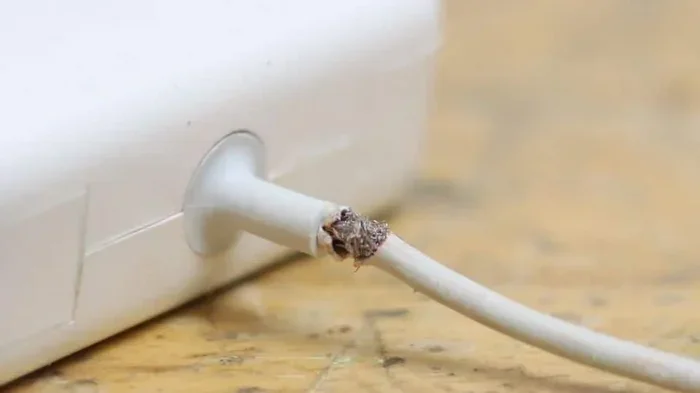
- Keep your charging cable in good condition to prevent power loss or short circuits.
- Charge your laptop with the original charger whenever possible for best performance and battery health.
Common Mistakes People Make When Charging Laptops with Phone Chargers
Many people make avoidable mistakes when trying to charge their laptops with a phone charger. Being aware of these pitfalls can save you time, money, and potential damage to your device.
Ignoring the Wattage Difference
The biggest mistake is ignoring the gap between phone charger output and laptop power needs. A 10W phone charger simply cannot deliver the same power as a 65W laptop charger. Expecting it to do so will only lead to disappointment and slow charging.
Using Cheap, Uncertified Chargers
Cheap, no-name chargers may not regulate voltage properly. This can lead to inconsistent power delivery, overheating, or even electrical damage to your laptop. Always choose chargers from trusted brands or those with safety certifications like UL or CE.
Forcing the Wrong Connector
Never force a connector that does not fit. Using incompatible adapters or cables can damage the charging port on your laptop. If you need a barrel-to-USB adapter, make sure it is designed for your specific laptop model and supports the correct voltage.
Leaving the Charger Plugged In Overnight
While modern laptops have battery protection circuits, leaving any charger connected for extended periods can still cause wear over time. It is a good habit to unplug your laptop once it reaches full charge, regardless of the charger type.
Expert Insights on Laptop Charging with Phone Chargers
Tech experts generally agree that using a phone charger to charge a laptop is fine for emergencies or slow top-ups, but it should not replace your original charger. According to battery specialists, consistently undercharging your laptop can lead to a phenomenon called “battery anxiety,” where users constantly worry about battery levels because the charger cannot keep up with usage.
Battery health experts also emphasize that laptop battery life is best preserved when the battery is charged at the manufacturer’s recommended rate. Using a lower-wattage charger occasionally will not ruin your battery, but relying on it daily can reduce overall battery capacity over time. The consensus is clear: use a phone charger as a backup, not as your primary charging method.
IT professionals also recommend keeping a spare USB-C power adapter at your desk or in your bag. These are relatively inexpensive and can serve as both a phone charger and a laptop charger if they support USB PD with sufficient wattage. This simple step can save you from the frustration of a dead battery when you need your laptop most.
Key Takeaways
- It works, but slowly: A phone charger can charge a laptop, but the process is significantly slower than using the original charger.
- Wattage matters most: Your laptop needs enough wattage to charge while running. A low-power phone charger may only maintain or slowly top up the battery.
- USB-C makes it easier: Laptops with USB-C charging ports can accept phone chargers more easily than those with barrel connectors.
- There are risks: Using an incompatible charger can lead to slow charging, overheating, or potential damage to the battery over time.
- Power banks are a great alternative: High-wattage USB-C power banks can safely charge laptops on the go.
- Check your laptop power requirements first: Always look at your laptop label or manual before plugging in any charger.
Frequently Asked Questions
Can I Charge My Laptop With A Regular Phone Charger Without Any Risk?
Using a phone charger occasionally carries minimal risk for most laptops. However, if you use it regularly or for extended periods, there is a chance of slow charging, battery stress, or overheating. Always match the voltage requirements and use a certified charger to minimize any risks. It is safest to use a phone charger only as a temporary backup.
How Long Does It Take to Charge a Laptop with a Phone Charger?
Charging time varies widely depending on your laptop’s battery size and the phone charger’s wattage. A typical phone charger delivers 5 to 20 watts, while a laptop battery is often 40 to 80 watt-hours. This means a full charge could take 4 to 8 hours or more with a phone charger, compared to 1 to 2 hours with the original charger. If you are only topping up the battery, it may take 1 to 3 hours to gain 20 to 30 percent.
Will Charging My Laptop with a Phone Charger Damage the Battery?
Occasional use of a phone charger is unlikely to cause immediate damage. However, consistently underpowering your laptop can put extra strain on the battery over time. The battery management system may cycle frequently, which can reduce overall battery health. For long-term battery longevity, it is best to use the charger designed for your laptop.
Can I Use Any USB-C Phone Charger to Charge My Laptop?
Not all USB-C phone chargers support laptop charging. Your laptop needs a USB-C port that supports power delivery. Additionally, the phone charger must be capable of delivering enough wattage to charge the laptop. Look for chargers that support USB PD and offer at least 18 to 30 watts of output. Check your laptop manual to confirm USB-C charging support before relying on a phone charger.
Is It Better to Use a Power Bank Than a Phone Charger for My Laptop?
Yes, a power bank with USB-C PD output is generally a better option than a phone charger. Power banks designed for laptops can deliver 30 to 65 watts, which is much closer to what your laptop needs. They also have larger battery capacity, so they can provide a meaningful charge. A phone charger simply does not have enough power output to charge a laptop effectively in most cases.
What Should I Do If My Laptop Does Not Recognize the Phone Charger?
If your laptop does not recognize the phone charger, first check that the cable is securely connected. Try a different USB-C cable, as some cables only support data transfer and not power delivery. Make sure your laptop’s USB-C port supports charging by looking for the battery or lightning bolt icon. If the issue persists, the phone charger may not be compatible with your laptop’s charging protocol or may not provide enough wattage.
Conclusion
The answer to Can I Charge My Laptop With A Regular Phone Charger Safely is a qualified yes. You can do it, and in most cases, it will not cause immediate harm. However, it is not a long-term solution. Phone chargers simply do not provide enough power to charge most laptops at a normal speed. They work best as emergency backups or for slow overnight top-ups when your laptop is not in use.
Understanding your laptop’s power requirements, choosing the right charger, and being aware of the risks will help you make smart decisions. Whether you are using a USB-C power adapter, a power bank, or a phone charger in a pinch, the key is to match wattage and voltage as closely as possible. Keep your original charger handy whenever you can, and treat a phone charger as a temporary fix rather than a permanent replacement.
By following the tips and guidelines in this article, you can safely navigate the world of alternative charging. Stay informed, stay prepared, and your laptop will stay powered up no matter where you are. The next time you find yourself without your laptop charger, you will know exactly what to expect and how to handle it safely.