Can I Use A Different Power Cord For My Laptop Safely
Can I use a different power cord for my laptop? Yes, but you must match the voltage and wattage exactly. Using the wrong laptop charger can damage your device or create safety risks. This guide will show you how to pick a safe replacement cord and keep your computer running smoothly. You will learn about barrel plugs, power bricks, and polarity. We will also cover OEM versus third-party options. By the end, you will feel confident and safe.
Have you ever unplugged your laptop and realized the power cord is missing? Maybe it got lost during a move. Or perhaps your dog chewed right through it. In that moment, panic sets in. You look around the house and wonder, Can I use a different power cord for my laptop?
The good news is that you often can. But it is not as simple as plugging in any old cord. Using the wrong laptop charger can harm your device. It can even create safety hazards. That is why you need to know the basics before you buy a replacement cord.
In this guide, we will break everything down for you. We will look at voltage, wattage, and plug sizes. You will learn how to pick a safe power adapter. By the end, you will feel confident about charging your laptop again. Let us get started!
Key Takeaways
- Match the voltage: The new cord must have the exact same voltage as your original charger.
- Check the wattage: The wattage should be equal or higher, never lower.
- Fit the barrel plug: The physical size of the DC plug must match your laptop’s charging port.
- Avoid frayed wires: Never use a cord with damaged insulation to prevent safety risks.
- Third-party is okay: You can use a reputable third-party cord if it meets the specs.
- Watch for overheating: If the power brick gets too hot, unplug it immediately.
📑 Table of Contents
Understanding Your Laptop Power Cord
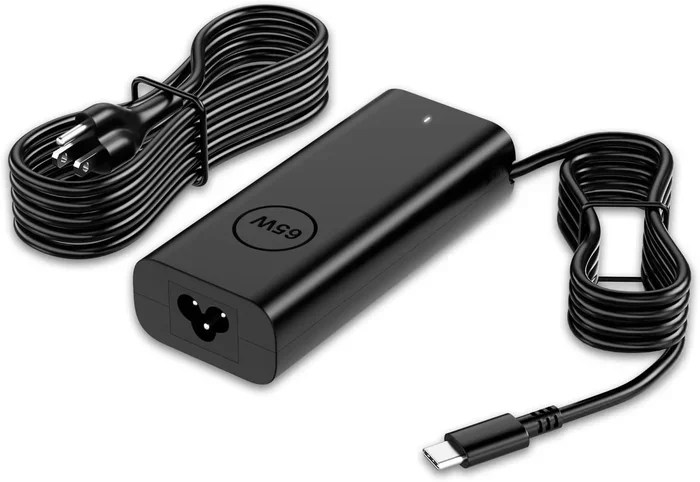
Before you swap cords, you need to know what is inside the box. Every laptop charger has two main parts. There is the power brick and the cable itself. The brick sits on your desk. It converts the wall outlet power into the right type of electricity for your computer. Without the right AC adapter, your laptop simply will not turn on. You need both parts to work together.
The cable is the flexible wire that connects the brick to your computer. It usually has a standard plug on one end for the wall outlet. On the other end, it has a special tip. This tip is called the DC plug. It goes directly into your laptop. The power brick does the heavy lifting. It steps down the high voltage from your wall to the low voltage your computer needs. If you use a different cord, you must make sure this whole system works together. Different laptops have different needs. A gaming laptop needs more power than a basic notebook. The power brick size reflects this. A small brick is fine for a basic laptop. A big brick is needed for a powerful machine.
What Is a Power Cord and Power Adapter?
The AC adapter is the brick. It changes alternating current from your wall into direct current for your laptop. The cable, or the DC plug, connects the brick to your computer. Without the right AC adapter, your laptop simply will not turn on. You need both parts to work together. Many people call the whole unit just a charger. But technically, the charger is the brick, and the cord is the cable. The length of the cord also matters. A longer cord gives you more flexibility. But a shorter cord is usually safer. Less cord means less chance of tripping or pulling the plug out.
The Role of Voltage and Wattage
Two numbers matter most when you choose a new cord. These are voltage and wattage. Voltage is the pressure of the electricity. Wattage is the total power used. Your laptop needs a specific amount of both. If the power supply does not match, trouble starts. Always look at the label on your old power brick. It will tell you exactly what your laptop needs.
- Voltage: Measured in volts (V). It must match exactly.
- Wattage: Measured in watts (W). The new cord should be equal or higher.
- Amperage: Measured in amps (A). It is related to wattage and must be sufficient.
When Can You Safely Use a Different Power Cord?
So, when is it okay to grab a different cord? You can use a replacement cord if it meets a few simple rules. You do not always need to buy the exact same brand. You just need the right electrical specs. As long as the numbers line up, you are usually safe. But you must also check the physical fit. When you travel, you might need a different cord. You might be in a hotel room with a different outlet type. You might have lost your cord while traveling. A universal power supply is great for this. It comes with different tips. You can swap the barrel plug to fit different laptops. This is very handy for people who work remotely. You just need to make sure the voltage is still correct. The universal supply must still match your laptop’s needs. Another scenario is buying a cord for a second laptop. If you have two computers from the same brand, you might think the cords are interchangeable. But they might need different voltages. Always check each laptop individually. Do not assume they are the same.
Matching Voltage and Wattage
First, check the label on your old power brick. Find the output voltage. If your laptop needs 19 volts, the new cord must also output 19 volts. Next, look at the wattage. If the old cord is 65 watts, a 90-watt cord is usually fine. A higher wattage power supply will not hurt your laptop. It just means the cord can deliver more power if needed. The laptop will only draw what it needs. This is a very important rule to remember. Think of it like a water pipe. A bigger pipe can handle more water, but it will not force extra water into a small cup.
Checking the Barrel Plug Size
Next, look at the tip of the cord. This is the barrel plug. It must fit snugly into your laptop’s charging port. If the plug is too thin, it will fall out. If it is too wide, it will not fit at all. Measure the inner and outer diameter of the plug. Sizes are usually in millimeters. A perfect fit ensures a safe connection. It also prevents sparks or short circuits. Take a ruler and measure carefully before you buy. A loose fit is just as bad as a plug that is too big.
Understanding Polarity
Polarity is another key factor. It tells the electricity which way to flow. The DC plug has a positive and negative side. Your laptop expects a specific flow. If you reverse the polarity, it can damage the motherboard. Look for the plus and minus symbols on the label. They show you the correct polarity. Always match these symbols exactly when you pick a new cord. This is a detail that many people overlook. But getting it wrong can fry your internal circuits very quickly.
Quick Tips
- Always unplug the old cord before comparing specs.
- Take the old power brick with you when you shop.
- Use a multimeter to test voltage if you are unsure.
- Keep the old cord in a safe place until you are sure the new one works.
The Dangers of Using the Wrong Charger
What happens if you ignore the rules? Using the wrong laptop charger is risky. It is not just about losing your charge. It can cause real damage to your computer. You should always take the time to match the specs. Cutting corners can lead to expensive repairs or even a fire. If the voltage is too high, your laptop can overheat. Too much electrical pressure pushes through the circuits. This can melt internal parts. In the worst cases, it can start a fire. A frayed wire on a cheap cord makes this even worse. Heat builds up fast. Never use a cord that feels hot to the touch. If you smell burning plastic, unplug the power brick immediately. Safety must always come first.
Overheating and Fire Hazards
Overheating is the most common danger. When the power supply pushes too much voltage, the components heat up. The plastic casing can melt. The wires inside can short out. A frayed wire exposes the live electricity inside. This creates a serious shock hazard. If your power brick is hot to the touch after ten minutes of use, unplug it. A warm brick is normal. A hot brick is a warning sign. You should never ignore this signal.
Damage to Battery Health
Your battery takes the hardest hit. Wrong wattage can ruin battery cells. If the power is too low, your laptop might not charge at all. It might only charge slowly. If the power is unstable, your battery can swell. A swollen battery is a serious safety issue. It can also ruin the laptop base. Keeping your battery health intact means using the right power supply every single time. A bad AC adapter can send an electrical surge into your laptop. This surge can fry sensitive components. The motherboard might stop working. The charging circuit can burn out. Repairing this kind of damage is very expensive. Sometimes it costs more to fix than to buy a new laptop.
Common Mistakes
- Assuming all cords with the same tip are the same.
- Ignoring the polarity symbol on the plug.
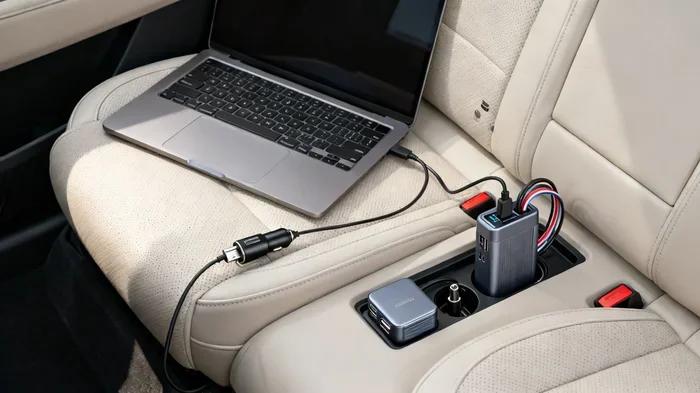
- Using a car charger meant for phones on a laptop.
- Buying the cheapest cord without checking the specs.
- Forcing a plug into a port that does not fit.
OEM vs Third-Party Power Cords
When shopping for a new cord, you have choices. You can buy the original brand. Or you can choose a third-party cord. Both have pros and cons. Let us look at what they mean for your battery health and safety. OEM stands for Original Equipment Manufacturer. This is the cord that came with your laptop. It is made by the same company that built your computer. OEM power adapters are usually very reliable. They match the exact DC plug and electrical needs. The downside is that they are often very expensive. If you lose your original cord, buying a brand new one from the manufacturer can hurt your wallet.
Are Third-Party Cords Safe?
Yes, third-party cords can be safe. Many reputable brands make excellent universal power supply units. These cords meet strict safety standards. They offer the same voltage and wattage as OEM cords. You just need to buy from a trusted seller. Avoid cheap no-name brands. They often cut corners on safety. Look for cords that have safety certifications listed on the box. These include UL or CE marks. Some modern laptops use a smart chip inside the power brick. This chip tells the laptop how much power to draw. If you use a third-party cord without this chip, the laptop might not charge. It could show a message saying the compatible charger is not detected. This is annoying but not dangerous. You can usually fix this by buying a cord that specifically lists your laptop model.
Comparison Table
| Feature | OEM Cord | Third-Party Cord |
|---|---|---|
| Price | High | Low to Medium |
| Reliability | Very High | High (if reputable brand) |
| Availability | Sometimes hard to find | Widely available |
| Warranty | Usually included | Varies by seller |
| Smart Chip | Always present | Sometimes missing |
How to Choose the Right Replacement Cord
Now that you know the risks, how do you pick the right one? Choosing the right replacement cord is easy when you follow a simple checklist. You do not need to be a tech expert. Just take your time and read the labels. Now that you know the risks, how do you pick the right one? Choosing the right replacement cord is easy when you follow a simple checklist. You do not need to be a tech expert. Just take your time and read the labels.
Steps to Find the Right Match
- Find the label on your old power brick. Write down the voltage and wattage.
- Measure the barrel plug size. Write down the inner and outer diameter.
- Check the polarity. Look for the plus and minus symbols on the plug.
- Search for a compatible charger that matches these specs.
- Read reviews before you buy. Make sure other users had good results.
Where to Find the Specs if the Brick is Dead
What if your old power brick is completely dead and the label is gone? Do not worry. You still have options. Check your laptop manual. The manual will list the charging requirements. You can also look at the laptop itself. Many brands put a small label on the bottom of the computer. It lists the model number and power needs. You can also search the model number online to find the exact specs. Tech experts always say to check the cord gauge. The gauge is the thickness of the wire. A thicker wire handles more power safely. If you have a high-wattage laptop, you need a thick replacement cord. A thin wire will overheat. It will not be able to push enough electricity to your laptop. Always match the wire thickness to your power needs. A proper power supply keeps everything running smoothly.
Final Thoughts on Using a Different Power Cord
So, can you use a different power cord for my laptop? Absolutely. You just have to be smart about it. Always match the voltage and wattage. Make sure the barrel plug fits perfectly. Never use a cord with damaged frayed wires. Taking these simple steps keeps your laptop safe. It also saves you money in the long run. Whether you buy an OEM power adapter or a trusted third-party laptop charger, the rules stay the same. Check the numbers. Check the fit. Your laptop is a big investment. Treat its charging cord with care. A safe power supply means a happy laptop and a happy you. Now go charge up your device with confidence!
Frequently Asked Questions
What happens if I use a different power cord for my laptop?
If the voltage and wattage match, nothing bad will happen. Your laptop will charge normally. However, if the specs are wrong, you risk overheating, damaging the battery, or destroying the motherboard. Always check the label on your old power brick before you plug in a new cord.
Can I use any power cord with my laptop?
No, you cannot use just any cord. The DC plug size must fit your charging port. The voltage must match exactly. The wattage should be equal or higher. Using the wrong laptop charger can cause serious safety risks and permanent damage to your device.
Is it safe to use a third-party power cord?
Yes, it is safe as long as the third-party cord meets the correct specifications. Look for reputable brands that offer safety certifications like UL or CE marks. Avoid cheap no-name brands that might not provide the right voltage or wattage for your power supply needs.
How do I know what power cord my laptop needs?
Look at the label on your old power brick. You will find the output voltage, amperage, and wattage there. You also need to measure the barrel plug size. Check the polarity symbols on the plug to make sure the new cord matches the electrical flow of your original AC adapter.
Can a wrong power cord damage my laptop battery?
Yes, a wrong cord can definitely damage your battery health. If the voltage is too high, it can overheat and swell the battery. If the power is unstable, it can degrade the battery cells over time. Always use a compatible charger that matches your laptop’s original electrical requirements.
What should I do if my new power cord gets hot?
A warm power brick is normal during charging. However, if the cord or the brick gets too hot to touch, unplug it immediately. This is a sign of an electrical problem. It could mean the wattage is wrong or the cord has frayed wires. Replace the cord with one that has the correct specifications.