Does Att Charge For A Router Here Is The Full Story
AT&T does charge for a router in most cases, but the details depend on your internet plan and whether you rent or buy the equipment. Many AT&T internet plans include a monthly equipment fee for their gateway device, typically ranging from $10 to $15 per month. However, you can often avoid this fee by purchasing your own compatible router or modem-router combo.
Does AT&T charge for a router? This is one of the most common questions new AT&T internet customers ask. The answer is not a simple yes or no. It depends on your plan, your equipment, and whether you choose to rent or buy.
Many people sign up for AT&T internet without fully understanding the router costs involved. They assume the router comes free with the plan. But that is not always the case. Monthly fees can add up over time, making a big dent in your budget. This guide breaks down everything you need to know about AT&T router charges.
Whether you are a new AT&T customer or have been with them for years, understanding router fees matters. You might be paying more than you need to each month. And the good news is, there are straightforward ways to reduce or even eliminate these costs entirely.
Key Takeaways
- AT&T charges a monthly rental fee for their gateway router on most internet plans, usually between $10 and $15.
- You can avoid the rental fee by buying your own compatible router or modem-router combo device.
- AT&T sometimes offers free rental for certain promotional plans or fiber plans, so always check your specific plan details.
- Returning the AT&T router when canceling service is required to avoid additional charges.
- Buying your own router can save you $120 to $180 per year compared to renting from AT&T.
- AT&T Smart Home Manager is their branded router app that works with their gateway devices.
- Installation fees may also apply depending on how you set up your AT&T internet service.
📑 Table of Contents
- Does AT&T Charge For A Router On Internet Plans?
- How Much Does AT&T Charge For Router Rental?
- Can You Avoid AT&T Router Fees?
- AT&T Router vs. Buying Your Own Router
- How To Switch From AT&T Router To Your Own Router
- What Happens When You Cancel AT&T Service?
- Expert Tips To Save Money On AT&T Router Costs
- Common Mistakes People Make With AT&T Router Fees
- Final Thoughts On Does AT&T Charge For A Router
Does AT&T Charge For A Router On Internet Plans?
The short answer is yes, AT&T typically charges for a router. But the exact fee depends on several factors. Let us break down how AT&T handles router equipment and what you can expect to pay.
How AT&T Router Fees Work
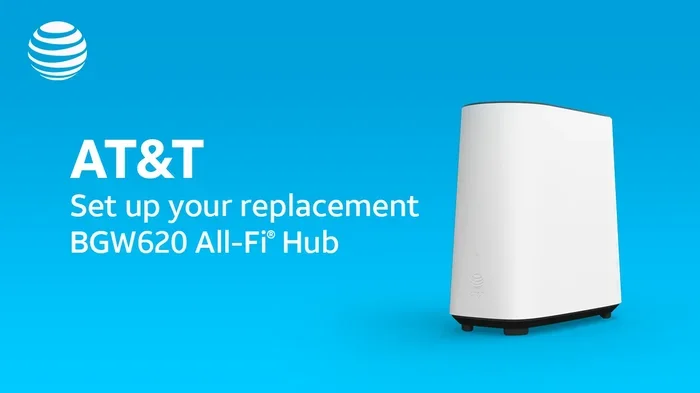
AT&T provides a gateway device to its internet customers. This device combines a modem and a router into one unit. It is called a gateway. AT&T refers to it as the AT&T Smart Home Manager in many cases. When you rent this device from AT&T, you pay a monthly equipment fee.
The standard AT&T router rental fee is usually around $10 to $15 per month. This fee appears on your monthly bill. It is separate from your internet service charge. So if you pay $60 for internet, you might see an additional $10 to $15 for equipment rental.
Some AT&T plans include the router at no extra cost. This often happens with promotional offers or bundled services. For example, AT&T Fiber plans sometimes include the gateway device for free as part of a special deal. Always read the fine print before signing up.
What Is The AT&T Gateway Device?
The AT&T gateway is a modem-router combo. It connects to your phone line or fiber line and broadcasts Wi-Fi throughout your home. AT&T provides this device when you sign up for internet service. You do not own it. You are simply renting it from AT&T.
The gateway typically supports Wi-Fi 5 or Wi-Fi 6 standards. It includes Ethernet ports for wired connections. It also works with the AT&T Smart Home Manager app. This app lets you manage your Wi-Fi settings, set parental controls, and run speed tests.
One thing to keep in mind is that AT&T gateways are not the fastest routers on the market. If you need high speeds or advanced features, renting the AT&T gateway might hold you back. This is where buying your own router becomes a smart move.
How Much Does AT&T Charge For Router Rental?
The AT&T router rental cost varies by location and plan type. Let us look at the typical fees you might encounter.
Standard Monthly Equipment Fee
For most AT&T internet plans, the equipment rental fee falls in this range:
- AT&T Internet (DSL/Fiber): $10 to $15 per month
- AT&T Fiber (promotional): Sometimes free for a limited time
- AT&T Fixed Wireless: $10 to $15 per month
Over a year, this adds up to $120 to $180 in router rental fees. Over two years, that is $240 to $360. These costs can be significant, especially if you do not get full value from the rental equipment.
One-Time Installation Fees
Beyond the monthly rental fee, AT&T may charge a one-time installation fee. This fee covers the technician visit to set up your internet service. Installation fees can range from $0 to $99 depending on the plan and any current promotions.
Some customers report being charged an additional equipment setup fee. This is separate from the installation fee. Always ask about all fees before your installation appointment.
Does AT&T Offer Free Routers?
Yes, AT&T sometimes offers free router rental. This usually happens in these situations:
- Promotional plans: AT&T runs limited-time offers that include free equipment.
- Bundle deals: Combining internet with TV or phone service sometimes waives the fee.
- Fiber plans: Certain AT&T Fiber plans include the gateway at no extra charge.
- New customer deals: First-year free rental is common for new AT&T subscribers.
If you are on a promotional plan, make sure you know when the free period ends. After the promotion, the standard rental fee kicks in automatically. This catches many customers off guard.
Can You Avoid AT&T Router Fees?
Yes, you can avoid AT&T router fees. There are a few practical ways to do this. Let us explore each option.
Option 1: Buy Your Own Router
The most effective way to eliminate AT&T router fees is to buy your own router. When you own your equipment, you pay once and keep it forever. No more monthly rental charges.
You will need to make sure your router is compatible with AT&T internet. Most AT&T plans work with standard routers. You may need to put AT&T’s gateway into bridge mode. This disables the router function and lets your personal router handle Wi-Fi.
Buying your own router can save you $120 to $180 per year. Over three years, that is $360 to $540 in savings. A good quality router costs $80 to $200 upfront. So you can recoup your investment within the first year.
If you are considering this route, check out Can I Buy A Router And Install Myself for a detailed guide on the process. Setting up your own router is easier than most people think.
Option 2: Use A Modem-Router Combo You Already Own
If you already have a compatible modem-router combo, you might be able to use it with AT&T. This depends on your AT&T plan type. Fiber plans are generally more flexible with third-party equipment. DSL plans can be trickier.
Contact AT&T customer service before trying this. They can confirm whether your device is compatible. They can also guide you through the setup process. Having the right equipment saves both time and money.
Option 3: Wait For A Promotion
AT&T frequently runs promotions that include free or reduced-cost equipment. Keep an eye out for these deals. They are often advertised on the AT&T website or through email offers.
Signing up during a promotional period can save you significant money. Just make sure you understand the terms. Know when the promotion ends and what fees apply afterward.
AT&T Router vs. Buying Your Own Router
Let us compare renting from AT&T versus buying your own router. This comparison helps you make the best decision for your situation.
Cost Comparison Over Time
Here is a simple breakdown of costs over two years:
- Renting AT&T Gateway: $10 to $15 per month = $240 to $360 over 2 years
- Buying Your Own Router: $80 to $200 upfront = $80 to $200 total cost
- Savings From Buying: $160 to $160+ over two years
The numbers clearly favor buying your own router. Even a mid-range router pays for itself within the first year of use.
Feature Comparison
Here is how AT&T’s rental gateway compares to a typical personal router:
- AT&T Gateway: Basic Wi-Fi coverage, limited advanced features, easy setup, AT&T app support
- Personal Router: Better range, faster speeds, more customization, regular firmware updates, mesh support
If you want better Wi-Fi performance and more control, buying your own router is the clear winner. You also get access to the latest Wi-Fi standards and security features.
When Renting Makes Sense
There are times when renting the AT&T router is the better choice:
- You want zero hassle: AT&T handles troubleshooting and replacements.
- You have a short-term lease: If you move frequently, renting avoids the cost of buying new equipment each time.
- You are on a promotional plan: Free rental makes it a no-brainer.
- You are not tech-savvy: AT&T support can help with any issues.
How To Switch From AT&T Router To Your Own Router
Switching from the AT&T gateway to your own router is straightforward. Here is a step-by-step guide to help you through the process.
Step 1: Check Compatibility
Before buying a new router, confirm it works with AT&T. Most standard routers are compatible. If you have AT&T Fiber, the process is even simpler. DSL connections may require specific modem settings.
Step 2: Put AT&T Gateway In Bridge Mode
Bridge mode turns off the router function on the AT&T gateway. It becomes a modem only. Your new router then handles all Wi-Fi and networking tasks. You can usually enable bridge mode through the AT&T gateway settings page.
Step 3: Connect Your New Router
Once bridge mode is active, connect your new router to the AT&T gateway using an Ethernet cable. Plug one end into the gateway and the other into your router’s WAN port. Power on your new router and follow the setup instructions.
Step 4: Contact AT&T To Remove Rental Fee
After switching to your own router, call AT&T to remove the equipment rental fee from your bill. They may ask you to confirm you are using your own equipment. Keep your router receipt handy for proof.
If you are worried about the setup process, you can read Can I Buy A Router And Install Myself for a more detailed walkthrough. The process is simpler than most people expect.
What Happens When You Cancel AT&T Service?
If you cancel AT&T internet service, you must return the AT&T gateway device. Failing to return it can result in additional charges. Here is what you need to know.
Return Process
AT&T will provide a return label. You can ship the device back using the provided label. Some customers drop off the device at an AT&T store. Either way, make sure you get a return confirmation.
Non-Return Fees
If you do not return the AT&T router, you will be charged a non-return fee. This fee is typically around $100 to $150. It is charged to your account as a replacement cost for the equipment. This fee can be avoided easily by returning the device promptly.
Keeping Your Own Router After Cancellation
If you switched to your own router before canceling, you get to keep it. You also stop paying the monthly rental fee. This is the best outcome if you plan to leave AT&T. You save money and keep your equipment.
Expert Tips To Save Money On AT&T Router Costs
Here are some practical tips from industry experts to help you minimize router costs with AT&T.
- Negotiate with AT&T: Call AT&T and ask for the equipment fee to be waived. Loyalty and persistence often work.
- Check for promotions: Visit the AT&T website regularly for new deals that include free equipment.
- Buy a mesh router: If you have a large home, a mesh system provides better coverage than the AT&T gateway. Check out Can I Connect Mesh To Existing Router to learn more about mesh setups.
- Upgrade your plan: Sometimes upgrading to a higher-tier plan includes equipment for free. Compare the total cost before switching.
- Use the AT&T app: The Smart Home Manager app helps you optimize your Wi-Fi. Better settings mean better performance.
These small steps can lead to big savings. The key is to stay informed and take action when you see an opportunity to reduce costs.
Common Mistakes People Make With AT&T Router Fees
Avoid these common mistakes to prevent unnecessary charges and frustration.
Not Reading The Bill Carefully
Many people pay their AT&T bill without reviewing each line item. The equipment rental fee can hide among other charges. Review your bill monthly to catch any unexpected fees.
Assuming The Router Is Free
Just because AT&T provides a router does not mean it is free. Always confirm whether your plan includes equipment at no charge. Ask about fees before signing up.
Forgetting To Return Equipment
If you cancel service, do not forget to return the AT&T gateway. Keep it in a safe place until you are ready to ship it back. Mark your calendar with the return deadline if one is provided.
Not Exploring Alternatives
Many customers simply accept the AT&T rental fee without exploring other options. Buying your own router or switching to a different provider can save significant money over time.
Final Thoughts On Does AT&T Charge For A Router
Does AT&T charge for a router? Yes, in most cases they do. The rental fee typically runs $10 to $15 per month. But this is not set in stone. Your specific plan, location, and any active promotions all play a role.
The best way to handle AT&T router costs is to understand your options. You can rent from AT&T, buy your own router, or wait for a promotional deal. Each option has its pros and cons. Choose the one that fits your budget and needs.
If you are tired of paying monthly rental fees, buying your own router is the way to go. It saves money in the long run and gives you better control over your Wi-Fi network. A little research upfront pays off big time over the months and years ahead.
Take charge of your internet costs today. Review your AT&T bill, explore your options, and make the choice that works best for your household. Your wallet will thank you.
Frequently Asked Questions
Does AT&T charge a monthly fee for their router?
Yes, AT&T typically charges a monthly equipment rental fee of $10 to $15 for their gateway router. This fee is separate from your internet service charge and appears on your monthly bill. Some promotional plans may include the router at no extra cost.
Can I use my own router with AT&T internet?
Yes, you can use your own router with AT&T internet. You will need to put the AT&T gateway into bridge mode so it acts as a modem only. Then connect your personal router to the gateway via Ethernet cable. This lets you avoid the monthly rental fee entirely.
How much does AT&T charge to install a router?
AT&T may charge a one-time installation fee that ranges from $0 to $99 depending on your plan and any active promotions. Some plans include free professional installation. Always check the terms before scheduling your installation appointment.
What happens if I lose or damage the AT&T router?
If you lose or damage the AT&T gateway, you will be charged a replacement fee. This fee typically ranges from $100 to $150. To avoid this charge, keep the equipment in a safe place and handle it carefully. Returning the device promptly when canceling service is also important.
Is it cheaper to buy your own router instead of renting from AT&T?
Yes, buying your own router is almost always cheaper in the long run. A good router costs $80 to $200 upfront, while AT&T rental fees add up to $120 to $180 per year. You break even within the first year and save money every year after that.
Does AT&T offer any free router promotions?
Yes, AT&T occasionally offers promotions that include a free gateway router. These are often tied to new customer sign-ups, bundle deals, or limited-time offers. Check the AT&T website or speak with a representative to find current promotions available in your area.