Does Cubo Work Without Wi Fi and What You Need to Know
Cubo is a smart security camera that typically needs a Wi-Fi connection to unlock its full features like live streaming, cloud storage, and remote monitoring. However, some models can still perform basic functions such as local recording and motion detection even without an internet connection. This guide covers everything you need to know about using Cubo without Wi-Fi, including setup steps, limitations, and alternative solutions.
Understanding whether your smart security camera needs a constant internet connection is important. Many homeowners install wireless cameras for peace of mind. But what happens when the Wi-Fi goes down? This is a common concern for people who rely on their home security system to protect their property.
The Cubo camera has gained popularity as a reliable wireless camera for home surveillance. It offers features like motion detection, live streaming, and cloud storage. But can it function when the internet is unavailable? In this article, we will explore whether Cubo works without Wi-Fi and what you need to know before relying on it for offline surveillance. We will cover setup options, limitations, alternatives, and practical tips to keep your camera running even without a network connection.
Key Takeaways
- Cubo needs Wi-Fi for full functionality: Live streaming, cloud storage, and remote monitoring all require a stable internet connection.
- Limited offline features exist: Some Cubo models support local recording and motion detection even without Wi-Fi.
- Mobile hotspots can bridge the gap: You can use a phone hotspot as an alternative wireless connectivity source.
- Local storage is key for offline use: Without cloud access, you will need SD cards or local storage options.
- Consider alternatives if Wi-Fi is unavailable: Other wireless cameras may offer better offline support.
- Setup matters: Proper initial configuration while connected to Wi-Fi ensures smoother offline operation later.
📑 Table of Contents
What Is the Cubo Security Camera?
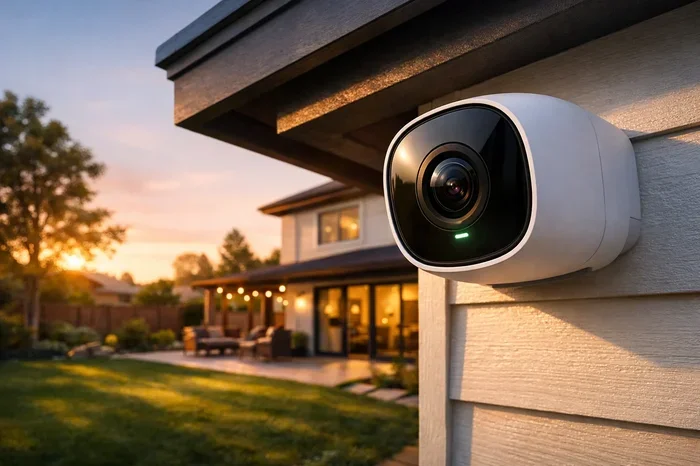
The Cubo camera is designed as a smart home device for security purposes. It is a compact wireless camera that connects to your home network. Users can view live feeds from their phones or computers. The device supports features like night vision, two-way audio, and motion alerts.
Most smart security cameras depend on a stable internet connection. They send data to cloud servers for storage and remote access. This is true for many wireless cameras on the market today. The Cubo camera follows this same general design pattern.
However, not all features require the internet. Some functions work locally on the device itself. This distinction matters a lot when you are considering offline surveillance options. Knowing what works and what does not can save you a lot of frustration during an outage.
The Cubo camera is often compared to other brands in the smart home device space. It offers a balance of affordability and functionality. But its reliance on wireless connectivity is a factor that every buyer should understand before making a purchase decision.
How Does Cubo Connect to Wi-Fi?
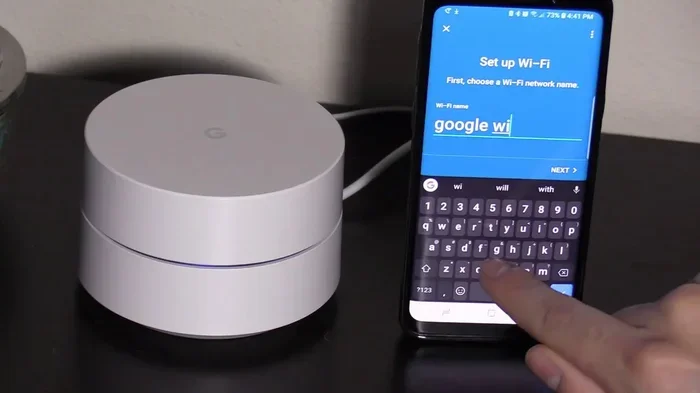
The Cubo camera uses standard wireless connectivity to link with your home network. During setup, you connect the camera to your 2.4 GHz Wi-Fi network. The device then communicates with the companion app on your phone or tablet. This connection enables live streaming and remote access.
Wireless connectivity is essential for the full experience. Without it, you cannot access the camera from a distance. The camera also relies on the internet to send motion alerts and store footage in the cloud.
Before setting up the camera, make sure your router is working properly. A strong signal near the camera location helps with stable performance. If your signal is weak, consider using a Wi-Fi extender to boost the connection.
It is also worth noting that some routers operate on both 2.4 GHz and 5 GHz bands. The Cubo camera typically works best on the 2.4 GHz band. This band has a longer range and better wall penetration, which makes it ideal for security cameras placed farther from the router.
Does Cubo Work Without Wi-Fi?
This is the main question many users ask. The short answer is: it depends on what you need. Cubo works without Wi-Fi only in limited modes. Let us break down what is possible and what is not.
If you are asking whether you can still get basic security monitoring without the internet, the answer is partially yes. But if you want full remote access and smart features, you need a working connection. Let us look at the details.
Offline Features of Cubo
When the Wi-Fi connection drops, the Cubo camera can still do some things. It may continue recording to a local SD card if one is inserted. Motion detection can still trigger recordings in some models. These offline camera features are helpful during brief internet outages.
However, you will not be able to view live footage remotely. The app will not receive push notifications for motion events. Two-way audio streaming also stops working without the internet. These limitations are important to understand before relying on the camera for security.
Some users have found that the camera continues to record to its local storage even when disconnected. This behavior is a lifesaver during short outages. You can retrieve the footage later once the connection is restored. It is always a good idea to insert a reliable SD card before any potential outage.
What Happens When Cubo Loses Wi-Fi
When the Cubo camera loses its internet connection, several things happen. The device usually shows an offline status in the app. You will not receive any alerts or notifications on your phone. All cloud-based features become unavailable.
The camera may continue to record locally if it has an SD card. But you cannot access those recordings remotely until the connection is restored. This is a significant limitation for a home security system that you expect to monitor from anywhere.
Some users have reported that the camera buffers footage during outages. Once the Wi-Fi returns, it may sync the saved clips to the cloud. This behavior varies by model and firmware version. Always check your specific model’s manual for exact details on offline behavior.
If you have ever wondered whether a hidden camera can work without internet, the same principles apply here. Cameras that rely on cloud processing will always struggle without a connection. Local storage is the key to maintaining some level of surveillance during outages.
Setting Up Cubo Without Wi-Fi
If you need to use Cubo without a traditional Wi-Fi connection, there are workarounds. These methods are not perfect but can help in certain situations. Let us explore the most practical options available.
Using a Mobile Hotspot
One option is to use your phone as a mobile hotspot. This creates a local wireless network that the camera can connect to. It is a form of cellular backup that keeps the camera online.
To set this up, follow these steps:
- Turn on the hotspot feature on your phone.
- Connect the Cubo camera to your phone’s hotspot network.
- Open the app and complete the camera setup.
- Make sure your phone has a strong data signal.
Keep in mind that using a hotspot consumes mobile data. Continuous streaming can use a lot of data quickly. This method works best for short-term use or temporary situations.
Before relying on a hotspot for your camera setup, check your mobile data plan. Some plans have low data limits that can be exceeded quickly by a streaming camera. A 4G or 5G connection with an unlimited data plan works best for this approach.
You may also want to add Wi-Fi to your PC if you plan to monitor the camera through a computer. Having a stable device connected to the same hotspot ensures you can view feeds without interruption.
Local Storage Options
Without Wi-Fi, local storage becomes your best friend. Most Cubo models support microSD cards for local recording. You can insert a card before losing your internet connection.
The camera will continue to save footage directly to the card. You can remove the card and view the files on a computer later. This is a simple way to maintain offline surveillance without needing the internet.
Make sure to use a high-quality SD card with enough storage space. A 64GB or 128GB card can store several days of footage. Format the card regularly to keep it working smoothly.
It is also important to note that not all Cubo models support local storage equally. Check your specific model’s specifications before purchasing. Some models may require a firmware update to enable full local recording capabilities.
Limitations of Using Cubo Offline
Using Cubo without Wi-Fi comes with clear limitations. Understanding these helps set realistic expectations. Let us go through the main drawbacks you will face.
First, you lose remote access to live feeds. You cannot check on your home from work or while traveling. Second, push notifications and alerts stop working. You will not know if motion is detected unless you are physically near the camera.
Third, cloud storage is completely unavailable. All footage must be saved locally on the SD card. Fourth, firmware updates require an internet connection. Without updates, your camera may miss important security patches.
Fifth, two-way audio and advanced features like person detection may not work offline. These features often rely on cloud processing. The Wi-Fi dependency of modern smart home devices is a real factor to consider.
If you have ever wondered about connectivity options, you might also ask, can I connect to Wi-Fi without a Wi-Fi adapter? The answer is that most cameras need some form of wireless capability. Without it, they cannot connect to any network at all.
Another consideration is that offline cameras may not integrate well with smart home ecosystems. Features like voice control through Alexa or Google Home typically require an active internet connection. This is something to keep in mind if you have built a smart home setup around your camera.
Alternatives to Cubo for Offline Security
If you need a camera that works well without Wi-Fi, there are other options. Some cameras are designed specifically for offline use. These security cameras without internet can record locally without any network connection.
Some battery powered cameras use SD cards and work independently of Wi-Fi. Others use cellular networks instead of Wi-Fi for connectivity. If you live in an area with unreliable internet, these alternatives may be a better fit.
Before buying any camera, check its offline capabilities. Read the product specifications carefully. Look for cameras that support local recording and motion detection without needing the cloud.
You might also consider whether getting just Wi-Fi at home is a viable option if your current internet is unreliable. A dedicated internet plan for your security devices can ensure they stay online even when your main network has issues.
Some homeowners choose to use a combination of wired and wireless cameras. Wired cameras do not depend on Wi-Fi at all. They transmit footage through Ethernet cables to a local recording device. This approach eliminates the Wi-Fi dependency problem entirely.
When comparing options, think about your specific needs. If you only need basic recording and do not care about remote access, a simple offline camera may work perfectly. If you want full smart features, you need a reliable internet connection.
Final Thoughts on Cubo and Wi-Fi Dependency
So, does Cubo work without Wi-Fi? The answer is yes, but with significant limitations. The camera can still record locally and detect motion in some cases. But you lose most of the smart features that make it valuable.
For full functionality, a stable Wi-Fi connection is essential. If you are setting up a surveillance system at home, plan for reliable internet access. Consider backup options like mobile hotspots or local storage for peace of mind.
Before purchasing any smart home device, evaluate your internet reliability. If outages are common in your area, look for cameras with strong offline support. Your security should never depend entirely on a connection that can fail.
Take the time to understand your Cubo camera’s capabilities and limitations. Read the user manual thoroughly. Test the offline features before you actually need them during an outage. Preparation is the key to staying protected no matter what happens with your internet connection.
Remember that technology is always evolving. Newer firmware updates may improve offline functionality over time. Stay informed about updates from the manufacturer. This way, you can get the most out of your Cubo camera whether you have Wi-Fi or not.
Frequently Asked Questions
Can I view Cubo footage without an internet connection?
You cannot view live footage remotely without Wi-Fi. However, if your Cubo camera has an SD card inserted, you can remove it and view recorded footage on a computer or card reader. The camera itself will not stream to the app without an internet connection.
How much data does Cubo use when streaming?
Continuous live streaming can use between 1 GB and 3 GB of data per hour depending on the video quality. Motion-triggered recordings use less data since they only stream during detected events. Always monitor your data usage if you plan to use a mobile hotspot for your camera.
What happens to recordings if Wi-Fi goes down?
If your Cubo camera has an SD card, it will continue recording locally even without Wi-Fi. Once the connection is restored, the camera may sync the buffered footage to the cloud. Without an SD card, no recordings are saved during the outage.
Can I use Cubo with a cellular data connection?
Yes, you can use Cubo with a cellular hotspot. Your phone creates a local Wi-Fi network using mobile data, and the camera connects to it. Just be mindful of your data cap, as continuous streaming can consume a lot of data quickly.
Is there a way to reduce Cubo’s Wi-Fi dependency?
The best way to reduce dependency is to use a high-quality SD card for local recording. You can also set up a mobile hotspot as a backup connection. Keeping your camera firmware updated ensures you have the latest offline capabilities.
Are there other cameras that work better without Wi-Fi?
Yes, several security cameras are designed for offline use. Some use SD cards exclusively and do not require any network connection. Others use cellular networks instead of Wi-Fi. Research cameras that specifically advertise strong offline or local recording features before purchasing.
=== CONCLUSION ===
Cubo works without Wi-Fi in a limited capacity. You can still use local recording and motion detection features when the internet is down. But for the full experience, including remote monitoring and cloud storage, a stable Wi-Fi connection is necessary.
Understanding these limitations helps you plan better for your home security needs. Whether you use a mobile hotspot, local storage, or a backup camera, being prepared is the best strategy. Keep your setup flexible and always have a fallback plan in place.