Does ATT Have A Wireless Modem For Home Internet Plans
AT&T does offer wireless modems and gateways for home internet, including fixed wireless and 5G home internet options. These devices let you connect to the internet without traditional phone lines or cables. AT&T provides its own wireless gateway equipment, and you can also use a hotspot as an alternative.
AT&T is one of the biggest names in home internet. But when people search for does ATT have a wireless modem, they usually want a simple answer. They want to know if they can get wireless home internet without a phone line or a big cable setup. The short answer is yes. AT&T offers several wireless internet options that use modems and gateways designed for home use. Let us break down exactly what AT&T offers and how you can get connected.
Whether you live in a rural area where cable internet is not available or you just want a cleaner setup without tangled wires, AT&T has options worth exploring. This guide covers everything from fixed wireless internet to 5G home plans, equipment details, and alternative solutions like hotspots. By the end, you will know exactly what AT&T wireless modem options are available and which one fits your home.
Key Takeaways
- AT&T offers wireless modems: AT&T provides fixed wireless and 5G home internet plans that come with wireless gateways.
- No phone line needed: Fixed wireless internet from AT&T uses cellular towers, not traditional copper lines.
- Equipment options vary: AT&T supplies its own gateway devices, and you may be able to use your own compatible modem in some cases.
- Hotspot alternatives exist: You can use a mobile hotspot plan as a wireless internet solution if a traditional modem does not fit your needs.
- Speed and coverage depend on location: Wireless modem performance varies based on tower proximity and signal strength in your area.
- Setup is straightforward: Most AT&T wireless modems come with simple plug-and-play setup and a companion app for management.
📑 Table of Contents
- What Is a Wireless Modem and How Does It Work?
- Does AT&T Offer a Wireless Modem for Home Internet?
- AT&T Wireless Modem Plans and Pricing
- Can You Use Your Own Wireless Modem with AT&T?
- Setting Up Your AT&T Wireless Modem
- Alternatives to AT&T Wireless Modems
- Common Issues and How to Troubleshoot Them
- Final Thoughts on AT&T Wireless Modems
What Is a Wireless Modem and How Does It Work?
A wireless modem is a device that connects your home to the internet using radio signals instead of cables. Think of it like a phone charger that plugs into the wall but sends internet signals through the air. The modem talks to a nearby tower or base station, and then broadcasts a Wi-Fi signal inside your home. This means you can connect phones, laptops, smart TVs, and tablets without running any cables through your walls.
AT&T uses different types of wireless modems depending on the service. For fixed wireless internet, the modem connects to AT&T cell towers. For 5G home internet, the modem picks up 5G signals from nearby towers. Both options give you a broadband connection without needing a phone jack or a cable line. The device usually looks like a small box with antennas and a power cord, and it acts as both a modem and a router.
Fixed Wireless vs. 5G Home Internet
AT&T offers two main types of wireless home internet. Fixed wireless uses lower-frequency signals that travel long distances and penetrate buildings well. It is great for rural and suburban areas. 5G home internet uses newer, faster signals but has a shorter range. It works best in areas with strong 5G tower coverage. Both use a wireless modem or gateway to deliver internet to your home.
Does AT&T Offer a Wireless Modem for Home Internet?
Yes, AT&T does offer wireless modems for home internet. When you sign up for AT&T fixed wireless or AT&T 5G home internet, the company provides a gateway device. This device combines a modem and a router into one unit. It connects to AT&T’s network wirelessly and creates a Wi-Fi network inside your home. You do not need to buy a separate modem or router in most cases.
The equipment AT&T provides is designed to work seamlessly with their network. It comes pre-configured and ready to use. You just plug it in, follow the setup prompts, and you are online. The gateway also includes a built-in router, so you get both modem and router functionality in a single device. This saves space and reduces clutter compared to having two separate boxes.
AT&T Fixed Wireless Internet Equipment
For fixed wireless plans, AT&T provides a specialized gateway that connects to their cell towers. This equipment is designed to work outdoors or near windows for the best signal. The gateway includes antennas that send and receive data from AT&T towers. Once connected, it creates a home Wi-Fi network that your devices can join. The setup process is simple and usually takes less than 15 minutes.
AT&T 5G Home Internet Equipment
AT&T 5G home internet also comes with a gateway device. This gateway is optimized for 5G signals and can deliver faster speeds where coverage is strong. The device is compact and sits indoors near a window or exterior wall. It automatically connects to the nearest 5G tower and broadcasts Wi-Fi throughout your home. AT&T may also provide an app called AT&T Smart Home Manager to help you manage your connection and troubleshoot issues.
AT&T Wireless Modem Plans and Pricing
AT&T offers wireless home internet at different price points. Plans vary based on speed, data limits, and location. Fixed wireless plans are often more affordable and available in areas where cable or fiber internet is not an option. 5G home internet plans may offer faster speeds but depend on tower coverage in your neighborhood. Let us look at what you can expect.
Pricing for AT&T wireless internet typically starts around $50 to $70 per month. Some plans include unlimited data, while others have data caps. Equipment fees may apply, or AT&T may include the gateway at no extra cost depending on the plan and any current promotions. It is always a good idea to check the latest offers on the AT&T website before signing up.
Comparing AT&T Wireless Plans to Traditional Options
Wireless home internet from AT&T can be a great alternative to cable or DSL. It does not require a phone line, which makes it more flexible. However, speeds may vary based on signal strength. In areas with strong tower coverage, wireless internet can be just as fast as cable. In areas with weak signals, speeds may be slower. This is why checking coverage before signing up is so important.
Can You Use Your Own Wireless Modem with AT&T?
This is a common question, and the answer is not always straightforward. AT&T generally provides the gateway device for their wireless home internet plans. In most cases, you cannot use your own modem because it needs to be compatible with AT&T’s specific network bands and configurations. The gateway AT&T provides is optimized for their towers and service.
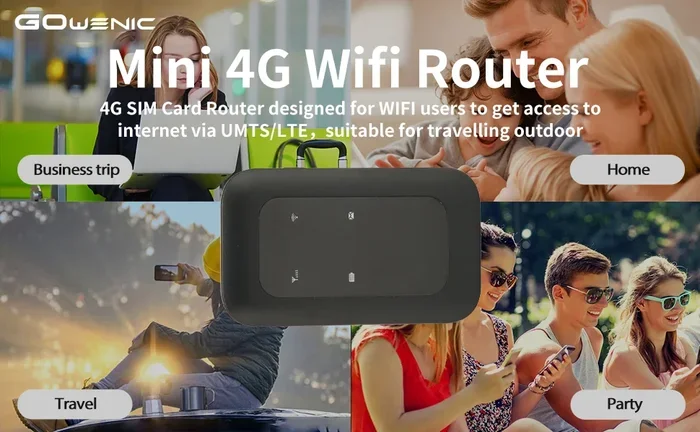
However, there are some situations where you might have options. If you are using AT&T mobile data or a hotspot solution, you have more flexibility with the devices you use. For example, you can connect a mobile hotspot device or even use your phone as a hotspot. Some customers also explore using a hotspot instead of Wi-Fi for their home internet needs. This approach works well for light internet users who do not need high speeds all day long.
When to Consider Using AT&T Hotspot Data
If you already have an AT&T unlimited plan, you might be able to add a hotspot feature to your plan. This turns your phone or a dedicated hotspot device into a wireless modem for your home. It is a flexible option that does not require installing new equipment. You can check if your plan supports hotspot data by reviewing your AT&T account or contacting support. You can also buy hotspot data on ATT separately if your current plan does not include enough for home use.
Setting Up Your AT&T Wireless Modem
Setting up an AT&T wireless modem is designed to be easy. Most customers can complete the setup without any technical skills. Here is what the process typically looks like. First, you unbox the gateway device and place it near a window or in a central location in your home. Next, you plug in the power cord and wait for the device to boot up. The lights on the device will show you when it is connecting to the AT&T network.
Once connected, you can use your phone or computer to find the Wi-Fi network name and password. These details are usually printed on a sticker on the device or included in the setup guide. Connect your devices to the Wi-Fi network, and you are online. AT&T also provides a setup app that walks you through each step and helps you optimize your Wi-Fi signal.
Quick Tips for Best Signal Strength
- Place the gateway near a window facing the nearest cell tower for the strongest signal.
- Keep the device away from thick walls, metal objects, and electronic interference.
- Elevate the gateway on a shelf or table instead of placing it on the floor.
- Restart the device once a month to keep the connection running smoothly.
- Use the AT&T Smart Home Manager app to check signal strength and troubleshoot problems.
Alternatives to AT&T Wireless Modems
While AT&T does offer wireless modems for home internet, they are not the only option. Some customers prefer to explore alternatives based on their needs and location. If AT&T wireless internet is not available in your area or does not meet your speed requirements, there are other paths to consider.
One popular alternative is using a mobile hotspot device with a data plan. This gives you wireless internet anywhere you have cell coverage. Another option is satellite internet, which works in most rural areas but may have higher latency. Some customers also use Wi-Fi without a password by connecting to open networks or using a range extender, though this is not recommended for primary home internet due to security concerns.
Is a Wireless Modem Right for Your Home?
A wireless modem works best for households that need flexible internet without cable infrastructure. It is ideal for rural homes, temporary setups, or renters who cannot install permanent wiring. If you have heavy internet usage like streaming 4K video or online gaming, a wired connection might be more reliable. But for everyday browsing, video calls, and light streaming, a wireless modem from AT&T can serve your home well.
Common Issues and How to Troubleshoot Them
Like any internet connection, wireless modems can sometimes have issues. Slow speeds, dropped connections, and setup problems are the most common complaints. Most of these issues have simple solutions. Understanding what to check can save you time and frustration.
Slow speeds are often caused by weak signal strength. Moving the gateway closer to a window or exterior wall can help. Dropped connections might be caused by network congestion in your area, especially during peak hours. If your device will not connect, try restarting it and checking for AT&T service outages in your area. The AT&T Smart Home Manager app is a great tool for diagnosing problems and checking your connection status.
When to Contact AT&T Support
If basic troubleshooting does not fix your issue, it is time to contact AT&T support. You can chat with AT&T support online or call their customer service line. Have your account details and gateway model number ready. Support can run remote diagnostics, check for outages, and arrange a technician visit if needed. Most wireless modem issues can be resolved without a technician, but it is good to know support is available when you need it.
Final Thoughts on AT&T Wireless Modems
So, does AT&T have a wireless modem for home internet? The answer is a clear yes. AT&T offers wireless gateways for both fixed wireless and 5G home internet plans. These devices give you a wireless broadband connection without needing a phone line or cable. They are easy to set up, come with built-in Wi-Fi, and work well in areas where traditional internet options are limited.
Whether you choose AT&T fixed wireless, 5G home internet, or a hotspot-based solution, there is a wireless option that can fit your home. The key is to check coverage in your area, compare plans, and choose the option that matches your usage needs. With the right equipment and plan, AT&T wireless internet can deliver a reliable and fast connection for your entire household.
If you are exploring wireless internet options, consider what matters most to you. Is it speed, price, flexibility, or availability? AT&T has a solution for each of those priorities. Start by checking availability at your address, and you will be on your way to a wireless home internet setup that works for you.
Frequently Asked Questions
Can I use my own wireless modem with AT&T home internet?
In most cases, AT&T provides the gateway device for their wireless home internet plans. Their network requires specific equipment that is compatible with AT&T towers and bands. Using your own modem is generally not supported for fixed wireless or 5G home internet plans.
How fast is AT&T wireless home internet?
Speeds vary based on your plan and signal strength. Fixed wireless plans typically offer speeds between 10 and 50 Mbps. 5G home internet can deliver much faster speeds, sometimes up to 100 Mbps or more, depending on tower coverage in your area.
Is AT&T wireless internet available in rural areas?
Yes, AT&T fixed wireless internet is designed for rural and suburban areas where cable or fiber internet may not be available. Coverage depends on the proximity of AT&T cell towers. You can check availability by entering your address on the AT&T website.
Can I add a hotspot to my AT&T plan for home internet?
Yes, if you have an AT&T unlimited plan, you may be able to add a hotspot feature. This allows you to use your phone or a dedicated hotspot device as a wireless modem. Check your plan details or contact AT&T support to confirm hotspot availability and data limits.
Do I need a phone line for AT&T wireless home internet?
No. AT&T wireless modems connect to cell towers, not phone lines. This makes wireless home internet a great option for homes without traditional phone jacks or cable infrastructure. You just need the gateway device and a clear view of the sky or nearby towers.
What is the AT&T Smart Home Manager app used for?
The app helps you manage your AT&T wireless gateway. You can check your internet speed, view connected devices, run diagnostics, and troubleshoot connection issues. It is a handy tool for keeping your wireless home internet running smoothly without calling support.