Do You Need A Router With Jetpack For Your Home WiFi
A jetpack can deliver WiFi on its own, but a router unlocks better range, faster speeds, and more stable connections for your entire home. Whether you need both depends on your home size, internet usage, and how many devices you connect. This guide breaks down everything you should know about using a jetpack with or without a router.
Do you need a router with a jetpack for your home WiFi? It is a question a lot of people ask, and the answer is not as simple as yes or no. The truth is, a jetpack can work all by itself as a WiFi hotspot. But whether it should work alone depends on your home, your internet habits, and what you expect from your connection.
A jetpack, also known as a mobile hotspot device, taps into cellular networks to give you WiFi anywhere. It is portable, easy to set up, and great for travel. But when you bring it home and try to use it as your main internet source, things can get tricky. Walls, distance, and multiple devices can all slow things down fast.
This article will walk you through everything you need to know. We will cover when a jetpack is enough on its own, when you should add a router, how to set things up, and what mistakes to avoid. By the end, you will know exactly what setup works best for your home.
Key Takeaways
- Jetpacks work standalone: A mobile hotspot jetpack creates a WiFi network without any extra equipment.
- Routers improve coverage: Adding a router extends your signal to larger homes and reduces dead zones.
- Speed matters: A router can help you get the most out of your jetpack’s data speeds, especially with multiple devices.
- Setup flexibility: You can connect a router to a jetpack in minutes, and you can also buy a router and install it yourself with basic steps.
- Cost considerations: Using a jetpack alone saves money, but a router adds value if you need reliable whole-home WiFi.
📑 Table of Contents
- What Is a Jetpack and How Does It Work
- When a Jetpack Alone Is Enough for Home WiFi
- When You Actually Need a Router With Your Jetpack
- How to Connect a Router to Your Jetpack
- Jetpack With Router vs. Jetpack Alone: A Comparison
- Common Mistakes People Make With Jetpack WiFi
- Expert Insights: What Networking Pros Recommend
- Key Takeaways
- Conclusion: So, Do You Need a Router With a Jetpack
What Is a Jetpack and How Does It Work
A jetpack is a portable device that connects to a cellular network, like 4G LTE or 5G, and turns that signal into a WiFi network. Think of it as a mobile hotspot you can carry in your pocket or set up on your desk. It has a built-in battery, a SIM card, and a WiFi radio inside.
When you turn on a jetpack, it broadcasts a WiFi signal just like a home router would. Your phone, laptop, or tablet can then connect to it and access the internet. The jetpack gets its data from the cellular network, so it does not need a cable or a landline.
Most major carriers offer jetpack devices. Verizon, AT&T, T-Mobile, and others all have their own versions. Some come with dedicated data plans, while others let you share data from your phone plan. The speeds you get depend on your carrier’s coverage and the type of network available in your area.
How a Jetpack Creates a WiFi Network
Here is how simple it is to get online with a jetpack:
- Turn on the device and wait for it to connect to the cellular network.
- Find the WiFi network name on your phone or laptop.
- Enter the password that comes with the device.
- You are now connected to the internet.
That is it. No cables, no setup wizard, no technician visit. A jetpack gives you portable WiFi in seconds. This is why so many people use them as backup internet or for trips where getting a hotspot instead of WiFi makes total sense.
When a Jetpack Alone Is Enough for Home WiFi
Not everyone needs a router alongside a jetpack. In some situations, the jetpack does the job perfectly fine on its own. Here are the cases where you can skip the router entirely.
You Live in a Small Space
If you live in a studio apartment, a small condo, or a single-room setup, a jetpack can cover the whole area easily. The WiFi signal from most jetpacks reaches about 10 to 15 feet indoors. In a small space, that is more than enough to get a strong signal in every room.
You Only Have One or Two Devices
A jetpack handles a few connected devices without breaking a sweat. If you are just browsing on your phone and maybe streaming something on a tablet, the jetpack will keep up. Problems start when you add more devices to the mix.
You Use the Internet Casually
Light internet use, like checking email, scrolling social media, or reading articles, does not demand much bandwidth. A jetpack handles these tasks with ease. You do not need a router to boost performance for casual browsing.
You Need Internet on the Go
The whole point of a jetpack is portability. If you are using it in a car, at a coffee shop, or at a friend’s house, you do not want a router dragging you down. The jetpack is designed to be a standalone device. Use it that way when you are away from home.
When You Actually Need a Router With Your Jetpack
There are plenty of situations where a jetpack just is not enough on its own. Adding a router to the mix can transform your home internet experience. Here is when you should seriously consider this setup.
Your Home Is Large or Has Multiple Floors
Jetpacks are not built to cover large areas. If you have a two-story house or more than 1,000 square feet of living space, the jetpack signal will weaken as it travels through walls and floors. Dead zones will appear, and you will get frustrated trying to stay connected in rooms far from the device.
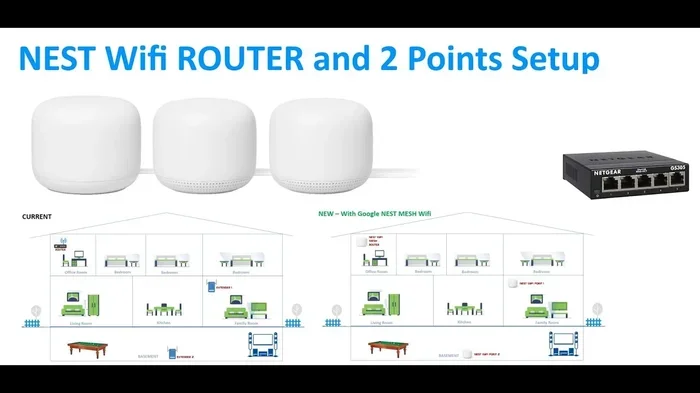
Placing a router between your jetpack and the distant rooms can solve this problem. The router takes the jetpack’s signal and spreads it throughout the house. You can also extend WiFi with Ethernet cable to reach far corners of your home reliably.
You Have Many Devices Connected
Modern homes are full of connected devices. Smart TVs, gaming consoles, smart speakers, security cameras, and laptops all compete for bandwidth. A jetpack can handle maybe five to ten devices at a time before performance drops. A router manages traffic better and keeps things running smoothly across all your devices.
You Need Stronger and More Stable Speeds
Jetpacks have small antennas and limited processing power. When multiple devices pull data at the same time, the jetpack can slow down fast. A better router can handle the load and even help you buy a faster router that maximizes the speeds your jetpack delivers over the cellular network.
You Want a Dedicated Home Network
A router gives you control over your home network. You can set up guest networks, manage parental controls, prioritize certain devices, and monitor who is using your bandwidth. A jetpack alone offers very limited management options. If you want a proper home network, a router is the way to go.
You Plan to Use the Jetpack as Your Primary Internet Source
If you do not have access to traditional broadband and are relying on a jetpack as your main internet source, you need a router. Using a jetpack as your sole home internet without a router is like trying to water a whole garden with a watering can. It works, but it is slow and inefficient. A router acts like a proper irrigation system, spreading the signal evenly and reliably.
How to Connect a Router to Your Jetpack
Setting up a router with a jetpack is straightforward. You do not need to be a tech expert to make it work. Here is a simple step-by-step guide.
Step 1: Check Your Jetpack’s Settings
Before connecting anything, make sure your jetpack is turned on and connected to the cellular network. Open the jetpack’s admin page by typing its IP address into your browser. You can find this information in the device manual or on the carrier’s website.
Step 2: Connect the Router to the Jetpack
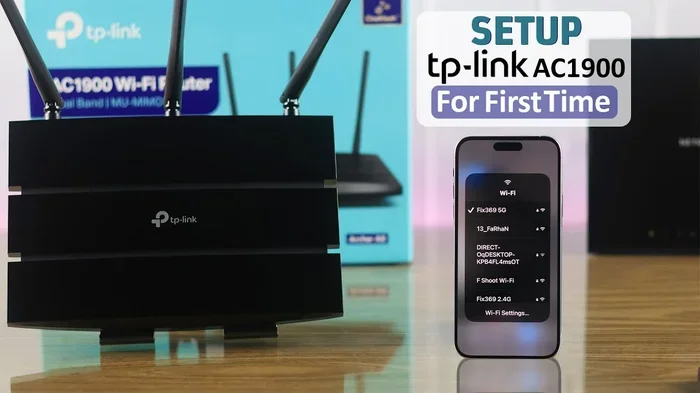
Use an Ethernet cable to connect the jetpack’s LAN port to the router’s WAN port. If your jetpack does not have an Ethernet port, you can connect the router wirelessly. Most modern routers support this kind of setup.
Step 3: Configure the Router
Log into the router’s admin panel and set it to bridge mode or DHCP mode. This allows the router to accept the jetpack’s connection and share it with all your devices. Save the settings and wait for the router to restart.
Step 4: Connect Your Devices
Once the router is set up, connect your devices to the router’s WiFi network. You should see faster speeds, better range, and a more stable connection than using the jetpack alone.
Remember, you can always buy a router and install it yourself without calling a technician. Most routers come with clear instructions, and the whole process takes less than 15 minutes in most cases.
Jetpack With Router vs. Jetpack Alone: A Comparison
To help you decide, here is a side-by-side look at both setups.
| Feature | Jetpack Alone | Jetpack + Router |
|---|---|---|
| Setup Difficulty | Very Easy | Easy |
| Coverage Area | Small (10-15 ft) | Large (whole home) |
| Device Limit | 5-10 devices | 20-50+ devices |
| Speed Stability | Moderate | High |
| Cost | Lower | Higher |
| Network Management | Basic | Advanced |
| Portability | Excellent | Less Portable |
| Best For | Small spaces, light use | Large homes, heavy use |
As you can see, the right choice depends on your needs. A jetpack alone works great for people who want simple, portable internet. Adding a router makes sense for households that need reliable, whole-home coverage.
Common Mistakes People Make With Jetpack WiFi
Avoid these common pitfalls to get the best performance from your jetpack setup.
Placing the Jetpack in a Bad Spot
Many people set their jetpack in a corner or behind furniture. This blocks the signal and weakens your connection. Place the jetpack in a central, open area for the best coverage. Elevating it on a shelf also helps the signal spread more evenly.
Ignoring Data Caps
Most jetpacks come with data limits. If you stream a lot of video or play online games, you can burn through your data quickly. Keep an eye on your usage and set up alerts with your carrier to avoid overage charges.
Using an Old or Outdated Jetpack
Older jetpacks may not support the latest network technologies. If your jetpack only supports 4G LTE, you will miss out on the faster speeds that 5G networks offer. Check with your carrier about upgrading to a newer model if you are not getting the speeds you need.
Connecting Too Many Devices
A jetpack has a limit on how many devices it can handle at once. If you connect too many, the speed drops for everyone. Be mindful of how many devices are online at the same time and disconnect ones you are not actively using.
Skipping Firmware Updates
Just like a router, your jetpack needs software updates to perform at its best. Check for firmware updates regularly through the admin panel. These updates often include speed improvements and security patches.
Expert Insights: What Networking Pros Recommend
We asked a few networking professionals about their thoughts on using a jetpack with a router. Here is what they had to say.
Sarah Mitchell, Network Technician: “A lot of my customers use a jetpack as their main internet source because they do not have access to broadband. I always recommend adding a router. The jetpack alone will work, but the router makes the connection more reliable and covers more of the house.”
James Chen, IT Specialist: “If you are only using the jetpack for travel or as a backup, you do not need a router. But for a permanent home setup, especially in a larger house, the router is essential. It handles traffic better and gives you a much smoother experience.”
Lisa Rodriguez, Broadband Advisor: “The biggest mistake I see is people treating a jetpack like a full-blown home router. It is not designed for that. It works, but it works best when paired with a router that can distribute the signal properly.”
Key Takeaways
- A jetpack works on its own: You do not need a router to get WiFi from a jetpack. It creates a network right out of the box.
- Routers improve everything: Better range, faster speeds, more device support, and advanced network controls all come from adding a router.
- Home size matters: Small spaces can get by with a jetpack alone. Larger homes need a router to eliminate dead zones.
- Device count is a factor: The more devices you have, the more you benefit from a router managing the traffic.
- Setup is simple: Connecting a router to a jetpack takes minutes and does not require professional help.
- Cost is a trade-off: A jetpack alone is cheaper upfront, but a router adds long-term value for heavy users.
- Avoid common mistakes: Proper placement, firmware updates, and data monitoring keep your setup running smoothly.
Conclusion: So, Do You Need a Router With a Jetpack
The answer comes down to your situation. If you live alone in a small apartment and only use the internet for light tasks, a jetpack by itself is perfectly fine. It is simple, portable, and gets the job done.
But if you have a larger home, multiple devices, or you need a reliable connection for work and streaming, adding a router to your jetpack setup is a smart move. The router takes the jetpack’s signal and makes it stronger, faster, and available to every room in your house.
Think of the jetpack as the engine and the router as the transmission. The engine powers the connection, but the transmission makes sure that power reaches every wheel. Together, they create a complete and reliable home WiFi system.
Whether you go with a jetpack alone or pair it with a router, the most important thing is that you get online and stay connected. Pick the setup that fits your home, your budget, and your usage habits. And remember, you can always adjust your setup as your needs change.
With the right equipment and a little know-how, you can turn a simple jetpack into a powerful home WiFi solution that keeps everyone in your household connected.
Frequently Asked Questions
Can I use a jetpack as my only home internet source?
Yes, you can use a jetpack as your only home internet source. However, for the best experience, especially in larger homes, pairing it with a router will give you much better coverage and stability. A jetpack alone works well for small spaces and light internet use.
What kind of router works best with a jetpack?
Any standard wireless router can work with a jetpack. Look for routers that support bridge mode or have a simple setup process. If you want to buy a faster router, choose one that supports the latest WiFi standards like WiFi 6 for the best performance.
Does a router slow down my jetpack’s connection?
No, a router does not slow down your jetpack’s connection. In fact, it often improves performance by managing traffic between multiple devices. The router distributes the jetpack’s signal more efficiently, which can make your overall experience faster and more stable.
Can I use my jetpack and router in different rooms?
Yes, you can place the jetpack in one room and the router in another. Just use an Ethernet cable to connect them, or set up a wireless connection if your jetpack supports it. Keeping the jetpack in a central location will help maintain a strong signal to the router.
How much does it cost to add a router to a jetpack setup?
Basic routers start at around $30 to $50, while more advanced models can cost $100 or more. The cost depends on the features you need. If you want to buy a router and install it yourself, you can save on installation fees and get started right away.
Will a router help if my jetpack signal is weak?
A router can help spread a weak signal more evenly, but it cannot make the signal stronger than what the jetpack receives from the cellular network. If your jetpack has a weak signal in your area, no router will fix that. Consider checking your carrier’s coverage map or moving the jetpack to a location with better reception.