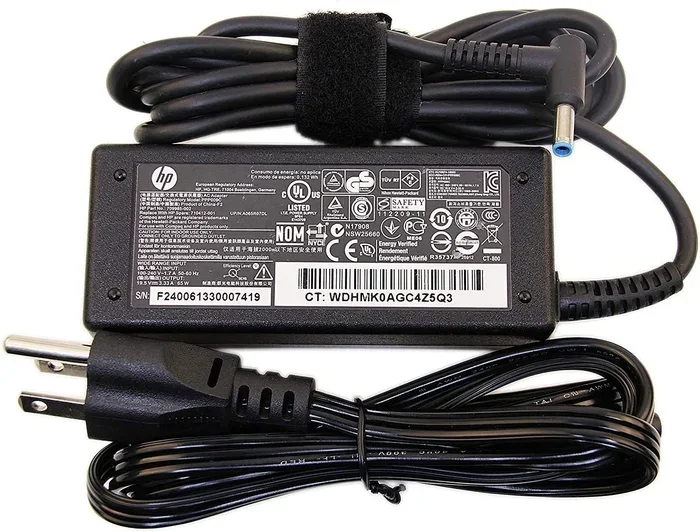
Do All Hp Laptops Use The Same Power Cord And Charger
Not all HP laptops use the same power cord and charger. Different HP models require different charger types, connector sizes, and wattage levels. Understanding your specific laptop’s charging needs can save you money, prevent damage, and keep your device running smoothly.
Do All HP Laptops Use The Same Power Cord And Charger? The short answer is no. HP makes dozens of laptop lines, and each one can have different charging requirements. From the HP Pavilion to the HP EliteBook, the power cord and charger you need depend on your specific model.
Many people assume that all HP laptops share the same charger. After all, they all carry the HP brand name, right? But that is not how it works. HP designs different laptops for different audiences, and those designs include different power needs. A student using an HP Stream needs a very different charger than a business professional using an HP ZBook workstation.
Using the wrong charger can lead to slow charging, overheating, or even permanent damage to your laptop. That is why it is so important to understand what charger your specific HP laptop needs. In this article, we will break everything down in simple terms. You will learn about the different charger types, how to find the right one, and common mistakes to avoid.
Whether you are buying a replacement charger or just curious about compatibility, this guide has you covered. We will walk you through everything step by step. No jargon, no confusion, just clear and helpful information you can use right away.
Key Takeaways
- HP laptops use different chargers: Not every HP laptop shares the same power cord or charger type.
- Wattage matters: Using the wrong wattage can damage your laptop or fail to charge it properly.
- Connector types vary: HP uses barrel connectors, USB-C, and other plug types depending on the model.
- Check your model number: Always verify your exact HP laptop model before buying a replacement charger.
- Universal chargers exist: You can use a universal adapter if you choose the right settings.
- USB-C charging is becoming standard: Newer HP laptops increasingly rely on USB-C power delivery.
- Avoid cheap knockoffs: Counterfeit chargers pose safety risks and may void your warranty.
📑 Table of Contents
- Why HP Laptops Do Not All Use The Same Power Cord
- Types Of HP Laptop Chargers
- How To Find The Right Charger For Your HP Laptop
- Can You Use A Universal Charger With An HP Laptop?
- Common Mistakes People Make With HP Laptop Chargers
- Quick Tips For HP Charger Care
- HP Charger Compatibility And Connectivity
- What Happens If You Use The Wrong HP Charger
- Where To Buy Replacement HP Chargers
- Final Thoughts
Why HP Laptops Do Not All Use The Same Power Cord
The main reason HP laptops do not share a single power cord comes down to design and power needs. HP builds laptops in many shapes and sizes. Some are ultra-lightweight notebooks. Others are powerful gaming machines or heavy-duty workstations. Each type demands a different amount of electrical power.
Think of it like cars. A compact sedan and a full-size truck both drive, but they need different engines. The same idea applies to laptop chargers. A small HP laptop might only need 45 watts. A large HP gaming laptop might need 120 watts or more.
Different Product Lines, Different Charging Needs
HP has many laptop lines, and each one comes with its own charging solution. Here are some of the most popular HP laptop series and their typical charger requirements:
- HP Pavilion: Usually uses a barrel connector with 65W or 90W adapters.
- HP Envy: Often uses USB-C charging or a barrel connector depending on the model year.
- HP Spectre: Typically uses USB-C power delivery for slim and elegant design.
- HP EliteBook: Business-grade laptops that may use barrel connectors or USB-C.
- HP ZBook: Workstation laptops that often need high-wattage chargers, sometimes 120W or more.
- HP Stream: Budget laptops that usually need smaller chargers around 45W.
- HP Omen: Gaming laptops that demand powerful chargers, often 120W to 230W.
As you can see, the variety is significant. This is exactly why Do All HP Laptops Use The Same Power Cord And Charger is such an important question. The answer is clearly no, and understanding why helps you make better buying decisions.
Types Of HP Laptop Chargers
HP laptops use several different charger types. Knowing these types helps you identify the right replacement when you need one. Let us look at the most common charger types HP uses across its laptop lineup.
Barrel Connectors
The barrel connector is the classic HP charger plug. It looks like a cylindrical tip that slides into a round port on the laptop. This type has been around for many years and is still used on many HP models today. Barrel connectors come in different sizes, so even within this type, not all are the same.
The barrel connector has a specific inner diameter and outer diameter. If you get the wrong size, the charger will not fit your laptop. Common barrel sizes for HP laptops include 4.5mm x 3.0mm, 5.5mm x 2.5mm, and 7.4mm x 5.0mm. Always double-check your laptop’s port size before purchasing a replacement.
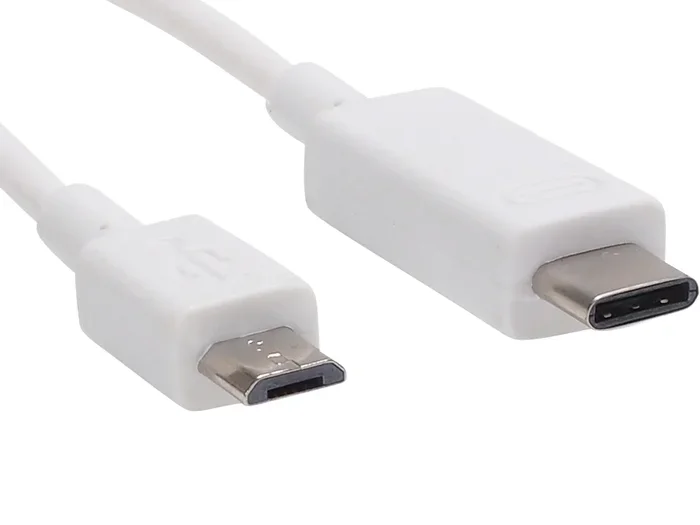
USB-C Charging
USB-C charging is becoming more popular across HP’s laptop range. Many newer HP laptops, especially the Spectre and Envy lines, use USB-C for power delivery. USB-C chargers are small, reversible, and versatile.
One great thing about USB-C charging is that you can often use the same charger for multiple devices. Your HP laptop, your phone, and your tablet might all share one USB-C charger. This is a big convenience for people who travel or use multiple devices daily.
However, USB-C charging also comes with wattage differences. Some HP laptops support 65W USB-C charging, while others need 100W or more. Always check your laptop’s USB-C power delivery requirements before buying a USB-C charger.
Smart Pin Chargers
Some HP business laptops use smart pin chargers. These chargers have additional pins that communicate with the laptop to deliver the correct power. Smart pin chargers are designed specifically for HP EliteBook and HP ProBook models.
The smart pin technology helps protect your laptop. It ensures the charger delivers the right voltage and wattage. Using a non-smart pin charger on a laptop that requires one can cause charging issues or even damage the battery over time.
How To Find The Right Charger For Your HP Laptop
Finding the correct charger for your HP laptop is easier than you might think. You just need to know a few key details about your device. Here is a simple step-by-step guide to help you find the right charger.
Step 1: Check Your Laptop Model Number
Every HP laptop has a model number printed on the bottom of the device or on the original box. This number is your best friend when shopping for a charger. Write it down or take a photo of it before you start shopping.
Step 2: Look At The Original Charger Label
If you still have your original charger, flip it over and read the label. The label tells you the voltage, amperage, and wattage. This information is critical when finding a replacement. Write down all the numbers you see.
Step 3: Match The Connector Type
Make sure the replacement charger has the same connector type as your original. Whether it is a barrel connector, USB-C, or smart pin, the plug must fit your laptop’s charging port perfectly.
Step 4: Verify The Wattage
The wattage of your replacement charger must match or exceed your laptop’s requirements. Using a charger with lower wattage may result in slow charging or no charging at all while you use the laptop.
Step 5: Buy From A Trusted Source
Always purchase chargers from reputable sellers. Cheap, unverified chargers can be dangerous. They may overheat, deliver incorrect voltage, or even catch fire. Your safety is not worth risking for a few dollars saved.
Can You Use A Universal Charger With An HP Laptop?
Yes, you can use a universal charger with most HP laptops, but there are some important things to keep in mind. Universal chargers come with multiple interchangeable tips. You select the tip that matches your laptop’s charging port.
Universal chargers are a great option if you have multiple devices from different brands. Instead of carrying several chargers, one universal charger can handle them all. This is especially helpful for people who travel frequently or work with a mix of devices.
However, universal chargers are not perfect. They may not deliver the exact wattage your HP laptop needs. Some universal chargers max out at 65W, which may not be enough for a high-performance HP laptop. Always check the universal charger’s maximum output before purchasing.
Also, some users report that universal chargers with barrel tips can feel loose in the charging port. A loose connection can cause intermittent charging, which is frustrating and can potentially damage the port over time. If you go with a universal charger, make sure the tip fits snugly.
Common Mistakes People Make With HP Laptop Chargers
Many people make avoidable mistakes when it comes to laptop chargers. Let us look at the most common ones and how you can prevent them.
Using The Wrong Wattage
This is the most common mistake people make. They buy a charger with the wrong wattage because it fits the port. A lower wattage charger will either not charge your laptop or charge it very slowly. A higher wattage charger is generally safe because your laptop only draws the power it needs. But always try to match the original wattage when possible.
Ignoring Connector Size
Even if the charger has the right wattage, the wrong connector size will not work. HP uses different barrel connector sizes across models. Do not assume that because a charger fits loosely, it is the right one. A loose fit can cause arcing and damage to the charging port.
Buying Cheap Knockoff Chargers
We all love a good deal, but cheap knockoff chargers are a serious risk. They often use poor-quality components that can overheat, deliver inconsistent power, or even catch fire. Stick with reputable brands and authorized sellers. Your laptop and your safety are worth the investment.
Not Checking USB-C Compatibility
If your HP laptop uses USB-C charging, not every USB-C charger will work. Your laptop needs a charger that supports USB-C Power Delivery (PD) with the correct wattage. A basic phone charger with USB-C will not charge a laptop, even if the plug fits.
Forgetting To Unplug During Storms
This is a small tip that can save your laptop. Power surges during storms can fry your charger and your laptop. Unplug your charger during electrical storms to protect your device. A surge protector adds an extra layer of safety if you cannot unplug.
Quick Tips For HP Charger Care
Taking care of your HP charger helps it last longer and keeps your laptop safe. Here are some quick tips to follow:
- Do not wrap the cord tightly: Loose coils prevent wire damage inside the cable.
- Keep the charger dry: Moisture can cause short circuits and permanent damage.
- Unplug gently: Pull from the plug, not the cord, to avoid internal wire damage.
- Inspect regularly: Look for fraying, cracking, or exposed wires on a regular basis.
- Store properly: Keep your charger in a cool, dry place when not in use.
- Avoid covering the charger: Do not place your charging laptop under a pillow or blanket. Heat buildup can damage both the charger and the battery.
Following these simple tips can extend the life of your charger and keep your HP laptop running at its best. A well-maintained charger also charges faster and more efficiently.
HP Charger Compatibility And Connectivity
When we talk about charger compatibility, it is not just about the physical plug. It also involves how the charger communicates with your laptop. Some HP laptops use smart charging technology that negotiates the right power level with the charger. This is especially true for USB-C chargers that support USB Power Delivery protocols.
HP has also been moving toward more universal connectivity standards. Many newer HP laptops now use USB-C as their primary charging port. This shift toward a single standard makes it easier for users to find compatible chargers. If you are curious about how device connectivity has evolved, you might find this interesting: Are All Rings Connected To Wifi explores how connectivity standards have changed across different device categories.
The trend toward USB-C is not just about charging. It also handles data transfer and video output. A single USB-C cable can replace multiple cables you previously needed. This is a big win for people who want a clean, simple workspace. The HP USB-C dock ecosystem takes advantage of this trend, allowing users to connect monitors, peripherals, and chargers through a single USB-C connection.
For older HP laptops that still use barrel connectors, the situation is a bit more fragmented. HP has used many different barrel connector sizes over the years. This means finding an exact replacement for an older HP laptop can sometimes be challenging. In these cases, third-party replacement chargers that match the original specifications are your best bet.
One thing to keep in mind is that HP does not always make it easy to find the right charger. The model number is often printed in a small font on the bottom of the laptop. If you cannot find it there, you can check the BIOS or use HP’s support website to look up your exact model and its charger specifications.
What Happens If You Use The Wrong HP Charger
Using the wrong HP charger can lead to several problems. The severity depends on how different the wrong charger is from the correct one.
If you use a charger with lower wattage, your laptop may charge very slowly or not at all. This is especially noticeable when you are using the laptop while it is plugged in. The laptop draws more power than the charger can supply, so the battery continues to drain even though the charger is connected.
If you use a charger with the wrong connector, it simply will not fit. This is the safest outcome because no electrical connection is made. However, forcing a connector that is slightly too large or too small can damage the charging port.
The most dangerous scenario is using a charger with incorrect voltage. Too much voltage can fry your laptop’s internal components. Too little voltage may cause the charger to overwork itself trying to deliver the power your laptop demands. In rare cases, this can lead to overheating or even a fire hazard.
Always match the voltage exactly and ensure the wattage meets or exceeds your laptop’s requirements. When in doubt, contact HP support for guidance on the correct charger for your model.
Where To Buy Replacement HP Chargers
There are many places to buy replacement HP chargers. Here are some reliable options:
- HP Official Store: The safest option. You get a genuine HP charger with full warranty support.
- Authorized Retailers: Electronics stores like Best Buy carry genuine HP chargers.
- HP Support Website: You can search for your model and order the exact charger recommended by HP.
- Reputable Third-Party Sellers: Brands like Anker, Belkin, and Targus make high-quality universal and HP-specific chargers.
- Amazon and eBay: Convenient options, but be very careful to verify the seller’s reputation and product authenticity.
No matter where you buy, always verify the charger specifications against your laptop’s requirements. A few minutes of research can save you from buying the wrong charger and potentially damaging your device.
It is also worth noting that HP chargers can be expensive, especially for high-wattage models. If you are looking for a budget-friendly option, a high-quality universal charger with the right tip and wattage is a solid choice. Just make sure it comes from a trusted brand and has good customer reviews.
Final Thoughts
The answer to Do All HP Laptops Use The Same Power Cord And Charger is a clear no. HP makes many different laptops, and each one has its own charging requirements. The charger type, connector size, and wattage all vary depending on the model and product line.
The good news is that finding the right charger is straightforward once you know what to look for. Check your model number, read the original charger label, and match the connector type and wattage. When you follow these steps, you will find the perfect charger for your HP laptop every time.
Take care of your charger, avoid common mistakes, and always buy from trusted sources. Your HP laptop is a significant investment, and the right charger keeps it powered up and ready to go. Whether you need a replacement for an old HP Pavilion or a new charger for the latest HP Spectre, this guide has given you everything you need to make the right choice.
Remember, a little knowledge goes a long way when it comes to laptop chargers. Do not guess, do not take chances with cheap alternatives, and always verify compatibility before making a purchase. Your laptop will thank you for it.
Frequently Asked Questions
Can I use any HP charger with any HP laptop?
No, you cannot use any HP charger with any HP laptop. Different HP models require different charger types, connector sizes, and wattage levels. Always check your laptop’s specific charging requirements before purchasing a replacement charger to avoid compatibility issues or potential damage.
What happens if I use a charger with higher wattage than my HP laptop needs?
Using a charger with higher wattage is generally safe. Your laptop will only draw the power it needs. The extra wattage capacity just means the charger has enough headroom to power the laptop and charge the battery simultaneously without straining. However, always match the voltage exactly.
How do I know if my HP laptop uses USB-C charging?
Check your HP laptop’s charging port. If it has a USB-C port and the charging icon appears when you plug in a USB-C cable, your laptop supports USB-C charging. You can also check your laptop’s user manual or visit HP’s support website and enter your model number for confirmation.
Are HP original chargers better than third-party chargers?
HP original chargers are designed specifically for your laptop model and come with full warranty support. Third-party chargers from reputable brands like Anker or Belkin can also work well and are often more affordable. The key is to ensure the third-party charger matches your laptop’s voltage, amperage, and connector specifications exactly.
Why does my HP laptop charger get hot?
It is normal for a laptop charger to feel warm during use. The charger converts AC power from your wall outlet into DC power your laptop can use, and this process generates heat. However, if your charger is too hot to touch, smells burning, or the casing is visibly damaged, unplug it immediately and replace it to avoid safety risks.
Can I charge my HP laptop with a power bank?
Yes, you can charge some HP laptops with a power bank, but only if your laptop supports USB-C charging. You need a power bank with USB-C Power Delivery and sufficient wattage to charge your laptop. Most standard power banks are designed for phones and may not provide enough power for a laptop.