Can You Get A Universal Laptop Charger For All Laptops
Yes, you can get a universal laptop charger, but it is not a one-size-fits-all solution. A universal laptop charger can work with multiple laptop brands and models if you have the right tips and voltage settings. However, you need to check compatibility carefully to avoid damaging your device. This guide covers everything you need to know about choosing the best charger for your laptop.
Have you ever lost your laptop charger right when you need it most? Or maybe you bought a new laptop and realized the old charger does not fit anymore. These situations are frustrating, but they happen to everyone. The good news is that a universal laptop charger can solve this problem for many people.
So, can you get a universal laptop charger for all laptops? The short answer is yes, but with some important caveats. A universal charger is not magic. It will not work perfectly with every single laptop on the market. But it can work with a wide range of brands and models if you pick the right one. In this guide, we will walk you through everything you need to know.
We will cover how these chargers work, what to look for when buying one, and common mistakes to avoid. By the end of this article, you will feel confident about choosing a charger that fits your needs. Let us dive in.
Key Takeaways
- Universal laptop chargers exist and can work with many brands: They are designed to fit multiple laptops with interchangeable tips.
- Check voltage and wattage before buying: Using the wrong power settings can harm your laptop battery or internal components.
- USB-C charging is becoming the new standard: Many modern laptops use USB-C, which simplifies charging across devices.
- Not all universal chargers are equal: Some lack the wattage needed for gaming or workstation laptops.
- Always buy from reputable brands: Cheap knockoff chargers can be unsafe and unreliable.
- A universal charger saves money and reduces e-waste: One charger can replace multiple proprietary power adapters.
📑 Table of Contents
- What Is A Universal Laptop Charger?
- How Does A Universal Laptop Charger Work?
- Benefits Of Using A Universal Laptop Charger
- How To Choose The Right Universal Laptop Charger
- Common Mistakes People Make With Universal Laptop Chargers
- Can A Universal Laptop Charger Replace Your Original Charger?
- Quick Tips For Getting The Most Out Of Your Universal Charger
- The Future Of Laptop Charging
- Final Thoughts
What Is A Universal Laptop Charger?
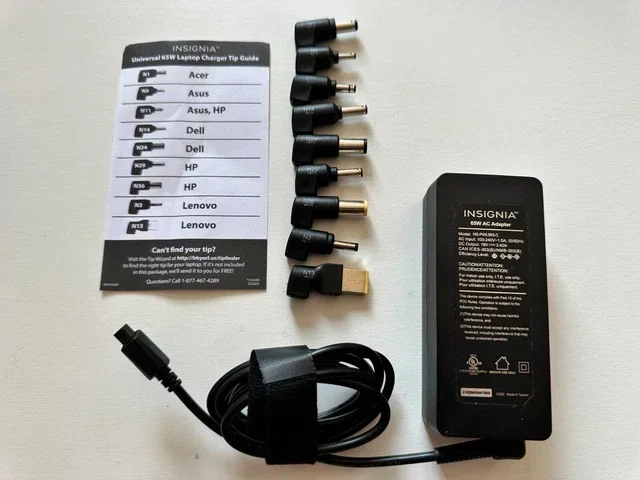
A universal laptop charger is a power adapter that comes with multiple interchangeable tips. These tips connect to different laptop models from various brands. Instead of carrying five different chargers for five different devices, you carry one unit with several tip options.
Most universal chargers come in a carrying case with a collection of tips. You simply swap out the tip that matches your laptop’s charging port. The charger itself usually has adjustable voltage and amperage settings. This lets you match the power output your laptop needs.
These chargers are popular among travelers, students, and people who own multiple laptops. They cut down on clutter and save space in your bag. If you are someone who travels often or works across multiple devices, a universal charger can be a game changer.
How Do Universal Chargers Differ From OEM Chargers?
An OEM charger is the original charger that comes with your laptop. It is made by the laptop manufacturer specifically for your model. A universal charger, on the other hand, is a third-party device designed to work with many brands.
OEM chargers are generally safer and more reliable. They are built to meet the exact specifications of your laptop. Universal chargers are more flexible but require more careful setup. You must match the voltage, amperage, and connector type correctly.
How Does A Universal Laptop Charger Work?
Understanding how a universal laptop charger works is simple. The charger unit has a power brick that plugs into the wall. From the brick, a cable runs out. At the end of the cable, you attach the tip that fits your laptop.
Each tip has a specific connector shape. For example, a Dell laptop might need a 7.4mm x 5.0mm tip. A Lenovo laptop might need a different size entirely. The universal charger includes tips for many of these sizes.
Inside the charger, there are voltage regulators. These adjust the output to match what your laptop needs. You set the voltage and amperage on the charger body before plugging it in. This is why reading your laptop’s specifications is so important.
Understanding Voltage And Wattage
Every laptop has specific power requirements. You can usually find these on the bottom of the laptop or on the original charger. Look for the voltage (V) and amperage (A) ratings. Multiply these two numbers to get the wattage (W).
For example, if your charger says 19V and 3.42A, your laptop needs about 65 watts. When choosing a universal charger, make sure it can deliver at least that much power. Using a charger with lower wattage may result in slow charging or no charging at all.
Always set the voltage exactly as your laptop requires. Too much voltage can fry your internal components. Too little voltage will not charge the battery effectively. Take your time and double-check these numbers before plugging anything in.
Benefits Of Using A Universal Laptop Charger
There are many reasons why people switch to a universal laptop charger. Let us look at the biggest benefits.
- One charger for multiple devices: If you own a laptop, a tablet, and a phone, one universal charger can handle all of them.
- Travel-friendly design: You only need to pack one charger instead of several. This saves space and weight in your luggage.
- Cost savings over time: Buying one quality universal charger costs less than replacing multiple OEM chargers over the years.
- Easy to find replacement tips: If you lose a tip, replacements are usually cheap and easy to order online.
- Reduces e-waste: Using one charger for many devices means fewer chargers ending up in landfills.
Another great benefit is that universal chargers often come with warranty protection. Many reputable brands offer at least a one-year warranty. This gives you peace of mind if something goes wrong.
How To Choose The Right Universal Laptop Charger
Not all universal chargers are created equal. Picking the right one requires a bit of research. Here is what you need to consider before making a purchase.
Check Your Laptop’s Power Requirements
Before buying anything, find your laptop’s power requirements. Look at the label on your current charger or check your laptop manual. Note the voltage, amperage, and connector size. Write these numbers down so you do not forget them.
Next, check the compatibility list that comes with the universal charger. Most manufacturers publish a list of laptops their charger supports. Make sure your specific model is on that list. This is the easiest way to confirm a good fit.
Consider USB-C Charging Options
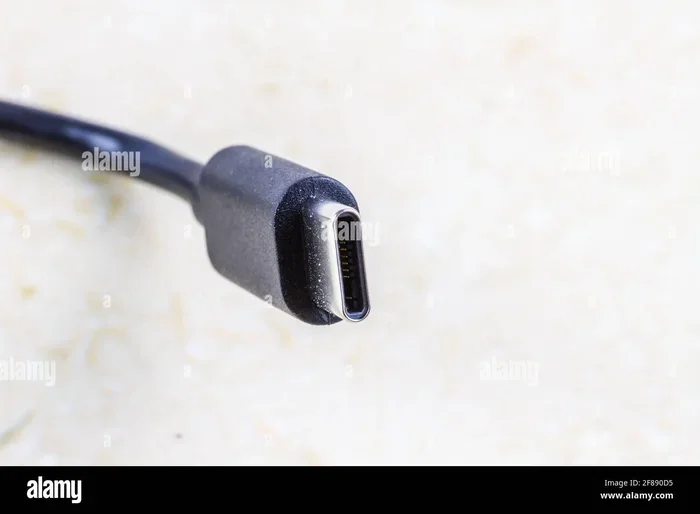
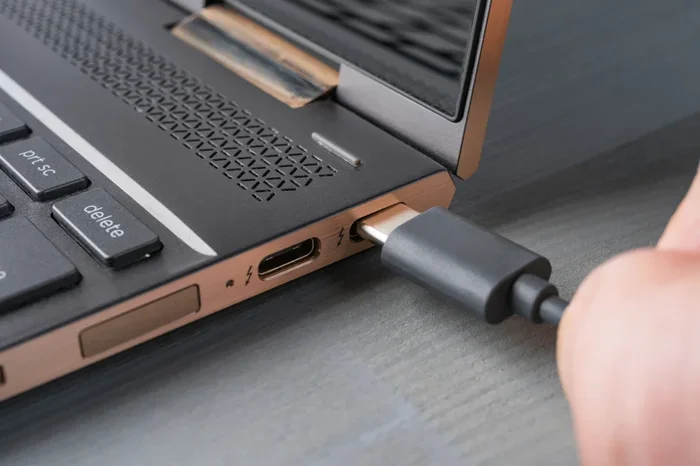
Many modern laptops now use USB-C for charging. If your laptop supports USB-C charging, you have more flexibility. A universal charger with a USB-C output can charge many different devices. This is one of the biggest trends in laptop charging technology right now.
USB-C chargers are also more versatile. You can use them for phones, tablets, and even some monitors. If you are buying a new charger, USB-C is definitely worth considering. It simplifies your setup and reduces the number of cables you need.
Look For Safety Features
Safety should always come first when dealing with electricity. Look for universal chargers that include over-voltage protection, short-circuit protection, and temperature control. These features protect both your laptop and your home.
Cheap chargers without safety features are a real risk. They can overheat, cause power surges, or even start fires. Always invest in a quality charger from a trusted brand. Your laptop is an expensive investment. Protect it with a reliable power supply.
Read Reviews And Compare Brands
Before you buy, read customer reviews online. Look for patterns in the feedback. Are people reporting overheating issues? Do the tips break easily? These real-world experiences help you make a smart choice.
Some popular brands in this space include Targus, Tenxer, and CHOETECH. Each brand offers different features and price points. Compare what matters most to you, whether that is portability, wattage, or durability.
Common Mistakes People Make With Universal Laptop Chargers
Even with the best intentions, people make mistakes when using universal chargers. Here are the most common ones to avoid.
- Using the wrong tip: Forcing a tip that does not fit can damage your charging port. Always use the tip designed for your laptop model.
- Ignoring voltage settings: Setting the wrong voltage is one of the fastest ways to fry a laptop motherboard. Always double-check before powering on.
- Buying the cheapest option: Ultra-cheap universal chargers often lack safety features and reliable build quality. Spend a little more for peace of mind.
- Assuming all tips are the same: Tips can wear out or become loose over time. Inspect them regularly and replace them when needed.
- Overlooking wattage needs: A charger that is too weak will charge your laptop slowly or not at all. Make sure the wattage meets or exceeds your laptop requirements.
One thing many people forget is that a universal charger is not a permanent replacement for your OEM charger. Think of it as a backup or a travel solution. For daily home use, your original charger is still the safest option.
Can A Universal Laptop Charger Replace Your Original Charger?
This is the question most people want answered. The honest answer is: it depends. For everyday use, a quality universal charger can replace your original charger just fine. Many people use them as their primary charger without any issues.
However, there are situations where an OEM charger is still better. Gaming laptops, for example, often need high-wattage chargers that exceed what most universal models can deliver. Workstation laptops with specialized power needs may also require their original charger.
If you are a casual user who browses the web, checks email, and does light work, a universal charger will likely serve you well. If you run demanding applications or charge while gaming, you may want to stick with the original or invest in a high-wattage universal model.
Also, keep in mind that some laptop brands use proprietary charging systems. These systems may not work well with third-party chargers. Always check with your laptop manufacturer if you are unsure.
Quick Tips For Getting The Most Out Of Your Universal Charger
- Label your tips: Use small stickers or a marker to identify which tip goes with which laptop. This saves time and prevents mistakes.
- Store tips in the case: Most universal chargers come with a carrying case. Use it to keep all your tips organized and safe.
- Unplug when not in use: Even when not connected to a laptop, a charger plugged into the wall draws a small amount of power. Unplug it to save energy.
- Keep tips clean: Dust and debris can build up on the connector tips. Wipe them gently with a dry cloth every few weeks.
- Update your settings: If you switch laptops, always reset the voltage and amperage on the charger before plugging in.
Following these simple tips will extend the life of your charger and keep your laptop safe. A little care goes a long way.
The Future Of Laptop Charging
The laptop charging landscape is changing fast. USB-C Power Delivery is becoming the new standard across many brands. This means one cable can charge laptops, phones, and tablets. The need for universal chargers with multiple tips may decrease over time.
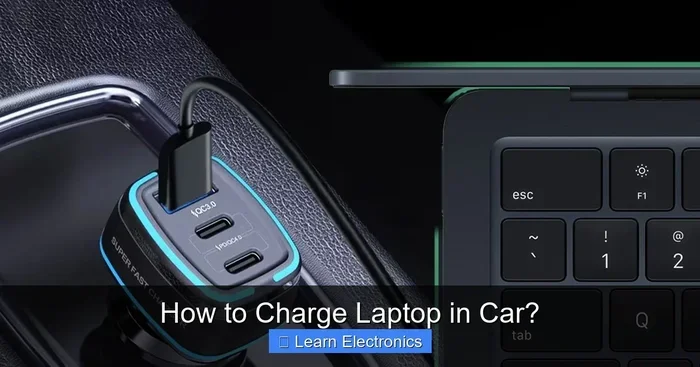
Some newer laptops already support charging through standard USB-C cables. You can plug them into a power bank, a monitor, or even a car charger. This shift toward universal connectivity is exciting for consumers and the environment alike.
As wireless charging technology improves, we may see laptops that charge without any cables at all. For now, though, a good universal charger remains one of the most practical solutions for keeping your laptop powered on the go.
Final Thoughts
So, can you get a universal laptop charger for all laptops? The answer is a qualified yes. These chargers offer great flexibility and convenience for many users. They work with a wide range of brands and models, making them a smart choice for travelers, students, and multi-device users.
However, they are not perfect for every situation. High-performance laptops and proprietary charging systems may still need their original chargers. The key is to research your specific needs and choose a charger that matches them.
Take the time to check compatibility, set the correct voltage, and buy from a reputable brand. Do these things, and a universal charger can serve you well for years. It is a simple upgrade that makes your tech life easier and more organized.
Remember, whether you are at home, at the office, or on the road, having the right charger matters. A universal laptop charger gives you the freedom to power up anywhere, with less hassle and fewer cables. That is a win in anyone’s book.
If you are also looking into other laptop accessories, it is worth exploring the advantages and disadvantages of a computer mouse to see if an upgrade makes sense for your workflow. And if you ever deal with spreadsheet issues at work, you know how annoying it can be when a line wont delete in Microsoft Excel while you are trying to organize your charging setup or budget for new gear.
Frequently Asked Questions
Can a universal laptop charger damage my laptop?
It can if you use the wrong voltage or amperage settings. Always match the charger output to your laptop’s requirements. Using the correct tip and settings will prevent any damage.
Are universal laptop chargers safe to leave plugged in overnight?
Most quality universal chargers have safety features like overcharge protection. However, it is still a good habit to unplug chargers when you are not actively using them. This protects your device and saves electricity.
Will a universal charger work with gaming laptops?
Some will, but you need to check the wattage carefully. Gaming laptops often require higher wattage than standard models. Make sure your universal charger can deliver enough power before relying on it.
How do I know which tip fits my laptop?
Check the size of your current charger’s connector. Most universal charger kits include a compatibility chart. Match the tip size and shape to your laptop’s charging port for a secure fit.
Can I use a universal charger for my MacBook?
Some universal chargers support MacBook models, especially those with USB-C charging. However, Apple’s MagSafe chargers require specific tips. Check the compatibility list before purchasing.
What is the average cost of a good universal laptop charger?
A quality universal charger typically costs between $30 and $80. Prices vary based on wattage, number of included tips, and brand reputation. Avoid ultra-cheap options that lack safety certifications.
=== CONCLUSION ===
A universal laptop charger is a practical and versatile solution for anyone who uses multiple laptops or travels frequently. It simplifies your setup, saves money, and reduces clutter. Just remember to check compatibility, set the right voltage, and choose a reputable brand.
With the right universal charger in your bag, you will never worry about a dead battery again. Take the time to find the one that fits your needs, and you will enjoy the convenience for years to come.