Can Rca Be Converted To Hdmi Without Any Extra Hassle
Yes, you can convert RCA to HDMI easily using a simple converter box or adapter. This guide walks you through every method, from choosing the right RCA to HDMI converter to troubleshooting common issues. You will learn how to connect older devices to modern TVs and enjoy better video quality in minutes.
Key Takeaways
- RCA to HDMI conversion is simple: A converter box or adapter handles the analog to digital signal change effortlessly.
- Multiple options exist: You can choose from standalone converters, AV receivers, or all-in-one adapter cables depending on your needs.
- Video quality improves: Converting RCA to HDMI lets you enjoy sharper images and better audio on modern display devices.
- Common problems are fixable: Most issues like no signal or poor audio stem from cable orientation or power supply problems.
- Not all converters are equal: Choosing the right RCA to HDMI converter depends on your budget, device type, and quality needs.
- The process takes minutes: Once you have the right gear, setting up your home theater setup is quick and painless.
📑 Table of Contents
Can RCA Be Converted To HDMI? Yes, And Here Is How
If you have an older device with RCA cables and a shiny new TV with only HDMI ports, you are not stuck. Can RCA be converted to HDMI? Absolutely. The process is simpler than most people think, and it does not require a computer science degree. Whether you want to connect a vintage DVD player, an old gaming console, or a legacy camcorder to your modern display, the right RCA to HDMI converter makes it all possible.
Many people throw away perfectly good older devices because they think they are obsolete. That is a shame. Your old VCR or retro gaming system still has plenty of life in it. With the right analog to digital conversion tools, you can bring those classic devices into your current home theater setup and enjoy them on a big screen again. This guide covers everything you need to know about RCA to HDMI conversion, from the basics to advanced troubleshooting.
The good news is that converting RCA to HDMI does not have to be complicated. You do not need expensive equipment or professional installation. A basic HDMI adapter or converter box does the job in most cases. Let us dive into the details and get your older devices connected to your modern TV.
What Are RCA Cables?
RCA cables have been around since the 1940s. They are the classic red, white, and yellow plugs that most people recognize instantly. The yellow cable carries composite video, while the red and white cables handle audio and video signals separately. These connection types were the standard for decades and powered countless home entertainment systems.
Even though RCA cables are older technology, they still work well for standard definition content. Many people have devices in their closets that only output through RCA. Before you buy a new replacement, consider that a simple signal conversion box can bridge the gap to modern HDMI display technology.
What Is HDMI?
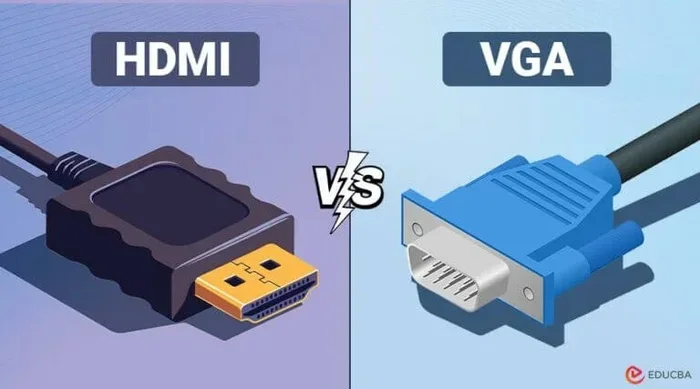
HDMI stands for High-Definition Multimedia Interface. It carries both high-definition video and audio through a single cable. Modern TVs, projectors, and monitors almost exclusively use HDMI ports. The digital signal conversion from HDMI delivers much sharper images and clearer sound compared to the analog signals that RCA cables carry.
When you connect an RCA-only device to an HDMI-only TV, there is a mismatch. The older analog signals from RCA need to be converted into the digital signals that HDMI understands. This is where a RCA to HDMI converter becomes essential. Without it, you simply cannot make the two talk to each other.
How RCA to HDMI Conversion Works
The core idea behind RCA to HDMI conversion is straightforward. A converter box takes the analog video and audio signals from your RCA cables and translates them into digital HDMI output. Think of it like a translator between two languages. The RCA device speaks one language, and your TV speaks another. The converter bridges that gap.
Inside most converter boxes, a small chip handles the analog to digital conversion. It samples the incoming RCA signal, digitizes it, and then outputs it as a clean HDMI signal. Some converters also upscale the resolution, which means they can improve the picture quality beyond the original standard definition source.
The Role of the Converter Chip
The converter chip is the heart of any RCA to HDMI adapter. It takes the composite or component video input from RCA and processes it into a digital format. The quality of this chip matters a lot. Cheap converters may produce a weak or noisy picture, while better chips deliver a cleaner, more accurate video quality output.
When shopping for a converter box, look for one that supports at least 720p or 1080p output. This ensures your converted content looks good on modern display devices. Some models also include built-in audio extraction, which lets you route sound separately if needed.
Composite vs. Component RCA Input
Not all RCA connections are the same. Composite RCA uses a single yellow cable for video plus red and white for audio. Component RCA splits the video into three separate cables (green, blue, and red), which carries a better quality signal. Knowing which type your device uses helps you choose the right HDMI adapter.
Most RCA to HDMI converters support both composite and component input. However, some cheaper models only handle composite. Always check the product specifications before you buy. A component to HDMI converter will give you better results than composite alone because it preserves more of the original video quality.
Types of RCA to HDMI Converters Available
The market offers several options for RCA to HDMI conversion. Each type suits different needs and budgets. Let us break down the most common choices so you can pick what works best for your situation.
Standalone Converter Boxes
Standalone converter boxes are the most popular option. These small devices have RCA input ports on one side and an HDMI output on the other. You plug in your RCA cables, connect the box to your TV via HDMI, and you are done. Most boxes also come with a power adapter, since they need electricity to perform the signal conversion.
These boxes typically cost between $15 and $50. The price depends on the build quality, supported resolution, and extra features. Budget models under $20 handle basic conversion well, while pricier options offer better upscaling and cleaner audio and video output.
AV Receiver Converters
If you already have a home theater setup with an AV receiver, you may not need a separate converter. Many modern AV receivers include RCA inputs and HDMI outputs. This means your receiver can handle the analog to digital conversion internally. It is an elegant solution that saves you from buying extra gear.
AV receivers are more expensive upfront, but they offer much more than just cable compatibility. They let you connect multiple devices, adjust audio settings, and even manage different connection types from one central hub. If you are building or upgrading a home theater setup, an AV receiver is a smart long-term investment.
All-in-One RCA to HDMI Cables
All-in-one adapter cables combine the RCA input and HDMI output into a single cable. You plug the RCA ends into your old device and the HDMI end into your TV. No separate box is needed. These cables are compact, portable, and great for temporary setups.
However, all-in-one cables have limitations. They do not upscale resolution, and the signal conversion quality is often lower than standalone boxes. They work best for simple setups where you just need a quick connection and are not picky about video quality. For casual use, they are a fine choice.
Step-by-Step Guide to Converting RCA to HDMI
Setting up your RCA to HDMI conversion is easier than you might expect. Follow these steps, and you will have your older device running on your modern TV in no time.
Step 1: Gather Your Equipment
You will need three things: your RCA device, a RCA to HDMI converter, and an HDMI cable. Make sure your converter supports the input type your device uses. Check if it needs a separate power source, and have the power adapter ready. Having everything on the table before you start makes the process smooth.
Step 2: Connect the RCA Cables
Plug the yellow RCA cable into the video output on your device. Connect the red and white cables to the corresponding audio outputs. Make sure each plug clicks firmly into place. Loose connections are the number one cause of no-signal problems. If your device uses component cables (green, blue, red for video), plug those into the matching inputs on the converter.
Step 3: Connect the Converter to Your TV
Take your HDMI cable and plug one end into the output port on the converter box. Plug the other end into an available HDMI port on your TV. Use a high-speed HDMI cable to ensure the best video quality. If your converter needs external power, plug in the power adapter and switch it on.
Step 4: Switch Your TV to the Correct Input
Turn on your TV and use the remote to select the HDMI input that you plugged the cable into. Most TVs show a small pop-up or notification when you change inputs. If you see a picture, congratulations. Your analog to digital conversion is working. If the screen stays black, check your connections and try a different HDMI port.
Step 5: Adjust Settings for Best Results
Once the picture appears, go into your TV settings and adjust the display options. Set the resolution to match your converter’s output capability. If your converter supports 1080p, select that in your TV display settings. You may also need to adjust the aspect ratio to prevent black bars on the sides of the screen.
Common Problems and How to Fix Them
Even with the right equipment, RCA to HDMI conversion can sometimes throw curveballs. Here are the most common issues and how to solve them quickly.
No Signal on the TV Screen
A blank screen is the most frustrating problem. First, check that all cables are firmly connected. A loose RCA plug or HDMI cable is usually the culprit. Next, make sure your TV is on the correct HDMI input. Try unplugging the converter, waiting 30 seconds, and plugging it back in. This power cycle often resets the signal conversion and restores the picture.
If none of that works, try a different HDMI port on your TV. Some ports may not be compatible with certain converter models. Also, make sure the converter is receiving power. Many boxes have a small LED light that shows they are on. No light means the power adapter is not working or is not plugged in properly.
Poor Video Quality or Flickering
If your picture looks blurry, pixelated, or flickers, the video quality issue often comes down to cable quality or resolution settings. Use a high-quality HDMI cable rated for high speed. Cheap or damaged cables can degrade the digital signal conversion and cause visual artifacts. Also, check that your TV and converter are set to the same output resolution.
Another common cause is using a converter that does not support the resolution your TV expects. If your converter only outputs 480p but your TV is set to 1080p, the picture may look bad. Match the resolution upgrade settings on both devices for the best results.
No Audio or Poor Sound Quality
Sometimes you get a great picture but no sound. This usually happens when the audio cables are not connected correctly. Make sure the red and white RCA audio cables are plugged into the matching audio inputs on the converter. Also, check your TV audio settings to ensure the HDMI audio output is enabled.
If the sound is crackly or distorted, try a different HDMI cable. Some low-quality cables cannot carry audio properly alongside video. In rare cases, the converter itself may have a faulty audio processing chip. Replacing the converter usually fixes this issue.
Is RCA to HDMI Conversion Worth It?
The short answer is yes. Converting RCA to HDMI breathes new life into older devices that would otherwise sit unused. Whether you have a classic game console, a vintage VCR, or an old security camera, the RCA to HDMI converter lets you enjoy that content on a modern screen with better video quality and sound.
For most people, a basic standalone converter box is all you need. It is affordable, easy to set up, and works with almost any device that has RCA outputs. If you are serious about your home theater setup or need multiple connection types managed together, an AV receiver with built-in conversion is a great upgrade.
Before you buy, think about what you want to achieve. Do you just need a quick connection for a retro gaming night? An all-in-one cable will do. Do you want the best possible picture quality for your movie collection? Invest in a higher-quality standalone converter box. The key is matching the right tool to the job.
If you are also looking for ways to simplify other parts of your home tech setup, check out our guide on 10 Gadgets To Make Moms Life Easier for more helpful accessory ideas. And if you are dealing with device compatibility issues beyond your TV setup, our article on Adding Prefixes To Numbers On Iphone covers another common tech headache that is quick and easy to fix.
Tips for Getting the Best Results
A few simple tips can make a big difference in your RCA to HDMI conversion experience. First, always use the shortest HDMI cable you can. Longer cables can weaken the digital signal and reduce video quality. Second, keep your converter box in a well-ventilated area. Some boxes get warm during use, and overheating can cause intermittent signal drops.
Third, update your TV firmware if possible. Newer firmware often improves cable compatibility with external converters. Fourth, if you are converting composite video sources, consider using a filter or cleaner between the RCA device and the converter. This can reduce interference and improve the final analog to digital output. Finally, label your cables so you always know which input goes where. This small step saves a lot of confusion when you set up or troubleshoot later.
These small steps add up. With the right gear and a little patience, your older devices will look and sound great on your modern TV. The RCA to HDMI conversion process does not have to be stressful. You have all the information you need to get it done right the first time.
Final Thoughts
Can RCA be converted to HDMI without any extra hassle? Absolutely. With the right RCA to HDMI converter, a few cables, and about ten minutes of your time, you can connect virtually any older device to your modern TV. The analog to digital conversion process is reliable, affordable, and well worth the small investment.
Do not let outdated connection types keep you from enjoying your favorite old devices. Whether it is a classic game console, a vintage DVD player, or a retro camcorder, the right HDMI adapter brings everything into the modern era. You deserve to see and hear your favorite content the way it was meant to be enjoyed.
Start with a basic converter box if you are new to this. It is the easiest and most affordable way to get started. Once you see the improvement in video quality and sound, you will wonder why you did not do it sooner. Happy connecting, and enjoy your upgraded home theater setup!
Frequently Asked Questions
Do I need a special converter to connect RCA to HDMI?
Yes, you need a RCA to HDMI converter because RCA carries analog signals while HDMI carries digital signals. A converter box, AV receiver, or adapter cable bridges this gap and makes the two compatible.
Will converting RCA to HDMI improve video quality?
It can. A good RCA to HDMI converter with upscaling capabilities can improve video quality by converting standard definition content to higher resolutions. However, the original source quality still matters, and a cheap converter may not deliver noticeable improvements.
Can I convert RCA to HDMI without a power adapter?
Some all-in-one RCA to HDMI cables do not need external power because they draw power from the HDMI port itself. However, standalone converter boxes almost always require a power adapter to perform the signal conversion properly.
What is the difference between composite and component RCA input?
Composite RCA uses a single yellow cable for video, while component RCA splits video into three cables (green, blue, red). Component input carries a better quality signal, and most converter boxes support both types for flexible cable compatibility.
How much does an RCA to HDMI converter cost?
Basic standalone converter boxes range from $15 to $50. All-in-one adapter cables are usually cheaper, around $10 to $20. AV receivers with built-in conversion cost more but offer additional features for a full home theater setup.
Why is there no sound when I connect RCA to HDMI?
No sound usually means the audio RCA cables (red and white) are not plugged in correctly or the TV audio settings are not configured for HDMI audio output. Check that the cables are secure and that your TV is set to receive audio through the HDMI connection.