Can I Put Things On Top Of My Printer Without Damage
You can put light, heat-safe items on top of your printer, but you must be careful about weight, heat, and ventilation. Most printers generate warmth during use, and blocking airflow can cause overheating and permanent damage. This guide covers exactly what is safe, what to avoid, and how to organize your printer area the right way.
Have you ever looked at the top of your printer and wondered, can I put things on top of my printer? It is a question many people ask, especially in small offices and home workspaces where desk space is limited. The short answer is yes, but with important caveats. Not everything belongs on top of your printer, and placing the wrong items there can lead to overheating, damage, or even fire hazards.
This guide walks you through everything you need to know about printer placement and what is safe to store on top of your machine. We will cover safe items, dangerous items, and practical tips to keep your printer running smoothly for years to come. Whether you have a compact home printer or a heavy-duty office machine, this article has you covered.
Understanding your printer’s needs is the first step toward better printer organization. Most people focus on ink levels and paper jams but overlook a simple fact: how you arrange the space around your printer directly affects its performance. Let us dive into the details so you can make informed decisions about your printer workspace.
Key Takeaways
- Printers need airflow: Blocking vents with items on top can cause overheating and reduce your printer’s lifespan.
- Lightweight items only: Paper stacks, small organizers, and lightweight decor are generally safe choices.
- Never place liquids or heavy objects: Spills and excess weight can destroy internal components and void your warranty.
- Check your printer manual: Every model has different tolerances, and the manufacturer knows best.
- Proper placement boosts performance: A well-organized printer area improves print quality and reduces downtime.
- Heat management matters: Understanding how your printer cools itself helps you make smarter placement decisions.
- Quick organization tips work: Simple desk adjustments can keep your printer safe and your workspace tidy.
📑 Table of Contents
- Understanding Your Printer’s Heat and Ventilation Needs
- Safe Items You Can Place On Top of Your Printer
- Items You Should Never Put On Your Printer
- How Proper Printer Placement Boosts Performance
- Common Mistakes People Make With Printer Placement
- Managing Your Digital Workspace Alongside Physical Setup
- Quick Tips for a Clutter-Free Printer Area
- What the Manufacturer Says
- Conclusion
Understanding Your Printer’s Heat and Ventilation Needs
Before you place anything on your printer, you need to understand how it works internally. Printers are not passive devices sitting quietly on your desk. They have moving parts, heating elements, and cooling systems that all need room to breathe.
How Printers Generate Heat
Printers generate heat in several ways. Laser printers use fusers that heat up to bond toner to paper. Inkjet printers heat ink during the printing process. Even dot matrix printers produce warmth through their mechanical components. During a heavy print job, internal temperatures can rise significantly.
Most printers come with built-in heat dissipation systems. Small fans pull cool air in from the sides and push warm air out through vents on the top or back. When you block these vents, the internal temperature climbs. Over time, this leads to printer overheating, which can damage the motherboard, melt plastic components, and shorten the overall printer lifespan.
Why Ventilation Is Non-Negotiable
Ventilation is the single most important factor when deciding what goes on top of your printer. Without proper airflow, heat builds up quickly. Think of it like wearing a thick winter coat on a hot day. Your body needs to release heat, and when it cannot, things go wrong.
Here are key ventilation facts every printer owner should know:
- Most printers need at least 4 to 6 inches of clearance on all sides, including the top.
- Top vents expel hot air, so blocking them traps heat inside the machine.
- Overheating triggers automatic shutoffs in modern printers, but repeated overheating causes long-term damage.
- Dust builds up faster in poorly ventilated areas, clogging internal components.
When you ask yourself can I put things on top of my printer, the ventilation question should always come first. If your printer has top vents, you need to be extra careful about what sits there during print jobs.
Expert Insight
Many printer manufacturers explicitly warn against placing objects on top of their machines during operation. Check your printer manual for specific clearance requirements. This is the best way to ensure you are not voiding your warranty by improper placement.
Safe Items You Can Place On Top of Your Printer
Not everything is off-limits. There are several items that are perfectly safe to place on top of most printers, provided they are lightweight and do not block vents. Let us look at what works.
Lightweight Office Supplies
Small, lightweight office supplies are generally safe for printer tops. Think about items that weigh almost nothing and do not retain heat. Here are some examples:
- Empty paper trays or small stackable paper holders
- Lightweight pen cups or pencil holders
- Small desktop organizers made of plastic or thin cardboard
- USB drives and small cables loosely coiled
- Sticky note pads or small notepads
These items add minimal weight and do not obstruct airflow. They also keep your desk organization streamlined by using otherwise wasted vertical space.
Printer Paper and Trays
Surprisingly, placing a small stack of printer paper on top of your printer is one of the most common and safest practices. Many all-in-one printers actually have paper tray compartments built into the top cover for this exact purpose. If your printer has a flat top surface, a neat stack of paper works perfectly.
The key is to keep the stack neat and not too tall. A stack that leans or wobbles can slide off during vibrations from printing. A small paper tray or a neat stack of fewer than 200 sheets is ideal for printer storage on top.
Lightweight Decor and Personal Items
If you want to personalize your workspace, small decor items can work on top of your printer. A small plant, a framed photo, or a lightweight figurine adds personality without risk. Just make sure the item is stable and does not have parts that could fall into the printer mechanism.
Quick Tips for Safe Items
- Always test stability before leaving an item on your printer unattended.
- Remove items before starting a large print job.
- Choose items made of heat-resistant materials like plastic, metal, or ceramic.
- Keep items centered on the printer to avoid tipping.
Items You Should Never Put On Your Printer
Now let us talk about what absolutely does not belong on top of your printer. Some items are obvious dangers, while others might surprise you.
Heavy or Dense Objects
Heavy objects are the enemy of printer safety. They put stress on the printer’s casing, can crack the top panel, and may interfere with internal mechanisms. Here is what to keep away:
- Large books or binders that weigh more than a pound
- Heavy paperweights or decorative stone items
- Boxes of supplies like full reams of paper or ink cartridges
- Electronics such as routers, modems, or external hard drives
Heavy items also block the vents more effectively than light ones. Even if the item does not directly cover a vent, its weight can compress the printer’s top surface and restrict airflow indirectly.
Liquids and Moisture-Prone Items
This one should be obvious, but it happens more often than you think. Coffee cups, water bottles, and humidifiers placed on top of printers are a disaster waiting to happen. A single spill can short-circuit the motherboard, ruin the print head, and destroy your printer entirely.
Even items that seem safe, like dried flowers or humid-sensitive papers, can cause problems over time. Moisture seeps into electronic components and causes corrosion. Keep all liquids far away from your office equipment.
Heat-Sensitive and Flammable Materials
Printers already generate heat internally. Adding heat-sensitive materials on top creates a dangerous combination. Never place the following on your printer:
- Plastic bags or thin films that can melt
- Rubber bands or silicone items that degrade under heat
- Foam padding or insulating materials that trap heat
- Flammable items like alcohol wipes or aerosol cans
These materials can deform, melt, or in worst-case scenarios, catch fire. The risk is small but real, especially with laser printers that reach high temperatures during operation.
How Proper Printer Placement Boosts Performance
Where you put your printer matters just as much as what goes on top of it. Proper printer setup in your workspace can improve print quality, reduce maintenance needs, and extend the life of your machine.
Workspace Organization Tips
A well-organized workspace benefits your printer as much as it benefits you. Here are practical tips to create the ideal printer area:
- Choose a flat, stable surface. Wobbly desks cause vibrations that affect print quality, especially for laser printers.
- Keep the printer away from direct sunlight. Sunlight heats the machine unevenly and can fade external plastic parts over time.
- Place the printer near a power outlet to avoid stretching cords across the room, which creates tripping hazards.
- Leave space behind the printer. Most printers push hot air out the back, so a wall too close can trap heat.
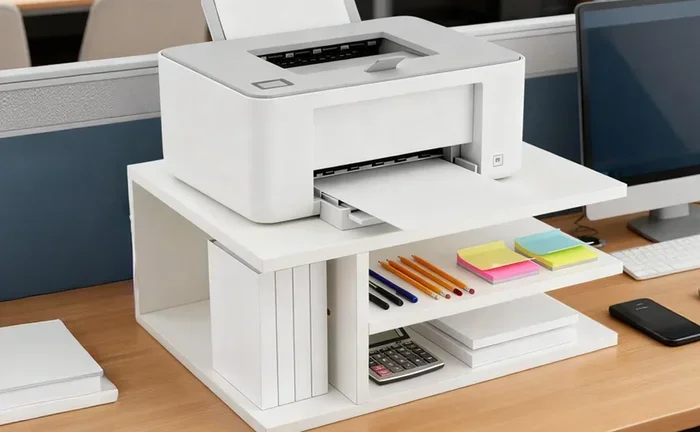
- Use a dedicated printer shelf if desk space is limited. A small rolling cart or shelf gives your printer its own territory.
When you think about your entire office setup, the printer should be treated as a piece of equipment that needs respect and proper conditions. Just like you would not block the vents on a computer or a television, you should not block your printer’s airflow.
Connecting Printer Placement to Broader Technology Decisions
Your printer is part of a larger technology ecosystem in your home or office. The decisions you make about placement connect to broader technology choices you have made. For example, if you have recently invested in smart office devices or upgraded your equipment, understanding the advantages and disadvantages of new technology helps you make better placement decisions. Newer printers often have better cooling systems and more compact designs, which opens up more placement options. However, they also come with more sensitive electronics that require careful handling.
Similarly, if your office uses access control systems to manage who can enter certain areas, your printer placement should align with your security plan. Sensitive documents waiting to be printed should be in secure locations, and the printer itself should be accessible only to authorized personnel. Placing a printer in an open area where anyone can walk up and collect prints creates both security and organizational challenges.
Comparison: Safe vs. Unsafe Items on Printer Tops
| Safe Items | Unsafe Items |
|---|---|
| Lightweight paper stacks | Heavy books or boxes |
| Small plastic organizers | Liquids of any kind |
| USB drives and cables | Heat-sensitive plastics |
| Small stable decor items | Flammable materials |
| Empty paper trays | Electronics that generate heat |
Common Mistakes People Make With Printer Placement
Even well-meaning printer owners make mistakes that shorten their machine’s life. Here are the most common errors and how to avoid them.
Overloading the Top Surface
The most frequent mistake is treating the printer top as extra desk space. People stack papers, place their coffee, and leave random items there without thinking about the consequences. Over time, this adds up. The combined weight can stress the printer chassis, and the clutter blocks vents that need to stay clear.
A good rule of thumb is the two-pound rule. If the total weight of items on top of your printer exceeds two pounds, you are probably overloading it. Use a small kitchen scale to test if you are unsure.
Ignoring Printer Warm-Up Time
Many people place items on their printer immediately after turning it on. But printers need warm-up time, and during this period, they generate the most heat. Laser printers in particular reach peak temperatures within the first 30 seconds of operation. Keep items off during this critical window.
Using the Printer Top as a Temporary Storage Spot
It is tempting to quickly set something down on the printer top and forget about it. But temporary becomes permanent fast. Items left on printers get forgotten, and over time they accumulate. Make it a habit to clear the top of your printer at the end of each day.
Expert Insight
Printer technicians report that the most common cause of premature printer failure is poor placement and ventilation. A simple habit of keeping the top surface clear during operation can add years to your printer’s life and save you hundreds of dollars in replacement costs.
Managing Your Digital Workspace Alongside Physical Setup
Printer placement does not exist in a vacuum. It connects to how you manage your entire digital workspace. For example, if you use a smartphone to print or manage your printer, how you organize your phone’s settings matters. Setting up adding prefixes to numbers on iPhone can help you manage contacts for your office phone system, delivery services, or printing services more efficiently. A well-organized digital workspace complements a well-organized physical one.
When your digital and physical spaces are both organized, your workflow improves dramatically. You spend less time searching for supplies, less time troubleshooting printer issues, and more time focusing on actual work. Think of your printer area as part of a larger system where every element supports the others.
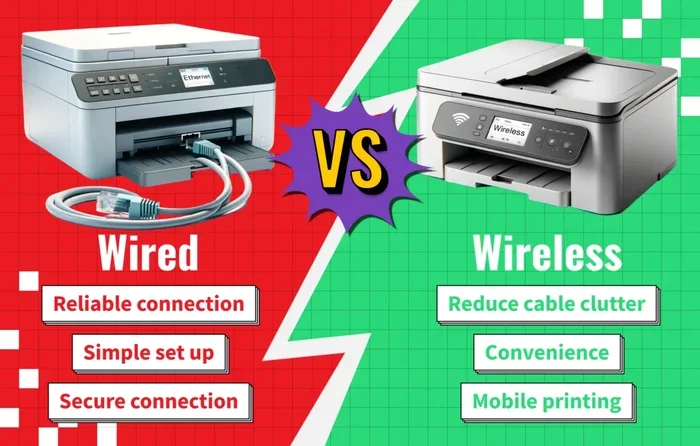
The advantages and disadvantages of new technology also play a role here. Modern printers come with apps, wireless connectivity, and smart features that make placement more flexible. You are no longer tied to a desk near a computer. Wireless printers can go almost anywhere with a Wi-Fi signal. But this flexibility comes with the responsibility of managing your setup wisely. New technology gives you more options, but you still need to follow the basic rules of heat management, ventilation, and weight limits.
Quick Tips for a Clutter-Free Printer Area
Keeping your printer area clean and organized does not have to be complicated. Here are some quick, actionable tips you can implement today:
- Use a small tray or caddy to hold supplies that you need near the printer without stacking them directly on top.
- Label your paper trays so you know which paper goes where and avoid clutter buildup.
- Set a weekly cleaning reminder to dust the top of your printer and check for any items that have accumulated.
- Keep a small bin nearby for used paper and recycling instead of letting it pile up on the printer.
- Invest in a printer stand with shelves if you need more storage space near your printer.
- Use cable management clips to keep cords neat and prevent them from attracting dust or catching on items.
These small habits make a big difference over time. A clean printer area is a safe printer area, and a safe printer area delivers better results.
What the Manufacturer Says
When in doubt, always refer to your printer manufacturer’s guidelines. Every model has different specifications for weight limits, clearance requirements, and safe operating temperatures. Most manufacturers include a section on proper placement in the user manual or on their website.
Major brands like HP, Canon, Epson, and Brother all provide specific guidance on what can and cannot be placed on their printers. These guidelines are based on extensive testing and should be treated as the gold standard for printer safety. Ignoring manufacturer recommendations can void your warranty and lead to costly repairs.
If you have lost your manual, most manufacturers offer free PDF downloads on their support pages. Search for your model number and look for the installation or setup guide. It will have the most accurate information for your specific printer.
Conclusion
So, can I put things on top of my printer? The answer is yes, with conditions. Light, heat-safe, non-flammable items that do not block vents are generally fine. Heavy objects, liquids, and heat-sensitive materials should stay far away from your printer at all times.
The key takeaway is that printer placement is more important than most people realize. Your printer works hard every day, and giving it the right environment pays off in better print quality, fewer breakdowns, and a longer lifespan. Take a few minutes today to assess your printer area. Remove anything that does not belong, organize your supplies, and make sure the vents have clear airflow.
Small changes lead to big results. A little attention to how you set up your printer goes a long way toward protecting your investment and keeping your workspace running smoothly. Start today, and your printer will thank you tomorrow.
Frequently Asked Questions
Can I put a small plant on top of my printer?
A small, lightweight plant in a stable pot is generally safe, as long as it does not block any vents. Make sure the pot has no drainage holes that could leak water onto the printer. Choose a plant that does not shed leaves frequently, as debris can get into the printer mechanism.
What should I do if my printer overheats?
Turn off the printer immediately and unplug it. Let it cool down for at least 15 to 20 minutes before checking the vents for blockages. Remove any items on top or around the printer that may be restricting airflow. If overheating persists, consult your manufacturer’s support team.
Does the type of printer matter for top-surface placement?
Yes, it matters. Laser printers generate more heat than inkjet printers, so they need more clearance on top. All-in-one printers with scanning lids may have different top-surface tolerances than single-function printers. Always check your specific model’s manual for guidance.
How much weight can the top of a printer safely hold?
Most printers can handle between one and three pounds on top, but this varies by model. The safest approach is to keep the weight under two pounds and distribute it evenly. Never place heavy or dense objects directly on the printer’s top panel.
Is it okay to print with items on top of the printer?
It is best to remove all items before printing, especially during long print jobs. Vibrations from the printer can cause items to shift or fall, and printing generates additional heat that needs to escape freely. A clear top surface is always the safest choice.
Can I store printer paper in the tray on top of my printer?
Yes, most printers are designed to have paper stored in their built-in top tray. This is one of the safest and most practical uses of the printer’s top surface. Just make sure the paper is aligned properly and does not exceed the tray’s maximum capacity.