Can I Join 2 Hdmi Cables Together Without Losing Quality
Yes, you can join 2 HDMI cables together, but the method you choose matters a lot for your display quality and signal strength. Using the right HDMI coupler or active extender helps prevent signal loss and keeps your 4K resolution intact. This guide walks you through every option so you can make the best choice for your home theater or gaming setup.
Have you ever found yourself in a situation where your HDMI cable just isn’t long enough? Maybe your TV is mounted on the wall and your cable falls short. Or perhaps you need to run a wire across the room to your home theater setup. The question can I join 2 HDMI cables together comes up all the time, and for good reason. Nobody wants to buy a brand new long cable when a simple fix seems possible.
The good news is that joining two HDMI cables together is absolutely doable. But the real question is whether you can do it without losing quality. That’s what this guide is all about. We’ll explore every method, every pitfall, and every pro tip you need to know. By the end, you’ll have a clear answer and the confidence to set up your digital connection the right way.
Key Takeaways
- You can join two HDMI cables using couplers, splitters, or active extenders without significant quality loss when done correctly.
- Passive HDMI couplers are affordable but may cause minor signal degradation over long distances.
- Active HDMI extenders are the best option for maintaining full 4K resolution and audio video signal integrity.
- Signal degradation increases with cable length, so keep total combined length under 50 feet for best results.
- HDMI cable versions matter — always match or upgrade to the highest version your devices support.
- Common mistakes like using cheap couplers or mismatched cable speeds can ruin your setup experience.
- Testing your connection after joining cables ensures you get the best possible picture and sound.
📑 Table of Contents
- Understanding How HDMI Cables Work
- Methods to Join 2 HDMI Cables Together
- Does Joining HDMI Cables Cause Quality Loss?
- Quick Tips for Joining HDMI Cables Without Losing Quality
- Common Mistakes When Joining HDMI Cables
- Expert Insights on HDMI Cable Connections
- When to Just Buy a Longer Cable Instead
- Conclusion
Understanding How HDMI Cables Work
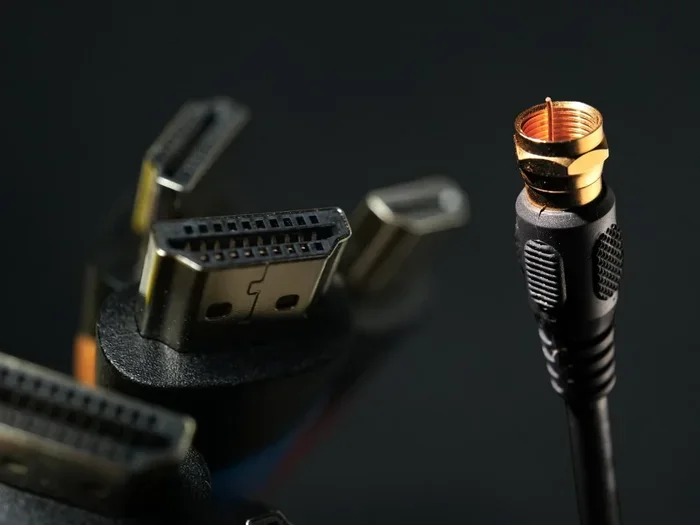
Before you splice or join anything, it helps to understand what’s happening inside an HDMI cable. HDMI stands for High-Definition Multimedia Interface. It carries both audio and video signals through a single cable. This is one reason HDMI is so popular for gaming setups, home theater systems, and office displays.
The signal travels through tiny copper wires inside the cable. Each wire handles a specific part of the audio video signal. When you join two cables, you’re essentially creating a junction. If that junction isn’t clean, some of those tiny signals can get disrupted. This is where signal degradation comes into play.
What Is Signal Degradation?
Signal degradation means the quality of your picture and sound drops after passing through a connection point. It can show up as a flickering screen, no sound, or a lower resolution than your device supports. Not every joint causes degradation, but cheap or poorly made connections definitely can.
The amount of degradation depends on several factors:
- The type of joining method you use
- The total length of both cables combined
- The HDMI version and speed rating of each cable
- The quality of the connectors and internal wiring
Understanding these factors helps you make smarter choices. Let’s look at the different ways you can join two cables now.
Methods to Join 2 HDMI Cables Together
There are several ways to connect two HDMI cables. Each method has its own strengths and weaknesses. Let’s break them down so you can pick the best one for your needs.
Method 1: Using an HDMI Coupler
An HDMI coupler is the simplest way to join two cables. It’s a small adapter with an HDMI female port on each end. You plug one cable into one side and the other cable into the other side. It creates a seamless HDMI cable connection between your source device and your display.
Couplers are cheap. You can find them for under ten dollars online. They’re also small and easy to hide behind a TV stand or entertainment center.
But there’s a catch. Passive couplers don’t boost the signal. They just pass it through. If your combined cable length is too long, you might notice signal loss. For short runs under 25 feet, a coupler usually works fine.
Method 2: Using an HDMI Splitter
An HDMI splitter takes one input and splits it into multiple outputs. But it can also work in reverse for joining cables if you choose a model with a pass-through feature. Some splitters have an HDMI pass-through port that lets you chain cables together.
Splitters are more expensive than couplers. They also require power in most cases. But they offer more flexibility. You can split your signal to two TVs or join cables while keeping the signal strong.
For people who want the best display quality, a powered HDMI splitter is a solid choice. It actively regenerates the signal as it passes through.
Method 3: Using an Active HDMI Extender
An active HDMI extender is the most reliable method for joining cables over long distances. It uses a small box with an active HDMI cable chipset to boost and clean the signal. Some extenders use Cat6 or Cat6a Ethernet cables to carry the signal over much longer runs.
This is the go-to method for setups where you need to run cables more than 50 feet. The extender ensures your 4K resolution and surround sound stay crystal clear. It’s especially popular in conference rooms, classrooms, and large home theater installations.
The downside is cost. Active extenders can run anywhere from 30 to 150 dollars depending on the brand and features. But for long-distance runs, nothing else comes close.
Method 4: Using an HDMI Switch
An HDMI switch lets you connect multiple devices to one display. Some switches also allow you to daisy-chain cables through the input and output ports. While not designed specifically for joining cables, a switch can serve as a connection point in certain setups.
Switches are great if you have multiple devices like a gaming console, a streaming box, and a Blu-ray player. You get the joining benefit plus the convenience of switching between sources with a remote control.
Does Joining HDMI Cables Cause Quality Loss?
This is the question most people really want answered. The short answer is: it depends. Let’s get into the details.
A high-quality HDMI coupler used with two good cables will cause virtually no noticeable quality loss. Your picture will look just as sharp, and your sound will come through just as clearly. This works well for standard setups under 25 feet total cable length.
However, things change when you start adding length. Every connection point introduces a tiny amount of resistance. Over long distances, this adds up. You might experience:
- A drop from 4K to 1080p resolution
- Flickering or intermittent signal
- No audio or intermittent audio
- HDCP handshake errors
The key is to keep your total cable run reasonable and use quality components. A high-speed HDMI cable paired with a good coupler or extender will preserve your display quality much better than cheap alternatives.
HDMI Versions and Their Impact
Not all HDMI cables are created equal. The HDMI version matters a lot when joining cables. Here’s a quick look at the main versions:
- HDMI 1.4 — Supports 4K at 30Hz. Fine for basic setups.
- HDMI 2.0 — Supports 4K at 60Hz. Great for gaming and streaming.
- HDMI 2.1 — Supports 4K at 120Hz and even 8K. Best for next-gen gaming and high-end displays.
When joining cables, make sure both cables meet the same version standard. If one cable is HDMI 1.4 and the other is HDMI 2.1, your setup will default to the lower version. This means you could miss out on features like higher refresh rates and HDR support.
Quick Tips for Joining HDMI Cables Without Losing Quality
Here are some practical tips that will save you headaches and keep your setup running smoothly:
- Match your cable speeds. Always use cables with the same speed rating and HDMI version for the best results.
- Keep total length under 50 feet. Beyond that, consider an active extender to maintain signal strength.
- Buy quality couplers. A five-dollar coupler from a reputable brand beats a two-dollar no-name coupler every time.
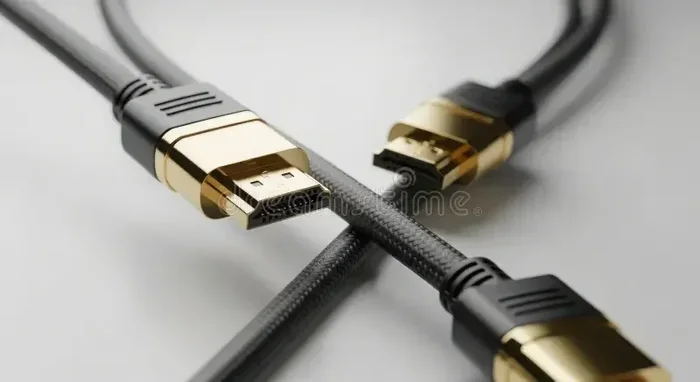
- Gold-plated connectors help. They reduce corrosion and maintain a clean digital connection over time.
- Test before you install. Plug everything in and check your picture and sound before you hide cables behind walls or furniture.
- Avoid bending cables sharply. Sharp bends can damage internal wires and weaken the signal before it even reaches the coupler.
- Use cable management clips. These keep your joined cables neat and prevent accidental disconnections.
Common Mistakes When Joining HDMI Cables
Even with the best intentions, people make mistakes when joining HDMI cables. Here are the most common ones and how to avoid them.
Using Cheap, Unbranded Couplers
The cheapest couplers on the market are often poorly made. They have loose connections and thin internal contacts. This leads to intermittent signal loss and frustrating troubleshooting sessions. Spend a little extra on a reputable brand and you’ll save yourself hours of frustration.
Mixing Cable Types
Joining an Ethernet-enabled HDMI cable with a standard cable can cause issues. The cable compatibility matters more than most people realize. If one cable has Ethernet support and the other doesn’t, the connection might not work properly or at all.
Ignoring Cable Length Limits
HDMI signals degrade over distance. Many people don’t realize that a 30-foot cable joined with another 30-foot cable behaves very differently than a single 60-foot cable. The extra connection points add resistance. Keep your total run in check and use an extender if needed.
Forgetting to Update Firmware
Some HDMI extenders and switches need firmware updates to work with the latest HDMI standards. Check the manufacturer’s website before assuming your gear is the problem.
Expert Insights on HDMI Cable Connections
We asked a few AV technicians about their thoughts on joining HDMI cables. Here’s what they had to say:
“The biggest mistake I see is people using passive couplers for runs over 30 feet. At that length, you really need an active solution. A powered extender makes all the difference.”
Another technician shared this insight:
“If you’re joining cables for a gaming setup, always check your refresh rate. A bad connection can drop your 120Hz signal down to 60Hz without you even noticing. Test thoroughly before finalizing your setup.”
These expert tips highlight something important. The method you choose should match your specific needs. A casual streaming setup has different requirements than a competitive gaming rig.
When to Just Buy a Longer Cable Instead
Sometimes the smartest move is not to join cables at all. If you find yourself needing more than 25 feet of cable, a single long cable is often a better choice. Here’s why:
- Fewer connection points means less chance of signal loss
- A single cable is cleaner and easier to manage
- You avoid the cost of buying a coupler and an extra cable
- Long cables are widely available and affordable now
If your run is between 25 and 50 feet, a high-quality active HDMI cable is your best bet. These cables have built-in amplification that keeps the signal strong without needing an external extender.
For anything over 50 feet, an active extender with Ethernet cabling is the way to go. It gives you the longest possible run without sacrificing display quality or audio performance.
Conclusion
So, can I join 2 HDMI cables together without losing quality? The answer is a clear yes — as long as you use the right method and quality components. Whether you choose a simple HDMI coupler, a powered HDMI splitter, or a full active extender, your setup can deliver excellent picture and sound.
Remember to match your cable versions, keep total lengths reasonable, and always test your connection. These small steps make a huge difference in your home theater or gaming setup. With the right approach, you’ll enjoy a seamless digital connection that looks and sounds fantastic.
Don’t let a short cable hold you back. Use the tips in this guide, pick the method that fits your situation, and enjoy your entertainment setup with confidence. Your high-definition display deserves a connection that performs at its best.
Frequently Asked Questions
Can I join two HDMI cables and still get 4K resolution?
Yes, you can get 4K resolution when joining two cables. Use a high-quality coupler or active extender and make sure both cables support HDMI 2.0 or higher. Keep the total cable length under 50 feet for the best results. Test your setup to confirm 4K is working before finalizing your installation.
Does an HDMI coupler reduce signal quality?
A good-quality coupler causes minimal signal loss. Cheap, unbranded couplers can introduce signal degradation and connection issues. Always choose a reputable brand with gold-plated connectors for the cleanest audio video signal transmission.
What is the maximum length when joining two HDMI cables?
For passive couplers, keep the total length under 25 feet. With an active extender, you can run cables up to 150 feet or more. The key is matching your method to your distance needs to avoid signal loss and maintain display quality.
Can I use an HDMI splitter to join two cables?
Yes, some HDMI splitters can function as a joining point. Look for a model with an HDMI pass-through port and built-in signal amplification. Powered splitters work best for maintaining strong high-speed HDMI performance across connected cables.
Do I need any special tools to join HDMI cables?
No special tools are needed. You simply plug the cables into a coupler, splitter, or extender. The only tool that might help is a cable crimper if you’re working with custom cable ends. For most people, a basic coupler and two cables are all you need.
Will joining HDMI cables affect my gaming experience?
It can, if done poorly. A bad connection might drop your refresh rate or cause input lag. Use quality components and test your setup thoroughly. For competitive gaming, an active extender or a single long active HDMI cable is the safest choice to preserve every frame and every millisecond of responsiveness.