Can A Printer Last For 10 Years Discover The Real Answer
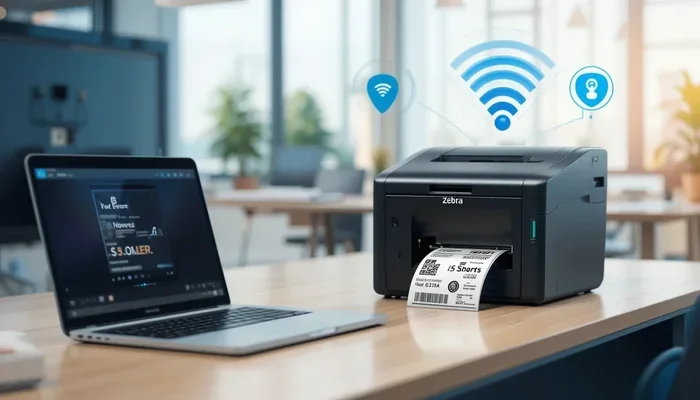
Can a printer last for 10 years? The answer is yes, but it depends on several key factors like printer type, usage habits, and regular maintenance. A well-cared-for printer can easily serve you for a decade or more, saving you money and reducing waste. In this guide, we break down the real lifespan of printers and share practical tips to help you get the most out of your machine.
Can a printer last for 10 years? It is a question many people ask, especially when they invest in a quality machine. The short answer is yes, a printer can last for 10 years, but it requires the right approach. Your printer’s lifespan depends on several factors that you can control. Let us explore what really determines how long your printer will keep working.
Many people assume that printers are disposable items that need replacing every few years. That is not always true. With the right printer maintenance habits, your device can easily serve you for a decade or more. Whether you use it for home printing or office work, understanding your printer’s potential lifespan helps you make smarter buying decisions.
In this article, we will cover everything you need to know about printer longevity. You will learn about the different types of printers, what affects their lifespan, and how to keep yours running strong for years. We also share tips on when to repair and when to replace. By the end, you will have a clear picture of what to expect from your printer investment.
Key Takeaways
- Printers can last 10 years: with proper care and maintenance, most printers have the potential to serve for a decade or more.
- Laser printers outlast inkjet models: they have fewer moving parts and are built for heavy-duty use over many years.
- Regular maintenance is essential: simple habits like cleaning print heads and replacing parts on time can significantly extend your printer’s life.
- Watch for warning signs: fading print quality, frequent errors, and high repair costs signal that your printer may be nearing the end.
- Repair vs replace decision matters: sometimes fixing an old printer costs more than buying a new one.
- Usage frequency affects longevity: printers used regularly tend to last longer than those sitting idle for months at a time.
📑 Table of Contents
- Can A Printer Last For 10 Years? Understanding the Realistic Timeline
- Factors That Determine Printer Lifespan
- Inkjet vs Laser: Which Lasts Longer
- Maintenance Tips to Extend Your Printers Life
- Signs Your Printer Is Nearing the End
- Is It Worth Repairing or Replacing
- Quick Tips for Maximum Printer Longevity
- Final Thoughts on Printer Longevity
Can A Printer Last For 10 Years? Understanding the Realistic Timeline
The lifespan of a printer varies widely based on its type, brand, and how you use it. Most manufacturers estimate a printer’s life at around 3 to 5 years. However, that is just a rough average. Many printers go well beyond that with proper care. Let us look at the typical lifespans for different printer types.
Inkjet Printer Lifespan
Inkjet printers are popular for home use because they are affordable and produce great color prints. On average, an inkjet printer lasts about 3 to 5 years. However, some well-maintained inkjet models can push past 7 years. The key is staying on top of print head cleaning and using quality ink cartridges. Inkjet printers have more moving parts that can wear out over time, which is why they tend to have a shorter printer lifespan than laser models.
Laser Printer Lifespan
Laser printers are built for durability. They typically last between 5 and 10 years, and some even go beyond that. A laser printer uses toner instead of ink, which means fewer clogs and less maintenance. The toner cartridge lasts much longer than an ink cartridge too. For people who print often, a laser printer is usually the better long-term choice. Its printer durability makes it ideal for busy home offices and small businesses.
Average Page Yield and Overall Life
Printers are often rated by their monthly duty cycle, which tells you how many pages they can handle per month. A home printer might have a duty cycle of 1,000 to 3,000 pages. An office printer can handle 10,000 or more. Staying within the recommended duty cycle helps your printer last longer. Exceeding it regularly puts extra strain on the printing components and shortens the overall life.
Factors That Determine Printer Lifespan
Several factors play a role in how long your printer will last. Understanding these can help you take steps to extend your device’s life. Here are the most important ones.
Print Quality and Usage Frequency
How often you print matters a lot. A printer that is used regularly tends to last longer than one that sits idle. When a printer sits unused for weeks or months, the ink can dry out and clog the print heads. Regular use keeps the internal parts moving and prevents buildup. If you only print once a month, try printing a test page once a week to keep things flowing smoothly.
Type of Printer and Build Quality
The build quality of your printer matters a great deal. Cheap, low-end models are often built with plastic parts that break easily. Higher-end printers use stronger materials and better printing components. When you are shopping for a printer, look at the build quality, not just the price tag. A slightly more expensive printer today can save you from buying a new one in two years.
Environmental Factors
Where you place your printer affects its lifespan too. Dust, humidity, and heat can all damage internal parts. Keep your printer in a clean, dry, and cool spot. Avoid placing it near windows where direct sunlight can fade the plastic. A well-ventilated area helps prevent overheating during long print jobs.
Brand and Warranty Support
Some brands are known for building long-lasting printers. Companies like HP, Canon, Epson, and Brother have strong track records for printer reliability. Also, check the warranty. A longer warranty often means the manufacturer stands behind the product. Good warranty support can also save you money on printer repair costs if something goes wrong early on.
Inkjet vs Laser: Which Lasts Longer
This is one of the most common questions people ask. The answer depends on your needs, but generally, laser printers have the edge in longevity. Let us compare them side by side.
| Feature | Inkjet Printer | Laser Printer |
|---|---|---|
| Average Lifespan | 3 to 7 years | 5 to 10+ years |
| Maintenance Needs | High (print head cleaning) | Low (less moving parts) |
| Best For | Color printing, photos | High-volume text printing |
| Upfront Cost | Lower | Higher |
| Cost Per Page | Higher | Lower |
| Common Issues | Clogged nozzles, dried ink | Toner cartridge replacement |
As you can see from the table above, laser printers clearly win when it comes to long lasting printer performance. However, if you need vibrant color prints for photos or creative projects, an inkjet model may still be the right choice for you. The trick is to match the printer type to your actual printing needs.
For people who work from home, the choice matters even more. If you rely on your printer daily for work documents, a laser printer is a smart investment. It will handle the workload without breaking down as often. You can also check out gadgets to make moms life easier for ideas on organizing your home office setup alongside your printer.
Maintenance Tips to Extend Your Printers Life
Regular maintenance is the single most important thing you can do to make your printer last longer. Here are practical tips that really work.
Clean the Print Heads Regularly
Most printers have a built-in cleaning cycle. Run it once a month to prevent ink from drying and clogging the nozzles. If you notice streaks or missing colors in your prints, run a deep cleaning cycle. This simple habit can add years to your printer upkeep routine and keep your print quality sharp.
Use Quality Ink and Toner Cartridges
Cheap ink cartridges might save you money upfront, but they can cause problems later. Low-quality ink can clog print heads and damage internal parts. Stick with brand-name cartridges or high-quality compatible ones. Your toner cartridge and ink cartridges are the lifeblood of your printer. Treat them well, and your printer will reward you with consistent performance.
Keep the Printer Clean Inside and Out
Dust buildup inside a printer can cause serious issues over time. Use a soft, dry cloth to wipe down the exterior regularly. For the interior, gently remove dust from the paper feed rollers and other accessible parts. Avoid using liquid cleaners inside the printer. A can of compressed air works great for blowing out dust from hard-to-reach areas.
Replace Parts Before They Fail
Do not wait for a part to break completely before replacing it. Rubber rollers, fuser units, and pickup pads wear out over time. Replacing these parts proactively keeps your printer running smoothly. Check your printer manual for recommended replacement intervals. Staying ahead of wear and tear is one of the best printer maintenance strategies you can use.
Update Firmware and Drivers
Printer manufacturers release firmware updates that fix bugs and improve performance. Keep your printer’s software up to date. Also, make sure your computer drivers are current. Outdated drivers can cause communication errors and even damage the printer over time. A quick update every few months goes a long way toward smooth printer operation.
Avoid Overworking Your Printer
Every printer has a recommended monthly page limit. Going over it regularly puts stress on the motor, gears, and other internal parts. If you print a lot, consider upgrading to a printer with a higher duty cycle. Spreading print jobs across multiple printers in a home or office can also help reduce wear on any single machine.
Signs Your Printer Is Nearing the End
Even with the best care, every printer eventually reaches the end of its useful life. Knowing the warning signs helps you act before a complete breakdown.
Fading or Streaky Print Quality
If your prints are fading, streaking, or showing horizontal lines, the print heads may be worn out. Cleaning the print heads can help temporarily, but if the problem persists, the damage may be permanent. At this point, you need to decide whether printer repair is worth the cost.
Frequent Paper Jams and Error Messages
Occasional paper jams happen to every printer. But if you are dealing with them daily, something is wrong. Worn rollers, misaligned paper trays, or internal damage could be the cause. Frequent error messages on the display panel are another red flag. These issues often signal that the printer is aging and parts are failing.
High Repair Costs
This is the biggest indicator that your printer needs replacing. If a single repair costs more than half the price of a new printer, it is usually not worth fixing. Labor costs for printer troubleshooting and parts replacement add up quickly. Before committing to expensive repairs, get a quote and compare it to the cost of a new model.
Incompatibility with Modern Software
As operating systems and software update, older printers can struggle to keep up. If your printer no longer works with your current operating system or cannot connect to your wireless network, it may be time for an upgrade. This is especially true if you work with files like spreadsheets where a line wont delete in Microsoft Excel and you need reliable printing to get your work done.
Is It Worth Repairing or Replacing
Deciding between repairing and replacing a printer can be tough. Here are some guidelines to help you make the right call.
If your printer is under 5 years old and the repair cost is less than 40 percent of a new printer’s price, go ahead and repair it. Most printers in this age range have plenty of life left. On the other hand, if your printer is over 7 years old and needs a major repair, replacement is usually the smarter choice.
Consider also the cost of ink and toner over time. Older printers often use ink less efficiently, which means higher ongoing costs. Newer models are designed to be more economical. So even if a repair is affordable, you might save more money in the long run by switching to a newer, more efficient model.
For busy professionals who juggle work and personal tasks, having reliable equipment matters. Just like finding the right tools for everyday chores, having a dependable printer keeps things running smoothly. If you are curious about other apps and tools that simplify modern life, check out apps that are like uber for finding dog walkers for interesting ideas on how technology makes life easier.
Before making a final decision, also think about your printing habits. If you print rarely, a new printer might sit idle and develop the same problems you had before. In that case, a simple fix or using a local print shop for occasional jobs might be the best path forward.
Quick Tips for Maximum Printer Longevity
- Print at least once a week to prevent ink from drying out and clogging the nozzles.
- Use the right paper for your printer type. Glossy paper in an inkjet designed for plain paper causes jams and waste.
- Turn off your printer properly using the power button. This allows the printer to park the print head in its safe position.
- Keep spare parts on hand like extra rollers and fuser units. Replacing them early prevents bigger problems.
- Monitor ink levels regularly and replace cartridges before they run completely dry to avoid damaging the print heads.
- Keep your printer’s manual handy for troubleshooting guides and manufacturer-recommended maintenance schedules.
Final Thoughts on Printer Longevity
So, can a printer last for 10 years? Absolutely. The right printer, with proper care and maintenance, can easily serve you for a decade or more. Whether you choose an inkjet or laser model, your commitment to regular upkeep makes all the difference. Clean your print heads, use quality cartridges, and keep your printer in a good environment.
Remember the key factors we covered: usage frequency, build quality, environmental conditions, and timely part replacements. These are the pillars of printer longevity. Apply them consistently, and your printer will reward you with reliable performance year after year.
Do not wait for problems to appear. Start your printer upkeep routine today. Your future self will thank you when your printer is still running strong a decade from now. Take action now, and enjoy the peace of mind that comes with a well-maintained, long-lasting printer.
A printer investment is a long-term one. Making informed choices from the start, staying on top of printer upkeep, and knowing when to move on are all part of the journey. With the insights from this guide, you are now equipped to get the most out of your printer for years to come. If you ever run into a stubborn printing issue, remember that a little patience and regular care go a long way toward keeping your device healthy and productive.
Frequently Asked Questions
Can a cheap printer last 10 years?
It is possible but unlikely. Cheap printers are often built with lower-quality parts that wear out faster. They may last 3 to 5 years with good care, but reaching the 10-year mark is rare. Investing in a mid-range or higher-end model gives you a much better chance of long-term use and reliable printer quality over time.
How often should I clean my printer to make it last longer?
Running a print head cleaning cycle once a month is a great habit. You should also do a deeper cleaning every three months. Keep the exterior clean weekly by wiping it with a soft, dry cloth. These simple routines prevent buildup and keep your printer running smoothly for years.
Is it better to print in black and white to extend printer life?
Not necessarily. Printing in color does not harm your printer more than printing in black and white. The real factor is how often you print and how well you maintain the device. However, using all ink cartridges regularly prevents them from drying out, which is actually good for your printer’s longevity.
What is the average lifespan of a home printer?
Most home printers last between 3 and 7 years. Inkjet models tend to be on the lower end, while laser printers can push past 10 years. Your usage habits and maintenance routine play a big role in determining where your printer falls on that range.
Can leaving a printer unused damage it?
Yes, it can. When a printer sits unused for long periods, ink can dry out and clog the print heads. Inkjet printers are especially vulnerable to this. If you do not print often, try printing at least one page per week to keep the ink flowing and the internal parts active.
Should I buy a new printer or repair my old one?
Compare the repair cost to the price of a new printer. If the repair costs less than 40 percent of a new model, go ahead and fix it. If the repair is expensive and your printer is over 7 years old, replacing it is usually the smarter choice. Also consider ongoing ink and toner costs, which can be higher with older models.
=== CONCLUSION ===
Can a printer last for 10 years? The answer is a clear yes, provided you choose the right type and take good care of it. A laser printer with regular printer maintenance can easily reach that 10-year milestone. Even an inkjet printer can surprise you with its durability if you stay on top of cleaning and use quality supplies.
Remember the key factors we covered: usage frequency, build quality, environmental conditions, and timely part replacements. These are the pillars of printer longevity. Apply them consistently, and your printer will reward you with reliable performance year after year.
Do not wait for problems to appear. Start your printer upkeep routine today. Your future self will thank you when your printer is still running strong a decade from now. Take action now, and enjoy the peace of mind that comes with a well-maintained, long-lasting printer.
A printer investment is a long-term one. Making informed choices from the start, staying on top of maintenance, and knowing when to move on are all part of the journey. With the insights from this guide, you are now equipped to get the most out of your printer for years to come. If you ever run into a stubborn printing issue, remember that a little patience and regular care go a long way toward keeping your device healthy and productive.