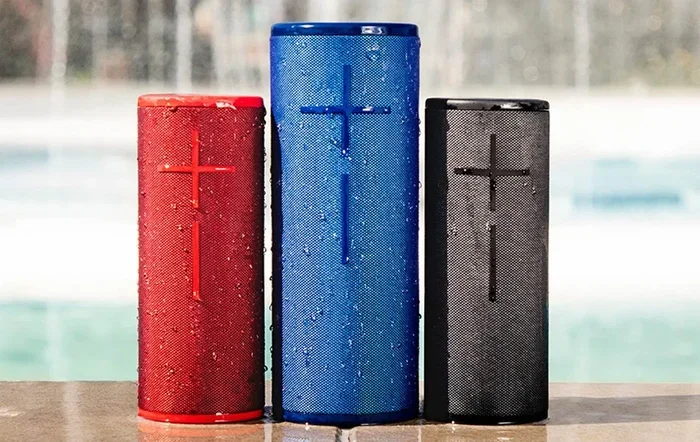
How Do I Connect 3 Bluetooth Speakers Together Fast
Connecting 3 Bluetooth speakers together is easier than you think. You can create a powerful multi-speaker setup for parties, outdoor events, or home audio by using speaker chaining, Bluetooth adapters, or built-in pairing modes. This guide walks you through every method so you can get your Bluetooth speakers working as a team in minutes.
You have three Bluetooth speakers sitting on your table. You want to fill the room with rich, full sound. But you are not sure how to connect them all together. You are not alone. Many people want to set up a multi-speaker Bluetooth system but do not know where to start. This guide shows you exactly how to connect 3 Bluetooth speakers together fast, with simple steps and real-world tips.
Whether you are hosting a backyard party, setting up a home theater, or just want louder music in your living room, linking multiple speakers solves the problem. The good news is that you do not need expensive gear. Most modern wireless speakers support some form of multi-speaker pairing. Let us dive in and explore every method you can use.
Key Takeaways
- Speaker chaining lets you link multiple speakers: This is the most common way to connect 3 Bluetooth speakers for a wider sound range.
- Bluetooth adapters make non-smart speakers wireless: You can turn regular speakers into part of a Bluetooth setup with a simple adapter.
- Built-in pairing modes vary by brand: Some speakers have dedicated party or stereo modes that simplify multi-speaker connections.
- Latency and range matter: Understanding Bluetooth limitations helps you avoid audio delays and connection drops.
- Placement affects sound quality: Positioning your speakers correctly makes a big difference in your overall audio experience.
📑 Table of Contents
- Why Connect Multiple Bluetooth Speakers?
- Method 1: Use Built-In Speaker Pairing Mode
- Method 2: Use Bluetooth Speaker Chain Linking
- Method 3: Use a Bluetooth Transmitter or Adapter
- Method 4: Use a Smart Speaker App
- Common Mistakes to Avoid
- Best Practices for the Best Sound Quality
- Can You Connect Different Brands of Bluetooth Speakers?
- Final Thoughts
Why Connect Multiple Bluetooth Speakers?
There are many reasons people want to link their speakers together. A single portable Bluetooth speaker is great for small rooms. But when the space gets bigger, the sound gets thinner. Connecting speakers spreads the audio across a wider area. It also increases volume and improves bass response.
Here are some common reasons people connect multiple speakers:
- Louder sound for gatherings: Parties, barbecues, and outdoor events need more volume than one speaker can provide.
- Better stereo separation: Two or more speakers create left and right channels for a fuller listening experience.
- Fill large rooms: Open floor plans and big rooms need multiple speakers to deliver even sound throughout.
- Better bass and depth: More speakers working together produce richer low-end sound.
- Flexibility: You can place speakers in different rooms and still play the same audio source.
No matter your reason, setting up a wireless audio system with three speakers is a smart move. It gives you flexibility and power without running cables across your home.
Method 1: Use Built-In Speaker Pairing Mode
Many wireless speakers come with a built-in pairing feature. This is the easiest way to connect 3 Bluetooth speakers together. Brands like JBL, Bose, Sony, and Doss often include party mode or stereo mode in their speakers. Here is how it works.
Step-by-Step Guide to Built-In Pairing
- Turn on all three speakers. Make sure each speaker has enough battery and is powered on.
- Activate pairing mode on the first speaker. Usually, you press and hold the Bluetooth button or a dedicated pairing button until the LED light flashes.
- Open your phone or tablet Bluetooth settings. Find the first speaker in the list of available devices and tap to connect.
- Play some audio. Make sure the first speaker is working properly before moving to the next one.
- Activate pairing mode on the second speaker. Some speakers have a “connect” or “add” button that lets you link a second device to the already-paired speaker.
- Repeat for the third speaker. Follow the same process to add the final speaker to the chain.
This method works well when all your speakers are the same brand. Mixing brands can sometimes cause issues. If you have Doss speakers, you can check our guide on pairing two Doss speakers together for brand-specific tips. The same pairing principles often apply when adding a third speaker.
Quick Tips
- Keep all speakers within 30 feet of each other for the best connection.
- Turn off other Bluetooth devices nearby to avoid interference.
- If one speaker disconnects, restart it and re-pair from the source device.
Method 2: Use Bluetooth Speaker Chain Linking
Speaker chaining is when you connect one speaker to another, and then connect a third to the second. This creates a chain of audio signals that flows from your source device through each speaker. Not all speakers support chaining, but many modern ones do.
How Speaker Chaining Works
In a chained setup, the first speaker receives the Bluetooth signal from your phone. It then relays that signal to the second speaker, which passes it to the third. Each speaker acts as a bridge. This method is great for covering large areas like backyards or open-plan living spaces.
Here is what you need to do:
- Step 1: Pair the first speaker with your phone using standard Bluetooth pairing.
- Step 2: Put the second speaker into chaining mode. This is often a specific button combination or a dedicated mode on the speaker.
- Step 3: The second speaker should automatically detect the first speaker and link up.
- Step 4: Repeat the process with the third speaker.
Chaining can introduce a slight delay between speakers. This is called audio latency. For music, this is usually not noticeable. For video or gaming, you might want to use a wired connection instead. If you are interested in wired options, check out our article on connecting HDMI through USB for alternative audio setups.
Which Speakers Support Chaining?
Not every Bluetooth speaker supports chaining. Here is a quick comparison of popular brands:
| Brand | Chaining Support | Max Speakers in Chain |
|---|---|---|
| JBL | Yes (PartyBoost) | Up to 100 |
| Sony | Yes (Wireless Party Chain) | Up to 50 |
| Bose | Limited | 2 speakers |
| Doss | Yes (on select models) | 2-3 speakers |
| Marshall | Yes (Multi-room) | Up to 10 |
If you own Marshall speakers, you can also explore pairing two Marshall speakers as a starting point before adding a third.
Method 3: Use a Bluetooth Transmitter or Adapter
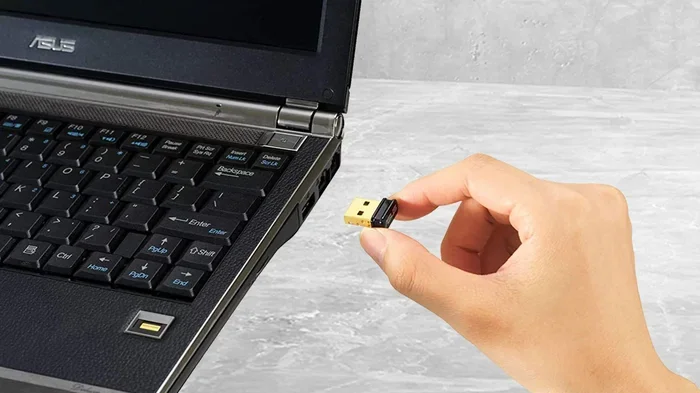
This method works best when you have speakers that do not support native multi-speaker pairing. A Bluetooth transmitter or adapter sends the audio signal to multiple receivers. Each speaker gets its own Bluetooth receiver, and the transmitter sends the same signal to all of them at once.
What You Need
- A Bluetooth transmitter with multiple output ports.
- Bluetooth receivers for each speaker that does not have built-in Bluetooth.
- An audio cable (usually 3.5mm or RCA) to connect the transmitter to each receiver.
This setup is more flexible because you can mix and match different speaker brands. You are not limited by proprietary pairing modes. The Bluetooth adapter approach also works well for older speakers that you want to bring into a modern wireless setup.
If you have regular wired speakers, you can learn how to make them Bluetooth-ready in our article on turning regular speakers into Bluetooth. The same principles apply when building a multi-speaker system.
Quick Tips for Using Bluetooth Adapters
- Look for transmitters that support aptX or LDAC codecs for better audio quality.
- Keep the transmitter close to your source device for a strong signal.
- Test each speaker individually before setting up the full chain.
Method 4: Use a Smart Speaker App
Many speaker brands offer companion apps that make connecting multiple speakers simple. The JBL Connect app, Sony Music Center, and Bose Connect app all support multi-speaker setups. These apps give you more control over volume, EQ settings, and speaker grouping.
Benefits of Using a Smart App
- Easy speaker management: You can add or remove speakers from the group with a few taps.
- EQ customization: Adjust bass, treble, and midrange for each speaker individually.
- Firmware updates: Keep your speakers updated for the best performance.
- Party mode controls: Start and stop party mode directly from your phone.
To use this method, download the app for your speaker brand, connect your first speaker, and follow the on-screen prompts to add more speakers. The app handles the pairing process automatically in most cases.
Common Mistakes to Avoid
Setting up three Bluetooth speakers can be frustrating if you run into common issues. Here are mistakes to watch out for:
- Mixing incompatible brands: Not all speakers play well together. Stick to the same brand or use a Bluetooth adapter for cross-brand setups.
- Placing speakers too far apart: Bluetooth has a range limit, usually around 30 feet. Beyond that, the connection weakens or drops.
- Ignoring firmware updates: Outdated firmware can cause pairing failures. Always update your speakers before setting them up.
- Overloading Bluetooth bandwidth: If you have too many Bluetooth devices competing for connection, audio quality drops. Turn off unused devices.
- Skipping the pairing process: Each speaker must be properly paired before it joins the group. Rushing through setup leads to connection problems.
If you are using your speakers outdoors or for voice amplification, you might also want to check our guide on using a Bluetooth speaker to amplify your voice for tips on getting the best sound output.
Expert Insight
Audio engineers recommend placing your three speakers in a triangle formation for the best sound coverage. Put one speaker in front and two on the sides at equal distances. This creates a balanced stereo image and ensures every listener in the room gets a consistent audio experience.
Best Practices for the Best Sound Quality
Once your speakers are connected, you want the best possible sound. Here are some practices that make a real difference:
- Place speakers at ear level: Standing or table height gives the best sound projection.
- Keep speakers away from walls: Walls reflect sound and create echo. Place speakers at least 2 feet from any wall.
- Match speaker volumes: Use the app or manual controls to ensure all three speakers are at the same volume level.
- Use the same EQ settings: Matching equalizer settings across all speakers prevents audio imbalances.
- Keep the source device close: Your phone or tablet should be within range of all three speakers for a stable connection.
Following these steps gives you clean, powerful sound that fills the room. You will notice the difference immediately compared to using just one speaker.
Can You Connect Different Brands of Bluetooth Speakers?
The short answer is yes, but with limitations. Most built-in pairing modes only work with speakers from the same brand. For example, JBL PartyBoost only links JBL speakers that support PartyBoost. You cannot pair a JBL speaker with a Sony speaker using PartyBoost.
However, a Bluetooth transmitter with multiple outputs can connect speakers from different brands. Each speaker receives its own signal independently. The trade-off is that you lose some of the seamless integration that same-brand setups provide.
If you want to upgrade your setup further, you might also consider making an older stereo system Bluetooth-capable. Our guide on making an old stereo Bluetooth covers this topic in detail.
Final Thoughts
Connecting 3 Bluetooth speakers together is a fun and rewarding project. You have several methods to choose from, including built-in pairing, speaker chaining, Bluetooth adapters, and smart apps. Each method has its strengths, and the best choice depends on your speaker brand and your setup needs.
Start with the simplest method if your speakers support it. If not, a Bluetooth transmitter gives you the most flexibility. Avoid common mistakes like mixing incompatible brands and placing speakers too far apart. Follow the best practices for placement and volume matching, and you will enjoy rich, full sound in any room.
Once you set up your multi-speaker system, you will wonder how you ever listened to music with just one speaker. The experience is completely different. Music sounds fuller, bass hits harder, and every corner of the room gets covered. So grab your three speakers and give it a try today.
Frequently Asked Questions
Can I connect 3 Bluetooth speakers of different brands together?
Yes, but it depends on the method. Built-in pairing modes usually only work with the same brand. A Bluetooth transmitter with multiple outputs can connect speakers from different brands successfully.
Does connecting 3 Bluetooth speakers reduce audio quality?
Not significantly. You may notice a slight delay between speakers when chaining them. For music, this is barely noticeable. For video or gaming, the delay can be more apparent.
What is the maximum range for Bluetooth speaker connections?
Most Bluetooth speakers have a range of about 30 feet. Walls and obstacles can reduce this range. Keep your speakers close together for the best connection.
Do I need any special equipment to connect 3 Bluetooth speakers?
Not always. If your speakers support built-in pairing, you only need the speakers and a source device. For cross-brand setups or non-Bluetooth speakers, a Bluetooth transmitter and receiver are helpful.
Can I use more than 3 Bluetooth speakers with these methods?
Yes, many speaker brands support connecting more than 3 speakers. JBL PartyBoost can link up to 100 speakers, and Sony Wireless Party Chain supports up to 50.
Why does my Bluetooth speaker keep disconnecting when I connect 3 speakers?
This usually happens due to Bluetooth bandwidth overload or weak signal strength. Try moving closer to the source device, turning off other Bluetooth devices, and updating your speaker firmware.
=== CONCLUSION ===
Setting up a 3-speaker Bluetooth system is simpler than most people think. Whether you use built-in pairing, speaker chaining, or a Bluetooth adapter, the process is straightforward and rewarding. You get louder, richer sound that transforms any space into an audio experience. Start with the method that fits your speakers best, follow the tips in this guide, and enjoy your upgraded wireless audio setup today.