How Do I Choose The Best Indoor Projector For Home
Choosing the right indoor projector starts with understanding your room, your budget, and what you want to watch. This guide walks you through brightness, resolution, throw distance, and smart features so you can make a confident decision. Whether you are building a home theater or setting up a simple living room setup, the right projector makes all the difference.
So you want to bring the big screen experience into your home. Maybe you have been watching movies on a small TV and dreaming of something bigger. Or perhaps you want to create a proper home theater setup that rivals your local cinema. Either way, choosing the right indoor projector is the first step.
The good news is that projectors have become more affordable and easier to use than ever before. You do not need a degree in engineering to pick the right one. But there are a few things you should know before you spend your money. In this guide, we will walk you through everything you need to consider.
We will cover brightness, resolution, throw distance, placement options, connectivity, and budget. By the end of this article, you will have a clear picture of what to look for. You will also know which features are worth paying extra for and which ones you can skip. Let us get started.
Key Takeaways
- Brightness matters most: A projector with at least 2,000 lumens works well in rooms with some ambient light.
- Resolution affects image quality: 1080p is the sweet spot for most homes, while 4K delivers a premium experience.
- Placement flexibility is key: Consider whether you can mount the projector or place it on a shelf.
- Smart features add convenience: Built-in apps and wireless connectivity reduce cable clutter.
- Budget determines your options: Great indoor projectors are available at every price point.
- Lamp life and maintenance matter: LED projectors last longer and cost less to maintain over time.
📑 Table of Contents
- What To Look For In An Indoor Projector
- Brightness And Resolution: Finding The Right Balance
- Placement And Setup Considerations
- Connectivity And Smart Features
- Budget And Value Considerations
- Common Mistakes To Avoid When Choosing A Projector
- Expert Tips For Getting The Most Out Of Your Indoor Projector
- Final Thoughts: Finding Your Perfect Indoor Projector
What To Look For In An Indoor Projector
When you start shopping for a projector, the sheer number of options can feel overwhelming. Every brand seems to throw around different numbers and features. But the truth is, most people only need to focus on a few key specs. Let us break them down.
Brightness: The First Thing You Should Check
Brightness is measured in lumens, and it determines how clear your image will be in different lighting conditions. If you plan to watch movies during the day with curtains open, you need a brighter projector. A unit with at least 2,000 lumens works well for most living rooms. For a dedicated home theater with blackout curtains, 1,500 lumens may be enough.
Keep in mind that manufacturers sometimes use different methods to measure brightness. ANSI lumens are the most accurate standard. If a brand does not specify the measurement method, that is a red flag. Always look for ANSI lumens when comparing models.
Resolution: How Sharp Is Your Picture?
Resolution refers to the number of pixels the projector can display. Higher resolution means a sharper, more detailed image. For most indoor setups, 1080p Full HD is the sweet spot. It delivers excellent picture quality at a reasonable price.
If you are a serious movie lover or gamer, you might want to consider a 4K projector. These models show incredible detail, but they also cost more. For casual viewing, streaming, and family movie nights, 1080p is more than enough.
Contrast Ratio: Why It Matters
The contrast ratio compares the brightest white to the darkest black your projector can produce. A higher contrast ratio means deeper blacks and more vivid colors. Look for a contrast ratio of at least 2,000:1 for a satisfying experience.
Some projectors use dynamic contrast technology, which adjusts brightness on a scene-by-scene basis. This can make a big difference in dark rooms. However, it is not as important as raw lumen output for rooms with ambient light.
Brightness And Resolution: Finding The Right Balance
Now that you understand the basics, let us talk about how brightness and resolution work together. These two specs are the biggest factors in image quality, but they do not exist in a vacuum.
Room Size And Light Control
The size of your room and the amount of light it receives should guide your choices. A small bedroom with blackout curtains gives you more flexibility. You can use a lower-lumen projector and still get a great picture. A large living room with big windows requires more brightness to compete with sunlight.
Here is a simple way to think about it:
- Small rooms with light control: 1,500 to 2,000 lumens, 1080p resolution
- Medium rooms with some light: 2,500 to 3,000 lumens, 1080p or 4K
- Large rooms or open spaces: 3,500+ lumens, 1080p minimum
Throw Distance: How Far Does The Projector Need To Be?
Throw distance is the space between the projector and the wall or screen. A short-throw projector can create a large image from just a few feet away. This is perfect for small rooms or if you want to place the device on a shelf close to the wall.
Standard-throw projectors need more distance, usually 8 to 15 feet, depending on the screen size. Ultra-short-throw models can sit right against the wall and still produce a 100-inch image. Consider your room layout before deciding which type works best for you.
If you are tight on space, you might want to explore options for placing your device in unconventional spots. For example, many people wonder if they can put a projector on a shelf, and the answer is often yes, depending on the ventilation and throw distance requirements.
Placement And Setup Considerations
Where you place your projector matters just as much as which one you buy. A great projector in the wrong spot will give you a poor experience. Let us look at the most common setup options.
Ceiling Mount vs Table Placement
Ceiling mounting gives you a clean, professional look and frees up table space. Most projectors come with a ceiling mount bracket. You will need to install a mounting plate and position the projector correctly for the right throw angle.
Table placement is simpler and more flexible. You can move the projector around whenever you want. However, it takes up space and can be bumped accidentally. If you go this route, make sure the surface is stable and level.
Can You Use A Projector As A Tv?
Many people love the idea of replacing their TV with a projector. The short answer is yes, you can use a projector as a TV, especially with modern smart projectors that have built-in streaming apps. The experience is different from a traditional TV, but many users prefer the larger image size and cinematic feel.
If you plan to use your projector as a primary TV, look for models with low input lag and smart features. You will also want to consider how often you watch during the day, since projectors generally struggle more than TVs in bright rooms.
Screen Options For Indoor Use
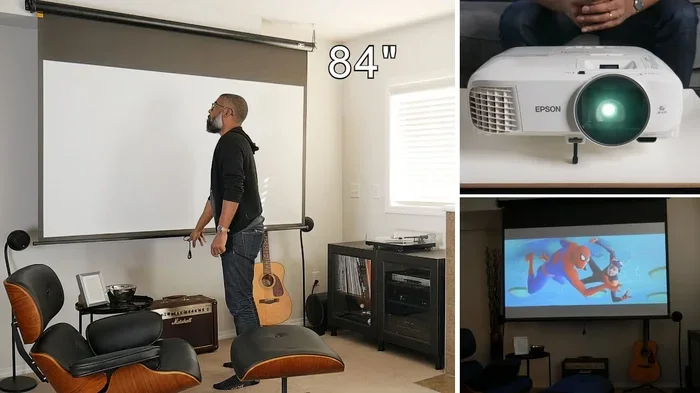
You can project onto a white wall, but a dedicated screen makes a huge difference. A proper projector screen enhances colors, contrast, and overall image quality. Inflatable screens are a fun and affordable option for casual use. Fixed-frame screens offer the best picture quality for a dedicated home theater.
Some people even use a black sheet as a projector screen in a pinch, but this is not ideal for long-term use. A proper white or gray screen surface is designed to reflect light evenly and produce the best results.
Connectivity And Smart Features
Modern projectors offer more ways to connect your devices than ever before. The right connectivity options make your setup more versatile and enjoyable.
HDMI, USB, And Wireless Options
HDMI is the most common and reliable connection for projectors. It carries both video and audio through a single cable. Most projectors have at least one HDMI port, and some offer two or three. Make sure your devices, like a streaming stick or gaming console, are compatible with the projector’s HDMI version.
USB ports are handy for playing media directly from a flash drive. Some projectors also support wireless screen mirroring, which lets you cast content from your phone or tablet without cables. This feature is especially useful for sharing photos or presenting in a group setting.
Adding A Streaming Device
If your projector does not have built-in smart features, you can add a streaming device. A popular option is using a Fire Stick on a projector. These small devices plug into the HDMI port and give you access to all major streaming apps like Netflix, Hulu, and Disney Plus.
Fire Sticks are affordable and easy to set up. They turn any projector into a smart projector in minutes. Just make sure your projector has enough USB power or use the Fire Stick’s power adapter if needed.
Making Your Projector Wireless
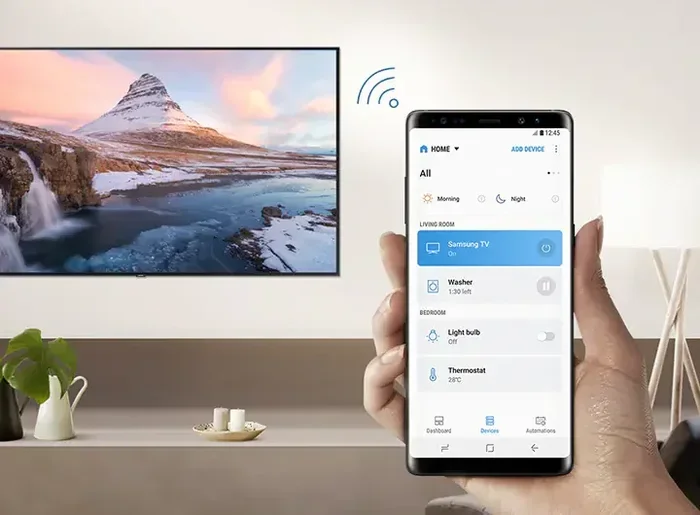
Nobody loves a tangle of cables running across the room. Many projectors now support wireless connectivity, either built-in or through an adapter. You can stream content directly from your phone, tablet, or laptop without any cables.
If your projector does not have native wireless support, you can add a wireless HDMI transmitter. These small devices send the audio and video signal from your source to the projector without a cable. Making your projector wireless is one of the best upgrades for a cleaner, more convenient setup.
Budget And Value Considerations
Projectors come in a wide range of prices, from under $100 to several thousand dollars. The good news is that you do not need to spend a fortune to get a great indoor viewing experience.
What You Can Expect At Different Price Points
Budget projectors under $300 are perfect for casual use. They typically offer 720p or 1080p resolution and around 2,000 lumens of brightness. They are great for bedrooms, kids’ rooms, or anyone who wants a big screen without a big investment.
Mid-range projectors between $300 and $800 offer better brightness, higher resolution, and more connectivity options. These are ideal for living rooms and family spaces. You will find features like smart capabilities, built-in speakers, and longer lamp life in this range.
Premium projectors above $800 deliver 4K resolution, exceptional color accuracy, and advanced features like lens shift and keystone correction. These are best for dedicated home theaters where image quality is the top priority.
Hidden Costs To Watch For
The projector itself is only part of the equation. You may also need to budget for a screen, cables, a mounting bracket, and replacement lamps or filters. LED projectors eliminate the need for frequent lamp replacements, which saves money over time.
Also consider the cost of a streaming device if your projector does not have built-in apps. A Fire Stick or similar device typically costs around $30 to $50. These small additions can make a big difference in your overall experience.
Common Mistakes To Avoid When Choosing A Projector
Even the best projector can disappoint if you make poor choices along the way. Here are some common mistakes to watch out for.
Ignoring ambient light: Buying a low-brightness projector for a sunny room will leave you frustrated. Always match the projector’s brightness to your room conditions.
Skipping the screen: Projecting onto a bare wall works in a pinch, but a proper screen dramatically improves picture quality. The investment is worth it.
Overlooking throw distance: Measure your room before you buy. A projector that is too far or too close will not produce the image size you want.
Forgetting about audio: Most built-in projector speakers are mediocre at best. Consider adding a soundbar or external speakers for a better experience. You can even connect a quality speaker to enhance the sound output of your projector setup.
Not checking warranty and support: A good warranty gives you peace of mind. Look for projectors with at least a one-year warranty and responsive customer support.
Expert Tips For Getting The Most Out Of Your Indoor Projector
Once you have chosen and set up your projector, a few simple tips can make a big difference in your viewing experience.
First, clean your projector’s air filter regularly. Dust buildup can cause overheating and shorten the device’s lifespan. Most projectors have a washable filter that you can clean with a soft cloth or rinse under water.
Second, calibrate your image settings. Most projectors come with default settings that are not optimized for your specific room. Spend a few minutes adjusting brightness, contrast, and color temperature to get the best picture.
Third, use the right cables. A high-quality HDMI cable ensures a clean signal without interference. Cheap cables can cause flickering or audio sync issues. It is a small investment that pays off.
Finally, consider the projector’s placement carefully. Even a few inches of misalignment can distort the image. Use keystone correction sparingly, as it can reduce image quality. The best approach is to position the projector correctly from the start.
Final Thoughts: Finding Your Perfect Indoor Projector
Choosing the best indoor projector for your home does not have to be complicated. Focus on the basics: brightness, resolution, throw distance, and placement. Set a realistic budget and stick to it. And remember, the best projector is the one that fits your room and your needs.
Whether you are a casual movie watcher or a dedicated home theater enthusiast, there is a projector out there for you. Take your time, do your research, and enjoy the process. Once you see your favorite movies and shows on a big screen, you will wonder why you ever watched on a small TV.
Start with the tips in this guide, and you will be well on your way to creating an amazing indoor viewing experience. Happy watching!
Frequently Asked Questions
What brightness level do I need for an indoor projector?
For most indoor rooms, 2,000 to 3,000 lumens is the ideal range. If your room has blackout curtains and minimal light, 1,500 lumens works fine. For rooms with windows and natural light, aim for 3,000 lumens or more to get a clear picture.
Is 1080p good enough for a home projector?
Yes, 1080p Full HD is excellent for most home setups. It provides sharp, detailed images that are perfect for movies, streaming, and gaming. Only consider 4K if you are a serious enthusiast and have a dedicated viewing space.
Can I use a projector as my main TV?
Absolutely. Many people use a projector as their primary TV, especially with smart projectors that have built-in streaming apps. The larger screen size creates a more cinematic experience. Just keep in mind that projectors work best in dimmer lighting conditions.
How far should the projector be from the screen?
Throw distance depends on the projector model and the screen size you want. Short-throw projectors work from 3 to 6 feet away, while standard-throw models need 8 to 15 feet. Check the manufacturer’s specifications for the exact throw ratio of your projector.
Do I need a special screen for my indoor projector?
While you can project onto a white wall, a dedicated screen significantly improves image quality. A proper screen provides better color accuracy, contrast, and a smooth surface. Even a simple portable screen can make a noticeable difference compared to a bare wall.
What is the average lifespan of an indoor projector?
Most projectors last between 2,000 and 5,000 hours depending on the lamp type. LED projectors can last even longer, often up to 20,000 hours. With regular use of a few hours per day, a quality projector can last 5 to 10 years or more.
=== INTERNAL LINKS USED ===
Internal Links Included: